

Safety bulletins that prove they landed.
Send alerts, stand-downs, regulatory reminders, policy updates, and hazard notices to the right project, trade, crew, or person. SALUS tracks who received it, who acknowledged it, who missed it, and what happened next.
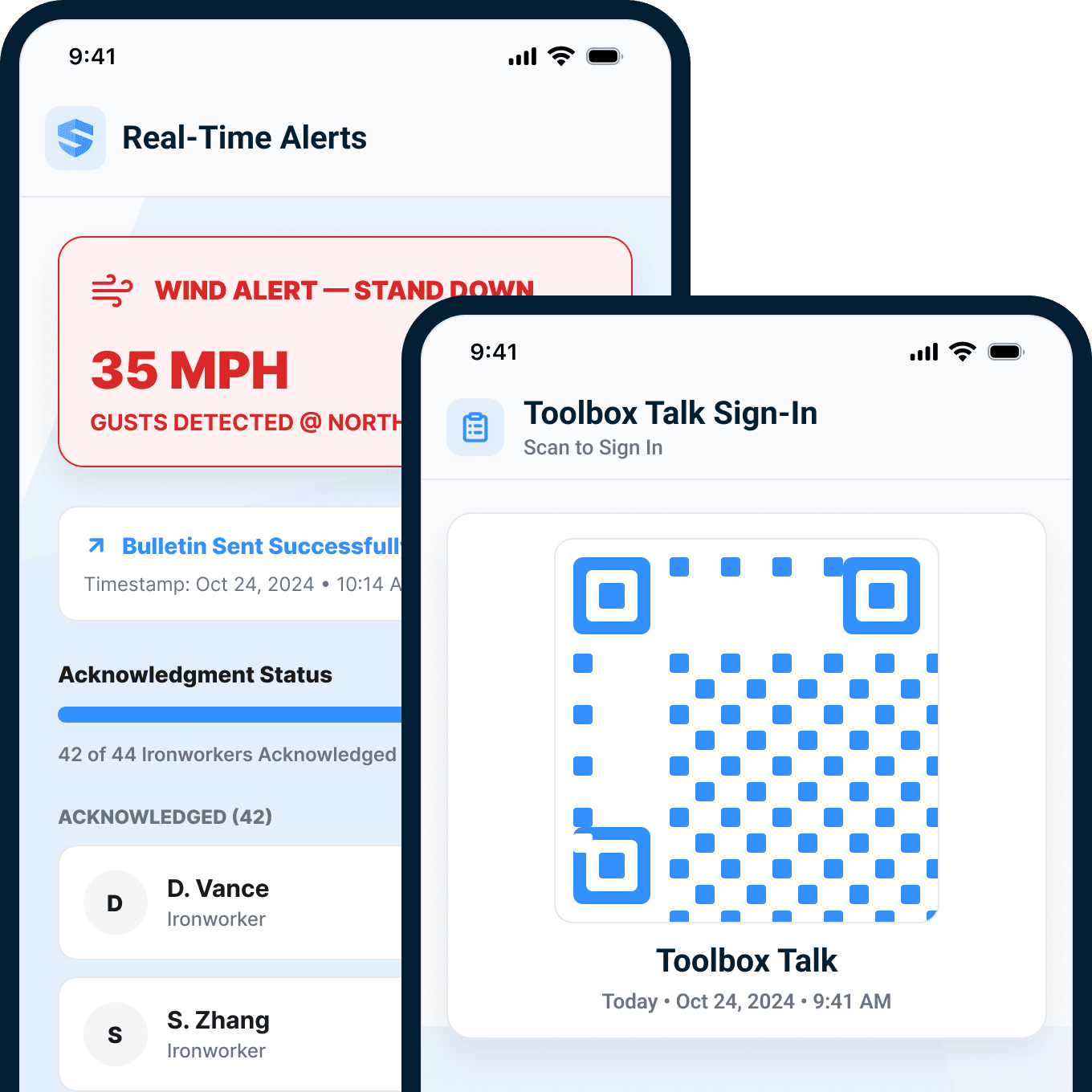
Pushed to every targeted device. Received, opened, and acknowledged — every step timestamped per worker. The gap list updates live.
Now it goes to all of them so that we can start an email chain on what's going on. Before sometimes it would be like, 'Oh, I had no idea.' Everything comes from the top down.



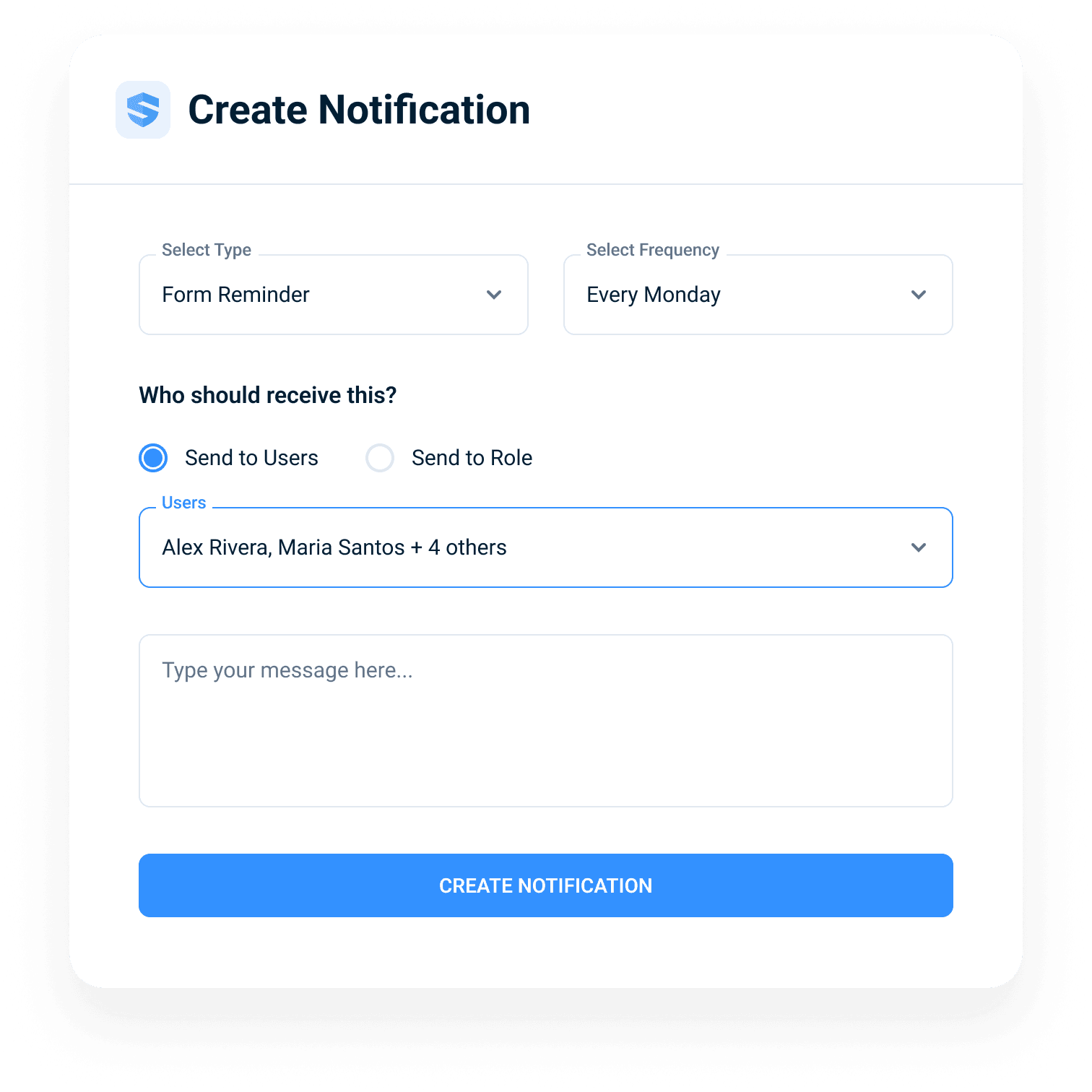
The right message goes to the right people.
Safety notifications targeted by project, trade, and crew.
Company-wide blasts teach workers to ignore notifications. SALUS sends to the exact audience or truly company-wide when it is everyone. And recurring notices take a minute to set up: pick the type, the schedule, and the people.
Relevance drives attention — and attention is what acknowledgement rates are made of.
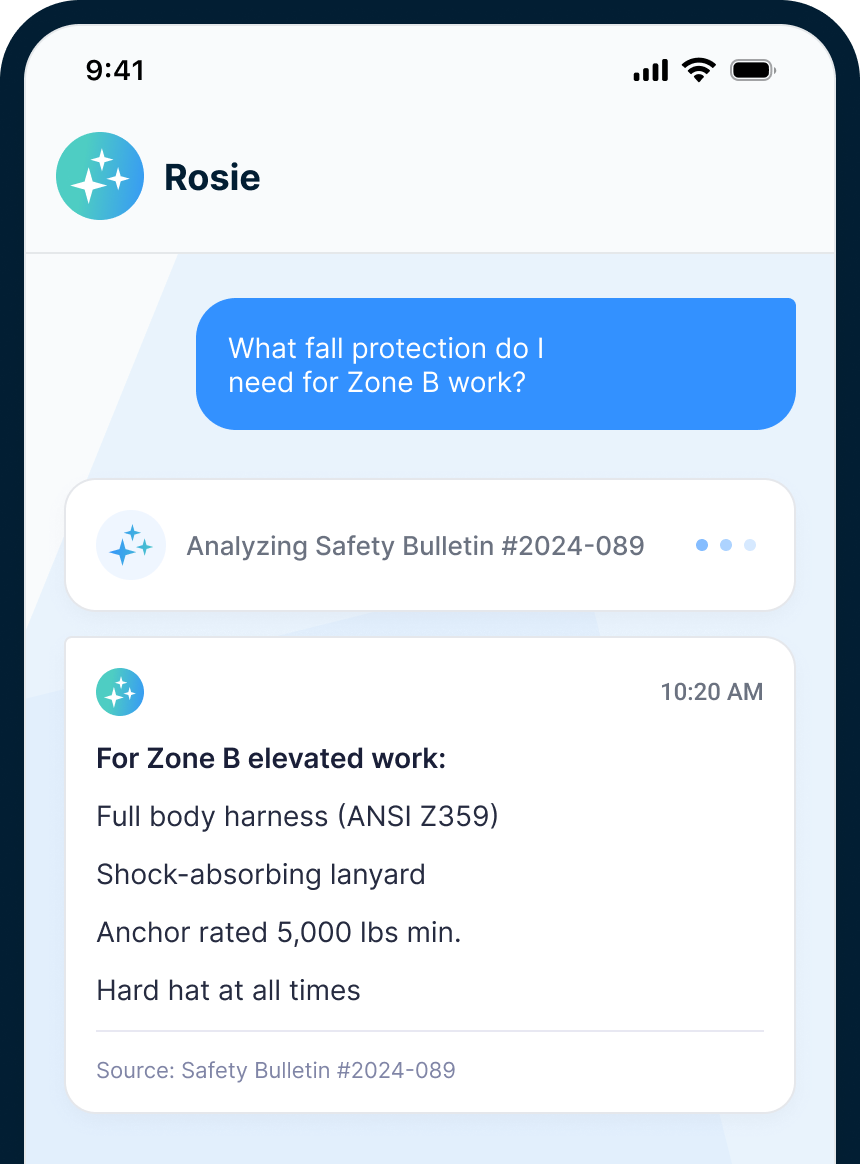
Information buried in a bulletin protects no one. Rosie surfaces the line that does.
The thousand-line bulletin is where critical requirements go to hide. Ask Rosie, the AI Admin & Risk Assistant, and instead of scrolling, the worker gets the exact line they need — with the source bulletin cited.
Question → bulletin → cited answer. Seconds, not scrolling.
Sent is not the same as received.
An announcement evaporates. A bulletin is evidence.
Every SALUS bulletin is born as a record: the content, the sender, the audience, and the clock, captured at the moment of sending. When the question comes from an owner, an insurer, or counsel, the answer is already on file.
Proof is born at the send — not assembled after the question.
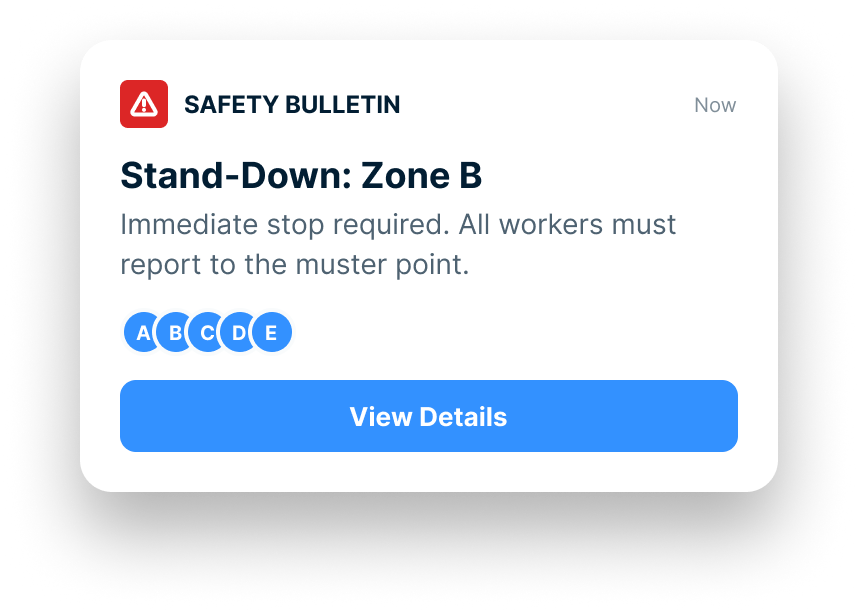
"Sent" proves nothing. The lifecycle proves everything.
A mass text can prove you hit send — and nothing else. SALUS tracks every bulletin through its full lifecycle: received, opened, acknowledged, with every step timestamped per worker.
Communication isn't complete until you can prove it was received.
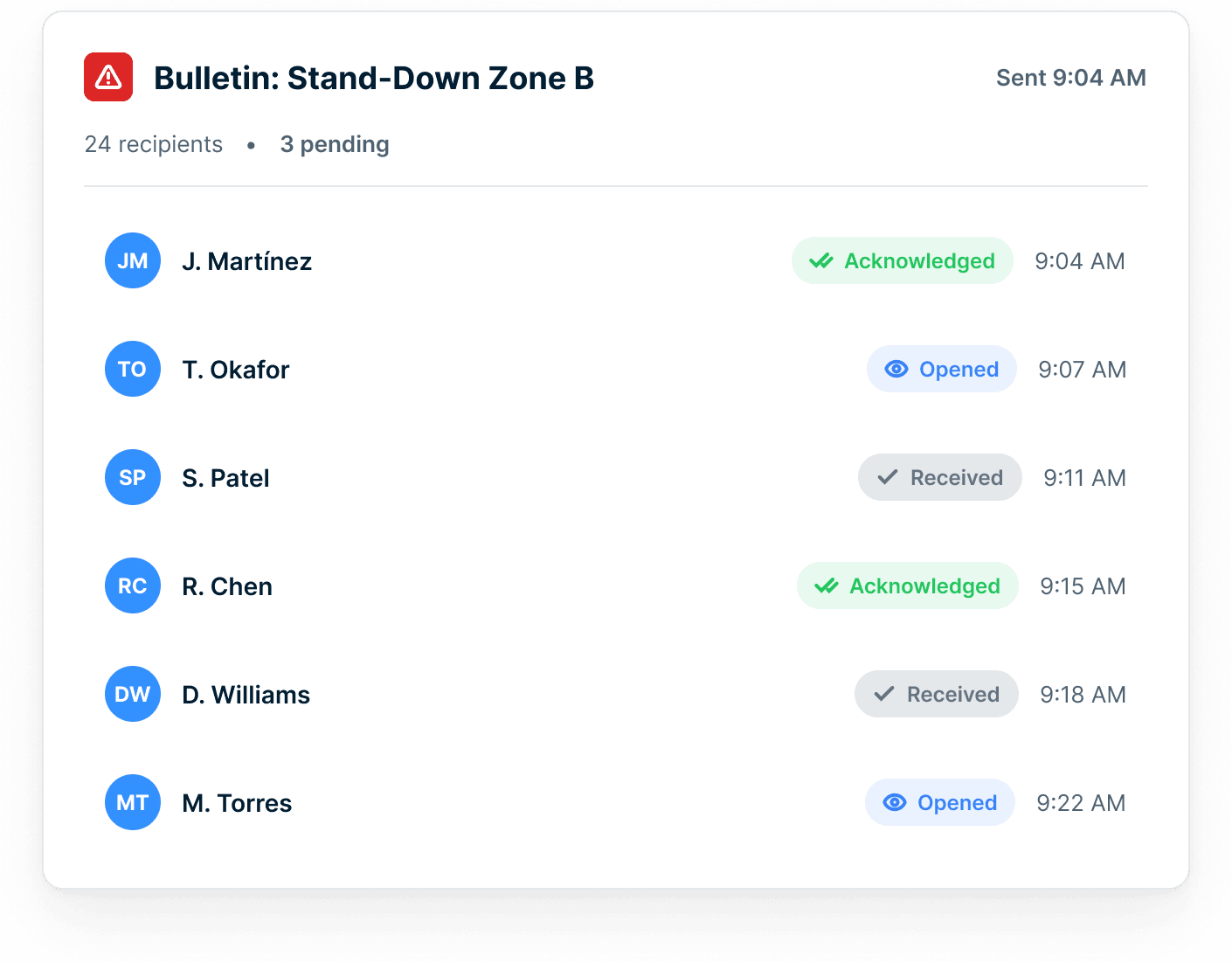
Suits see who hasn't heard.
Work the two exceptions — not the forty-two confirmations.
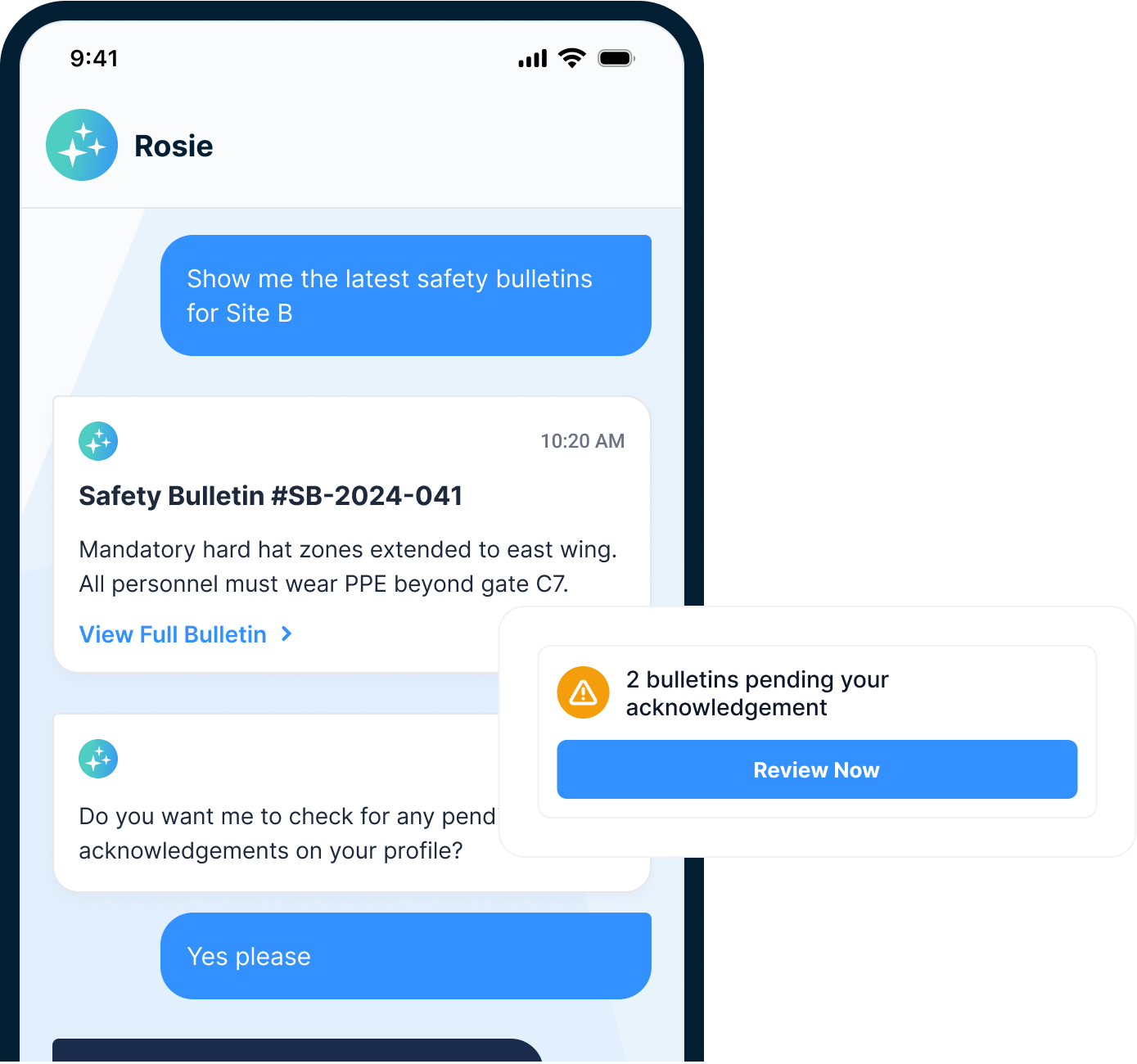
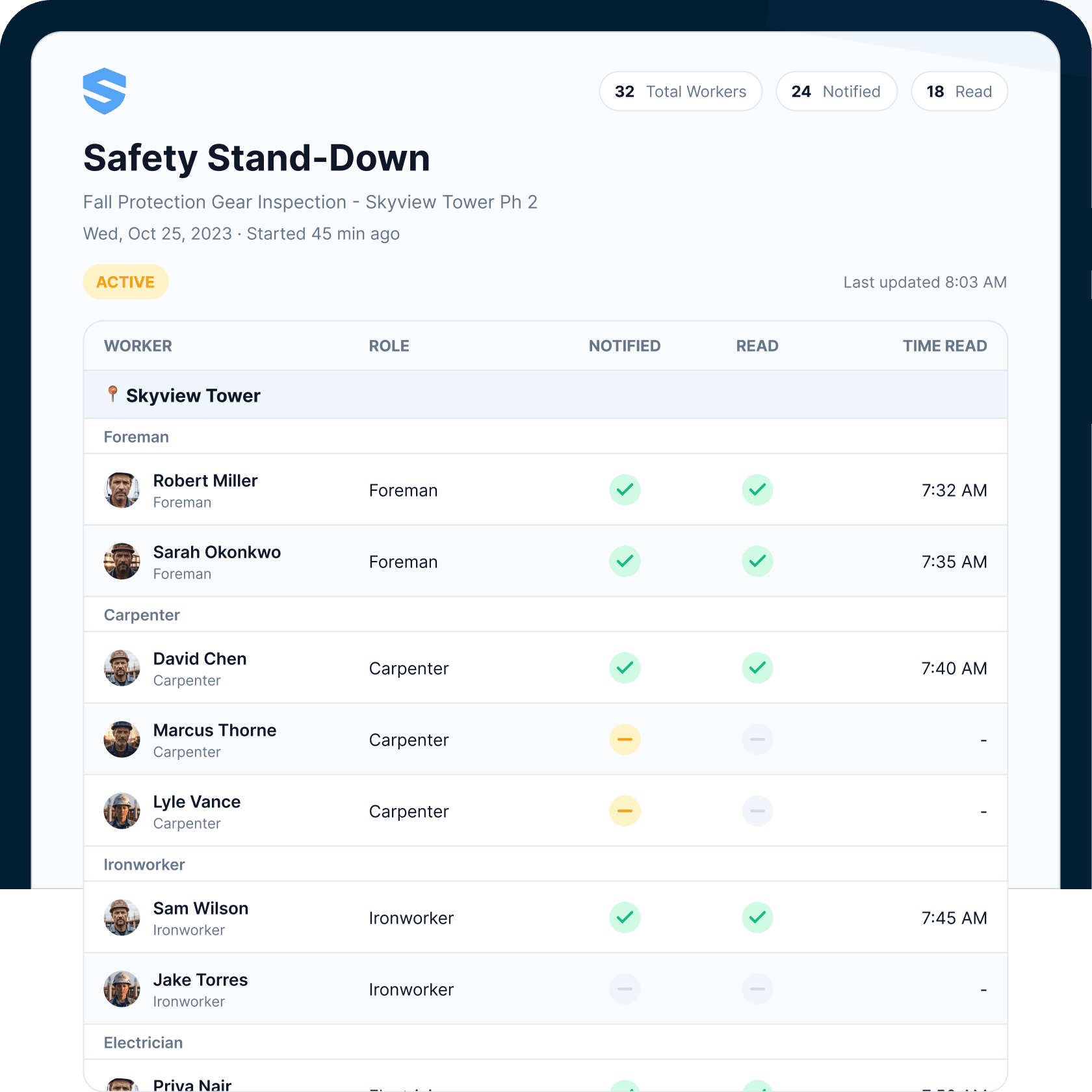
The stand-down dashboard shows acknowledgement by name, by role, and by crew — updating live as workers respond. And Rosie summarizes the gap on request: ask "who hasn't acknowledged the silica bulletin?" and the answer comes back as names, not a percentage.
The gap list has names. The names have foremen.
The site changes. The bulletin is already drafted.
When dust at Zone 3 crosses the safety threshold, Rosie has already flagged it, drafted the alert, and asked one question: notify the supervisor, send the bulletin, or both? The safety director approves instead of composing, the crew reads it in their own language, and the incident report logs itself.
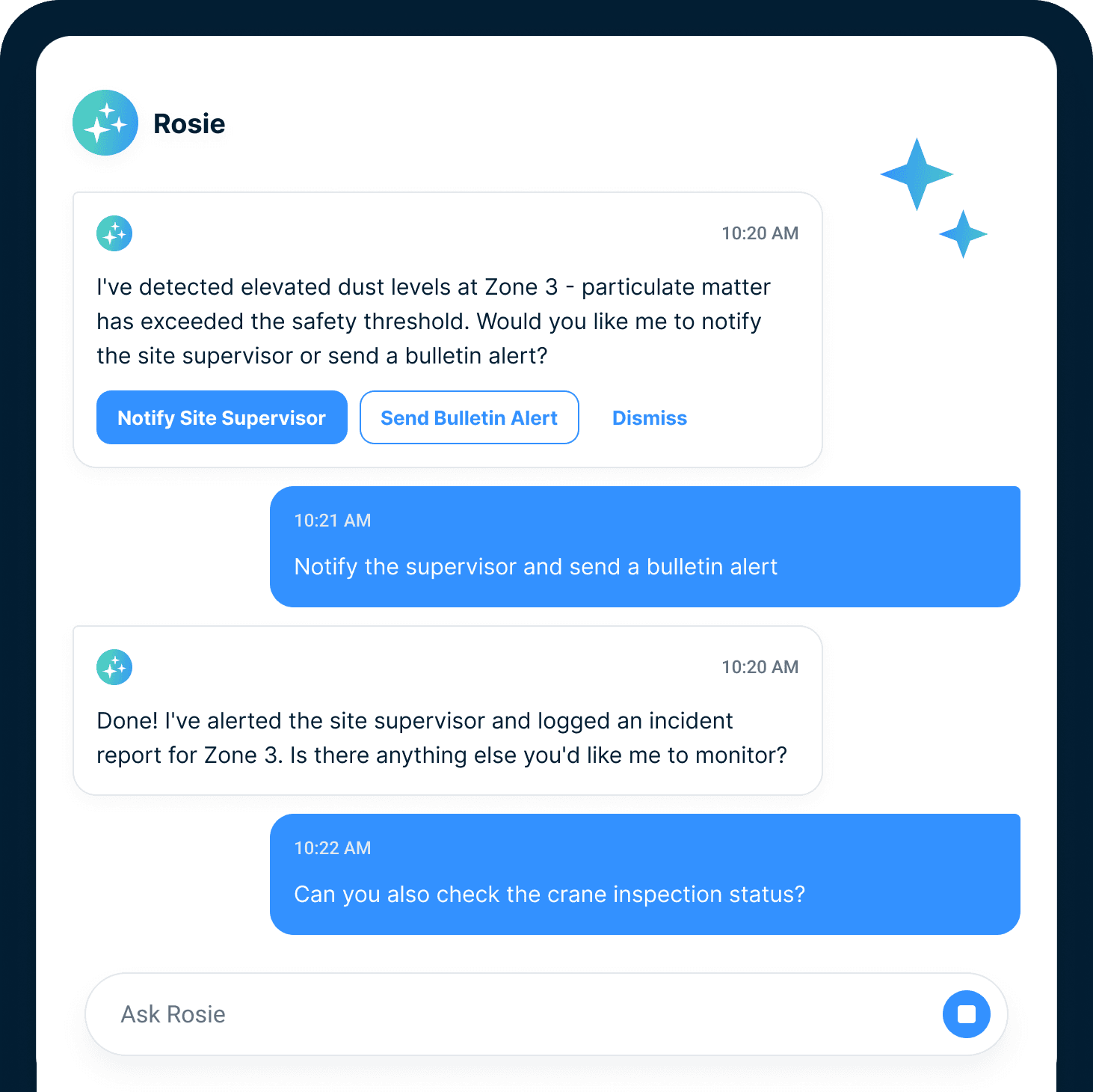
Detects
Threshold crossings and changing conditions, flagged the moment they happen.
Drafts
The notification or bulletin update, built and ready to send.
Asks
Notify the supervisor, send the bulletin, or both — one tap.
Logs
The alert and the incident report, on the record automatically.
Nobody had to notice. Everybody got notified.
Fewer relay failures. Better proof of communication.
When conditions turn, two clocks start. The first measures how fast the warning reaches every worker — it decides whether people get hurt. The second measures whether you can prove it arrived — it decides what the event costs afterward, with insurers, owners, and counsel.
Targeting
Send only to the audience that needs it.
Acknowledgement
Track confirmation by name.
Escalation
Work exceptions before they become gaps.
Safety notifications, safety record, safety communication, and construction safety alert.
Push-to-device delivery
App push, email, and text — whichever screen the worker actually reads.
Project/trade targeting
Reach the right group.
Acknowledgement tracking
Know who confirmed the message.
Automatic escalation
Surface missed acknowledgements.
Rosie drafting/search
Draft and retrieve safety messages.
Audit-ready records
Keep proof in the safety record.
Bulletins connected to field workflows.
Go deeper from message to action.
Safety communication is strongest when it produces proof or follow-up.
Safety bulletin software, construction safety alert, safety notifications, regulatory reminders, acknowledgement tracking, and escalation FAQ
What is safety bulletin software?
What is construction safety alert software?
How do safety bulletins reach workers in the field?
Can SALUS target bulletins by project, trade, crew, role, or person?
Can SALUS track bulletin acknowledgement by name?
What happens when someone does not acknowledge a safety bulletin?
Can Rosie draft or translate safety bulletins?
Can safety bulletins support regulatory reminders or emergency communication?
Is a safety bulletin the same as a toolbox talk?
Can bulletins trigger corrective actions or training?
Can routine reminders be scheduled?
How is this different from Crew Communication?
What should we bring to a safety bulletin demo?
Bring your last safety alert.
We will show who would acknowledge it.
Map the message, audience, acknowledgement, escalation, and safety record for one real alert.
Bring the current workflow. We will map the live version from field action to proof.