

Corrective action software that closes before the WCB claim opens.
Canadian contractors need corrective-action records that connect provincial OHS obligations with the way their COR safety program actually runs. SALUS carries a finding from an FLHA, workplace inspection, or crew discussion into an assigned correction with evidence attached. The supervisor sees the location and priority; the person doing the work sees the expected fix; the safety coordinator can check what changed. Whether the question comes from a project owner, a joint health and safety committee, or a provincial officer, the team can follow the record from discovery to verification without searching separate binders and inboxes.
Assigned to individuals, not companies · Viewed and confirmed, on the record · Escalation automatic
It may seem like a significant investment initially, but we saved the whole platform’s cost in printing alone – not to mention that everything is so much easier and more organized.
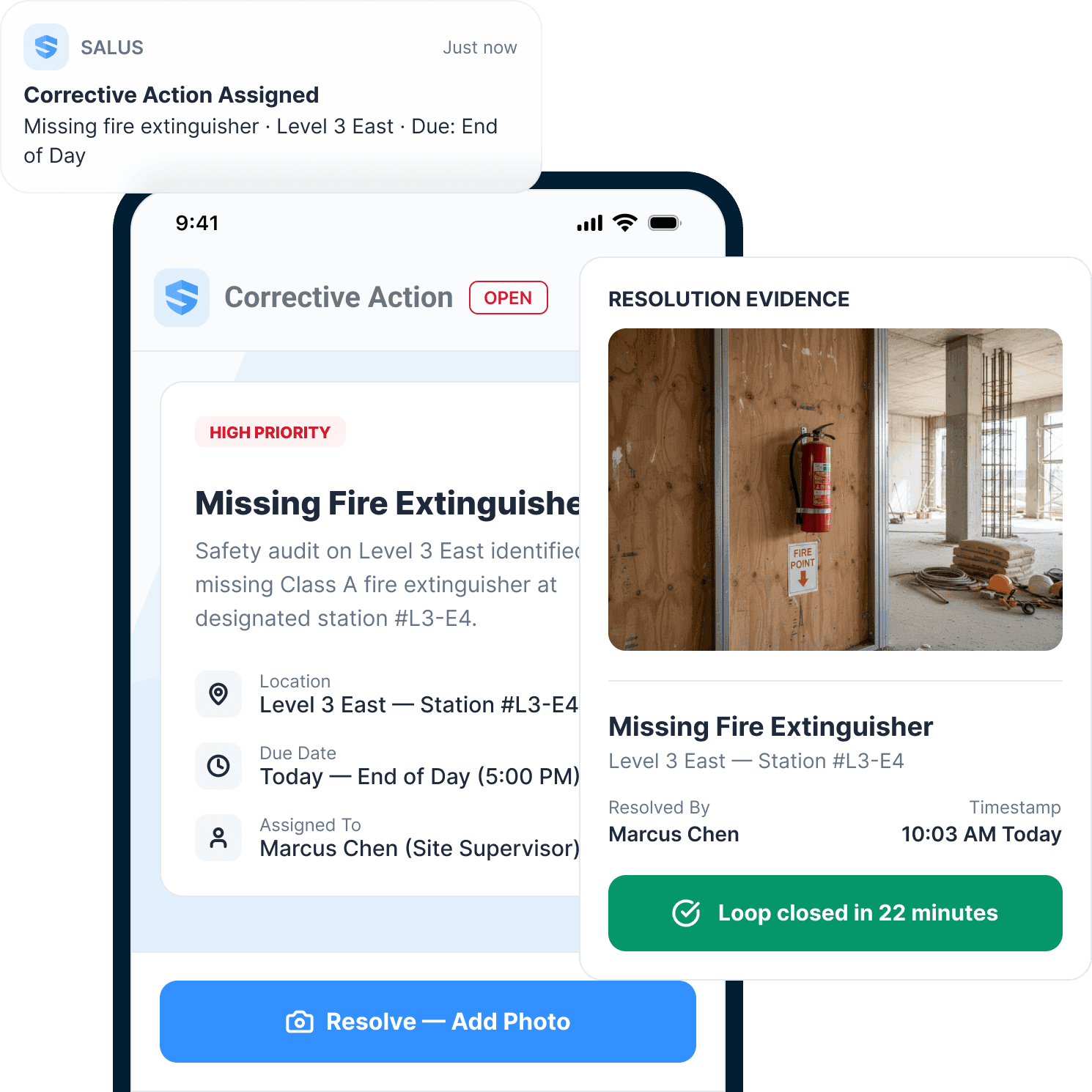



Create the corrective action where the hazard appears.
Capture the deficiency where the crew finds it.
A missing guard, an FLHA concern, or an equipment defect should arrive with the context needed to act. Record the location and condition, then let Rosie turn the field note into an action draft. The supervisor checks the details before assigning responsibility within the Canadian project’s safety programme.
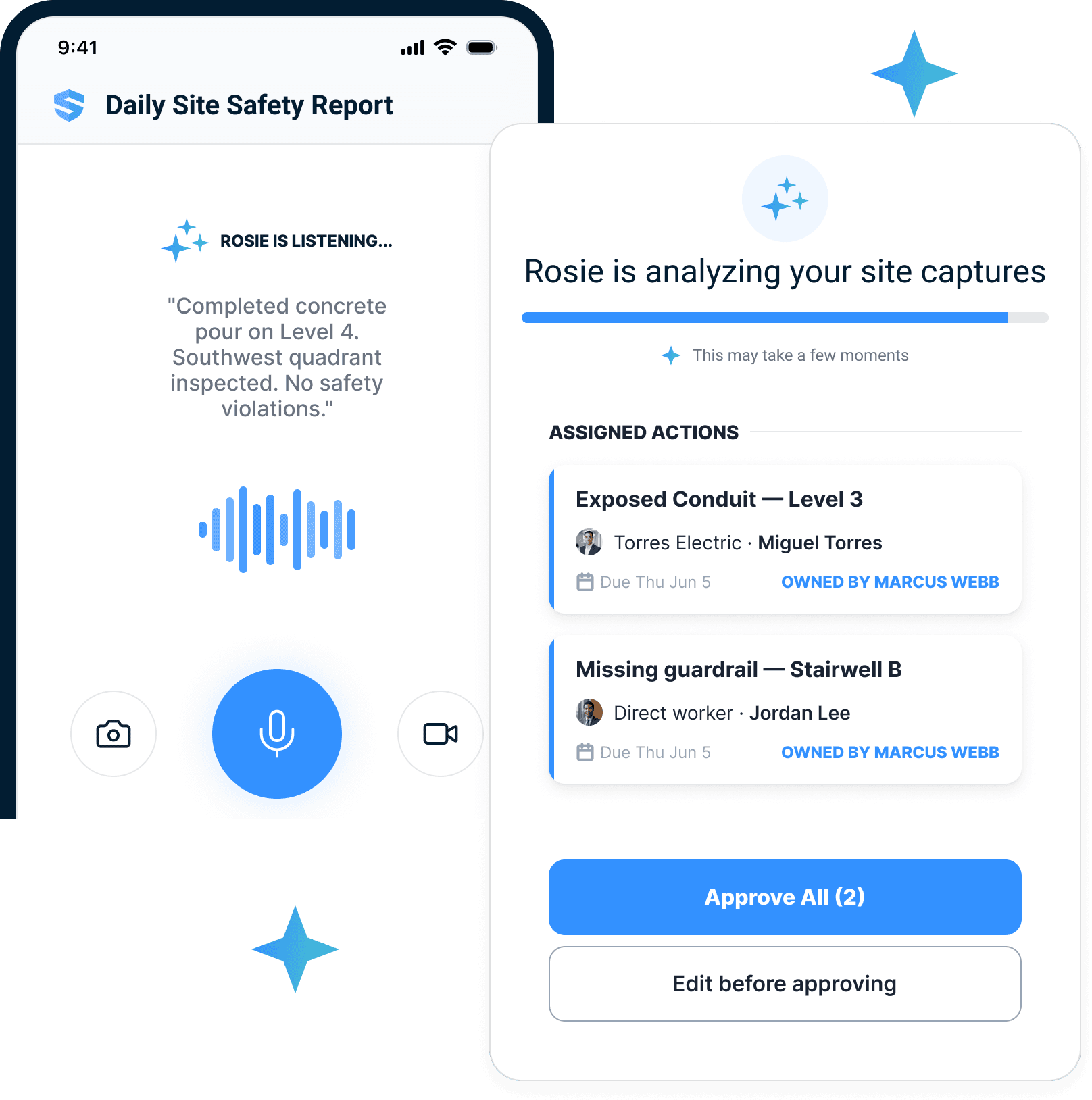
Talk
Describe the issue in your own words — at the hazard, not at the trailer.
Rosie builds
The voice note becomes an action: what, where, priority, due date, owner.
You approve
One tap assigns it — including to specific workers in subs.
One voice note. One approval. A name on every action — not a company.
Put a person’s name beside the next step.
A trade contractor’s company name cannot tell you who is fixing the condition. Assign the correction to the responsible individual and include the work area, supporting photo, and expected completion. The person receives the context needed to respond, while the site team can see whether the assignment has been viewed.
The most dangerous corrective action is the one everybody thinks someone else owns.
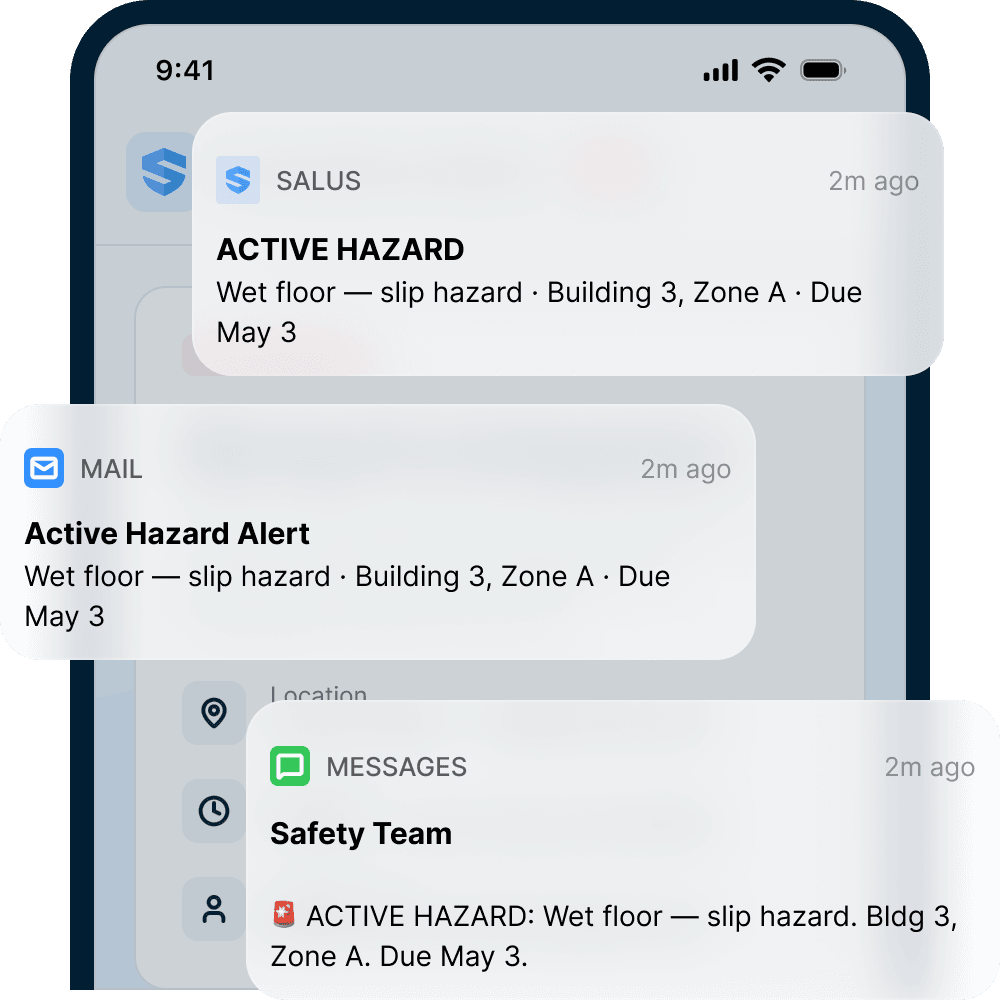
Corrective action tracking, from created to closed with evidence.
Keep a history the next supervisor can follow.
Shift changes should not erase the status of an unresolved finding. SALUS records the assignment, acknowledgement, response, and closure history in one place. Safety coordinators can review ageing items across Canadian projects and follow up with the person responsible before an unanswered request becomes another lost email.
That’s the difference between a to-do list and a risk management system.
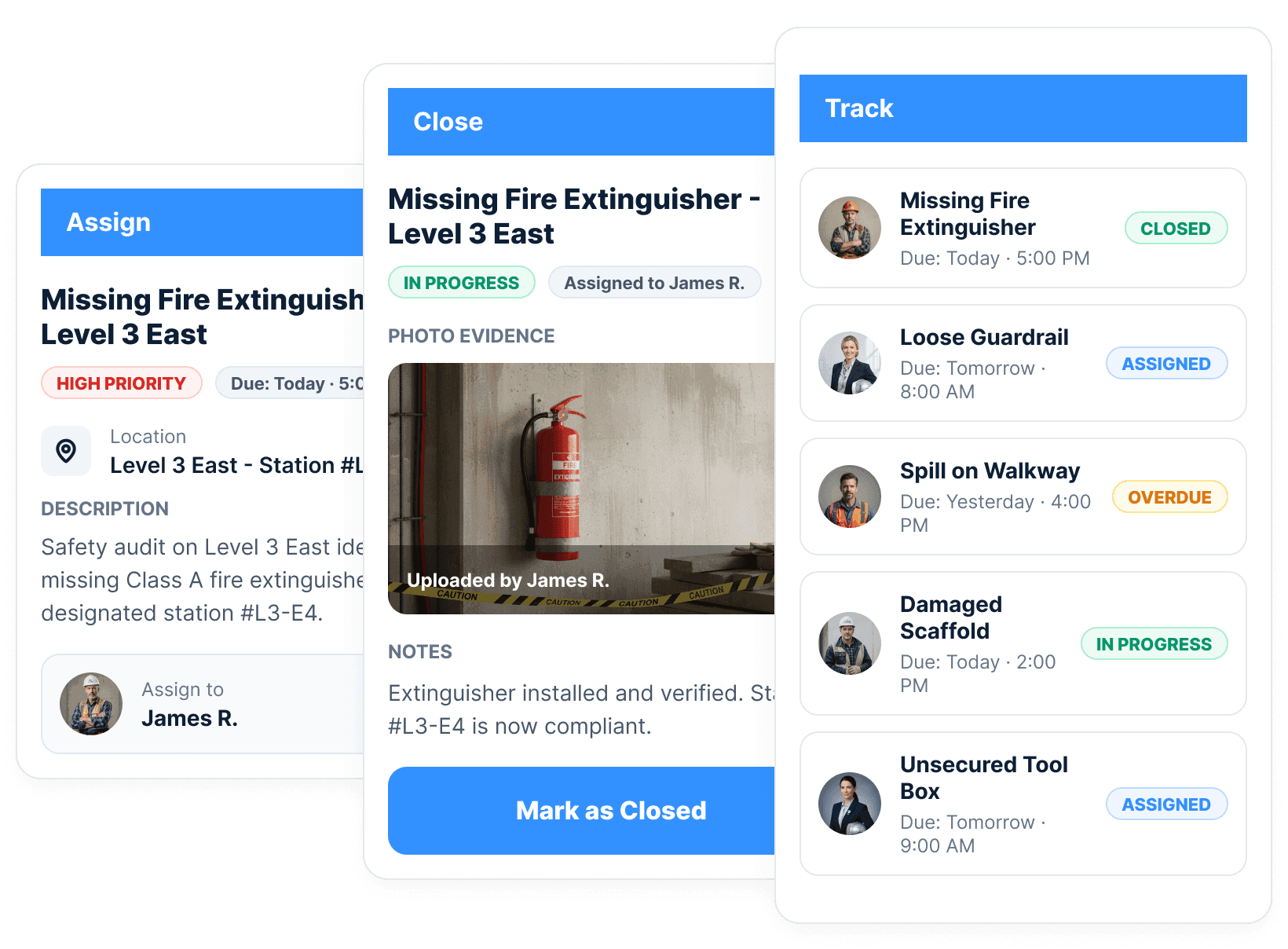
Verify the field correction before closing the record.
A completed status needs an explanation. Attach the photo of the corrected condition, the work notes, and the required confirmation. The resulting history lets a project owner, COR auditor, or provincial OHS officer understand what changed and which original finding prompted the work.
Acknowledged isn’t fixed. Photographed is.
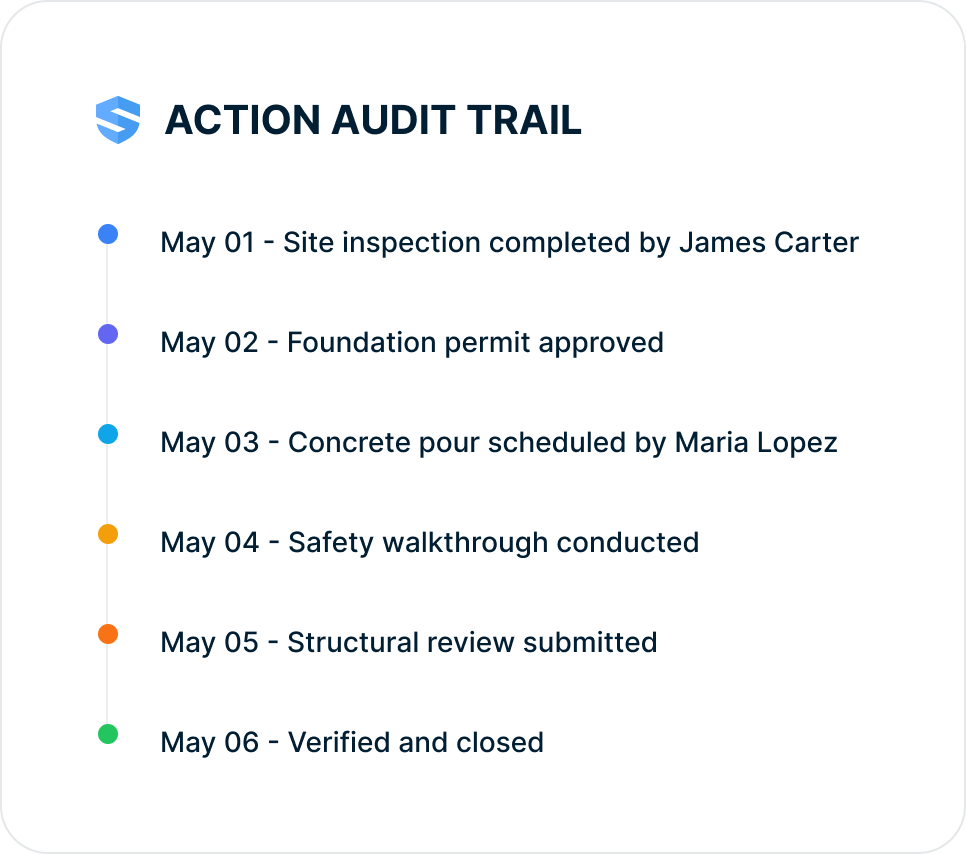
The system chases the open loop.
Escalate unresolved work to the right supervisor.
A reminder should reach someone able to move the correction forward. Route outstanding actions through your site responsibilities, whether the next person is a superintendent, safety coordinator, or trade supervisor. Priority and status help the team focus its follow-up while immediate hazards receive immediate attention in the field.
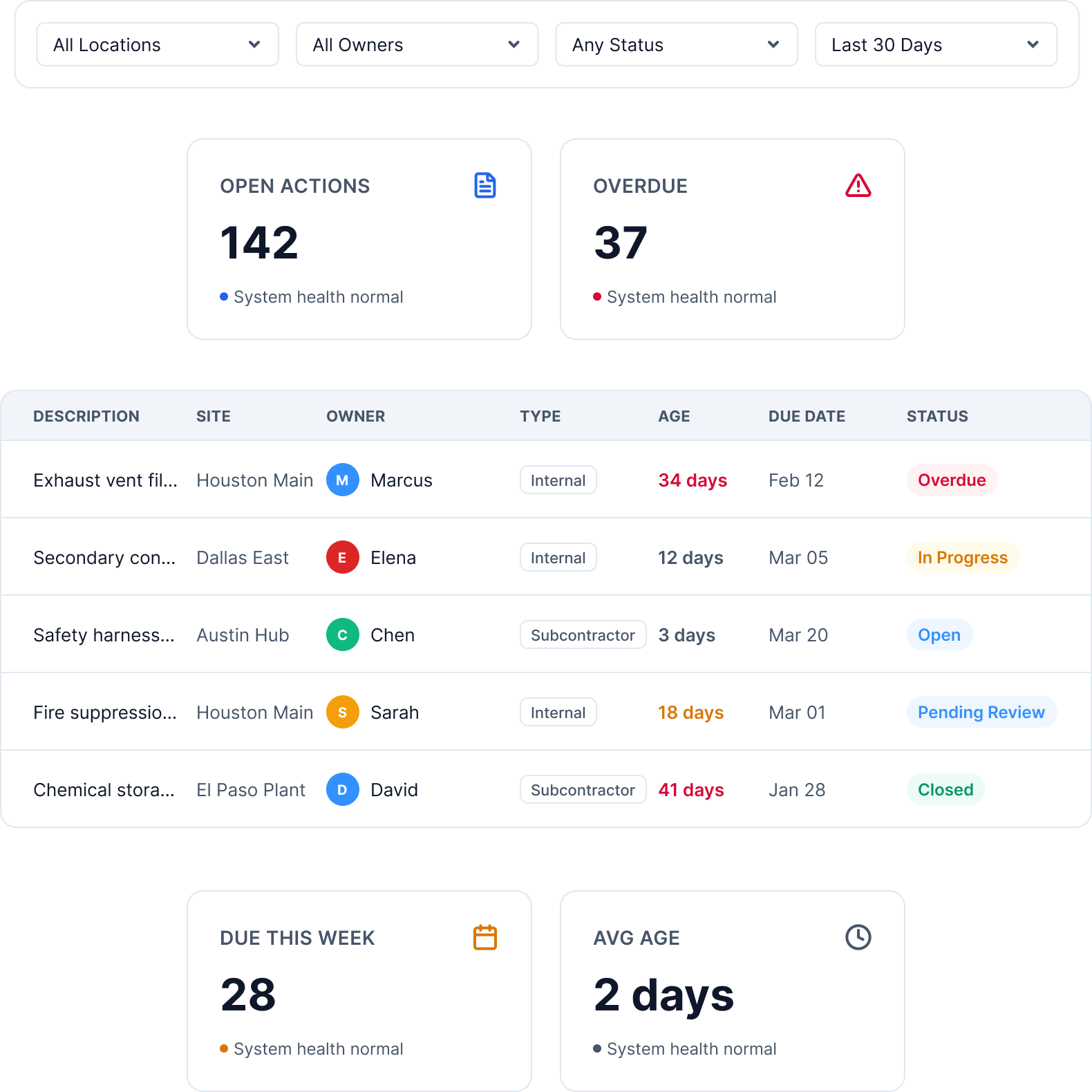
Due-date reminders
Assignees nudged before the action goes overdue.
Automatic escalation
Leadership notified when high-risk actions sit ignored.
Priority-aware routing
High-severity hazards treated differently from housekeeping.
Overdue dashboards
Aging risk visible to the office, immediately.
Follow-up isn’t a personality trait. It’s a system setting.
Use repeated findings to improve the programme.
Repeated housekeeping or access issues deserve more than another isolated task. Review the type of finding, project, trade, and closure history together. Rosie helps surface recurring patterns so the safety team can examine the underlying work process and decide whether its instructions, planning, or supervision need to change.
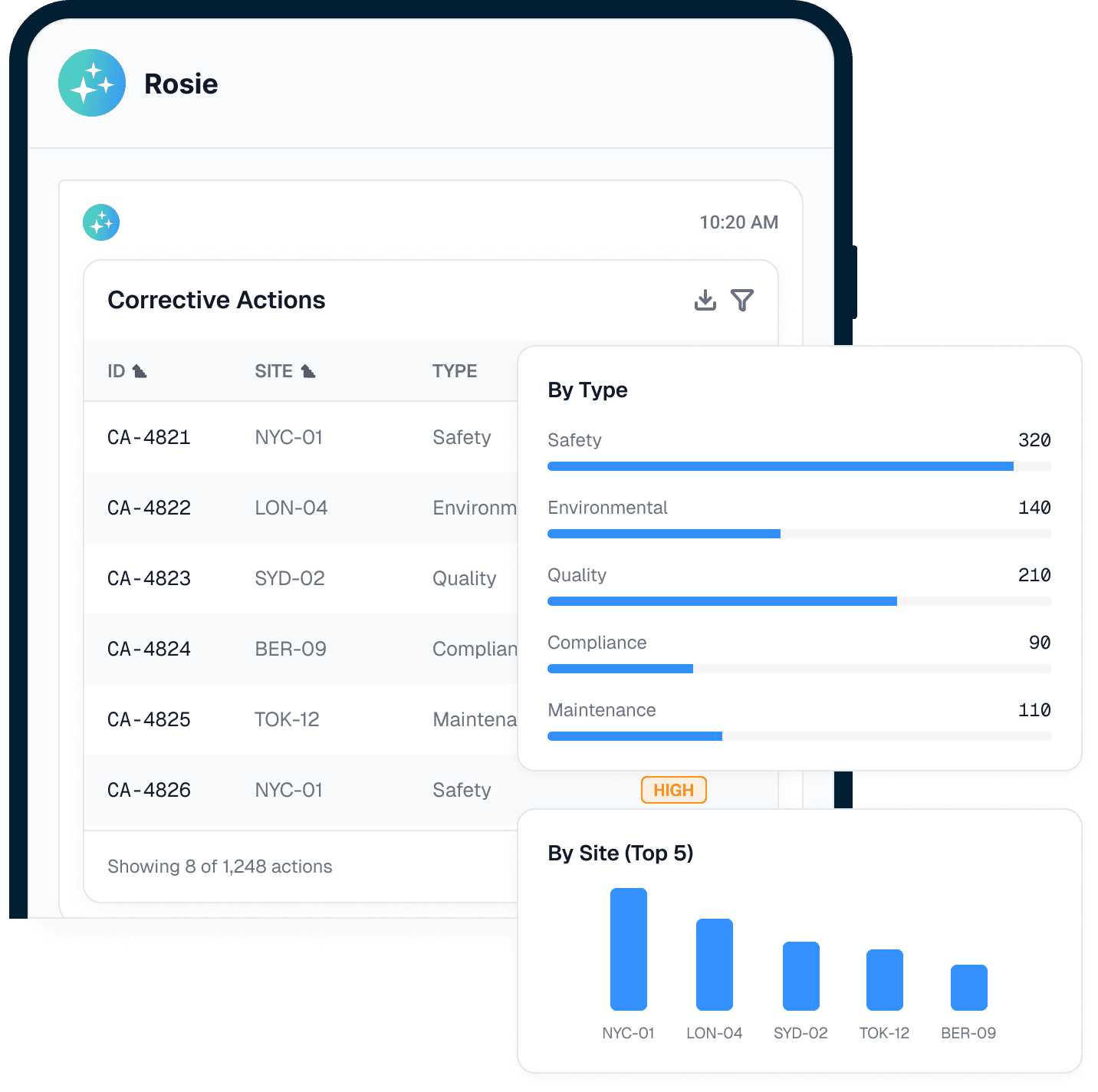
Severity
Critical items surface first — nothing waits its turn in a list.
Repeat hazards
The same condition, found twice, gets flagged — not re-filed.
Trends
Rising patterns flagged before any one site could see them.
Time-to-close
Where loops close fast, where they stall — and who needs the nudge.
One closure is a fix. A thousand closures are a pattern.
Show how your provincial OHS program closes findings
WorkSafeBC’s correction-of-unsafe-conditions requirements call for hazards found during inspections to be remedied without delay. That obligation concerns what happens in the workplace. An action register helps organise the response, but entering a future due date does not make an unsafe condition acceptable.
For a British Columbia project, keep the inspection finding, immediate protection, assigned correction, and verification together. Make the record useful to the supervisor who must act today and to the joint committee reviewing recurring issues later. Photos should explain the actual condition and the completed work, with enough location detail for another person to check the result.
A contractor preparing for a COR audit can use those connected records to demonstrate how its own hazard-assessment, inspection, and follow-up processes operate. COR requirements depend on the province and certifying partner; SALUS does not award certification. For work in other provinces, configure the terminology, responsibilities, and review steps around the applicable OHS requirements. The practical outcome is a traceable correction history that supports your programme, instead of a spreadsheet of items marked done.
Speed
Open actions surface before they drift.
Accountability
Named owners replace vague awareness.
Proof
Closure evidence supports your provincial OHS regulator, insurers, and owners.
Corrective action tracking, closure, and overdue corrective actions.
Voice-created actions
Rosie structures field notes into work.
Individual assignment
Owner, due date, site, and location are attached.
Multi-channel notification
Owners get the action where they work.
Automatic escalation
Overdue items surface before they disappear.
Evidence-based closure
Photo evidence proves what changed.
Velocity analytics
See closure speed by project, trade, and owner.
Where corrective actions begin.
Go deeper after the action closes.
Closure proof becomes useful when stakeholders ask what changed; the deeper proof packet lives in Proof on Demand.
Corrective Actions: questions from Canadian contractors
How can an FLHA finding stay connected to its correction?
What can a joint health and safety committee review in an action register?
Does a digital action register provide COR certification?
What is the difference between corrective action and preventive action?
How does SALUS handle overdue corrective actions?
Can corrective actions be assigned to subcontractors?
Can corrective actions be closed with photo evidence?
Can corrective actions trace back to inspections or incidents?
How does Rosie help with corrective actions?
Do corrective actions work offline?
What should we bring to a corrective action demo?
Bring your open action log.
We will show what should close first.
Walk through assignment, escalation, evidence, and closure velocity from one real action list.
Bring the current workflow. We will map the live version from field action to proof.