

Keep Procore. Give safety a system built for the field.
Procore is your system of record — SALUS is the system of action for jobsite safety. Crews complete safety workflows in SALUS; supported finalized records move to configured Procore tools automatically. Less double entry. A clearer safety record in the project view.
- Scoped two-way connection — selected projects flow in, supported records flow back
- QR crew access for selected SALUS field workflows
- Submitted forms, review Tasks, attachments & manpower data land where PMs work
Before SALUS, we were tracking safety data across 14 different systems — Excel, SharePoint, you name it. It was unmanageable. Moving to SALUS didn’t just digitize us; it unified us.
Request your personalized demo
Share a few details. A SALUS specialist will contact you within one business day to schedule your personalized walkthrough.
Request received
We received your demo request. A SALUS specialist will contact you within one business day to schedule your personalized walkthrough.
400K
users
150K
sites
1B
field data points
14K
companies
Safety on Procore alone vs. Procore + SALUS
Procore has native inspections, observations, incidents, and Safety Hub. SALUS complements that project system with trade-crew capture, connected readiness controls, and supported record flows into the Procore tools your PMs already use.
Safety workflows
Procore alone
Native inspections, observations + incidents
Procore + SALUS
Trade-crew capture connected to readiness + proof
Field participation
Procore alone
Project-user and permission model
Procore + SALUS
QR access for selected crew workflows
Daily Log
Procore alone
Native project log workflow
Procore + SALUS
Mapped manpower fields can enter pending logs
Worker readiness
Procore alone
Project people and document records
Procore + SALUS
Credentials can gate forms, equipment + access
Subcontractor context
Procore alone
Company and project management tools
Procore + SALUS
Portable worker-level operational record
Offline capture
Procore alone
Mobile capture with supported offline tools
Procore + SALUS
Offline-first safety workflows + autosave
Form logic
Procore alone
Conditional logic in Inspections
Procore + SALUS
AI-built adaptive forms across crew workflows
Safety analytics
Procore alone
Safety Hub across inspections, observations + incidents
Procore + SALUS
Cross-module readiness, risk + sourced Rosie answers
Form review
Procore alone
Manual handoff
Procore + SALUS
Forms requiring review are created as Procore Tasks
Procore stays the record. SALUS runs the field.
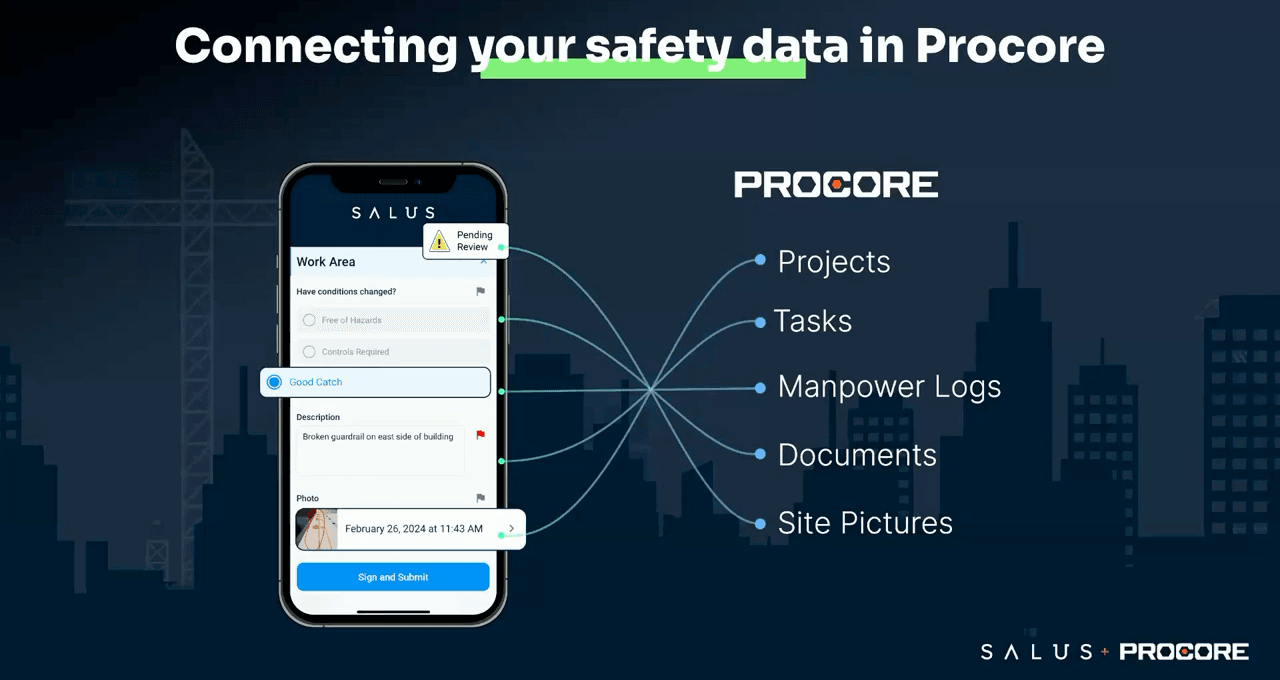
A scoped two-way connection reduces exports and re-entry: selected projects flow in, supported finalized records flow back, and your PMs see agreed safety records in familiar Procore tools.
- Projects flow in — Selected Procore projects can appear in SALUS as linked job sites — no duplicate site setup.
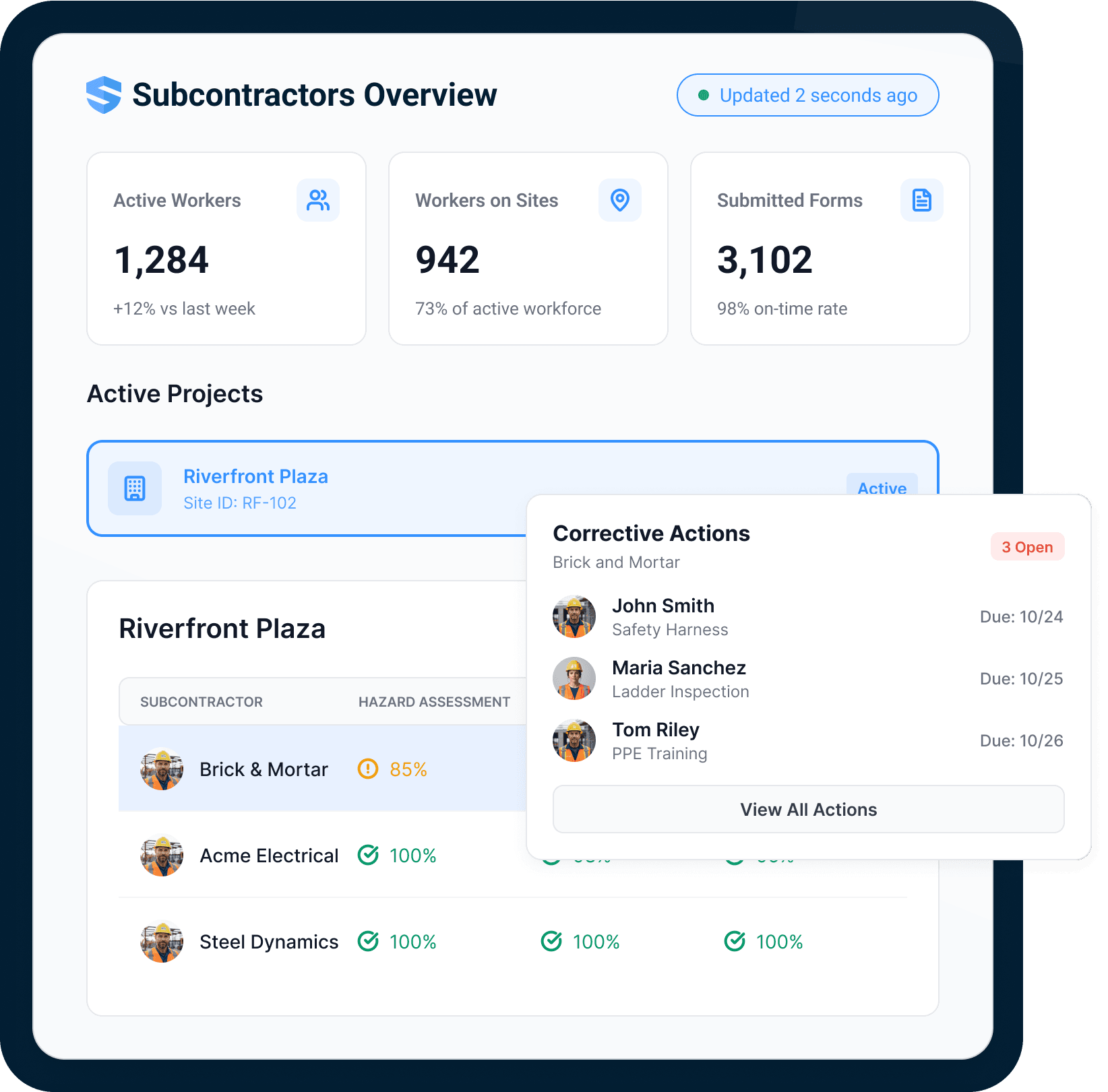
- Records flow back — Submitted forms file to configured Documents folders; form attachments copy to Photos; mapped manpower fields enter pending Daily Log entries.
- Actions carry accountability — SALUS forms requiring review are created as Procore Tasks so the review handoff enters the project workflow.
Procore is our master solution that we use to manage all our sites. All SALUS log submissions are auto-uploaded to Procore’s document section. If you’re done wasting time searching, SALUS is the solution.
Extend participation to the crew moment of work
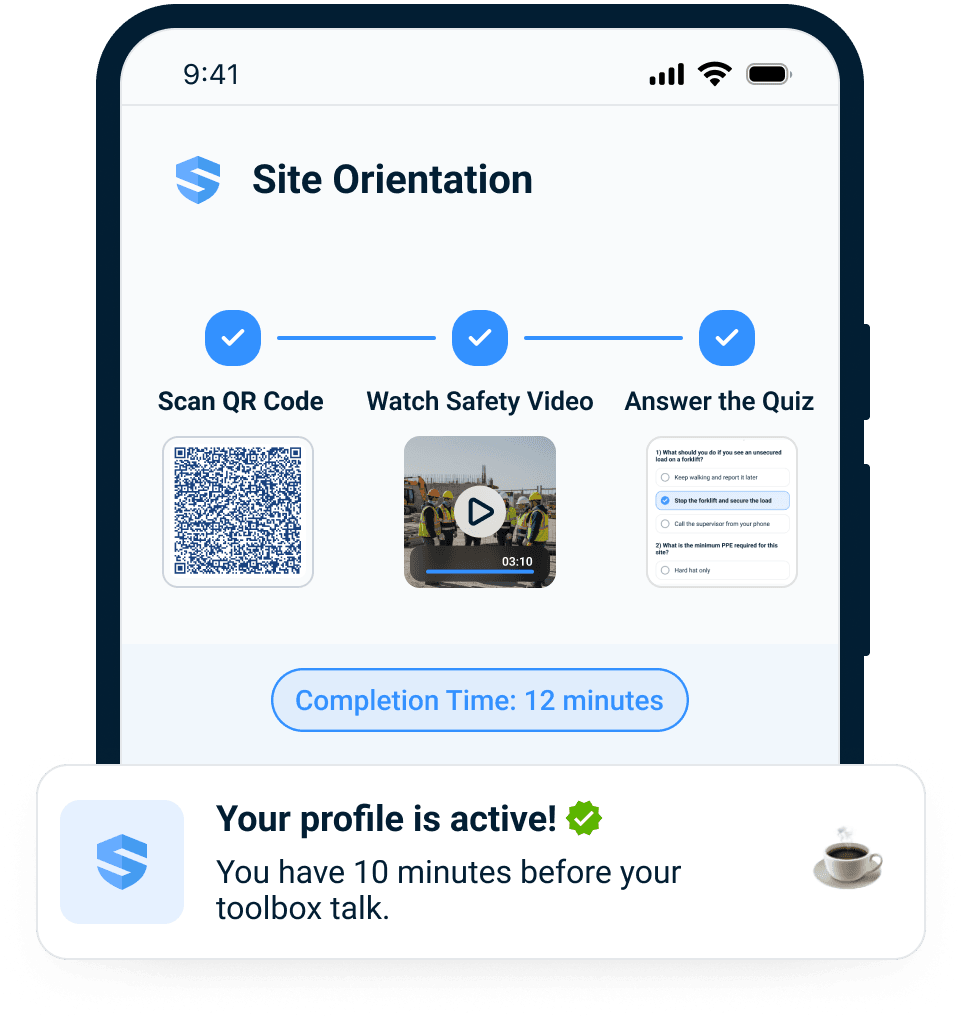
Procore organizes participation through project users, permissions, and its native tools. SALUS adds fast QR entry for selected crew safety workflows, keeping the field experience focused while the supported finalized record moves into configured Procore tools.
- One scan into the workflow — Orientation, site-specific forms, and a live worker profile begin from the worker’s own phone in minutes.
- Works in dead zones — Every keystroke auto-saves offline and syncs on the next five seconds of signal.
- Every language on site — A hazard reported in Spanish is instantly readable — and actionable — by an English-speaking super. 21+ languages, both directions.
Answers in 30 seconds, not 30 hours
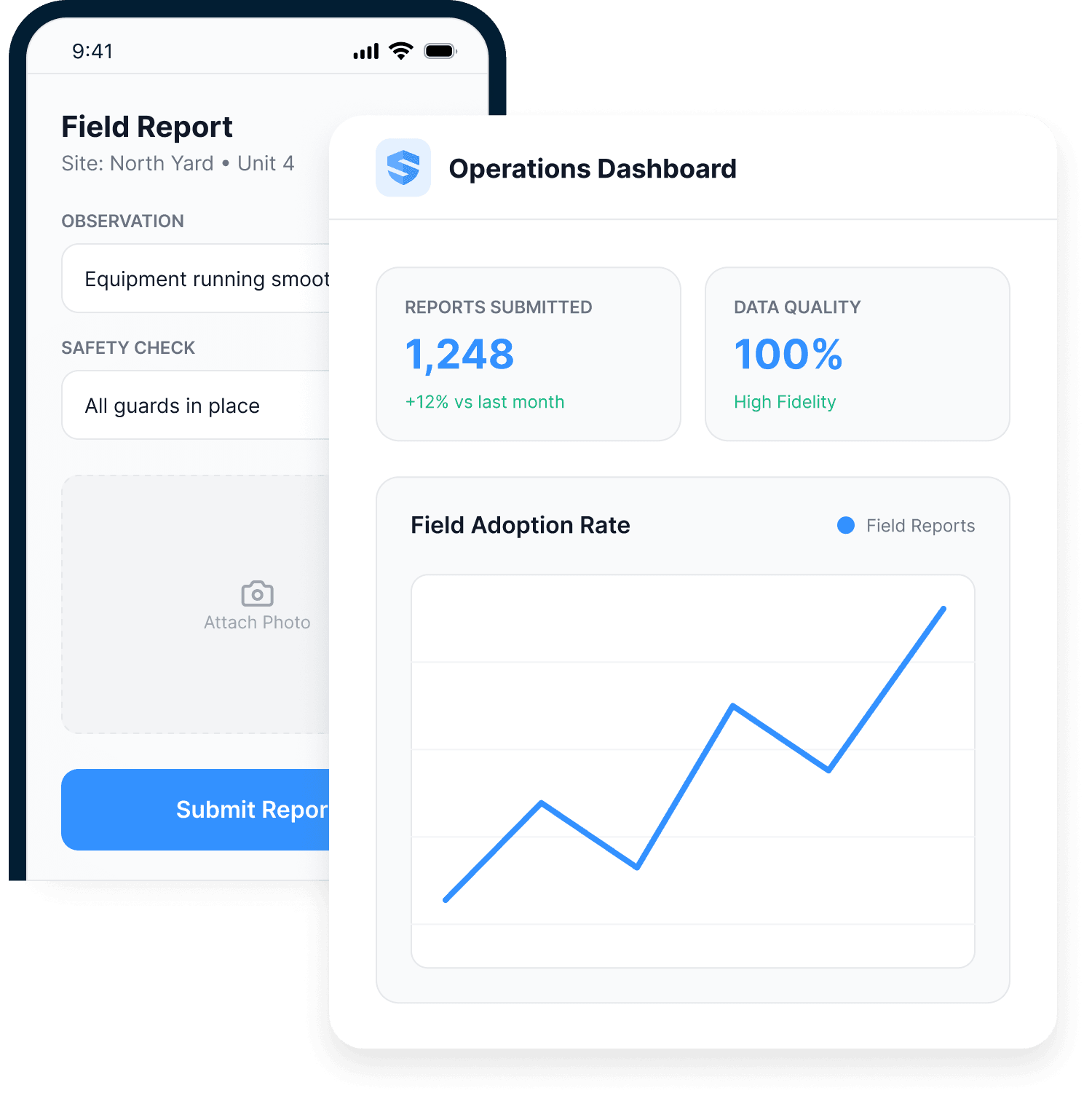
A PDF proves a form was filled out. Structured data answers questions. Every SALUS submission is data you can filter by project, sub, trade, time period, or risk indicator — with live dashboards on top.
- Drill to the record — From portfolio trend to the specific corrective action — who owns it, when it was due, how it closed.
- Reports build themselves — The weekly digest is generated and distributed automatically; the end-of-shift report is already built.
- Procore stays clean — The structured record syncs back as the documents and log entries your PMs expect.
Procore stores the documents. Rosie has the answers.
Rosie is the AI Admin & Risk Assistant. She reads the field record your crews create and turns it into daily summaries, compliance answers, and proof packets — while the documents keep flowing into Procore.
- The daily summary, assembled — Built automatically from what crews actually submitted — supers review, nobody re-types, and the Daily Log stays current.
- Proof in minutes — OSHA responses, dispute evidence, and prequal packages compiled from timestamped, GPS-tagged records.
- Ask in plain English — “Which projects are exposed?” — answered with sourced evidence, not a week of spreadsheet merging.
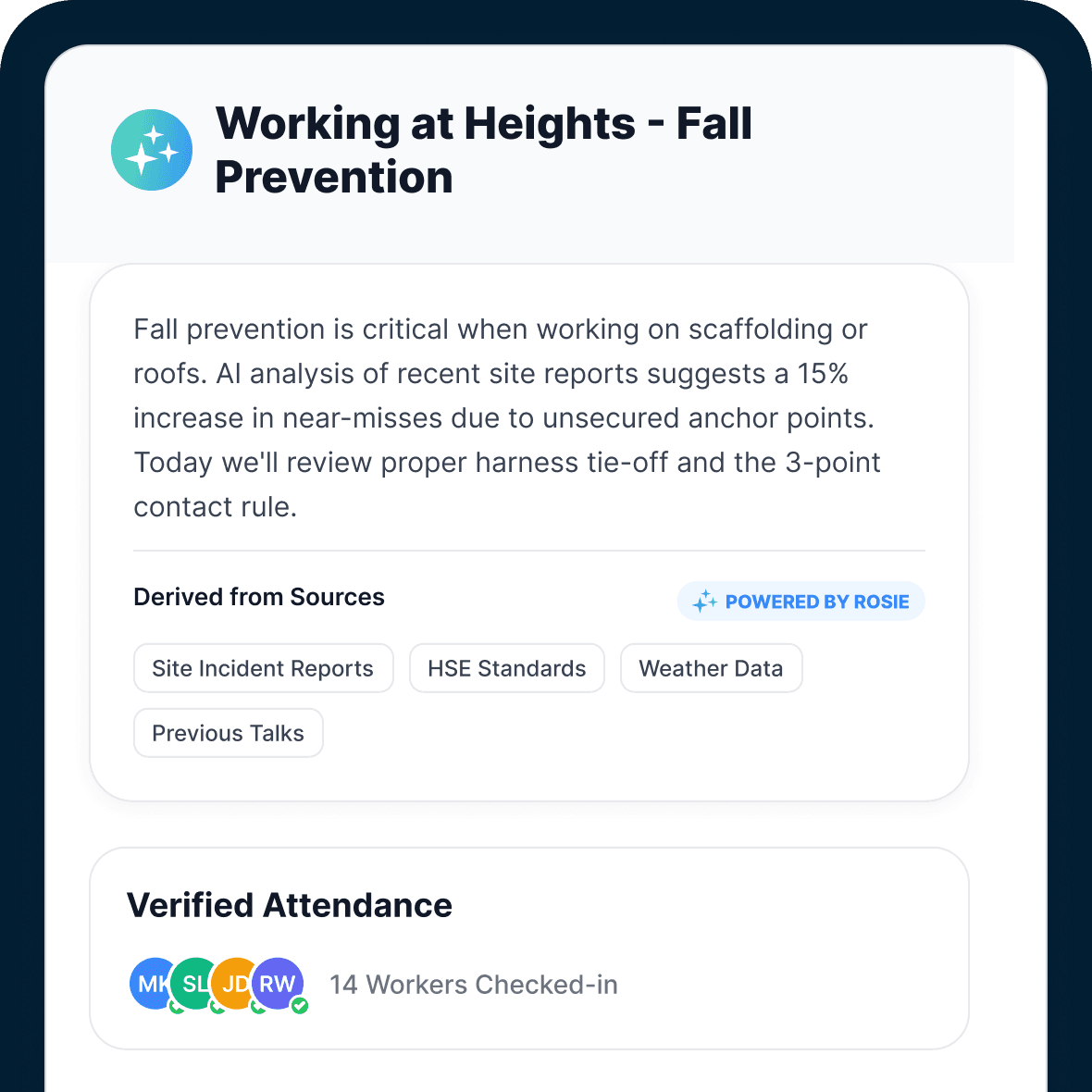
I love Rosie. It’s just a total game changer. I’m working on something right now — I’ll be done in the next half an hour with Rosie. That would have taken me three days probably.
One connected crew record across the work
SALUS connects the trade, worker, crew, project, task, and source record without losing the individual who owns the next action. The result is a portable operating record for the contractor and a precise field view for the team coordinating the site.
- Fast field participation — A site QR takes workers into the exact orientation, form, or task they need from the phone already in their hand.
- Worker-level context — Orientation, credentials, JHAs, corrective actions, and evidence stay tied to the named worker and their employer.
- Company rollup with the owner intact — Coordinate by trade, project, and site while preserving exactly who owns each open action and what proves closure.
- A portable record for the trade — Carry verified readiness and work history across projects while retaining the original GC, site, task, time, and source context.
You could get on a plane and fly to all of these jobs to see what they actually look like, or you can create a system where people bring jobs to life in front of your eyes.
World-class service, in your corner
SALUS partners with you end to end — digitizing your forms and workflows, training your people, rolling out to the field, and driving the adoption that makes a program actually stick.
Real human support
Chat, email, or phone during core business hours. Field worker or platform admin, you reach a real SALUS specialist — not a backlog.
Tailored onboarding plan
A dedicated customer success manager builds a success plan around how your business actually runs.
Live & on-demand training
On-demand videos for quick refreshers, live sessions when you want your questions answered in real time.
See SALUS in action.
Request a personalized walkthrough and see how supported SALUS records move into your configured Procore tools.
No commitment · 30-minute personalized walkthrough