

Safety inspection software that turns findings into COR evidence.
Canadian construction teams need workplace inspections that reflect provincial OHS requirements and the evidence their COR programme expects. SALUS connects the site walk to the finding, responsible supervisor, assigned correction, and verification record. Capture the condition with photos and notes while the crew can explain the work, then keep the follow-up with the original inspection. Safety coordinators gain a view across projects without separating the field evidence from its context. Where worker or joint committee participation applies, the record can document who contributed and what needs further review under the project’s own inspection process.
- Hours · Hazard closure in hours, not daysPaper corrective actions can take days to close. A connected inspection assigns the fix on the spot — SALUS customers report closure in hours.
- 1 flow · Find, assign, notify — no separate moduleCorrective actions live inside the inspection itself. No re-entry, no follow-up calls, no module-hopping — the walk is the work.
Conditional checklists, photos, annotations, and voice — captured during the walk, not after it.
It may seem like a significant investment initially, but we saved the whole platform’s cost in printing alone – not to mention that everything is so much easier and more organized.


Walk the floor. Capture what matters.
Record the observation during the workplace inspection.
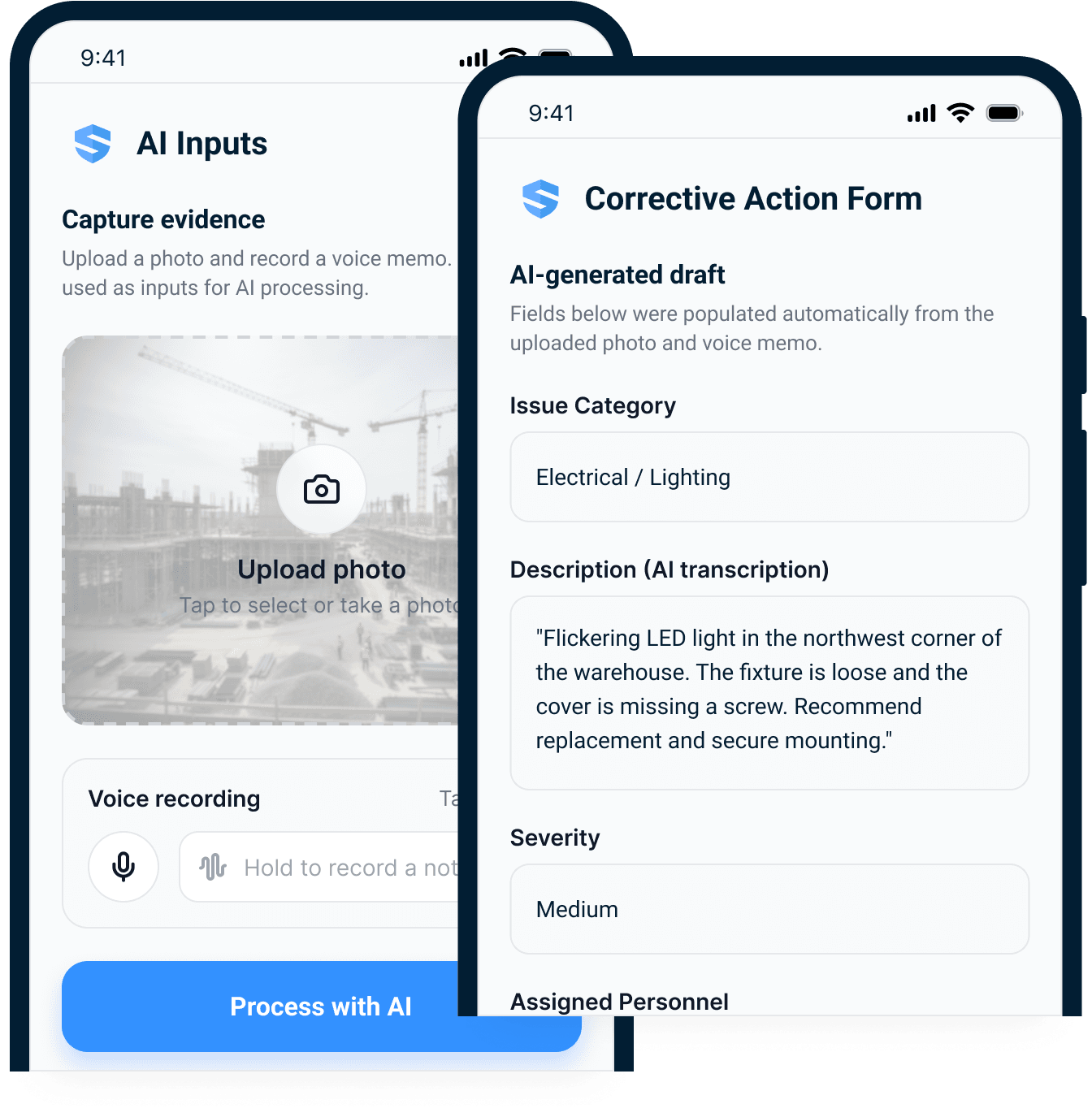
A photo and a spoken explanation preserve different parts of a finding. Capture both while the condition is visible, then review Rosie’s structured draft for the location, issue, and priority. The resulting inspection gives the supervisor the field context needed to act within the project’s OHS process.
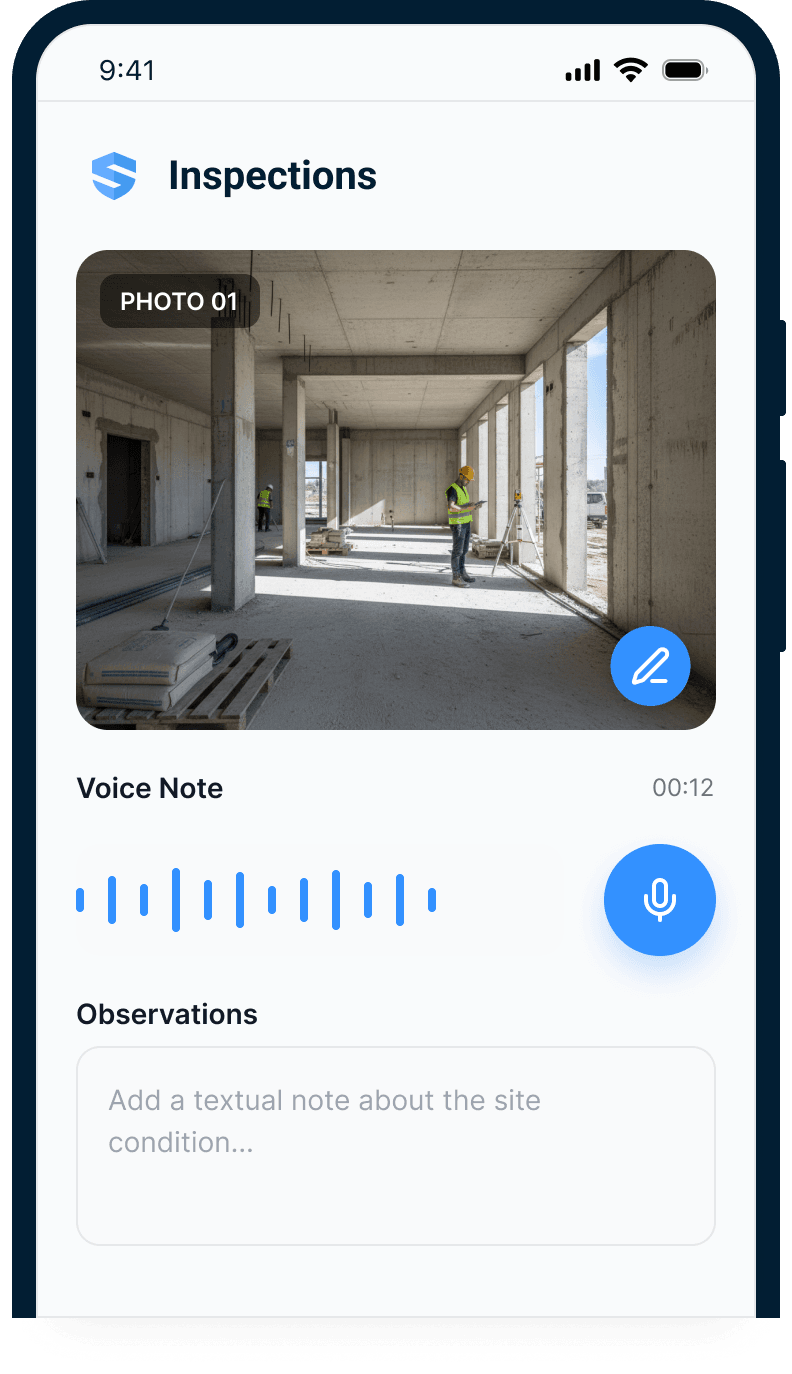
Snap & annotate
Photograph the condition and mark it up at the slab edge — GPS attached.
Speak
A voice note instead of 40 taps. Rosie transcribes and structures it.
Filed
Form fields, category, severity, draft corrective action — filled automatically.
Captured during the walk.
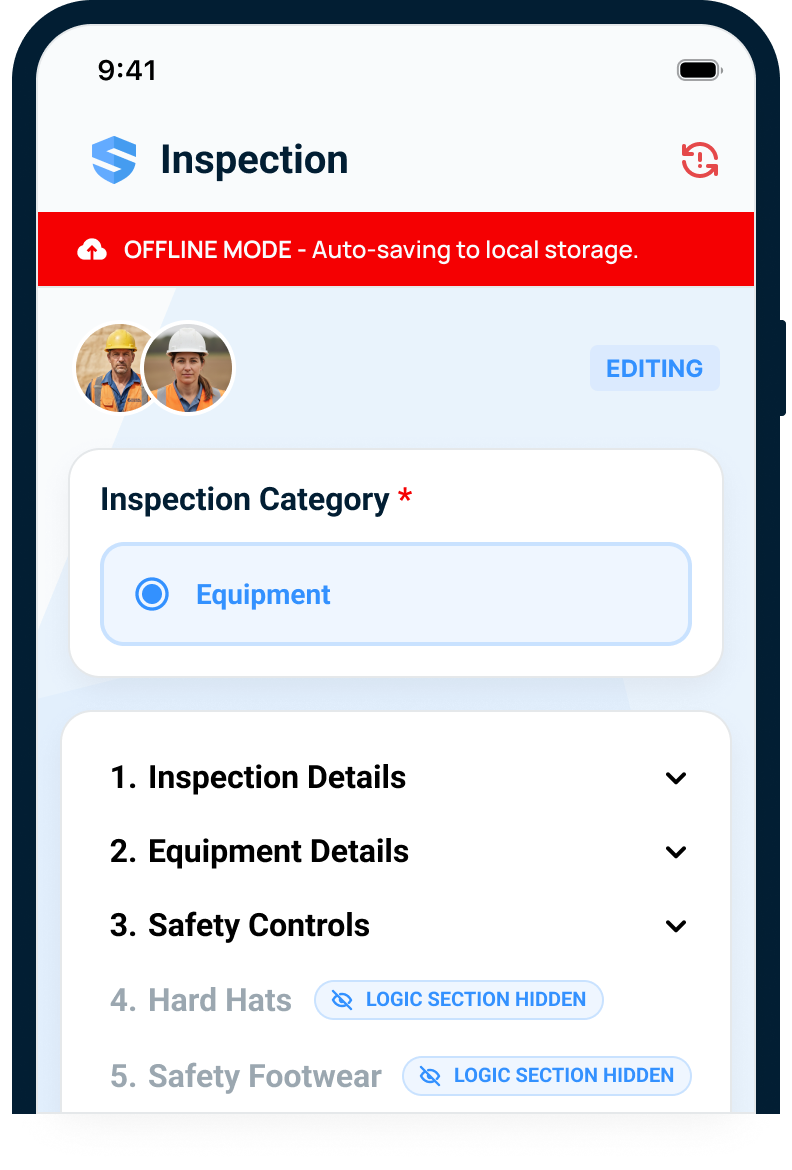
Keep parkades and remote work in the inspection programme.
Reception should not determine which areas receive a documented site walk. Capture the checklist responses and supporting evidence locally, then synchronize when service returns. Prepare the necessary forms before leaving coverage and confirm delivery before assuming the safety coordinator can review the record.
No bars, no problem — the inspection doesn't notice.
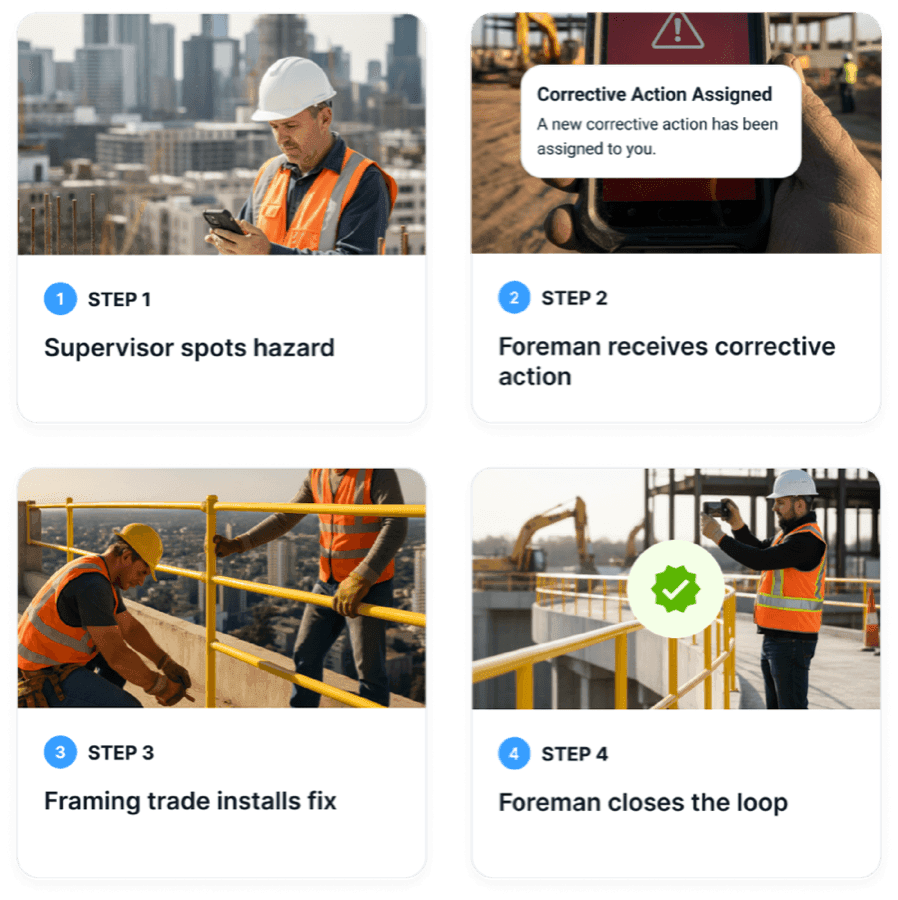
A finding should leave with an owner.
Turn the deficiency into a clear responsibility.
Choose the individual who can organise the correction and give them the original observation, work area, and required follow-up. The action remains attached to the inspection. A trade supervisor can see what was found without waiting for a separate email or a photograph forwarded without context.
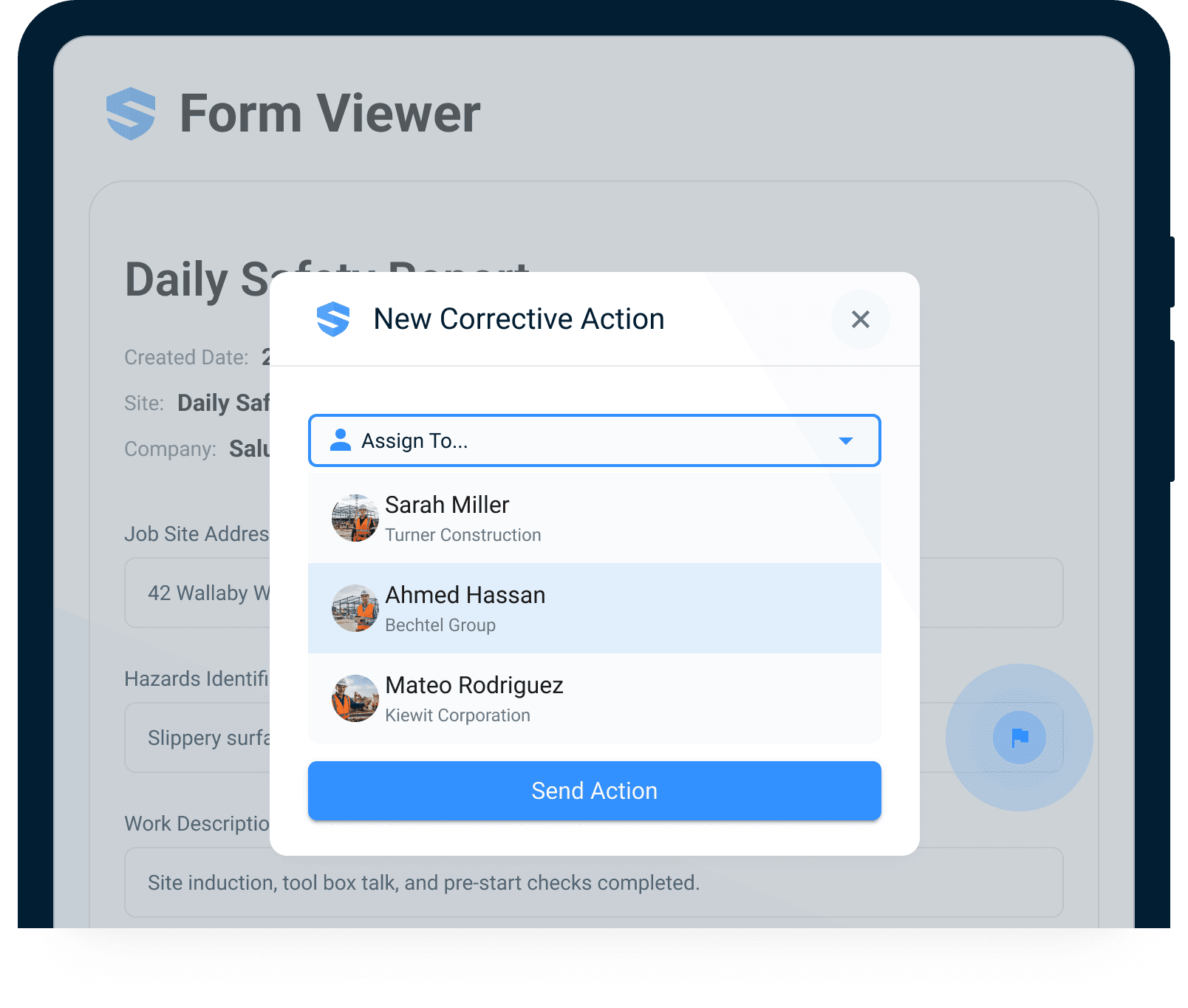
A name, not a company
The action belongs to the person who can actually fix it.
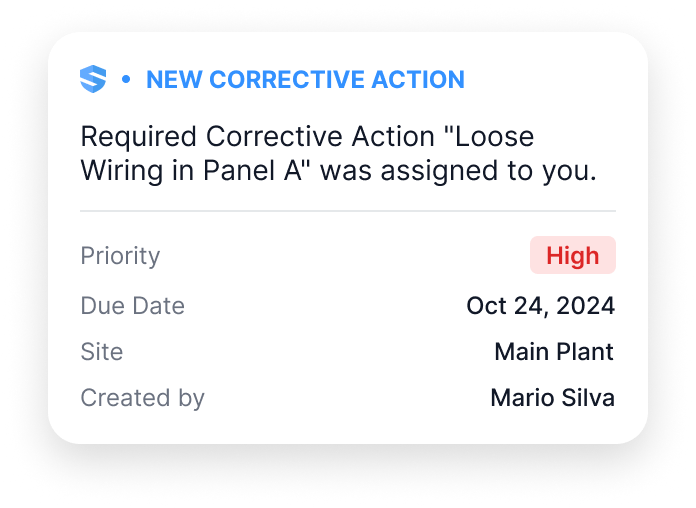
Notified — instantly
Full context on their phone before you reach the stairs.
Viewed — tracked
You know the moment it's seen. 'Never got it' stops being a defence.
Status — in the open
Pending, in progress, completed — visible until a human closes it.
Accountability has a first and last name.
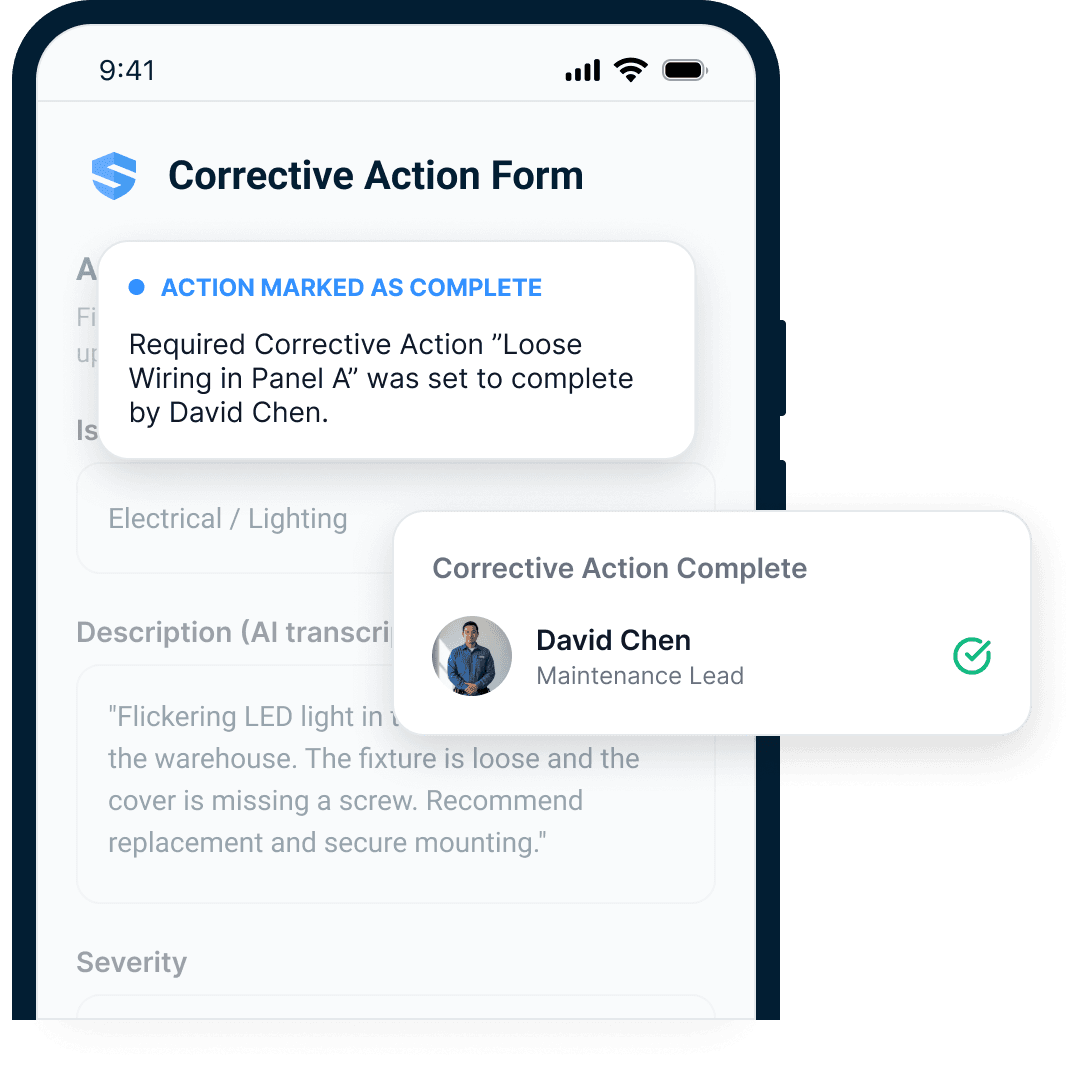
Check the correction against the original condition.
The person verifying the work needs more than a completed checkbox. Keep the correction photograph, notes, and required confirmation with the finding. That record helps the site team explain its response during a provincial OHS review or a COR audit of the inspection process.
The loop closes with a photo, not a promise.
- Found. Fixed. Photographed. Closed.
Aging, repeat issues, closure velocity — every open loop in view.
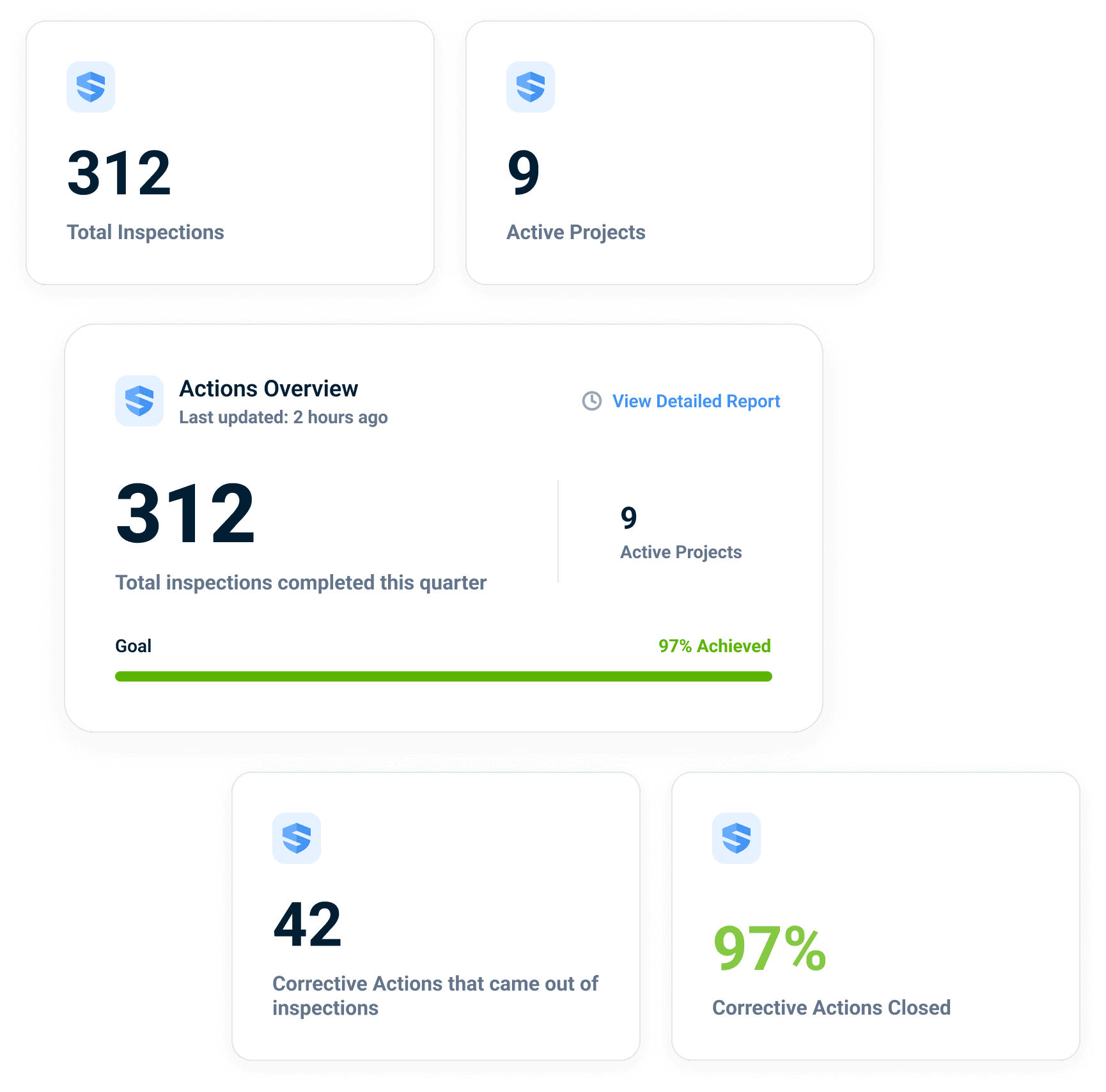
Give safety coordinators a view of unresolved findings.
Review outstanding work by Canadian project, trade, and responsible person. The dashboard brings attention to findings that still need action and shows the supporting record behind each status. Coordinators can spend the review discussing the condition and the response instead of reconciling separate site spreadsheets.
An open loop ages in public.
Illustrative dashboard view — the figures shown demonstrate the layout, not a specific customer outcome.
Bring recurring conditions back into the safety programme.
A repeated access or housekeeping concern may need a change to planning or supervision. Open the individual inspection records behind the pattern and review them with the people who know the work. Rosie helps surface the repetition; the safety team decides which preventive steps belong in the programme.
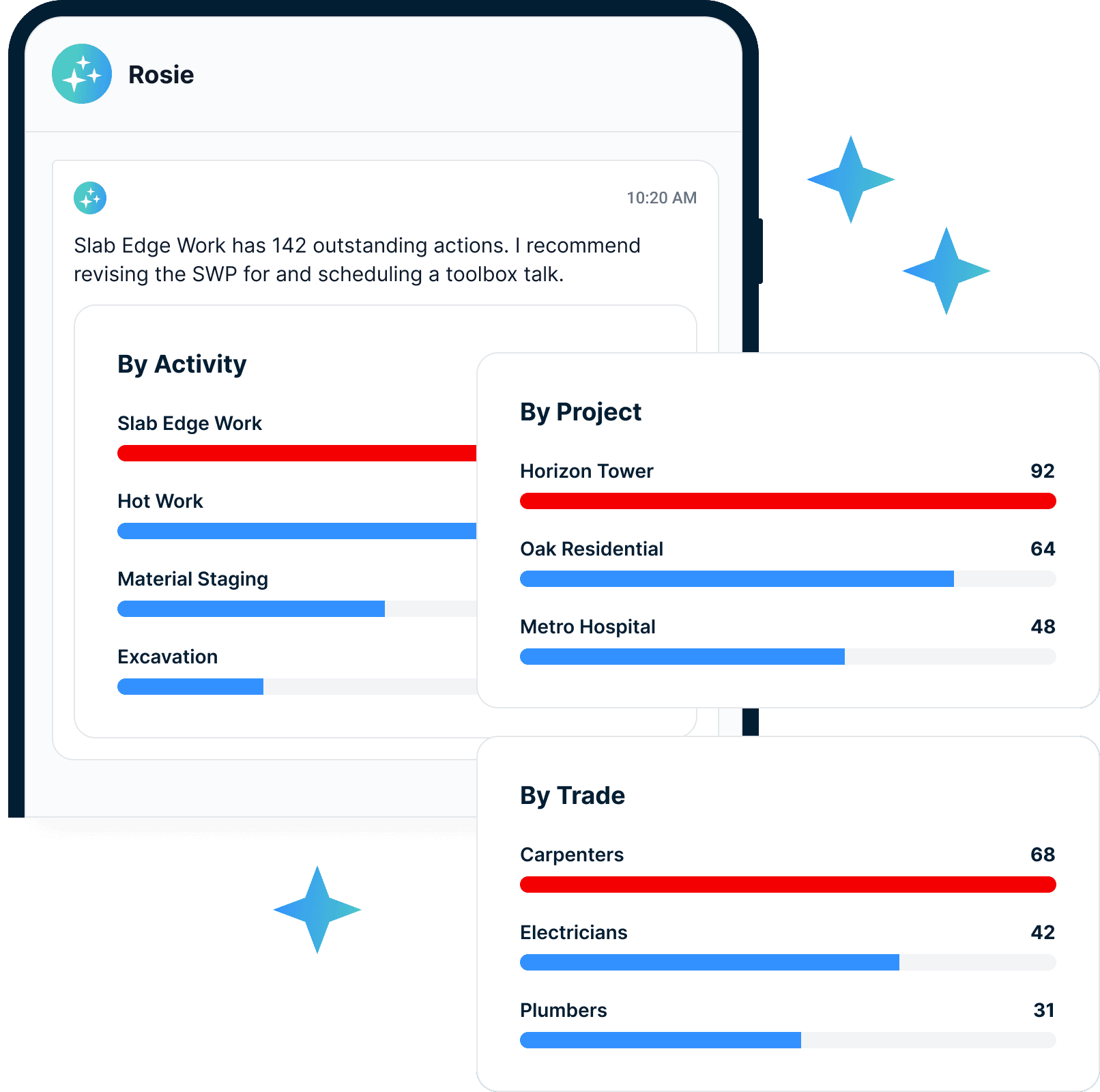
"How long has that finding been open?"
"Who closed it — and where's the photo?"
"Which findings keep coming back?"
Done isn't a status. Done is a photograph.
Connect provincial inspections with worker participation
WorkSafeBC’s inspection and participation rules require regular workplace inspections and, where feasible, involvement of the joint committee or worker representative in the inspections specified by the regulation. An inspection record should therefore make the participants and the conditions reviewed understandable to the people responsible for follow-up.
For a British Columbia site, document the work area, inspection date, observations, and any participation by worker representatives. Keep the identified condition separate from the action assigned to address it. That gives the supervisor a clearer task and gives the next review a way to check whether the original issue was resolved.
Contractors preparing for COR can organise these records around their own inspection programme and the evidence their certifying partner requests. A collection of completed checklists is less useful if no one can trace the outstanding findings. SALUS connects those findings to named owners and closure evidence so the team can review the whole process. Provincial requirements differ, so configure inspection responsibilities and terminology for each jurisdiction rather than treating one province’s rules as a national standard.
Close hazards, not just forms
The connected flow compresses closure from days to hours — the hazard stops existing sooner.
Support claim resolution
Inspection, notification, and closure records connected to every question an insurer asks.
Personal accountability
Individual assignment beats subcontractor-entity routing — a name owns every open loop.
Construction safety inspection checklist, safety inspections, and closure tools.
Conditional inspections
Show the right checklist for the site, asset, and risk.
Rosie finding capture
Voice notes become structured inspection findings.
Photo and video evidence
Attach proof at the source.
In-flow corrective actions
Assign fixes during the inspection.
Offline inspection app
Keep the walk moving without signal.
Closure dashboards
Track aging, repeat findings, and proof.
Inspection workflows worth linking early.
Go deeper from finding to fix.
Inspections should create movement, not just documentation.
Inspections: questions from Canadian contractors
How can worker representatives participate in the inspection record?
How does an inspection differ from a COR audit?
Can we use the same OHS checklist in every province?
Can SALUS handle fire extinguisher inspections and equipment inspections?
Can inspectors complete inspections offline?
Can two inspectors work on the same inspection?
How does Rosie help with safety inspections?
Can inspection findings create corrective actions?
Can we require photo proof of closure?
What should we bring to an inspections demo?
Bring your current inspection checklist.
We will show the closed-loop version.
Walk through capture, assignment, notification, proof, and dashboard closure from one inspection.
Bring the current workflow. We will map the live version from field action to proof.