

Capture the scene. Close the loop.
SALUS helps construction safety teams document incidents, injuries, near misses, and spills while the details are still fresh — offline if needed. Rosie, the AI Admin & Risk Assistant, structures the field evidence into a connected record, drives the corrective action to verified closure, and flags the pattern before the next recordable or reportable incident.
Capture the report where the incident happened — not hours later from memory.
Creating a toolbox talk from an incident report or near miss has been a tremendous time saver — and the format is always the same, so the field sees it the same way every time.



The first record matters most.
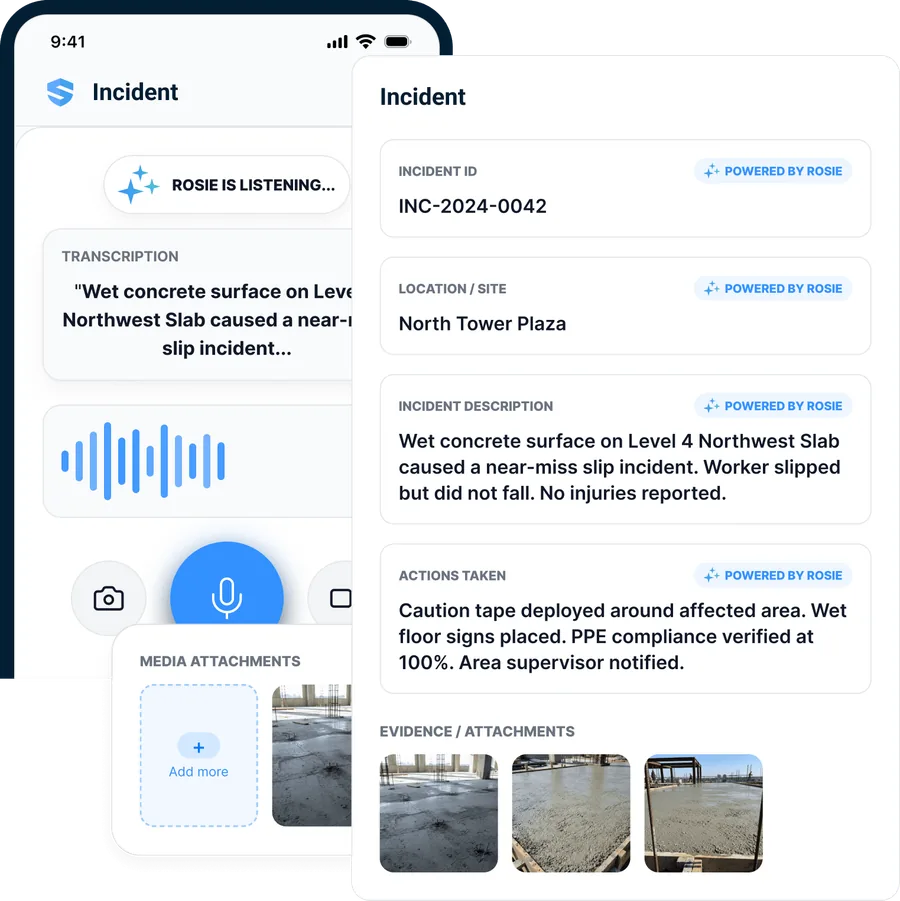
Speak the incident. Rosie builds the report.
At an incident scene, typing is the worst way to capture detail. The officer speaks the narrative; Rosie listens, extracts what matters, and structures it into incident type, location, description, immediate action, and injury status — photos and video bound to the same record. The officer reviews, corrects, and submits.
Voice → structured fields
Spoken narrative becomes incident type, location, description, and immediate action.
Witness voice notes
Statements recorded as audio and transcribed into the record.
Rosie drafts, you decide
Every field is reviewed before it submits — nothing files itself.
The narrative goes in spoken. The record comes out structured.
Basements. Steel decks. Mechanical rooms.
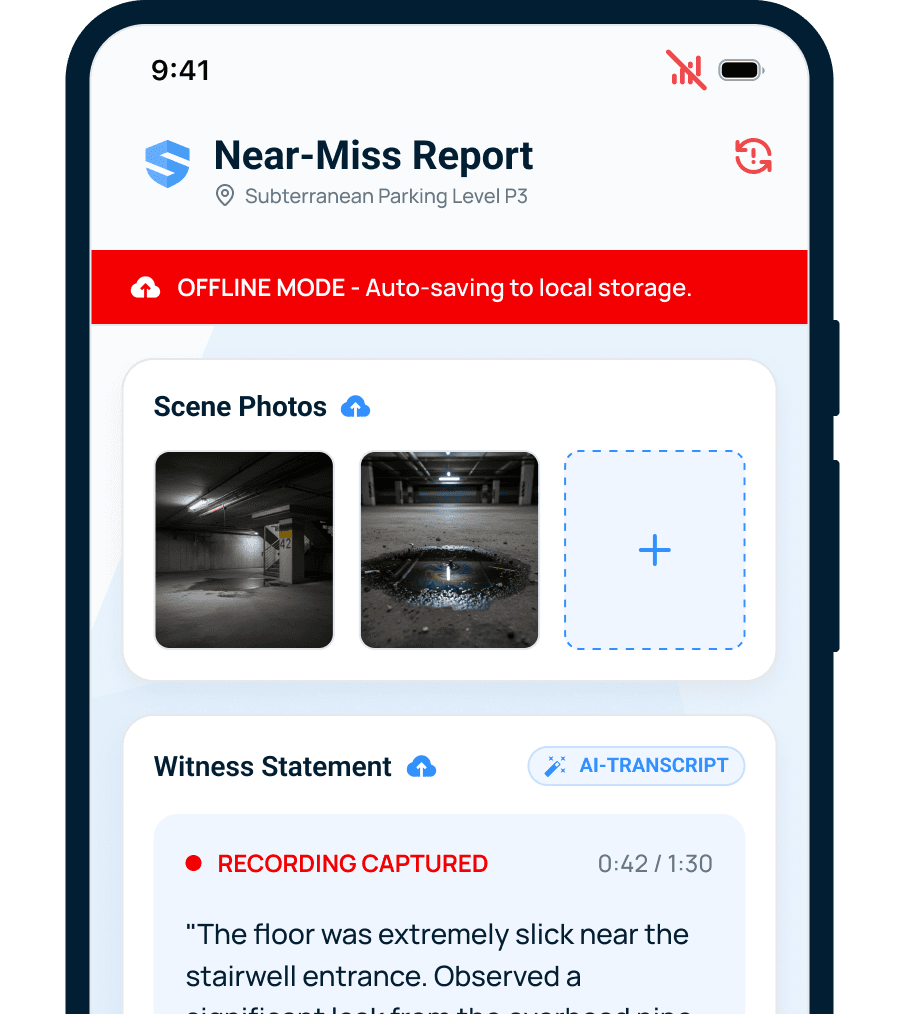
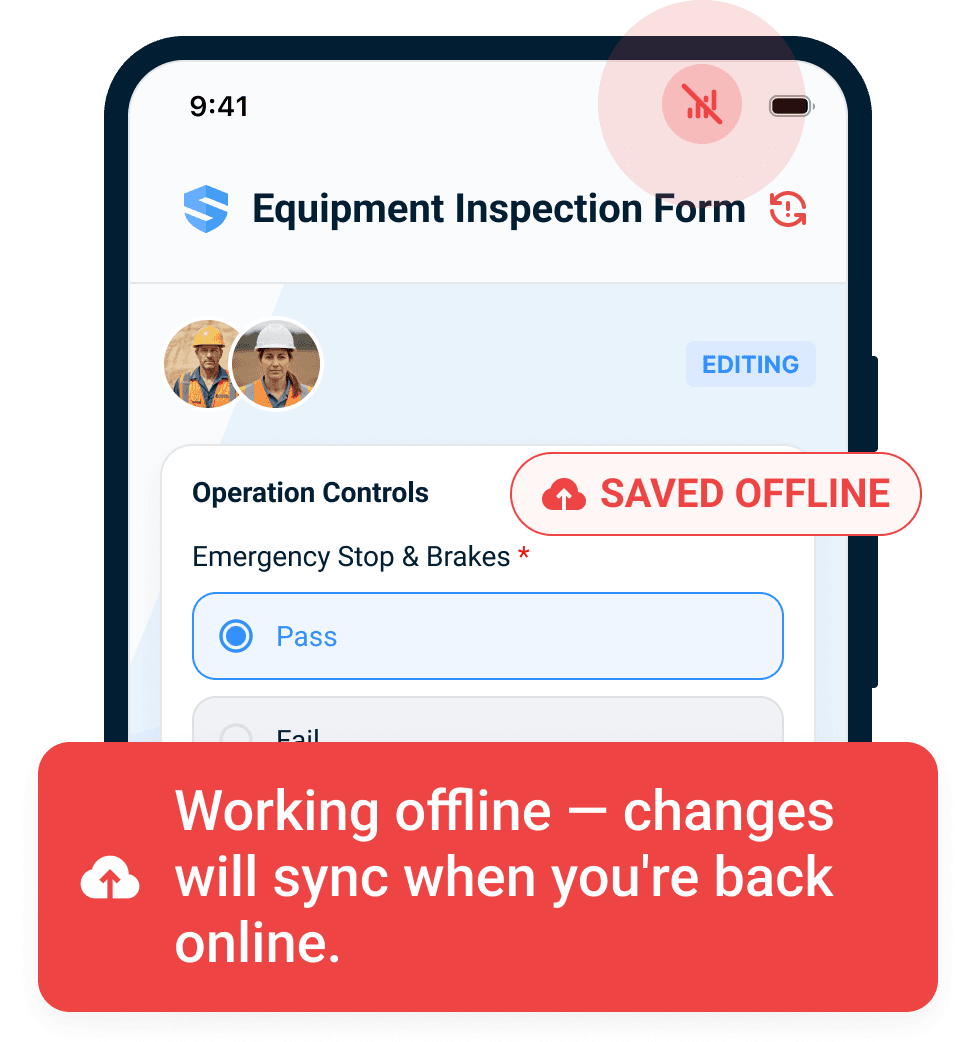
Exactly where incidents happen is exactly where most software quits. SALUS auto-saves every keystroke, every photo, every voice note locally — and syncs the moment the device sees signal again. No spinning wheel, no lost report, no "I'll write it up when I'm back at the trailer."
The field keeps documenting. The office gets the record.
Incident reporting becomes EHS incident management.
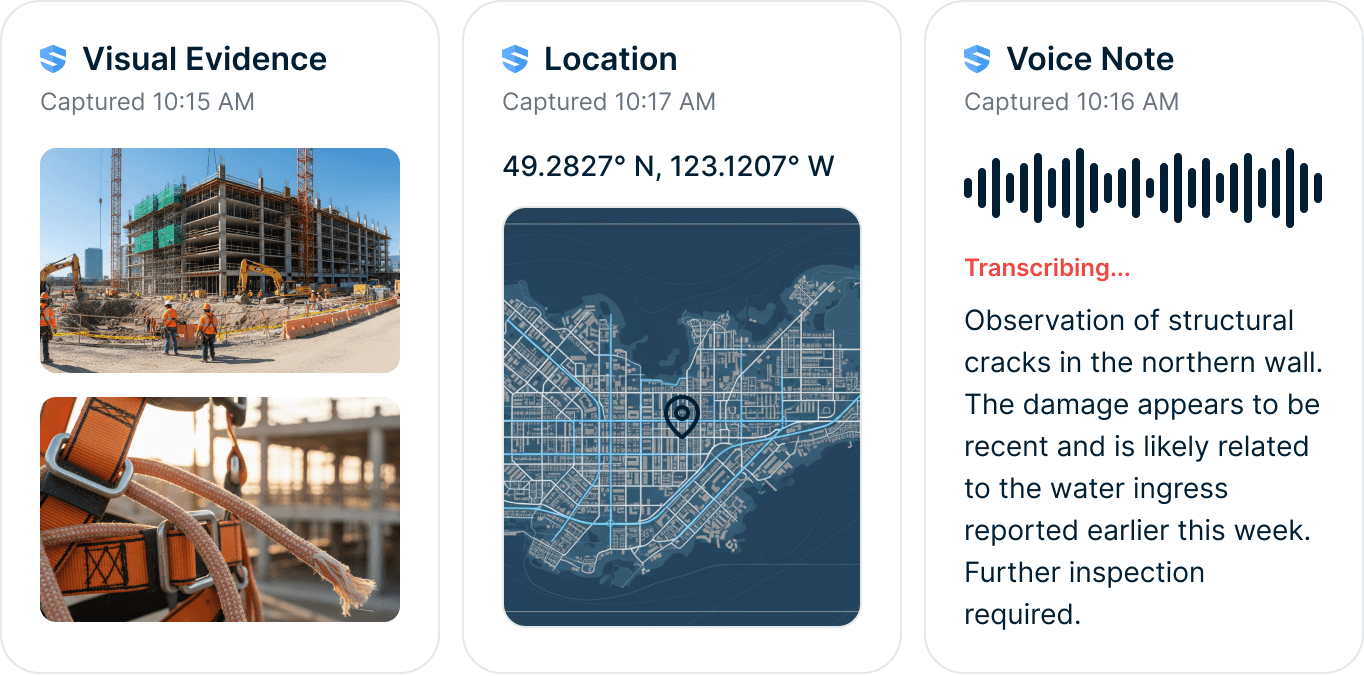
Not just what happened. Proof of what happened.
Photos, video, voice notes, witness statements, GPS, and timestamps stay attached to the incident — alongside the worker profile, training history, and equipment records already in SALUS. The incident doesn't sit in a file; it sits in context, connected to everything the investigation will ask about.
When the carrier calls, the answer is already in the file.
- Who was on scene — and what did they see?
- What was done immediately?
- Who owns the follow-up?
- Can we prove every step today?
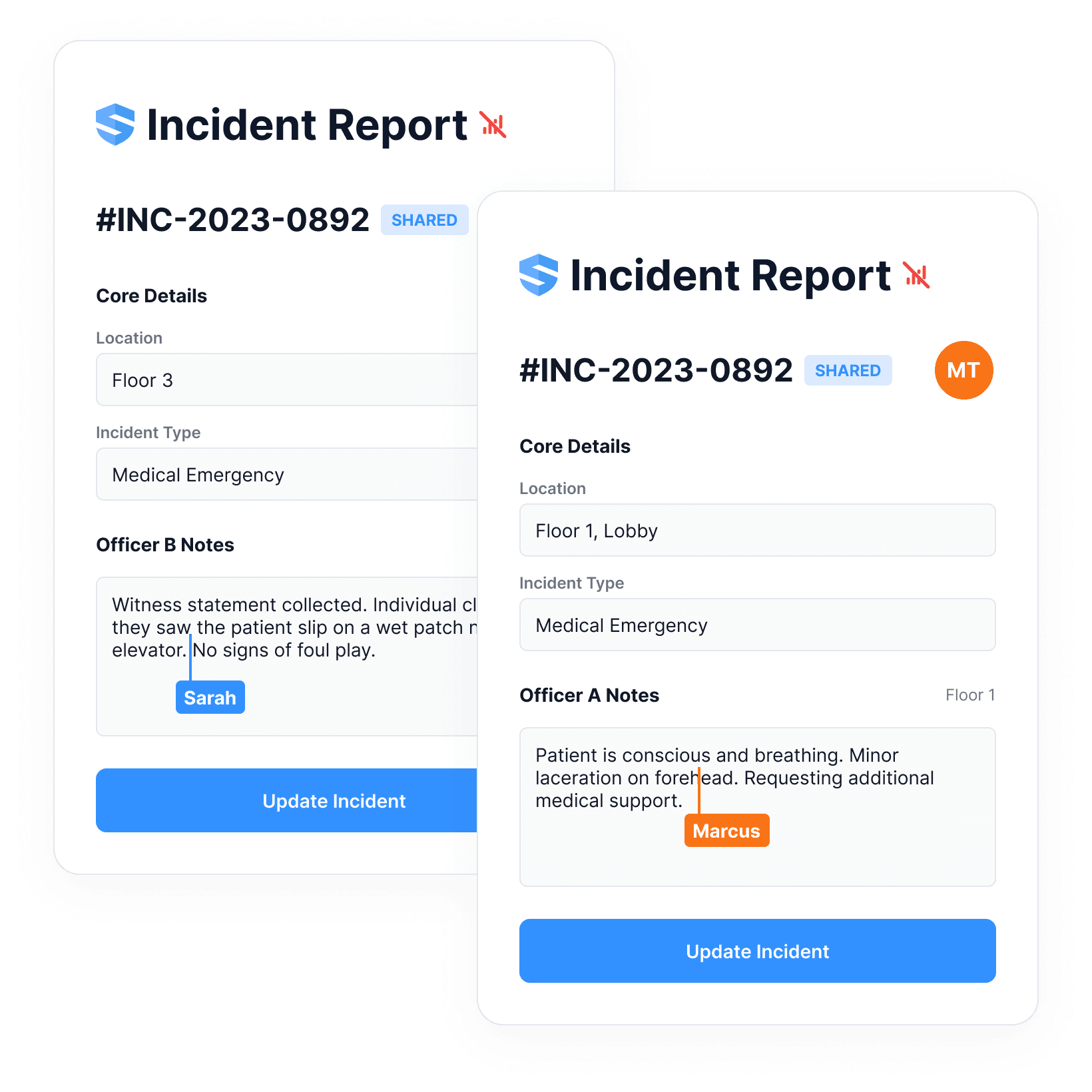
Two officers, two floors, one incident record.
Real incidents don't happen in one place at one time. Multiple safety officers contribute to the same record from different locations — every entry author-tagged, saved locally, merged automatically when signal returns. No version chaos. No conflicting spreadsheets.
One incident. One source of truth.
The investigation is not done until the corrective action is verified.
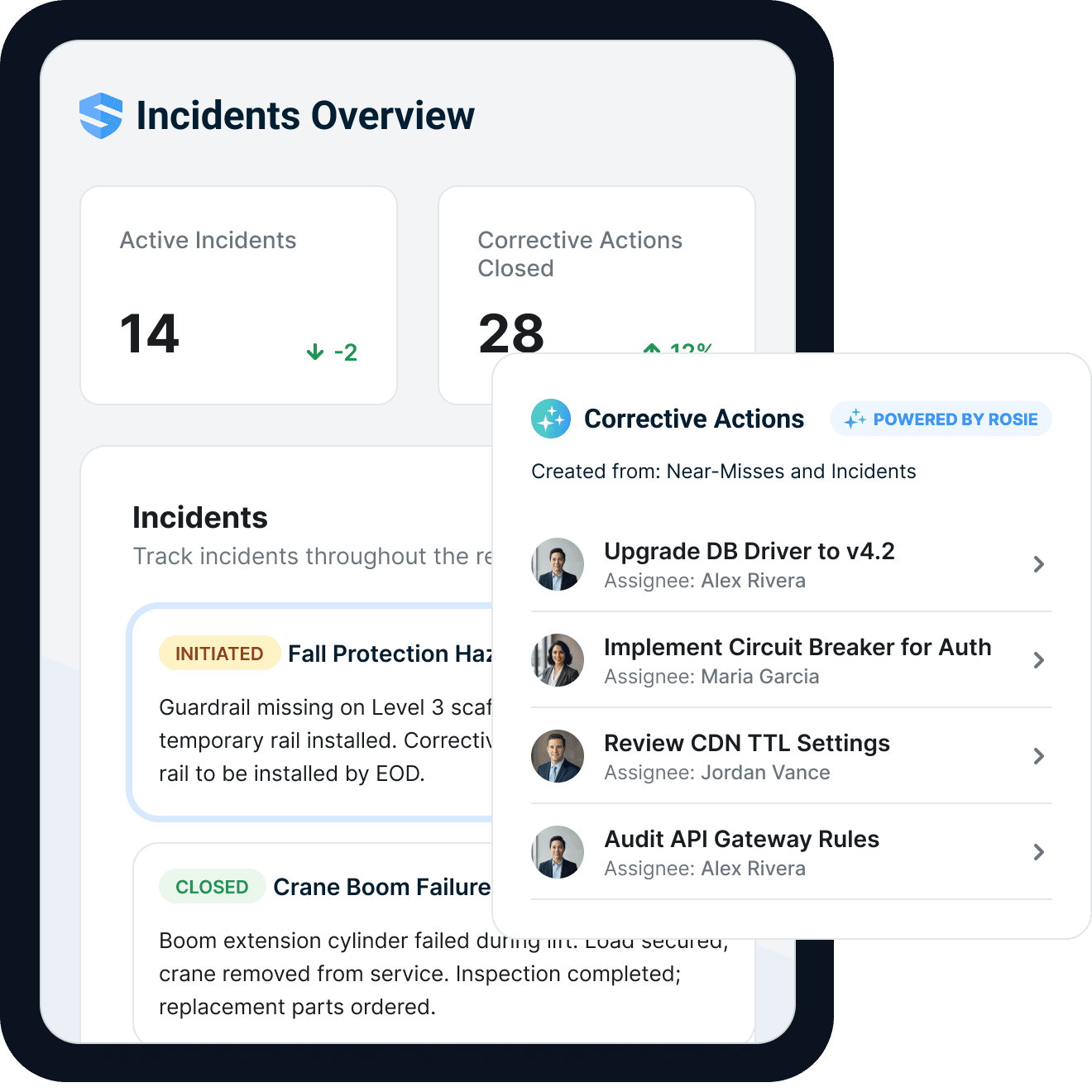
Root cause identified. Corrective action assigned.
Most incident systems end when the report is filed. In SALUS, root-cause findings create corrective actions in the same workflow — a named owner, a due date, an evidence requirement, and closure verified by the safety lead, all on the incident record. Rosie watches the deadline and escalates the moment it slips.
Named owner & due date
Every action carries an accountable person and a deadline.
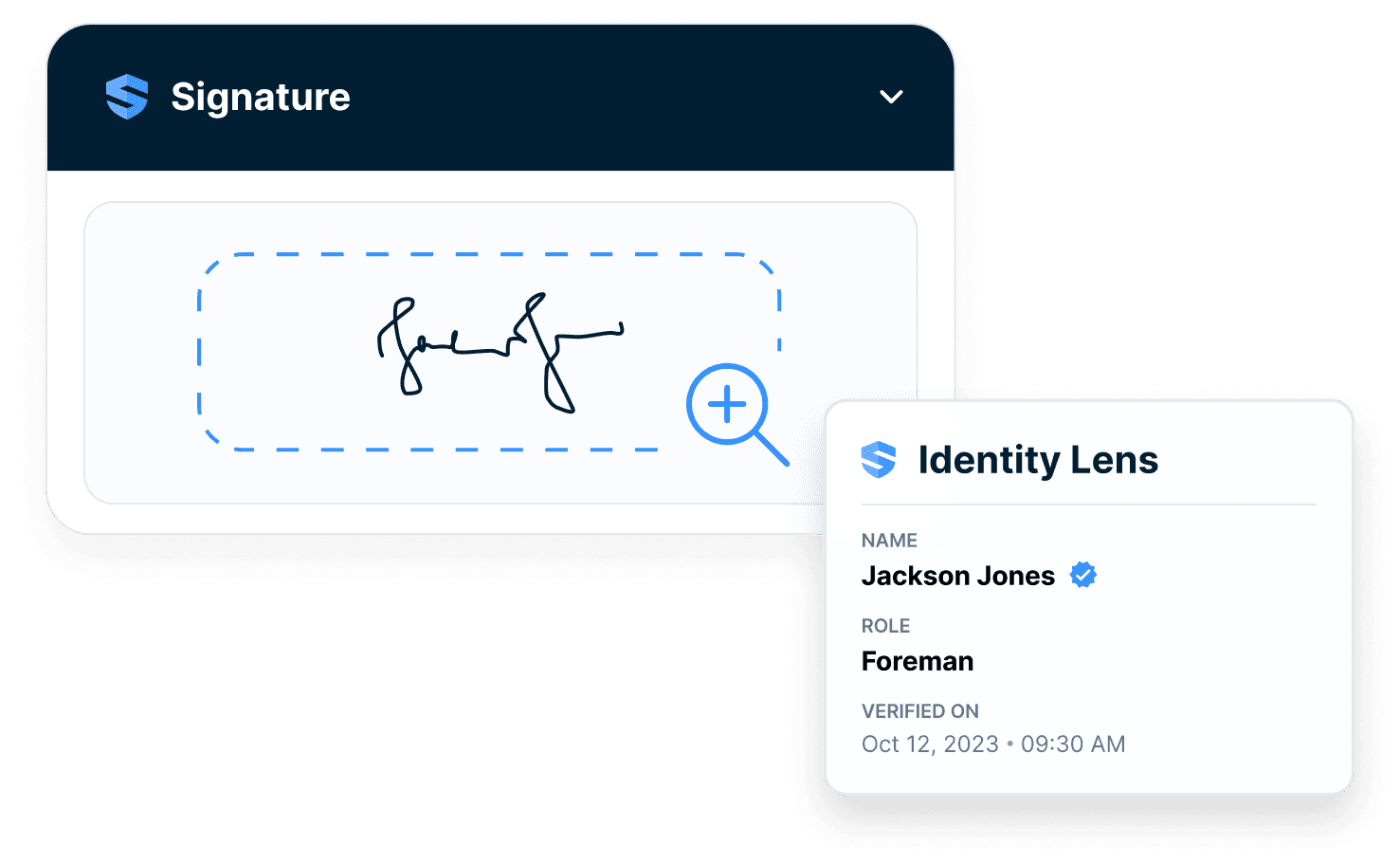
Evidence to close
Closure requires proof, not a checkbox.
Escalation watched
Rosie flags the action the moment it starts to slip.
Most systems end at “filed.” SALUS ends at “verified.”
One near miss is a report. Ten are a signal.
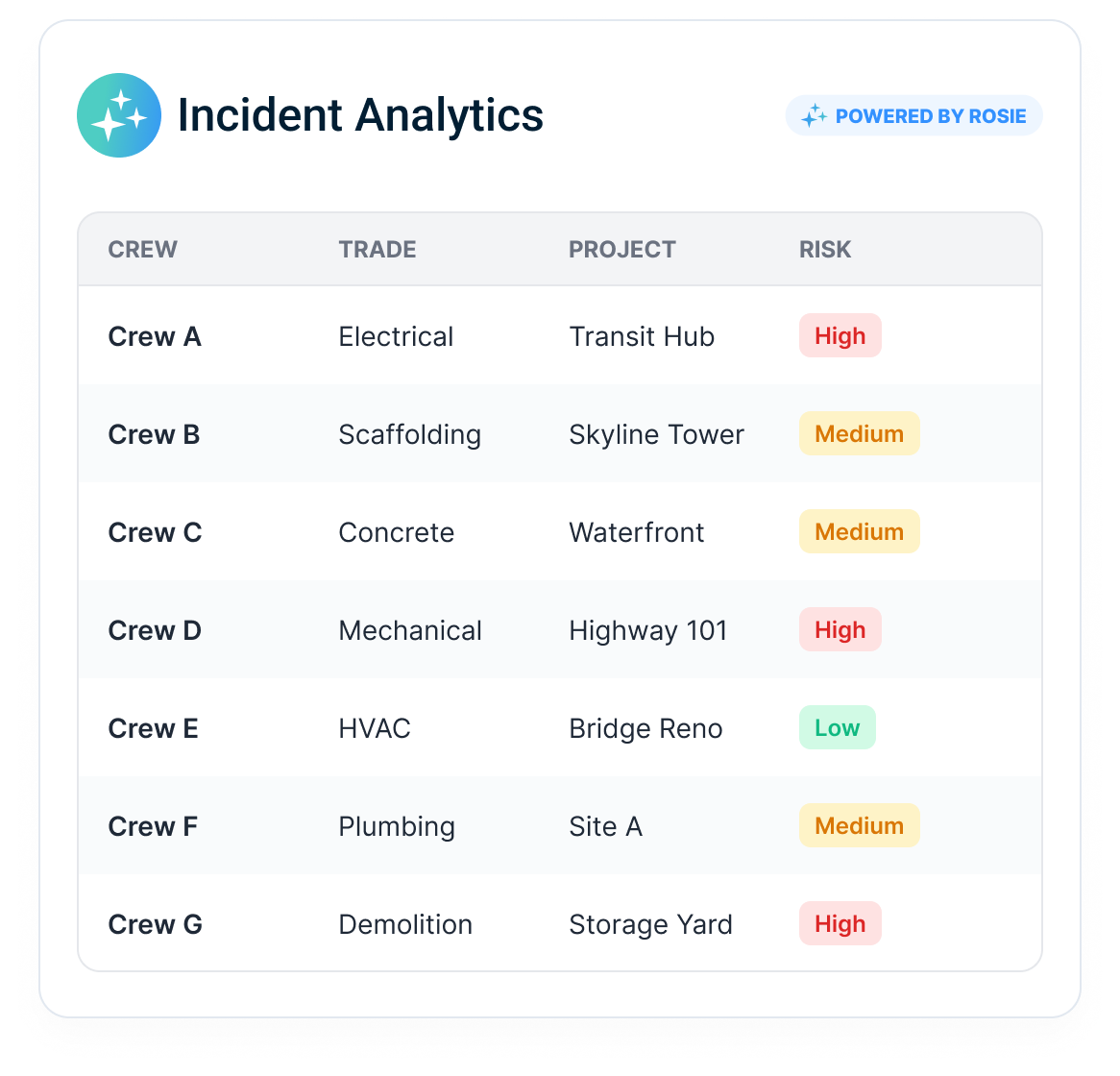
Rosie reads across incidents, near misses, forms, training, and equipment: the recurring slip hazard, the crew with repeated hand injuries, the sub whose closures drag. One report is noise; the pattern is the warning.
Rosie doesn't summarize the past. She tells you where to look next.
When the question comes, the record is already built.
The insurer wants the evidence. The GC wants the investigation. The owner wants status; the regulator wants documentation. One incident record answers every audience — an insurance-ready report with evidence, investigation, corrective action, and closure proof in a single export.
Every audience asks differently. The record answers once.
Cleaner records. Faster response. Stronger follow-through.
Most EHS incident management software measures success by reports stored. The real value sits upstream and downstream of the filing: whether crews report at all, whether evidence survives the first hour, whether fixes actually close, and whether the pattern surfaces before the next event.
Evidence that survives
Photos, statements, GPS, and timestamps preserved from the first hour.
Closure you can prove
Owner, due date, evidence, verification — on the incident record itself.
Patterns before repeats
Rosie flags recurring hazards across crews, trades, and projects.
Everything incident management software should have been doing all along.
Intelligent event logic
Injury, near miss, spill, property, and equipment damage each surface their own questions.
Rosie field structuring
Spoken narrative becomes incident type, location, description, and immediate action.
Photo & video evidence
Scene media bound to the record, with GPS and timestamps preserved.
Offline auto-save
Every keystroke saved locally in dead zones; clean sync when signal returns.
Multi-officer collaboration
Several officers, one merge-safe record — no version chaos.
Corrective action creation
Findings become assigned, dated, evidence-backed actions on the same record.
Incident workflows connected to the rest of safety.
Go deeper from incident to proof.
The incident page captures the scene. The connected platform proves the response.
Construction incident reporting, EHS incident management, near miss reporting, provincial recordkeeping context, and corrective action FAQ
What is construction incident reporting software?
What is EHS incident management software?
What is the difference between an incident and a near miss?
Can SALUS capture incident reports and near misses offline?
How does Rosie help with incident reporting?
Can SALUS collect witness statements at the scene?
When does an injury have to be recorded or reported under provincial requirements?
Does SALUS generate or submit the injury records and reports required by your provincial regulator (WCB/WSIB in most provinces, the your provincial OHS regulator registre and declarations in Québec)?
Can incident reports create corrective actions?
Can multiple safety officers contribute to one incident report?
Can incident data feed dashboards and trend reporting?
What should we bring to an incident management demo?
Walk through an incident record
from scene to closure.
See capture, witness statements, root cause, corrective actions, and proof in one connected flow.
Bring the current workflow. We will map the live version from field action to proof.