

Get crews ready to work faster.
Reduce non-productive field time caused by orientations, missing certificates, permit delays, safety questions, SDS lookup, and paper forms — while keeping audit-ready documentation organized, wherever you operate.
Move faster because the safety process is clearer — not because it's skipped.
Live board
Today's crew readiness · Crew 14 · Gate B
Readiness visible before the shift
Blockers cleared before they cost time
Answers at the point of work
Records created automatically
~2h 40m back per crew, per day
Field productivity gets lost in the handoffs.
Crews rarely lose time to one big failure — they lose it because small blockers stack up across the day: an incomplete orientation, an expired certificate, a missing SDS, a permit waiting on approval, a paper FLHA, a question escalated back to the office. SALUS clears those blockers before they become downtime.
Turn safety admin blockers into ready-to-work steps.
Tap a card to clear its blocker — every cleared step leaves a record behind.
The time doesn't come back from working harder — it comes back from clearing the blockers.
See where the time comes backWhere the time comes back.
The number-one reason crews stand still isn't a hazard — it's missing information.
The crew isn't blocked by a hazard — it's blocked by a missing document, an expired cert, a permit in someone's inbox. SALUS turns each blocker into a fast, documented path to work.


Yes. The draft contains nine sections and 24 site-specific hazard controls, aligned to Meridian’s requirements and ready for the safety lead’s review.
- Plan structure
- 9 sections · roles · emergencies · sign-off
- Hazard controls
- 24 project-specific controls
- Requirements
- Company standards + the provincial OHS regulator + Meridian
The safety lead reviews and approves the plan before it is issued to Meridian or the crew.
Missing SWP or site plan
Rosie drafts it from your standards and the GC's requirements — the document the crew was waiting on is ready in minutes, not days.
Yes. The draft contains nine sections and 24 site-specific hazard controls, aligned to Meridian’s requirements and ready for the safety lead’s review.
- Plan structure
- 9 sections · roles · emergencies · sign-off
- Hazard controls
- 24 project-specific controls
- Requirements
- Company standards + the provincial OHS regulator + Meridian
The safety lead reviews and approves the plan before it is issued to Meridian or the crew.
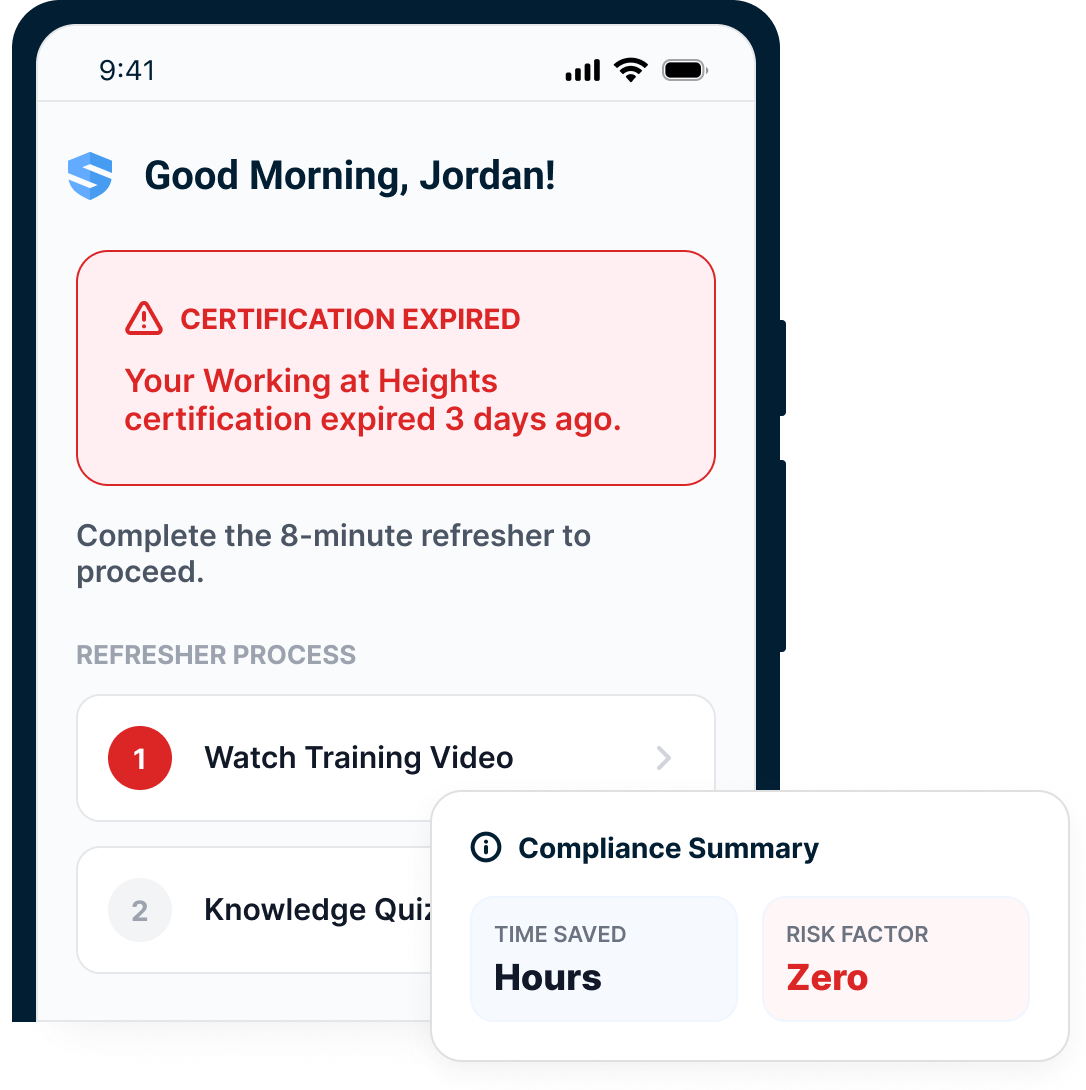
Expired certificate
The refresher runs right at the block screen — the worker clears it from their phone in minutes and gets to work.
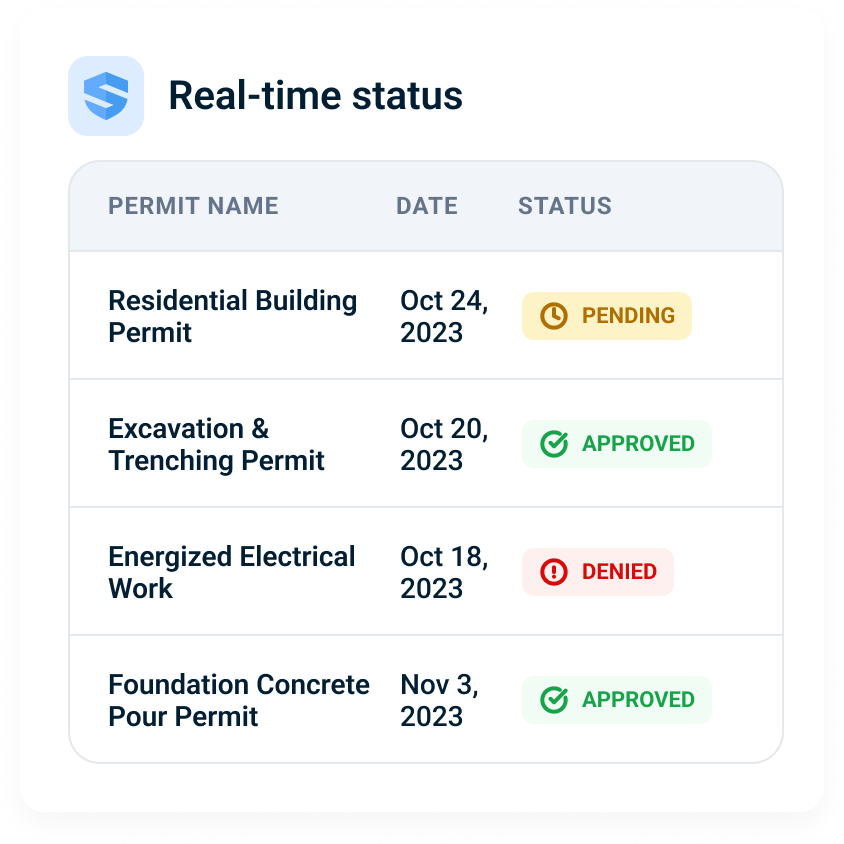
Permit stuck in routing
Digital routing moves it — submitted, reviewed, approved, attached to the work, with the approval chain timestamped.
Unclear first task
The day's tasks load on the device — the crew knows what to do the moment they're on site.
The site is ready to mobilize Monday with the plan, orientation, field forms, and hazard controls prepared for the crew.
- Site controls
- Site-specific plan + deployed hazard controls
- Crew package
- Orientation + required field forms
- Languages
- English + Spanish
The site lead confirms the final scope, crew, and local requirements before mobilization.
The crew speaks, snaps, records — Rosie does the structuring.
Capture happens at the source — voice, photo, video, a few taps — and Rosie turns it into the structured record, offline included. Nothing waits to be re-entered at a desk.
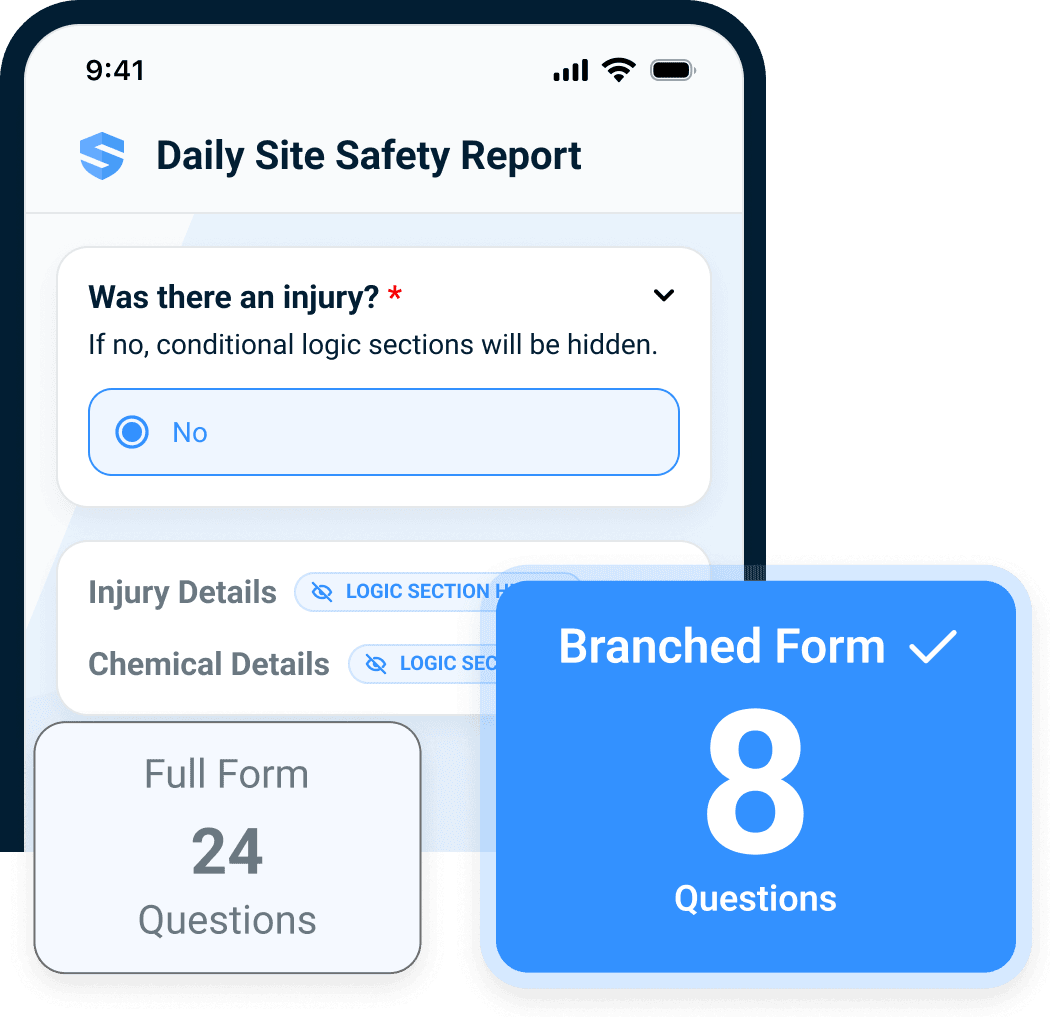
Daily forms
Context pre-fills and conditional logic hides what doesn't apply — a 24-question form becomes the 8 that matter.
Near-misses
A foreman speaks a voice note and Rosie extracts it into structured fields — captured in about 90 seconds, not skipped.
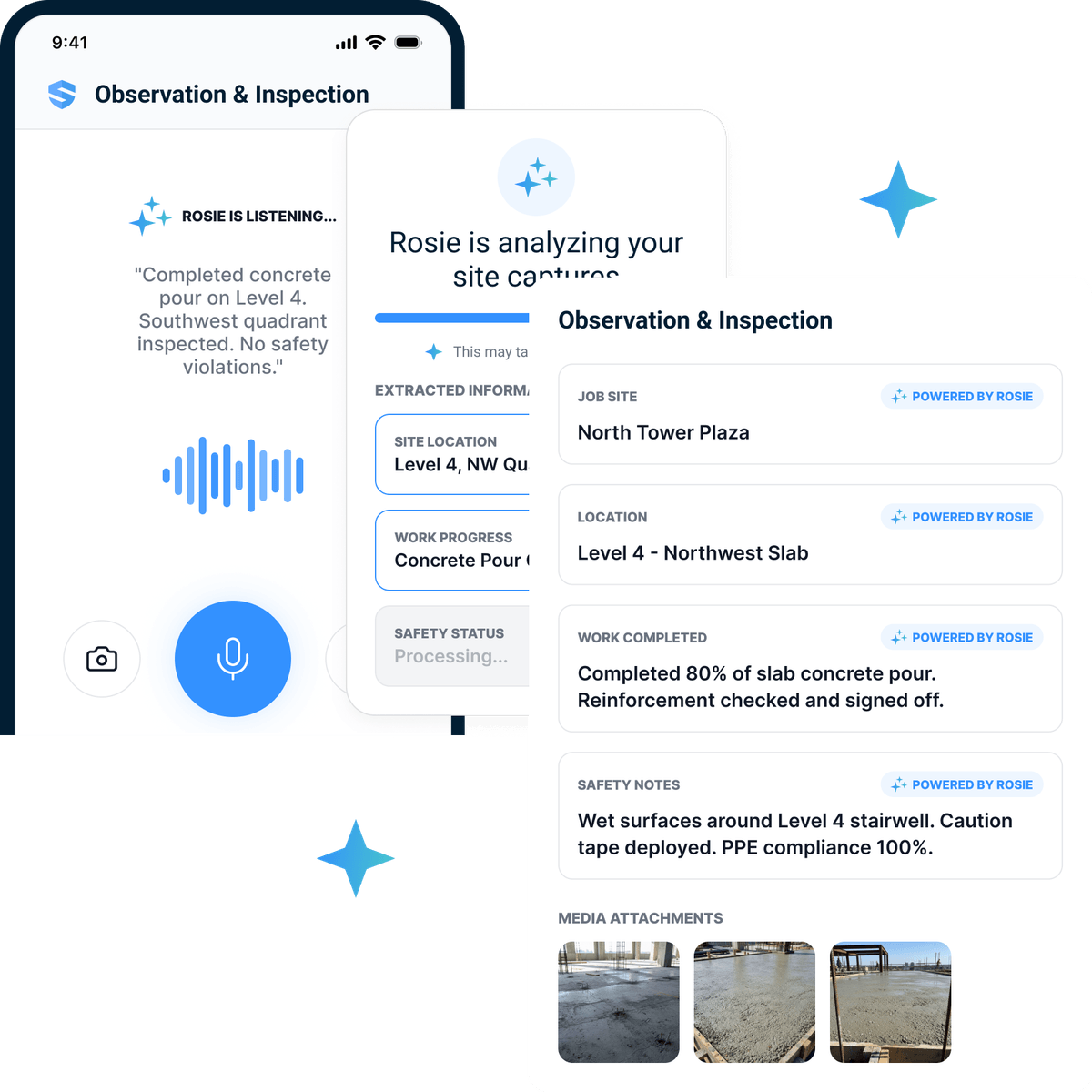
Inspections
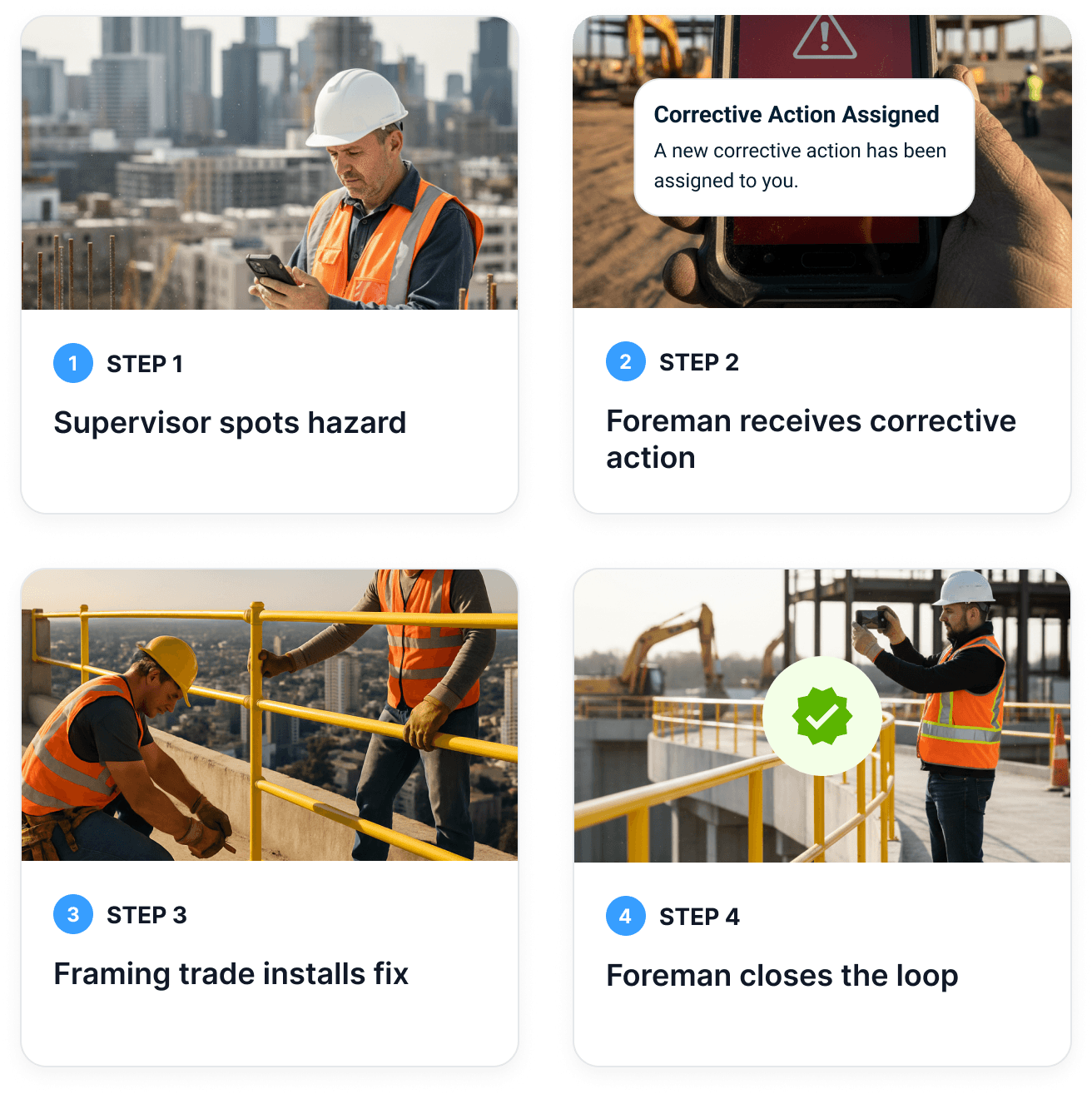
Findings are spoken on the walk; the hazard, the corrective action, and the photo-verified close all land in one loop.
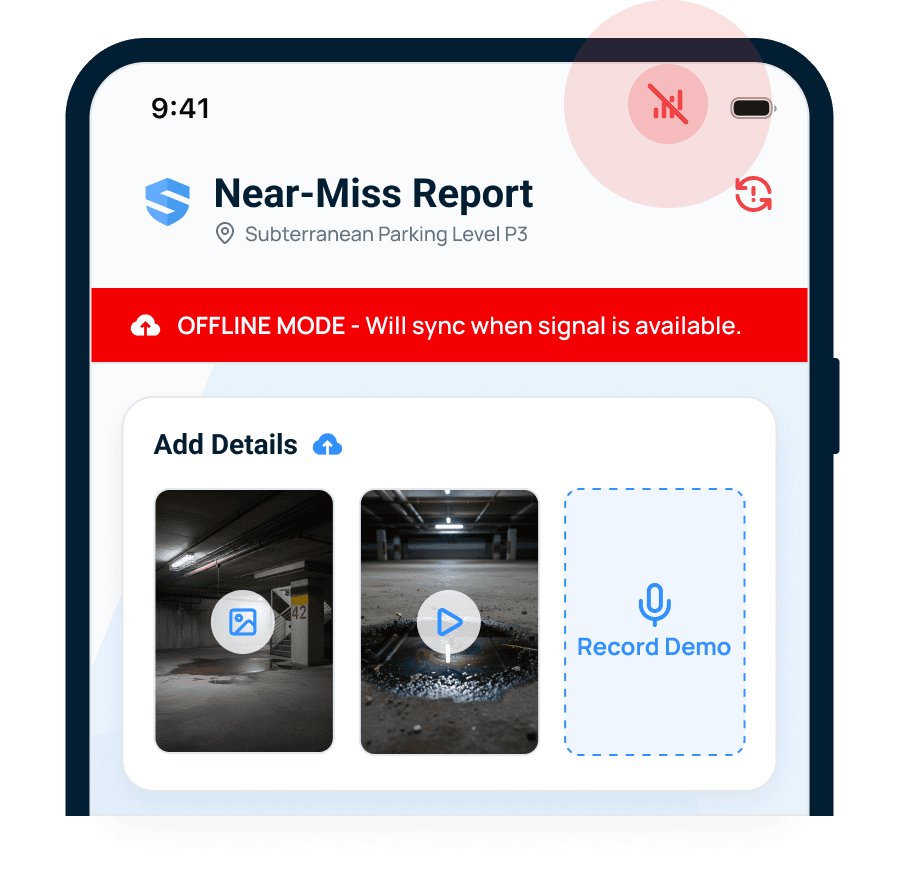
Incidents
Photos, video, and voice capture offline and multi-person, then sync when signal returns — nothing reconstructed from memory.
Concise answers at the point of work — with the source attached.
Rosie reads the manuals, data sheets, and approved procedures and returns the number, step, or warning with the citation — so the crew gets the answer instead of waiting for someone who knows.
At 40 ft of reach, the rated capacity is 2,500 lb with the load centered and the boom at or below 45°. Confirm the load weight before lifting.
- Rated capacity
- 2,500 lb
- Configuration
- 40 ft reach · centered load · boom ≤ 45°
- At 50 ft
- Capacity drops to 1,200 lb
The operator still verifies the actual load, attachment, and machine configuration before the lift.
Equipment limits
Ask from the field and Rosie returns the rated figure with the operator's-manual page cited — no waiting on the office.
At 40 ft of reach, the rated capacity is 2,500 lb with the load centered and the boom at or below 45°. Confirm the load weight before lifting.
- Rated capacity
- 2,500 lb
- Configuration
- 40 ft reach · centered load · boom ≤ 45°
- At 50 ft
- Capacity drops to 1,200 lb
The operator still verifies the actual load, attachment, and machine configuration before the lift.
SDS lookup
First aid, PPE, and handling steps in seconds — pulled from the data sheet and cited, not hunted through a binder.
Clear the area, get trained spill-response support, and use the PPE specified in the SDS. Contain the spill with compatible absorbent material; do not add water unless the approved procedure explicitly directs it.
- Immediate action
- Isolate area · notify supervisor · assess exposure
- Controls
- Chemical-resistant PPE · compatible absorbent
- Disposal
- Collect as regulated waste under the site procedure
Follow the product SDS and site emergency plan. Untrained workers should not attempt spill cleanup.
Procedure questions
Answered from your approved content — the company SWP, the GC's requirements, and the provincial standard — with the source attached.
Six feet is the maximum unprotected working height on Westfield. Fall protection is required at 6 ft or above.
- Company SWP
- Working at Heights · Rev. 3 (2025)
- Project rule
- 100% tie-off above 6 ft
- Crew signal
- 17 certificates expire within 30 days
The project-specific rule and approved procedure govern the task; Rosie surfaces the record for field verification.
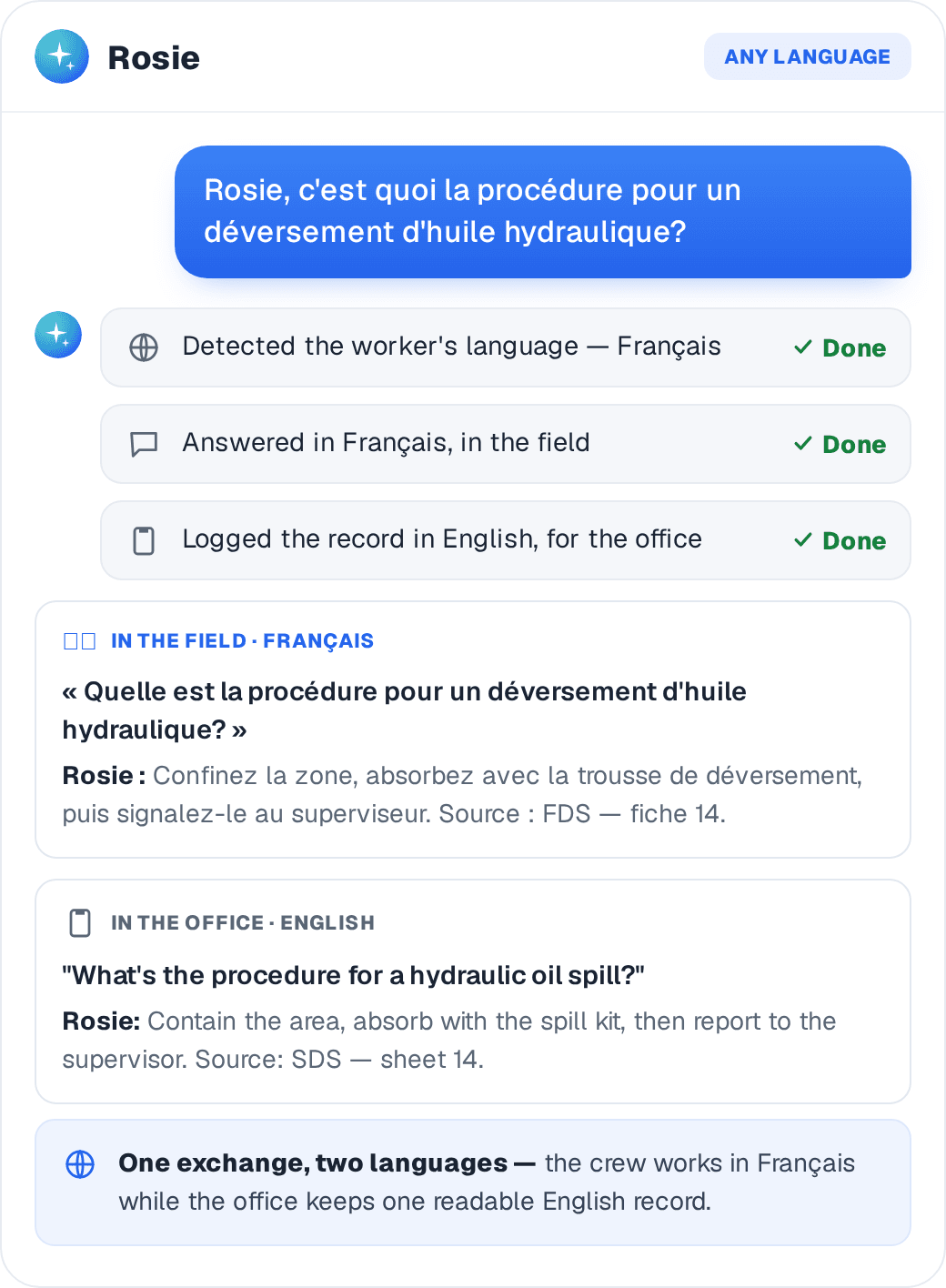
Any language
A worker asks in French and gets the answer in French, while the office keeps one readable English record.
Done once should mean done.
The profile travels: company orientation happens once, each new site adds only its delta, and the daily report assembles itself from what crews already captured.
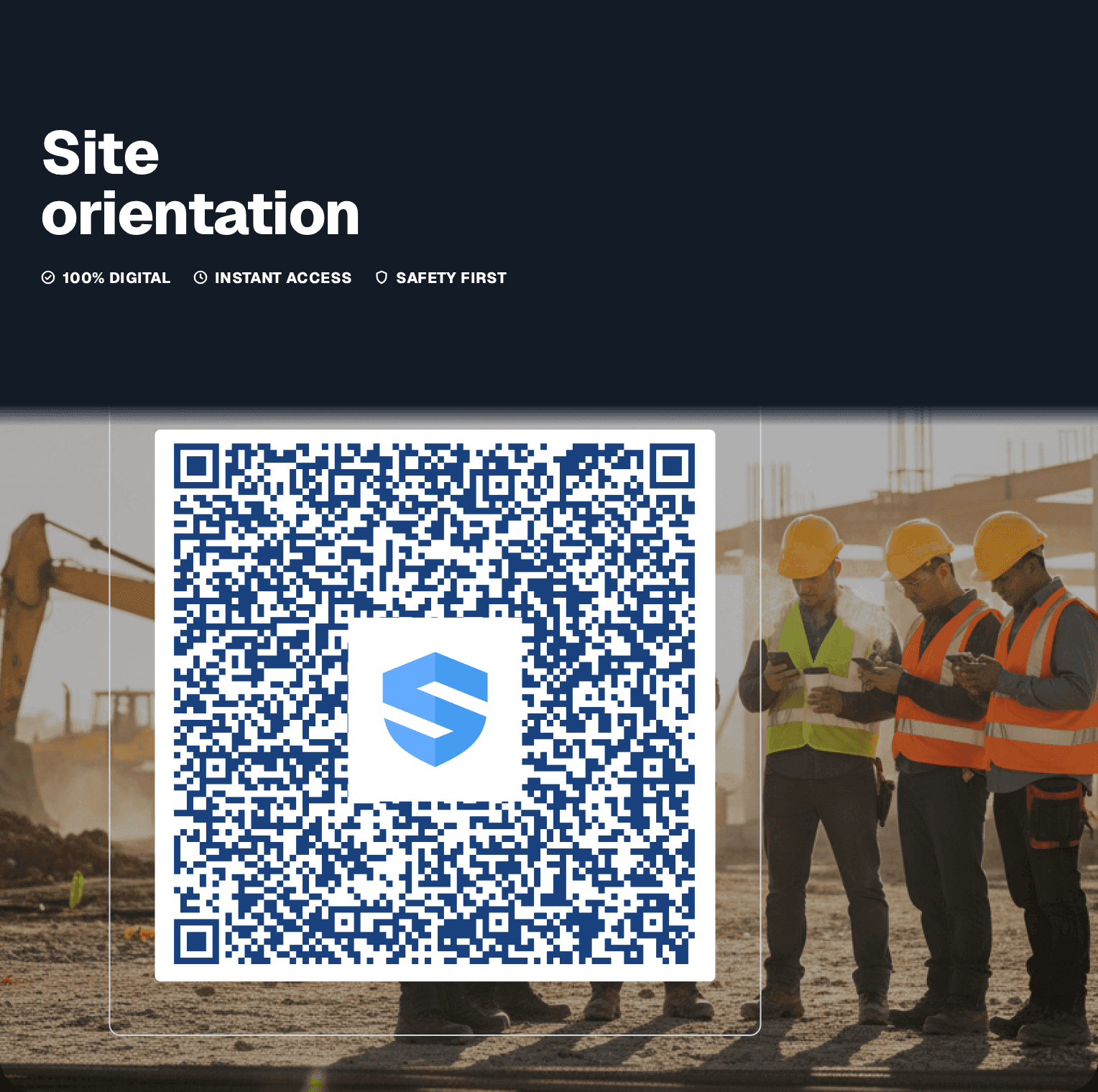
Orientation, delta only
Company orientation happens once and travels with the worker — each new site adds only its site-specific delta. EllisDon cut 2 hours to 30 minutes.
Repeated signing: zero
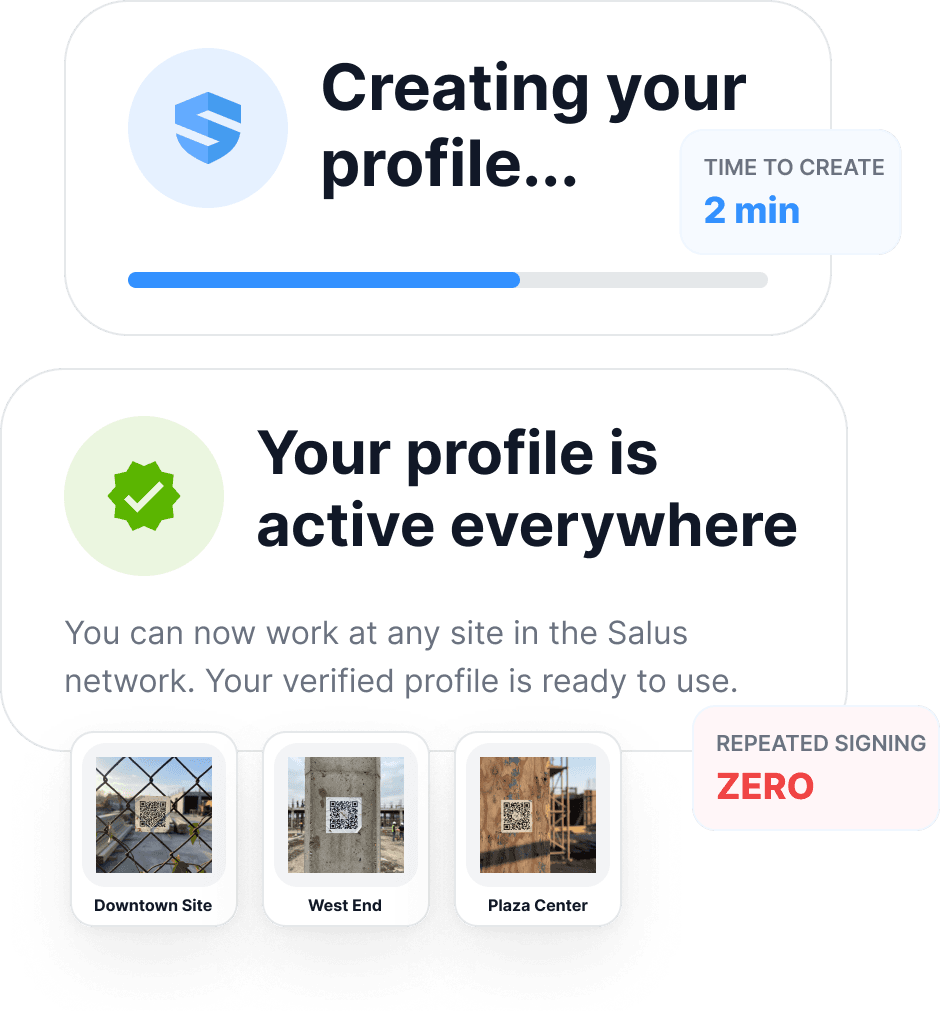
The worker's profile is created once and is active everywhere — work at any site in the SALUS network with no repeated signing.
The daily report, assembled
Rosie assembles the daily summary automatically from the forms, photos, and supervisor notes the crew already captured.
The daily record is assembled. Two crews are missing hazard assessments, one near miss is documented, and one corrective action remains open from last week.
- Site activity
- 23 workers · 12 form submissions
- Safety record
- 0 incidents · 1 near miss
- Follow-through
- 3 new actions · 1 carried open
The foreman reviews the assembled report before it becomes the final daily record.
Time back for every team.
Safety leaders
Gets · Visibility and documentation control
Orientations, certs, permits, FLHAs, SDS access, and training visible without waiting on paperwork.
Operations leaders
Gets · Fewer avoidable delays
Less time lost to approvals, missing credentials, and disconnected workflows.
Field supervisors
Gets · More time leading the crew
Complete forms, confirm readiness, find procedures, and answer questions from the field.
Workers
Gets · Clearer access to what they need
Scan, complete, search, and ask from mobile — no binders.
Reduce delays without weakening safety controls.
This isn't about doing less safety — it's about clearing the admin blockers that slow crews down. The same captured activity that gives time back makes the records underneath measurably stronger. 🍁 Across the rest of Canada, those stronger records feed experience rating — in Ontario, the WSIB rate-setting model — so the prevention you can prove lowers the premium you pay. ⚜️ In Québec, a mutuelle de prévention can cut CNESST premiums by 15–50% based on group performance, on the same documented record.
Productivity outcomes
- Fewer orientation delays
- Faster readiness checks
- Less searching for forms, SDS, and procedures
- Faster permit routing
- Less paper handling and re-entry
Safety & compliance outcomes
- Stronger FLHA records
- Better training and certificate visibility
- More consistent SDS access
Rest of Canada🍁
- COR-ready documentation
- Audit trails for WCB / WSIB experience-rating management
Québec⚜️
- Documentation of the prevention program required for the mutuelle (CNESST)
- Trails for CNESST rate-setting and mutuelle eligibility
Built with contractors who got real field time back.

Field adoption of daily JSA
Daily JSA and field data collection became easier and more consistently used — the readiness data exists because crews actually complete the steps.

Orientation time (−75%)
Orientations dropped from two hours to thirty minutes when completed work travelled with the worker and only the site-specific delta repeated.

Field visibility
Real-time visibility, AI translation, and 5-minute reports made field activity easier to see, communicate, and report on.
The connected workflows that keep crews moving.
Every workflow below turns daily field activity into time back — and an audit-ready record.
Site Orientations
QR access from mobile; only the site-specific delta repeats.
Certificate Management
Readiness visible before work begins.
Micro-learning
Close qualification gaps in the field.
Digital Permits
Submission, routing, and records in one workflow.
Searchable SDS with Rosie
Plain-language search with the source cited.
QR Codes
One scan opens the right form or asset.
Digital Forms by Rosie
Structured from the field, offline included.
Mobile / Offline Workflows
Works in dead zones; syncs when signal returns.
Keep exploring the work SALUS gives back.
These pages use the same field-to-proof system from different operating angles.
Remove the safety admin delays that slow crews down.
Bring your worst shift-start to a 15-minute demo and we'll walk the blockers one by one.
Unblock · Capture once · Answer instantly · Never repeat