

Equipment inspection software that checks the operator's ticket too.
Construction equipment management software - operator verification, readiness, fleet visibility, and deficiency follow-up.
Workers scan the asset, open the right inspection, verify operator readiness, see history, document deficiencies, and route fixes. SALUS connects the machine to the worker, training, certs, jobsite, preventive maintenance, and proof behind the work.
Operator credentials, machine details, maintenance history, and site context are verified at the scan — before the walk-around starts.
The biggest thing that has changed is definitely the communication side of things. Everybody knows what's going on. We're getting more timely reporting, we're getting more accurate reporting.
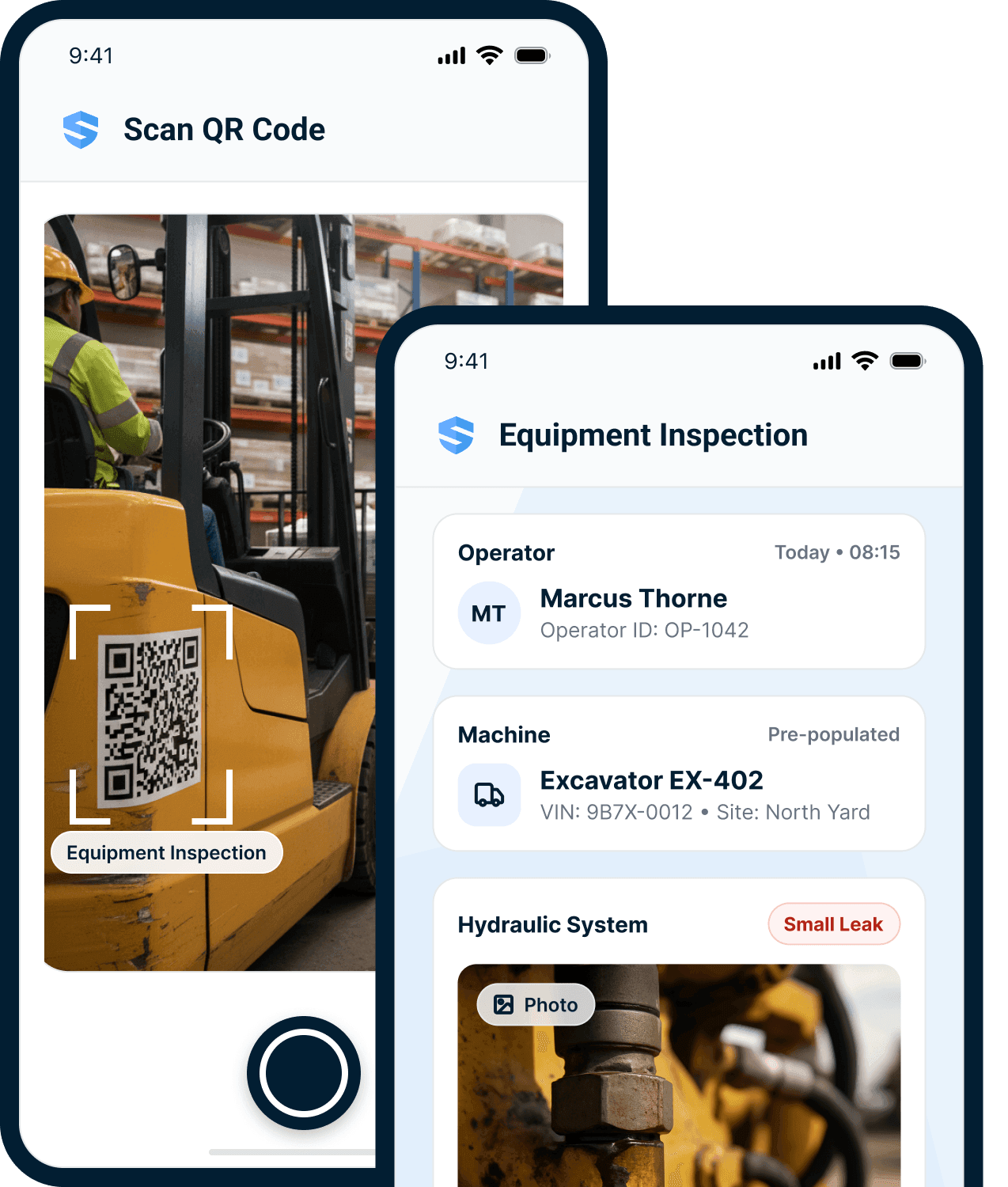



The machine opens the right workflow.
Scan the machine. Open the right inspection.
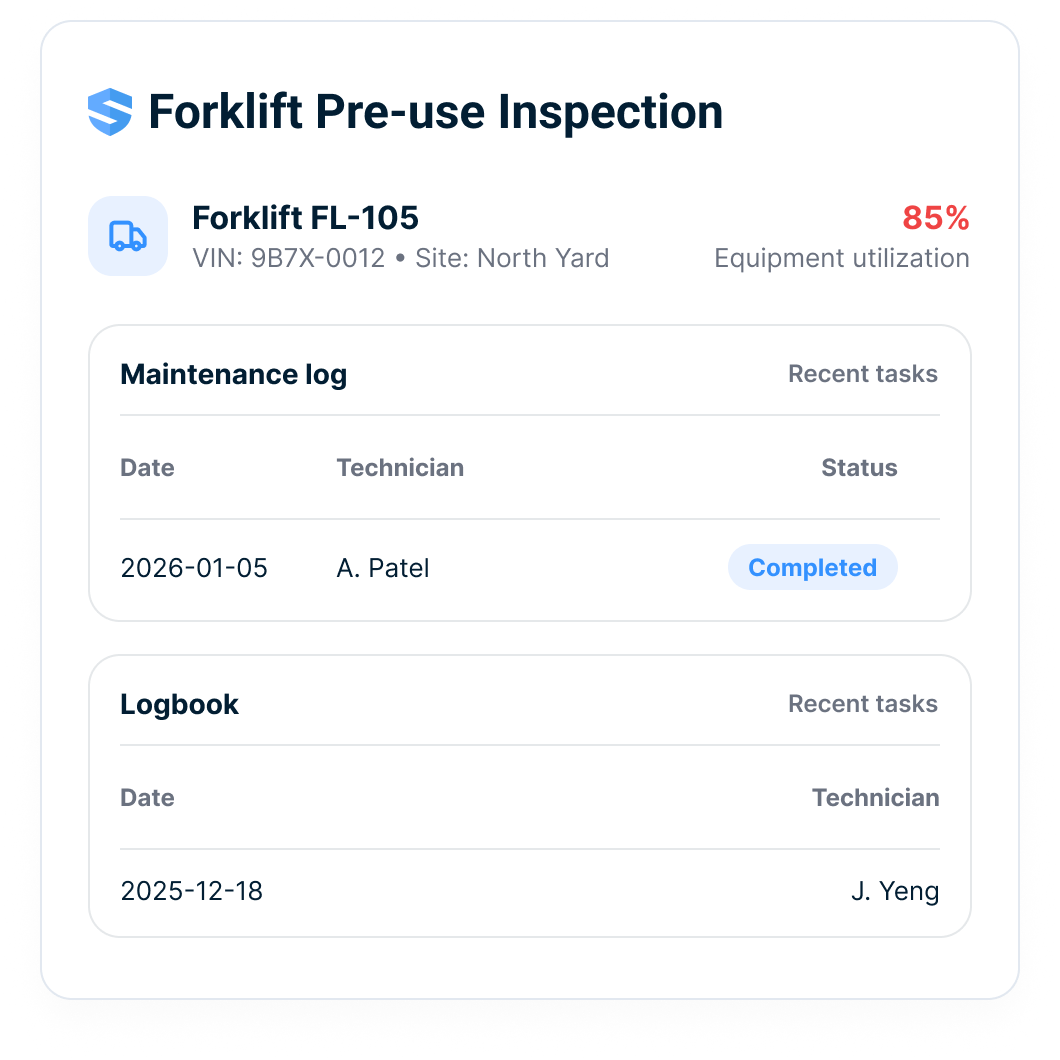
The QR scan opens the correct pre-use inspection for that exact asset at that exact location — machine details, site, and history already filled in — with the checklist, the operator manual, the maintenance record, and the safe-work procedure one tap away.
Three verifications. One scan. Zero phone calls.
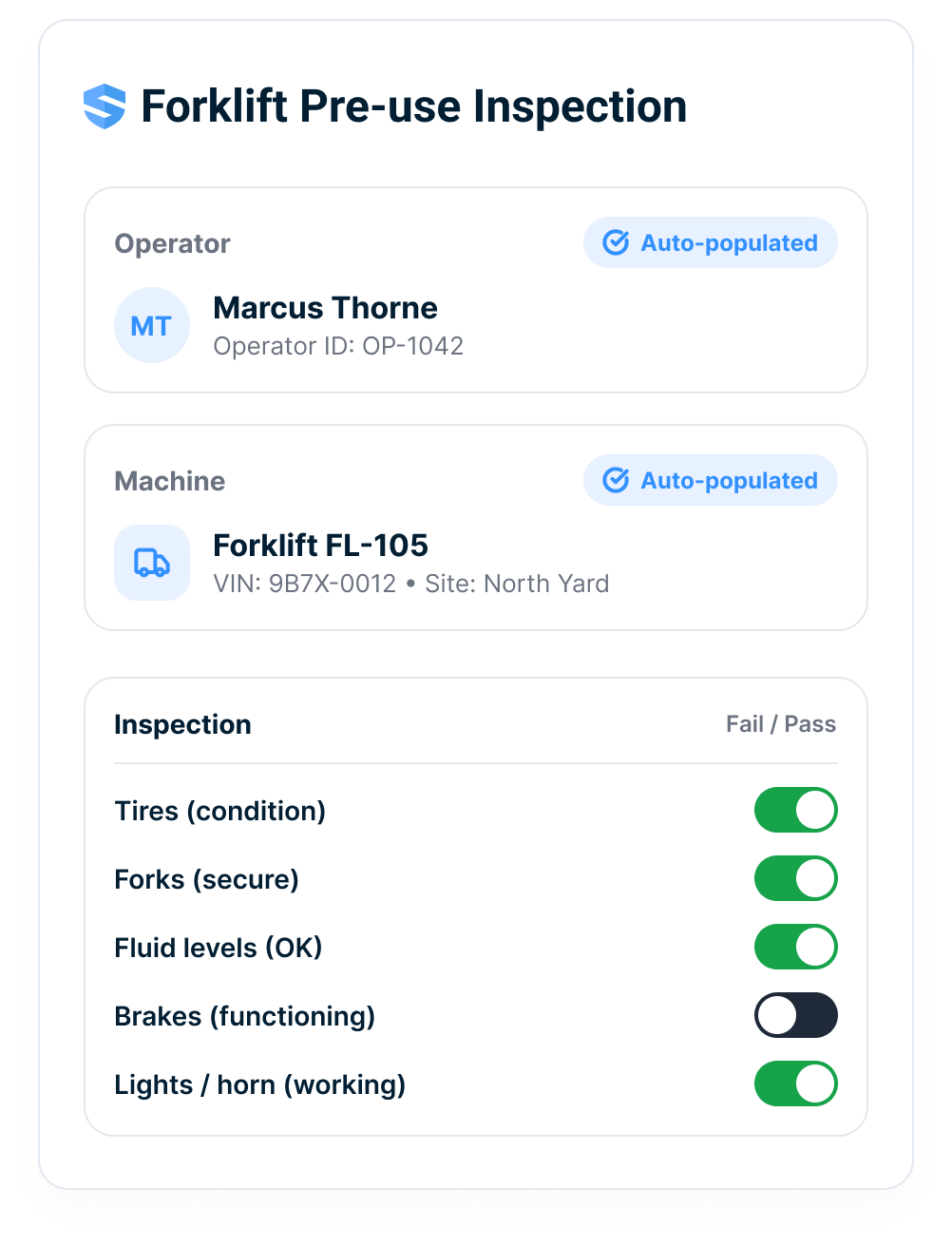
Readiness includes the operator.
A machine can pass every check and still be unsafe — in the wrong hands. At the scan, SALUS reads two profiles: the asset’s and the worker’s. Expired forklift certification? Flagged before the key turns.
A ready machine with an unverified operator is not ready.
The whole machine, in your pocket.
Every asset’s full profile is accessible from the field: maintenance history, inspection records, operator logs, and manufacturer manuals — all from one QR scan, with or without signal. Remote yards, deep excavations, parking levels with zero bars: everything auto-saves locally and syncs the moment a connection returns.
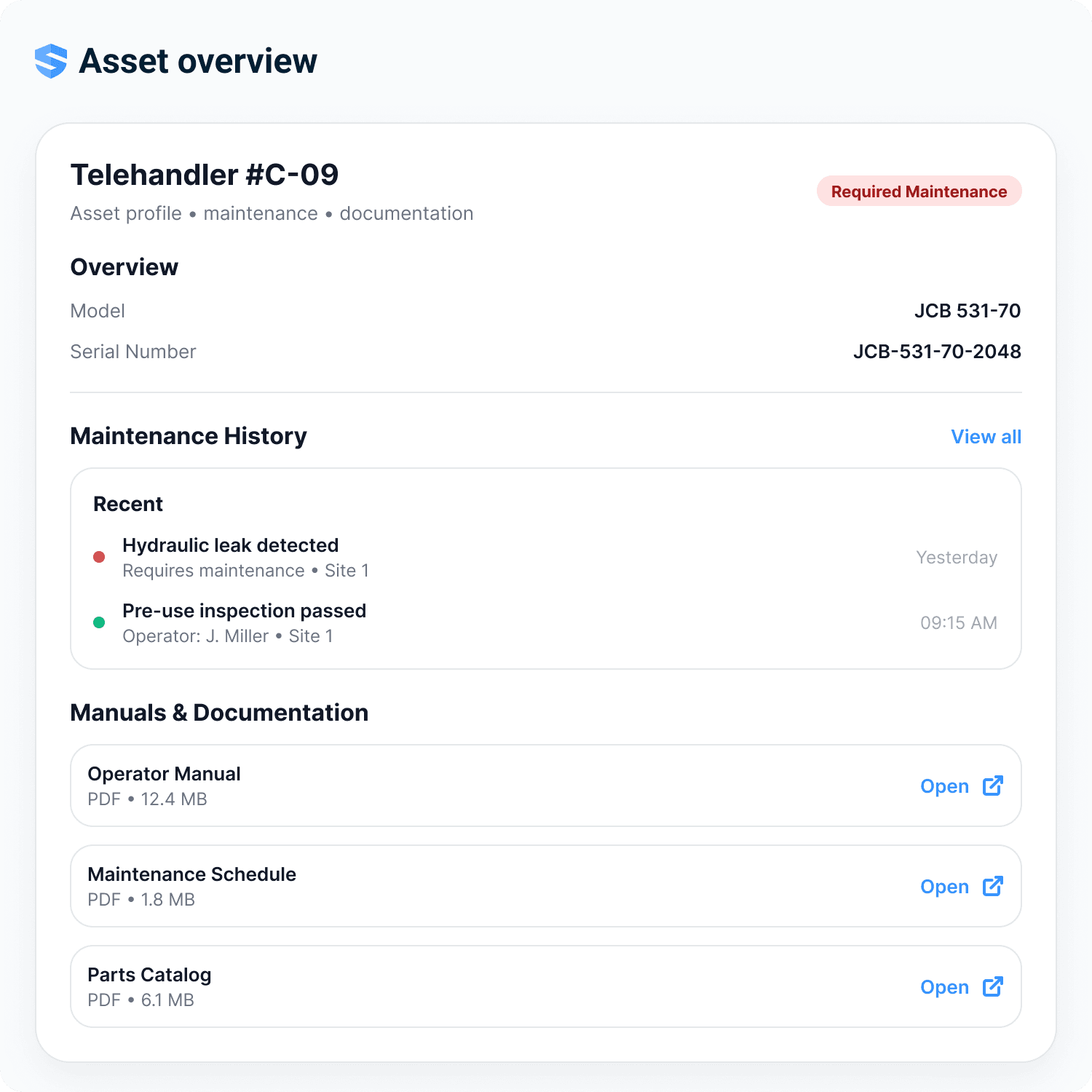
Overview
Model, serial number, site, and live status at a glance.
Maintenance history
Every repair and inspection — with who, what, and when.
Manuals & documentation
Operator manual, maintenance schedule, parts catalogue — one tap.
Works offline
The full profile travels with the machine, signal or not.
No binders. No trailer visits. The machine answers for itself.
Deficiencies should move immediately.
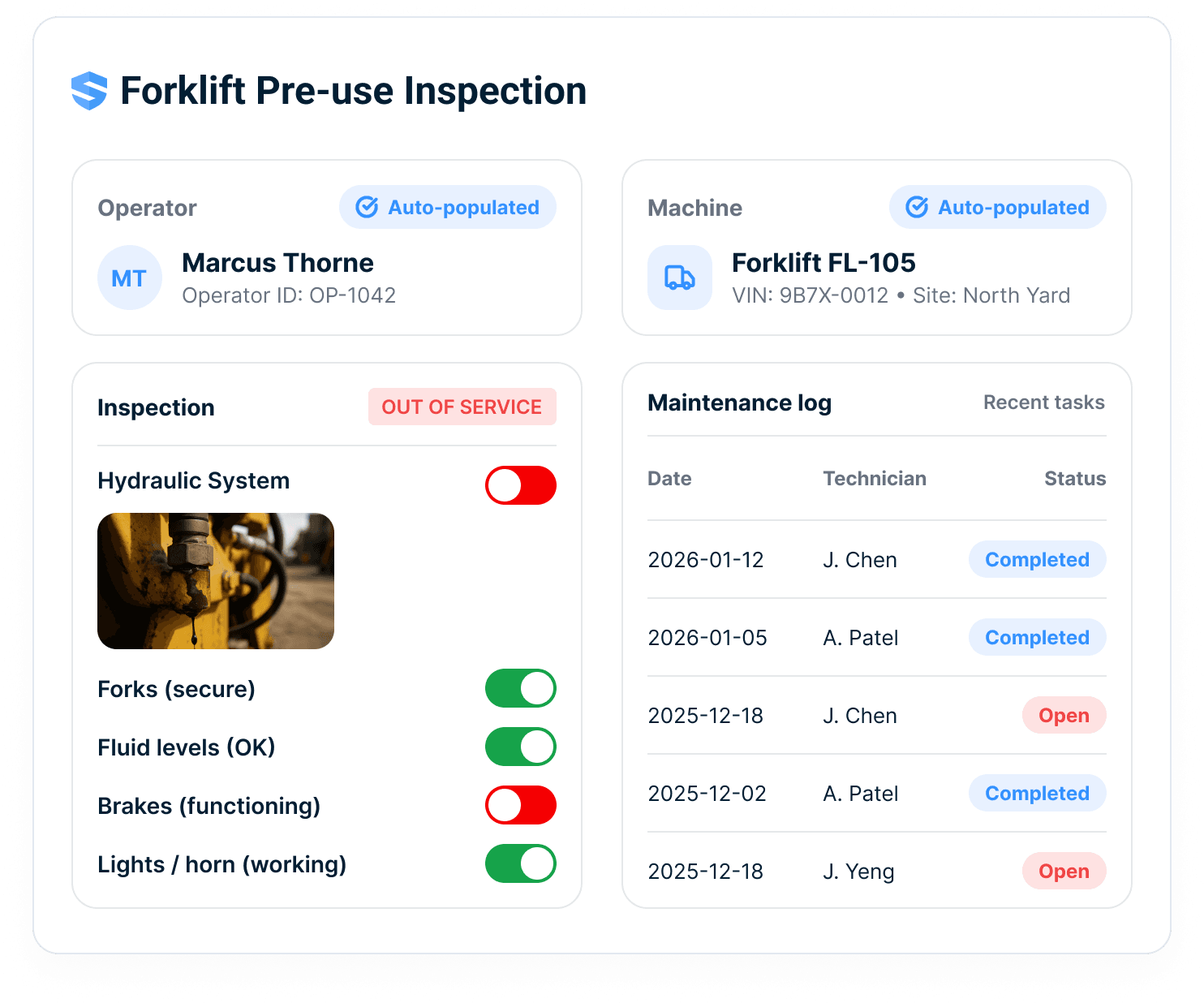
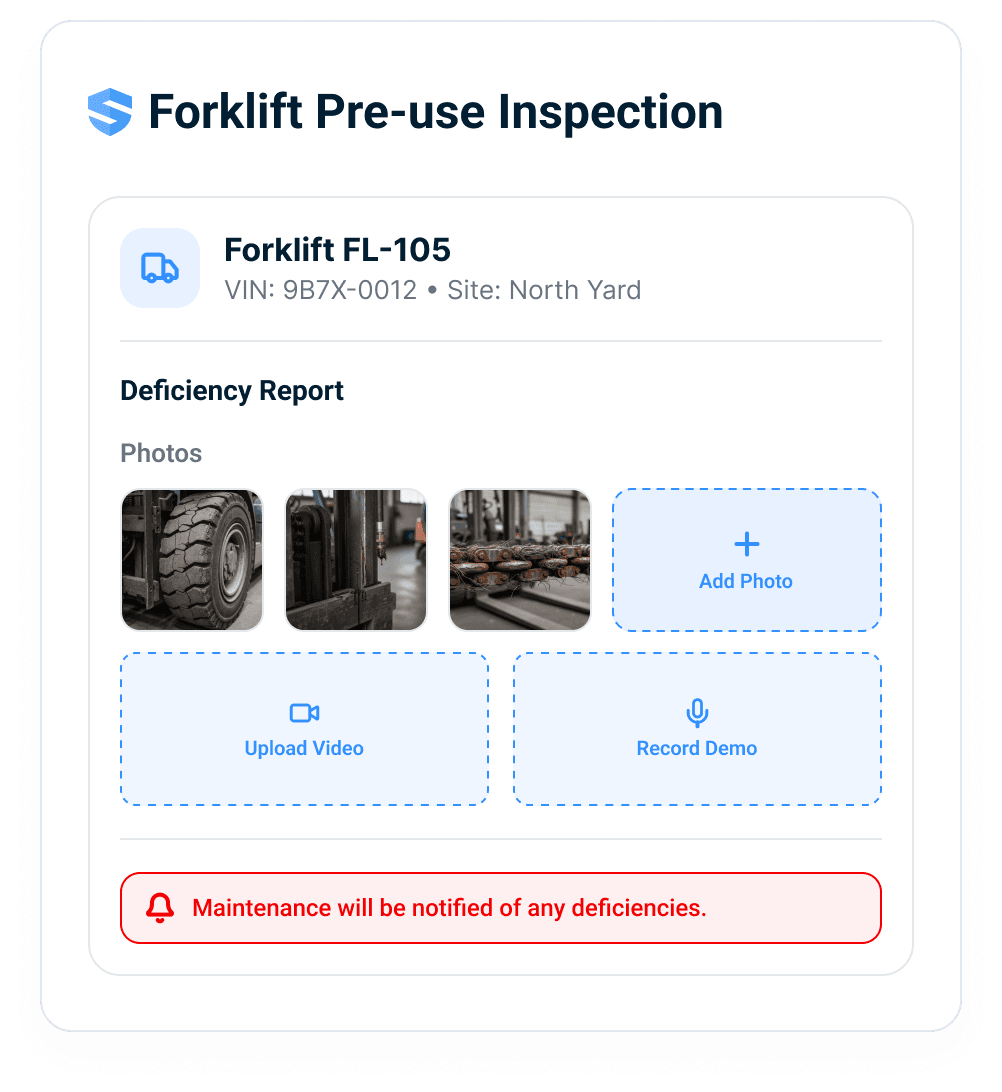
Spot the leak. Snap it. The shop already knows.
Document deficiencies with photos, video, and voice notes — captured at the machine, not reconstructed at the trailer. Talk through what you found, and Rosie, the AI Admin & Risk Assistant, shapes what you said into a deficiency report the shop can act on.
The operator feels heard. The machine gets fixed.
Critical failure? It just locks.
A frayed hoist cable. A hydraulic leak. The moment a critical failure is noted, the asset is flagged Out of Service across every dashboard in the company. No phone calls. No radio chatter. And the flag holds until the repair is verified.
Flagged in the field. Locked across the fleet.
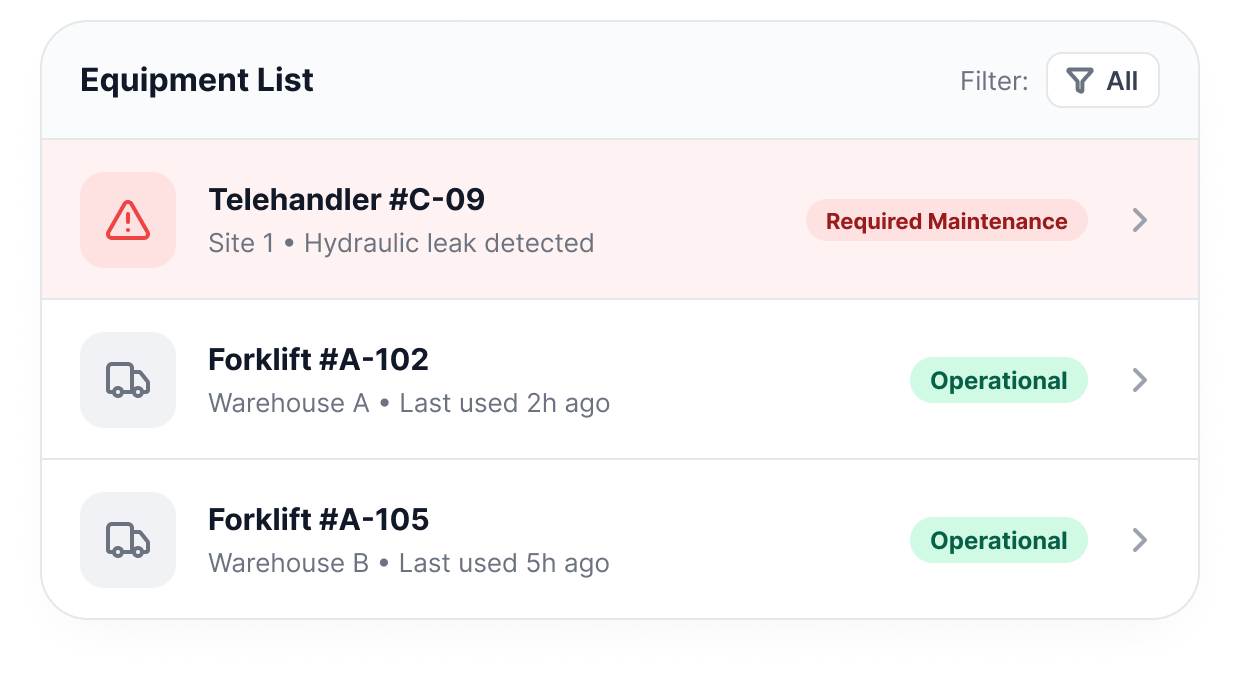
Track readiness across the fleet.
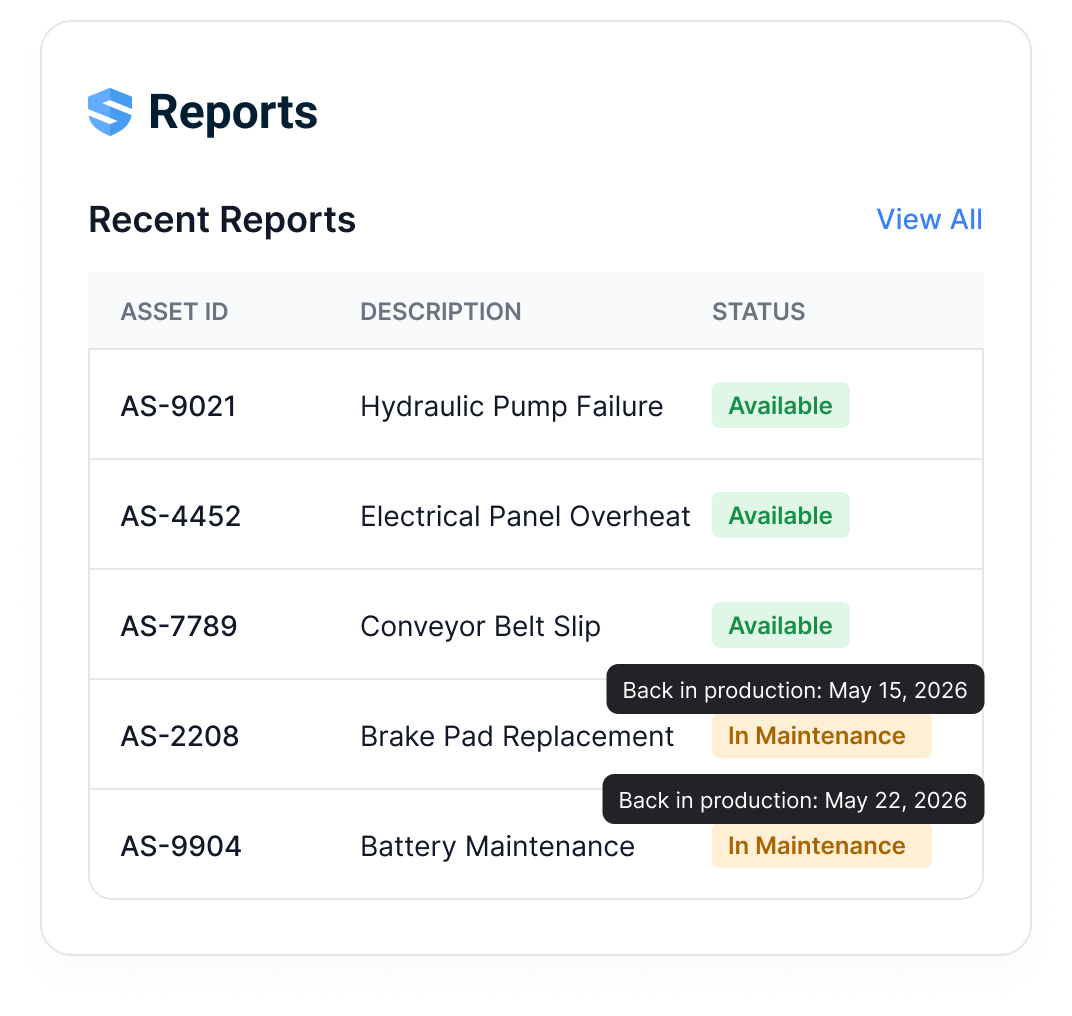
Fleet dashboards show what can work today.
Maintenance history, inspection records, and operator logs live in one view per asset — and one readiness picture across all of them. The field sees the status all the way back: in maintenance, back in production, available.
Reported. Routed. Repaired. Provable.
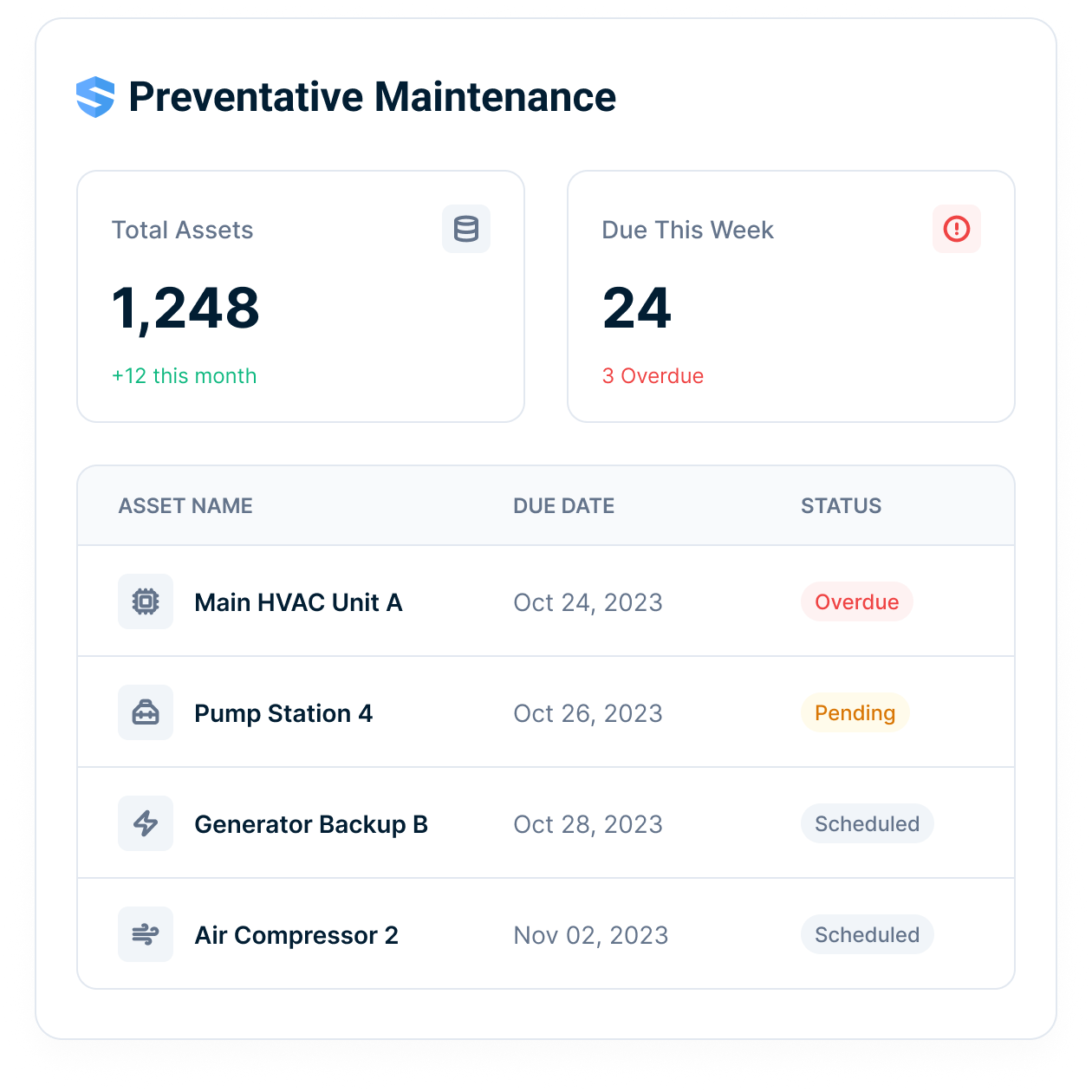
Stop fixing what broke. Schedule what’s next.
The preventive maintenance dashboard shows what’s coming due across every asset in the fleet — converting reactive break-fix into scheduled service that prevents the downtime and the safety incident at the same time.
Downtime you schedule is maintenance. Downtime you don’t is a hazard.
One inspection is a record. A fleet of them is a strategy.
Readiness rates, deficiency patterns, and maintenance trends feed Looker analytics natively — which machines to service, which to retire, and which to buy more of. The portfolio-wide utilization and cost reporting story lives in Reporting & Insights.
Fleet decisions backed by field records, not gut feel.
Fewer missed checks. Faster fixes. Safer equipment use.
The value is not just an asset list. It is live readiness across equipment, operators, deficiencies, and maintenance follow-through.
Readiness
See whether the asset and operator are ready.
Follow-up
Deficiencies route to owners and closure proof.
Fleet visibility
Track inspection, maintenance, and out-of-service status.
Everything your equipment management software should have been doing all along.
QR-triggered inspections
One scan opens the correct pre-use inspection for that exact machine.
Operator verification
License, certs, and training verified against the operator’s worker profile at the scan.
Asset profiles & manuals
Maintenance history, operator logs, and documentation — one scan, signal or not.
Multi-modal capture with Rosie
Photos, video, voice notes — Rosie structures them into a deficiency report.
Instant maintenance routing
Deficiencies reach the shop with parts context — immediately.
Fleet readiness dashboards
Readiness, deficiency patterns, and maintenance status feed Looker natively.
Equipment workflows connected to safety.
Go deeper from scan to readiness.
Equipment safety gets stronger when the worker, machine, and fix stay connected.
Construction equipment management software, equipment inspection, operator verification, fleet readiness, and deficiency follow-up FAQ
What is construction equipment management software?
How does QR equipment tracking work in SALUS?
Can SALUS verify the operator before equipment is used?
Can crews complete equipment inspections offline?
What happens when a deficiency is found on equipment?
Can an unsafe asset be marked out of service?
Does SALUS support preventive maintenance and fleet readiness dashboards?
Is SALUS a GPS telematics or fleet tracking system?
Can equipment readiness connect to permits or certificates?
What should we bring to an equipment management demo?
Bring one equipment checklist.
We will show the scan-to-fix version.
Walk one asset from QR scan to operator verification, inspection, deficiency routing, and readiness dashboard.
Bring the current workflow. We will map the live version from field action to proof.