

Safety software and support you can actually count on.
When your safety app crashes mid-form and doesn't sync, workers stop logging in, your compliance data dries up, and your risk exposure grows. SALUS provides a zero-interruption safety platform that field workers actually use, and the SALUS success team works with clients to make their safety program a success.
- Fully customizable JHAs, PTPs, forms and workflows
- Most intuitive, fully functional mobile app
- Rosie, the contractors' AI Admin & Risk Assistant handles the busy work, monitors risk and defends the business
One of the big factors into our decision to move towards SALUS was finding a platform that was very usable for everyone in the company.
Aquicon switched from eCompliance to SALUS.
Request your personalized demo
Share a few details. A SALUS specialist will contact you within one business day to schedule your personalized walkthrough.
Request received
We received your demo request. A SALUS specialist will contact you within one business day to schedule your personalized walkthrough.




These companies chose SALUS over eCompliance.
Companies move to SALUS when they need adoption by the crews, adaptable workflows, and dedicated customer support.




Compare the feature list and the working experience
“Mobile app,” “reporting,” and “asset management” can mean very different things once your people start using them. eCompliance's friction drives workers away. SALUS is built for the field, not against it.
Mobile continuity
eCompliance
Upload errors, repeated logouts disrupted use, no bi-directional sync between mobile and desktop.
SALUS
Mobile-to-web continuation and full offline workflows.
Supervisor access
eCompliance
Limited mobile app functionality and access to information.
SALUS
Full mobile functionality and access to information.
AI capabilities
eCompliance
Limited to Assist, a co-Pilot capability.
SALUS
Rosie: full AI capabilities: field capture; docs, forms & report creation, risk monitoring
Subcontractor participation
eCompliance
Paid-access; limited contractor monitoring.
SALUS
QR-linked forms and orientations; company-level and worker-level records travel across job sites.
Hazard assessments and actions
eCompliance
Daily hazard assessments hard to configure and deploy. Mismatch between action approvals and site responsibilities.
SALUS
Fully configurable hazard-assessment forms.
Reporting and certificates
eCompliance
Complex safety Intelligence setup.
SALUS
Google Looker built-in, Rosie-powered answers to any questions in natural language.
Your workflows. Simple for every worker.
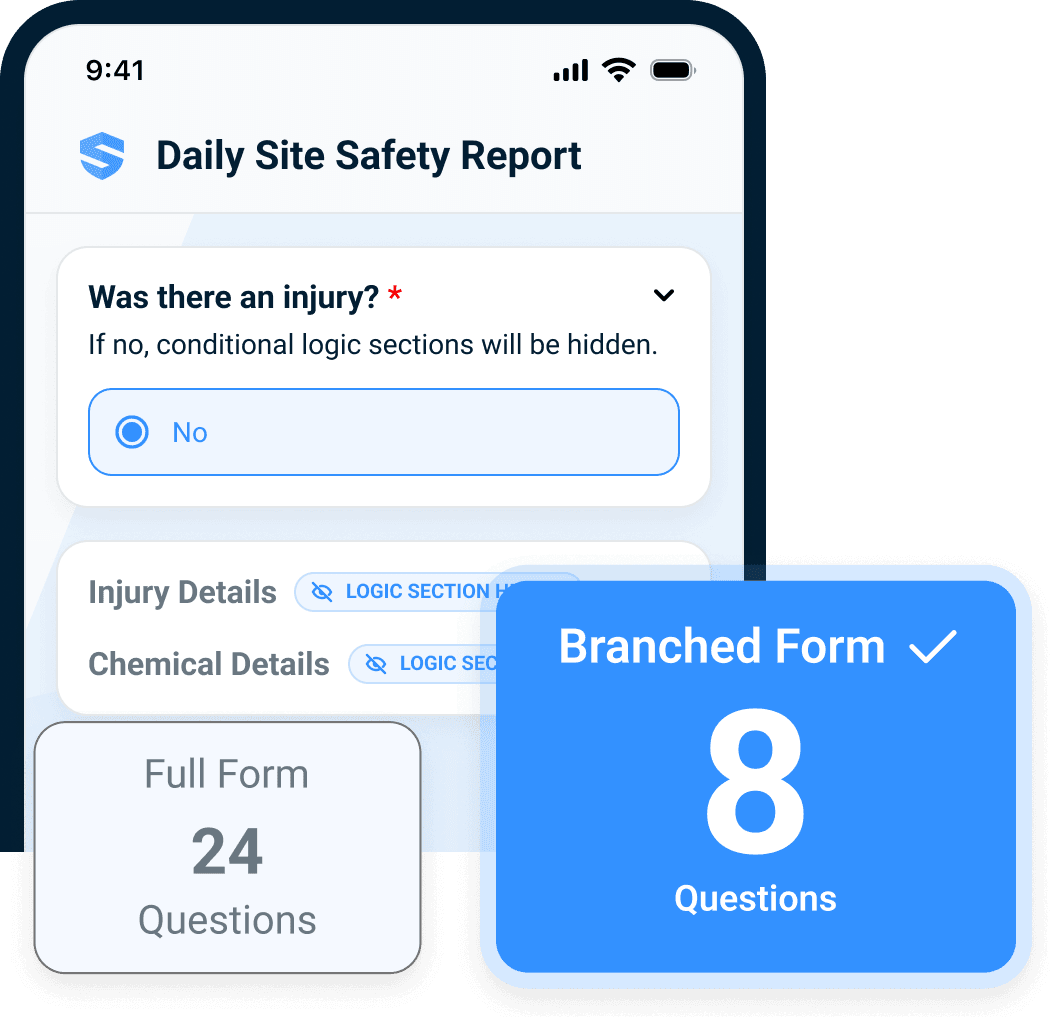
In eCompliance, daily hazard assessments can require inspection workarounds and approval steps that do not match site responsibilities. SALUS lets you tailor digital forms, JHAs, PTPs, and hazard assessments completely to the way your business works—while keeping the worker experience simple enough to drive adoption to record levels.
Aquicon reported field-worker adoption rising from roughly 40–50% on eCompliance to about 80% with SALUS.
I thought switching from eCompliance would be really hard for our team. It wasn’t. SALUS is easier to use, and the quality of the information our workers submit is much better.
Your App Shouldn't Be the Hazard.
A form being available on a phone is not the same as a foreman being able to do their job from it.
eCompliance users have to return to their computers for information they can not access in the app. That adds another trip, another delay, and another reason to work around the system. SALUS gives foremen full mobile functionality while keeping daily work extremely simple for workers.
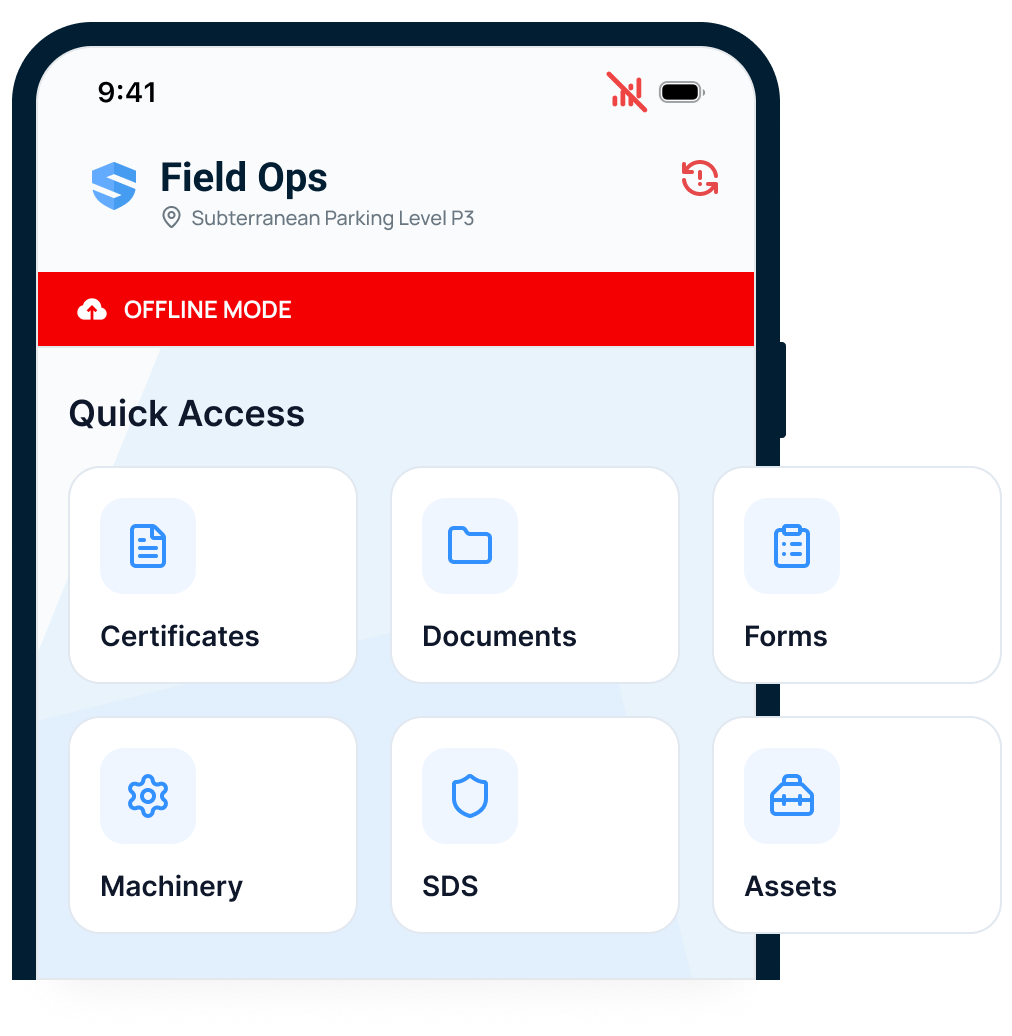
- Check readiness without chasing the office. View the status of JHAs, PTPs, forms, worker certificates, permits, equipment status from the field.
- Start on your phone. Continue at your desk. Work on forms across mobile and web, with progress saved as you go. With or without signal.
- Easy mobile access to information including procedures, reference documents, user manuals, and SDS.
Get the help of 1000 helpers.
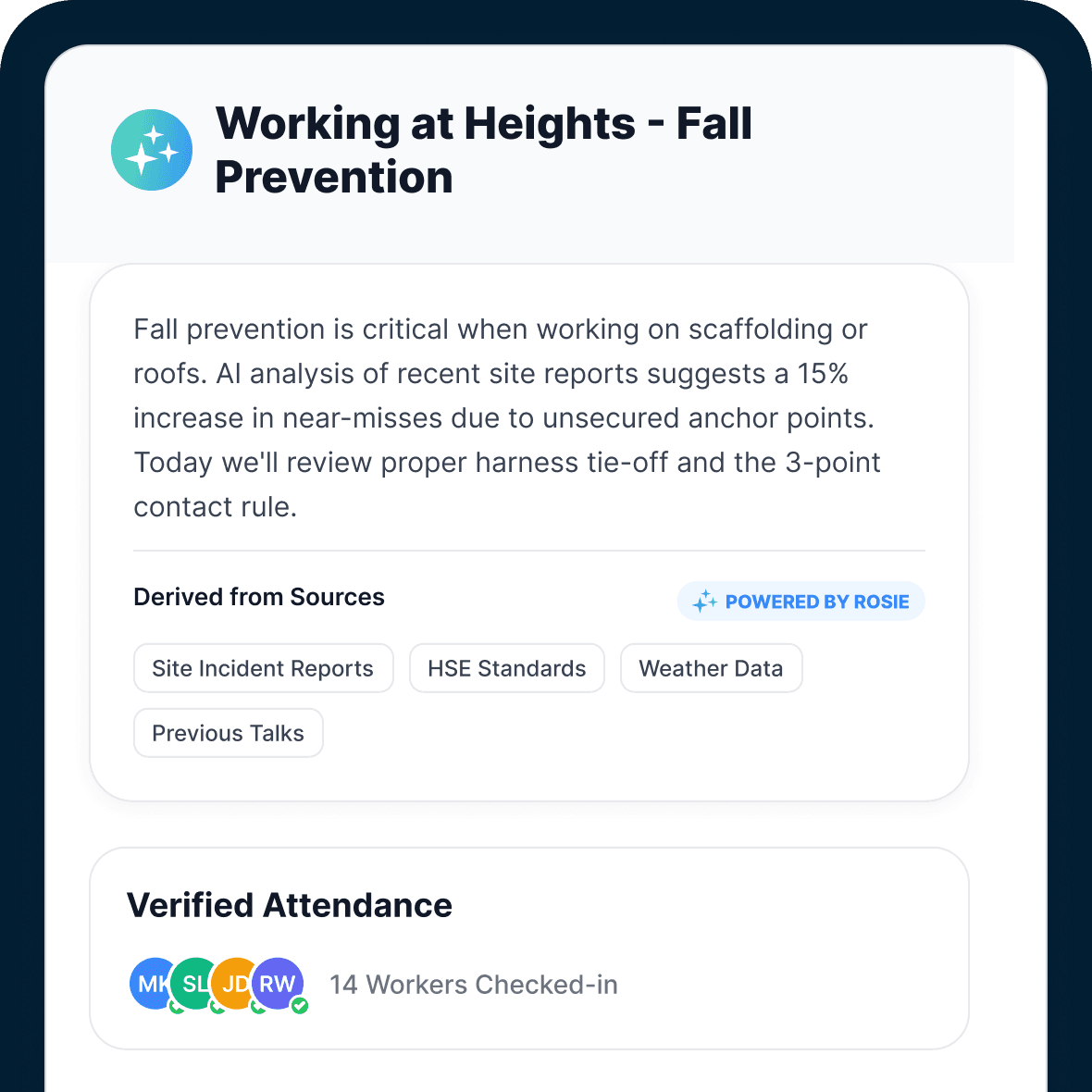
While eCompliance offers basic co-Pilot capabilities, SALUS' Rosie, the AI Admin & Risk Assistant, works across workflows to handle the busy work and monitor risk.
- Create the documents that keep work moving. Draft forms, procedures, toolbox talks, and reports from your instructions or operational records.
- Capture the field without the busy work. Turn voice notes, photos, and field observations into structured records connected to the worker and the site.
- Monitor risk across the operation. Surface readiness gaps, recurring hazards, and outstanding actions across jobsites.
With Rosie, I can ask a plain-language question and get useful answers directly from our own data, from summarizing incidents for safety meetings to identifying trends and drafting toolbox talks. Rosie saves me several hours a week, and I'm still discovering new insights.
Powerful reports; Real insights.
Setting up Safety Intelligence requires meeting with eCompliance to build the views the team needed.
SALUS includes standard reports across projects, forms, workers, corrective actions, certificates, assets, subcontractors, and incidents. Then, for in-depth reporting, Google Looker is built-in to slice and dice data in any way you want. Now, with Rosie, you can ask any question you want in natural language, and the report builds itself.
- See what needs attention. Review expiring certificates or open actions without rebuilding the picture from separate exports.
- Ask Rosie when you need an answer. Use plain-language questions to explore your records and inspect the supporting sources.
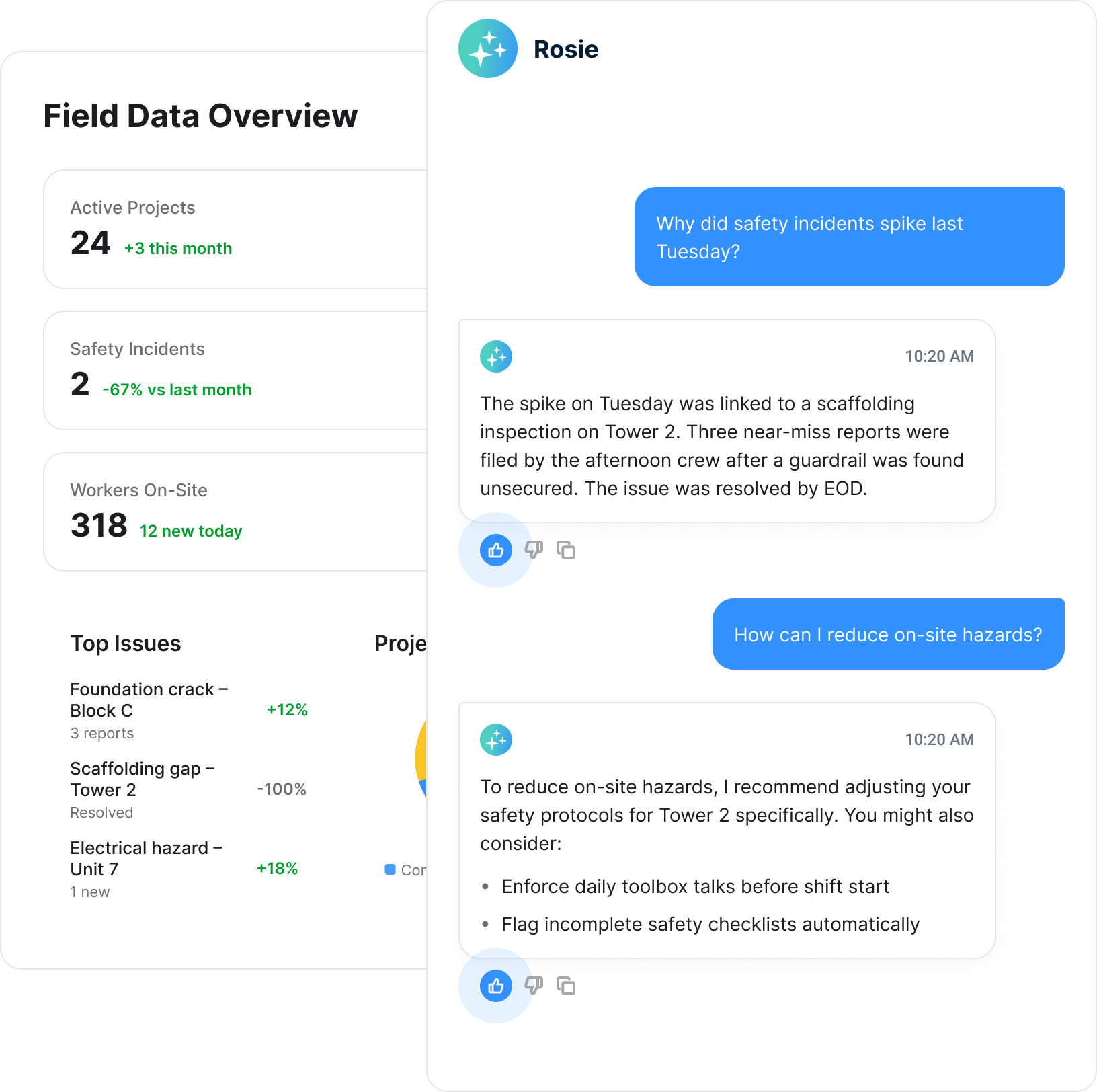
Rosie has been a huge time-saver for our team. Instead of spending hours reviewing dozens of site inspections, Rosie quickly identifies recurring trends, highlights corrective actions, and summarizes the information into something we can actually use.
Your safety team is not a software help desk.
Buying software should not leave a handful of internal champions responsible for teaching everyone, resolving every problem, and figuring out every new workflow. SALUS pairs your team with a customer success manager and an onboarding plan built around how your business works.
Train the people doing the work.
Plan training around administrators, supervisors, and field users—not just the people attending the initial setup meeting.
Get help with your actual workflow.
Bring the form, report, or process that is causing trouble. Work through it with someone who understands what you are trying to accomplish.
Keep the relationship after rollout.
Access support, live training, and on-demand resources as your people and requirements change.
That's why we left ecompliance. We had no support. Your support is amazing.
One truth. Zero excuses.
You already have your enterprise system of record — you don’t need another. With native SALUS sync, Procore stays the source of truth while the field gets a tool they actually love. No double entry. No shadow workflows.
- Procore as master Selected Procore projects can flow into SALUS as linked job sites, preserving the project structure your PMs already manage.
- SALUS as Procore’s field engine Supported finalized records flow back to configured Procore tools: submitted forms to Documents, attachments to Photos, mapped manpower to pending Daily Log entries, and review-required forms to Tasks.
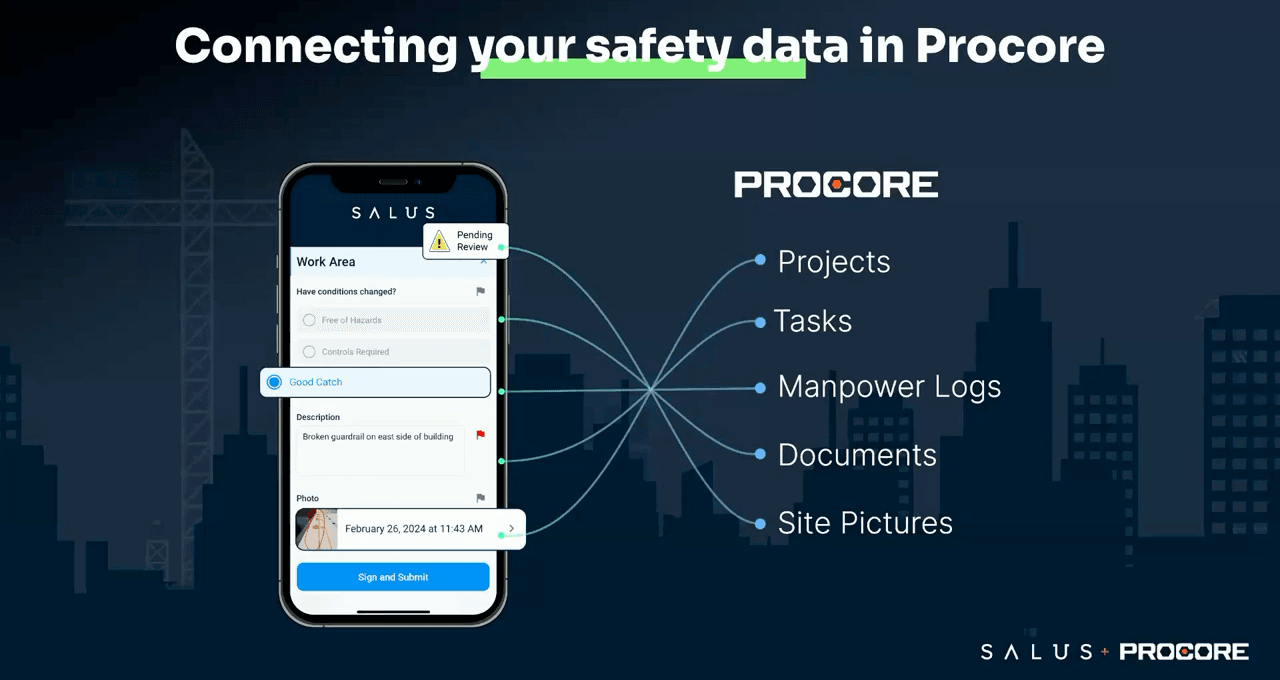
Procore is our master solution that we use to manage all our sites. All SALUS log submissions are auto-uploaded to Procore’s document section. If you’re done wasting time searching, SALUS is the solution.
Questions about moving from eCompliance
Will SALUS support every workflow exactly as we run it today?
Can subcontractors participate without downloading the app?
What happens to our existing forms and historical records?
How should we plan the rollout?
See SALUS in action.
Request a personalized walkthrough and see how SALUS runs your field safety program in real time.
No commitment · 30-minute personalized walkthrough