




One worker, one connected record
Keep orientation, credentials, JHAs, equipment, and assigned actions connected to the individual subcontractor worker.
SiteDocs can work when the goal is to move forms off paper. But as projects, teams, and trade partners multiply, customers tell us they hit limits in workflow customization, reporting, and contractor accountability. SALUS provides a connected safety platform—and a partner—that continues evolving with them.
SiteDocs hadn’t improved at all in five years—no improvements, no changes. SALUS is improving with the times and with AI.
Share a few details. A SALUS specialist will contact you within one business day to schedule your personalized walkthrough.
We received your demo request. A SALUS specialist will contact you within one business day to schedule your personalized walkthrough.
Companies move to SALUS when they need adaptable workflows, decision-ready reporting, and worker-level trade-partner control.




Both platforms digitize safety. The difference becomes clearer as operations grow: compare how each platform adapts workflows, uses AI, turns field data into portfolio-level reporting, manages equipment and training, and supports rollout.
Operating model
SiteDocs
Forms-first digital safety management
SALUS
Connected safety + readiness across operations
Forms & logic
SiteDocs
Some customization and logic
SALUS
AI-built adaptive forms + smart conditional logic
AI assistance
SiteDocs
AI suggestions
SALUS
Rosie in the workflows: create docs, capture events, monitor risks, insights and answers
Reporting
SiteDocs
Limited
SALUS
Cross-module Google Looker built-in + Rosie insights and answers
Equipment module
SiteDocs
Limited
SALUS
Complete asset-level tracking
Training module
SiteDocs
Not included
SALUS
Complete training module
Implementation & support
SiteDocs
Limited
SALUS
Dedicated success team + form digitization + live training
SiteDocs supports some custom forms, but as programs grow, teams need to create, change, and share forms across more projects and operating models. SALUS combines fully customizable forms, conditional logic, and Rosie-assisted creation so teams can adapt each workflow without rebuilding their safety program.
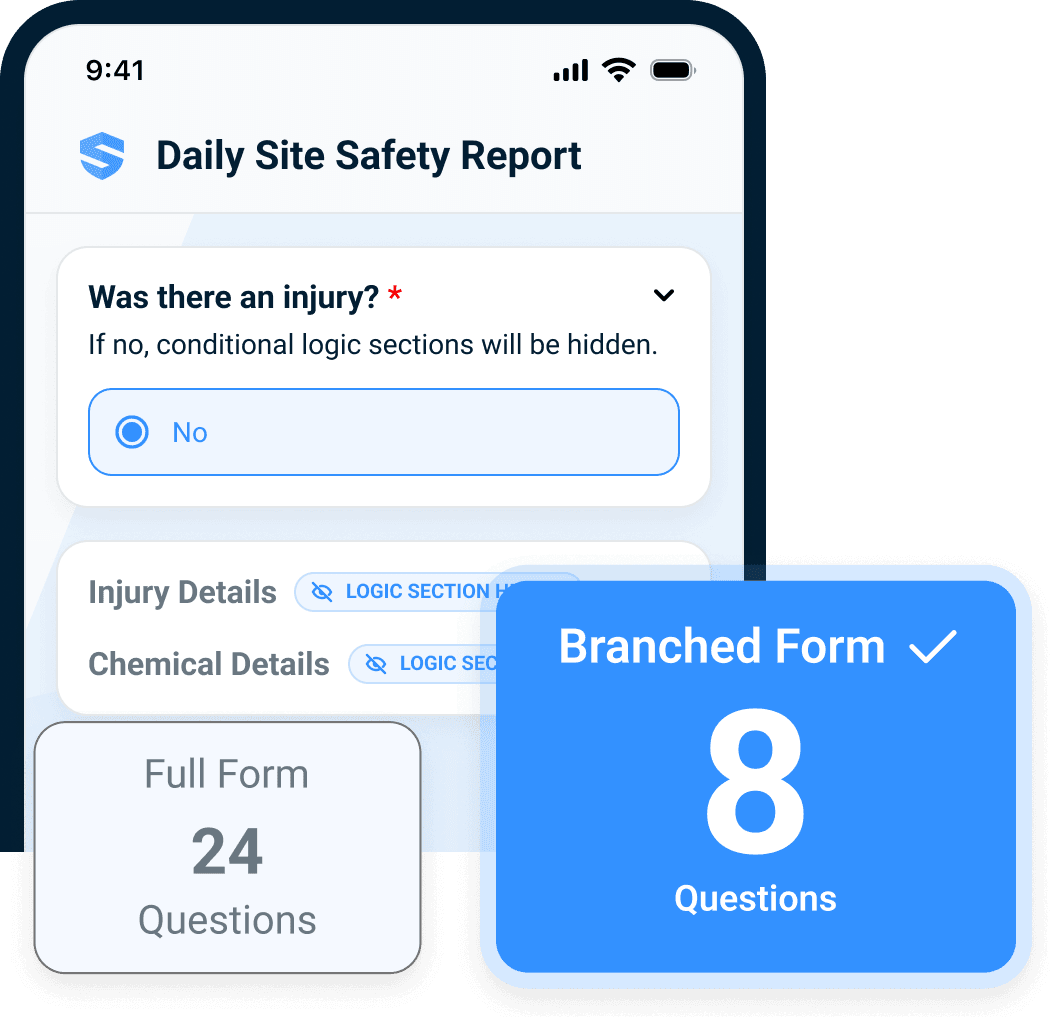
The AI capability is huge. Being able to create documents and communicate with AI, edit on the back end, and control the finished document’s appearance checked all our boxes—100%.
Stop downloading, renaming, and consolidating individual submissions before you can analyze the business. With SALUS, you can slice and dice data across projects and modules or create filterable reports. And with Rosie, you don't have to build dashboards anymore. She does it for you.
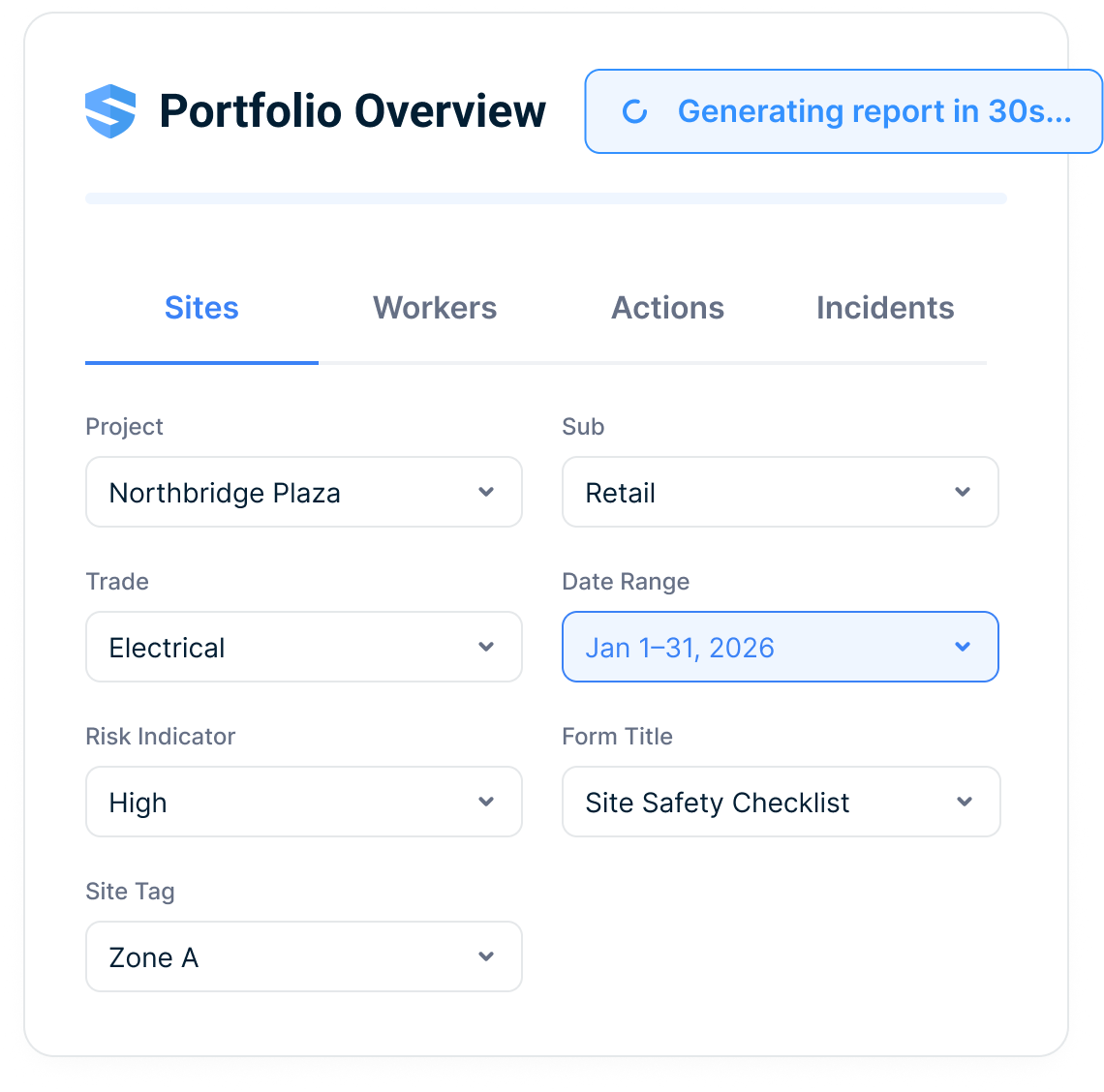
Reporting, tracking site safety documentation, and turning it into analysis was a huge selling feature. It’s way better with SALUS than it was with SiteDocs.
SiteDocs supports worker records, but in its contractor workflow, corrective actions are assigned to the subcontractor company—not to the individual subcontractor worker. SALUS preserves the company rollup while connecting every worker’s orientation, credentials, JHAs, equipment, and corrective actions—so responsibility stays visible as the trade network grows.
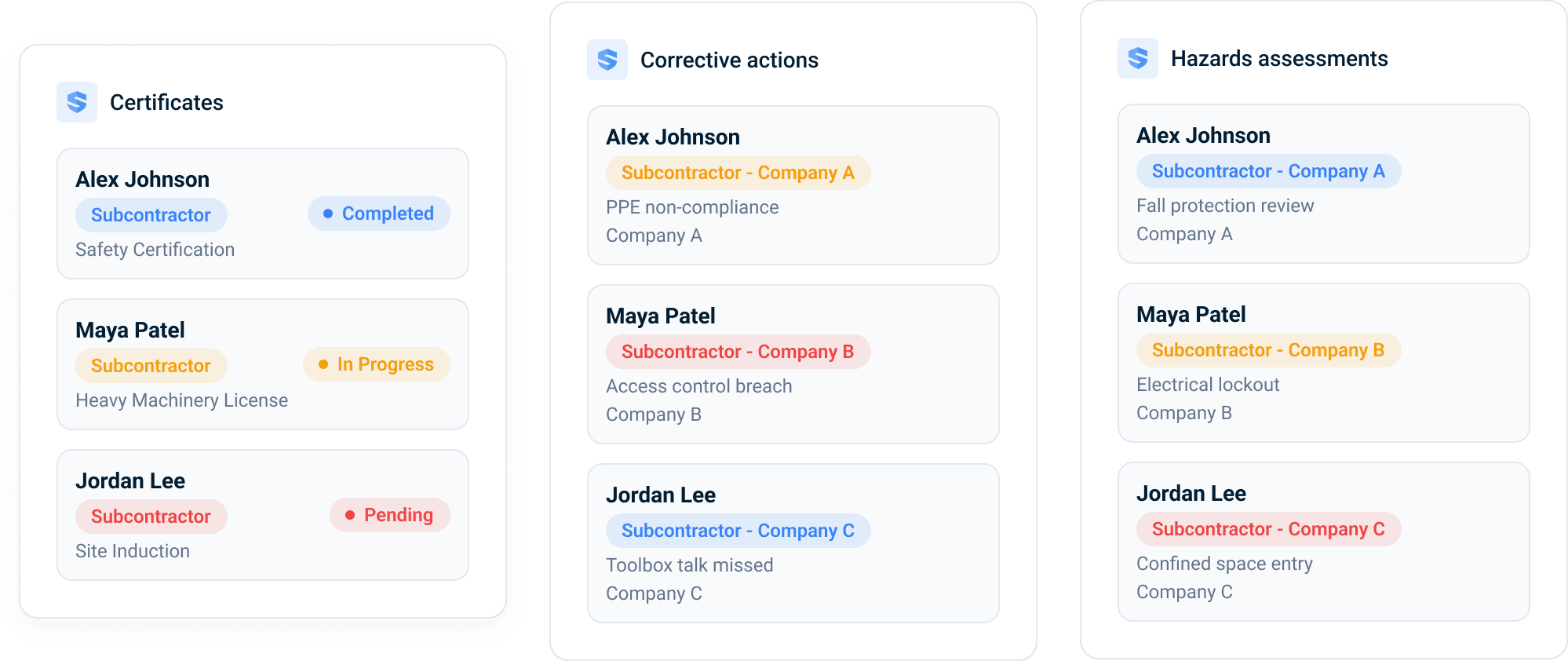
Keep orientation, credentials, JHAs, equipment, and assigned actions connected to the individual subcontractor worker.
Assign the action, due date, and required evidence to the worker responsible for completing the fix.
Coordinate by employer, trade, project, and site without losing the named owner or source evidence.
One of SALUS’s selling points was that we shifted the onus off us and onto subcontractors to update their information. Workers, training certificates, equipment coming to our site—it only takes 30 seconds to add it.
SALUS partners with you end to end — digitizing your forms and workflows, training your people, rolling out to the field, and driving the adoption that makes a program actually stick.
Chat, email, or phone during core business hours. Field worker or platform admin, you reach a real SALUS specialist — not a backlog.
A dedicated customer success manager builds a success plan around how your business actually runs.
On-demand videos for quick refreshers, live sessions when you want your questions answered in real time.
You already have your enterprise system of record — you don’t need another. With native SALUS sync, Procore stays the source of truth while the field gets a tool they actually love. No double entry. No shadow workflows.
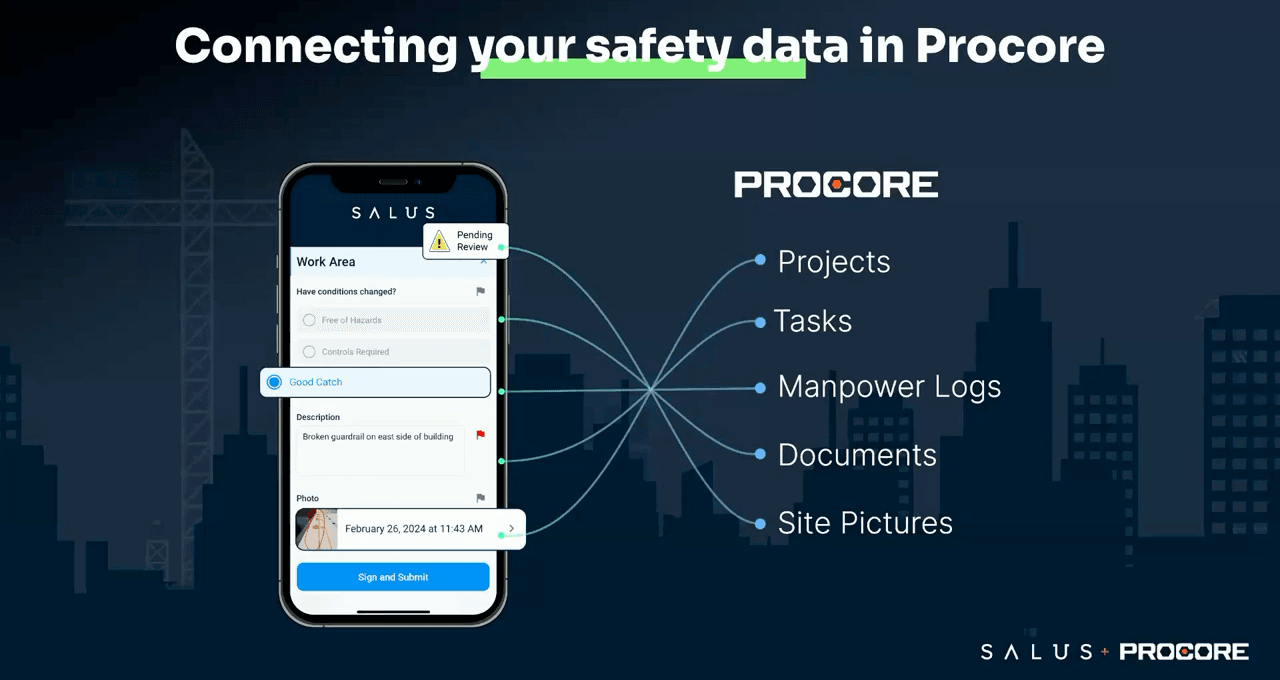
Procore is our master solution that we use to manage all our sites. All SALUS log submissions are auto-uploaded to Procore’s document section. If you’re done wasting time searching, SALUS is the solution.
Request a personalized walkthrough and see how SALUS runs your field safety program in real time.
No commitment · 30-minute personalized walkthrough