

Corrective action software that actually closes.
US construction teams need a clear path from a field hazard to a verified correction within their OSHA safety program. SALUS connects the inspection finding, incident follow-up, or crew concern to a named person, a due date, and evidence of the fix. Supervisors can see what remains open and who needs help before another crew encounters the same condition. Photos, notes, notifications, and closure timestamps stay with the source record, so your safety team can explain what changed without reconstructing the story from text messages. Rosie helps structure the action; your team reviews it and verifies the result.
Assigned to individuals, not companies · Viewed and confirmed, on the record · Escalation automatic
Within a month or so of us starting to use SALUS, some of the comments were that if we were to take it away and go back to paper, that they would quit.


Create the corrective action where the hazard appears.
Say the issue. Rosie structures the action.
A corrective action can start anywhere the hazard does: a failed inspection item, an incident finding, a form response, a meeting note, an equipment check — or a foreman just talking. Spot it, say it. Rosie, the AI Admin & Risk Assistant, turns the voice note into a structured action: what, where, priority, due date, owner. You approve. It’s assigned before you reach the stairs.
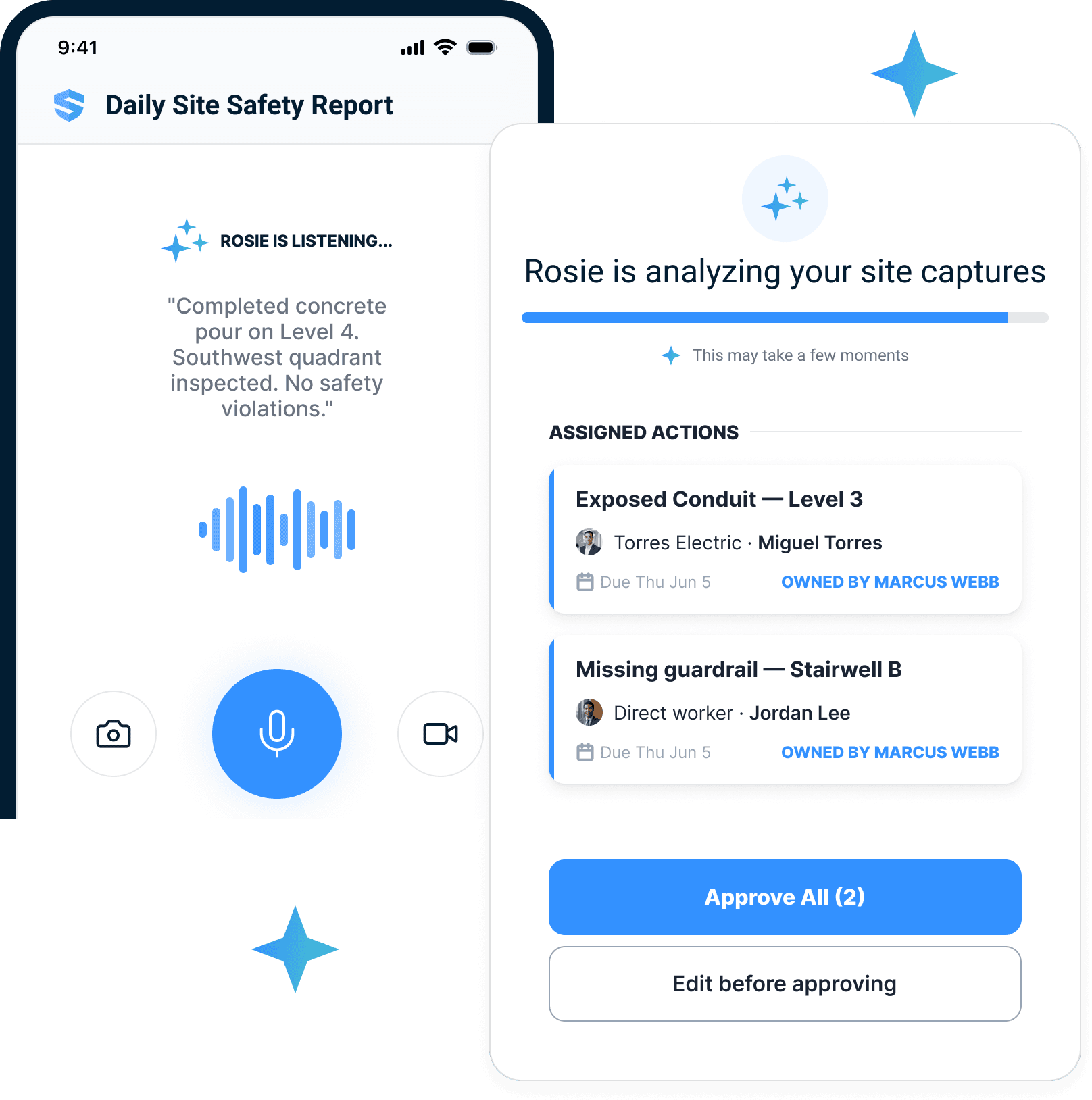
Talk
Describe the issue in your own words — at the hazard, not at the trailer.
Rosie builds
The voice note becomes an action: what, where, priority, due date, owner.
You approve
One tap assigns it — including to specific workers in subs.
One voice note. One approval. A name on every action — not a company.
Ownership beats awareness.
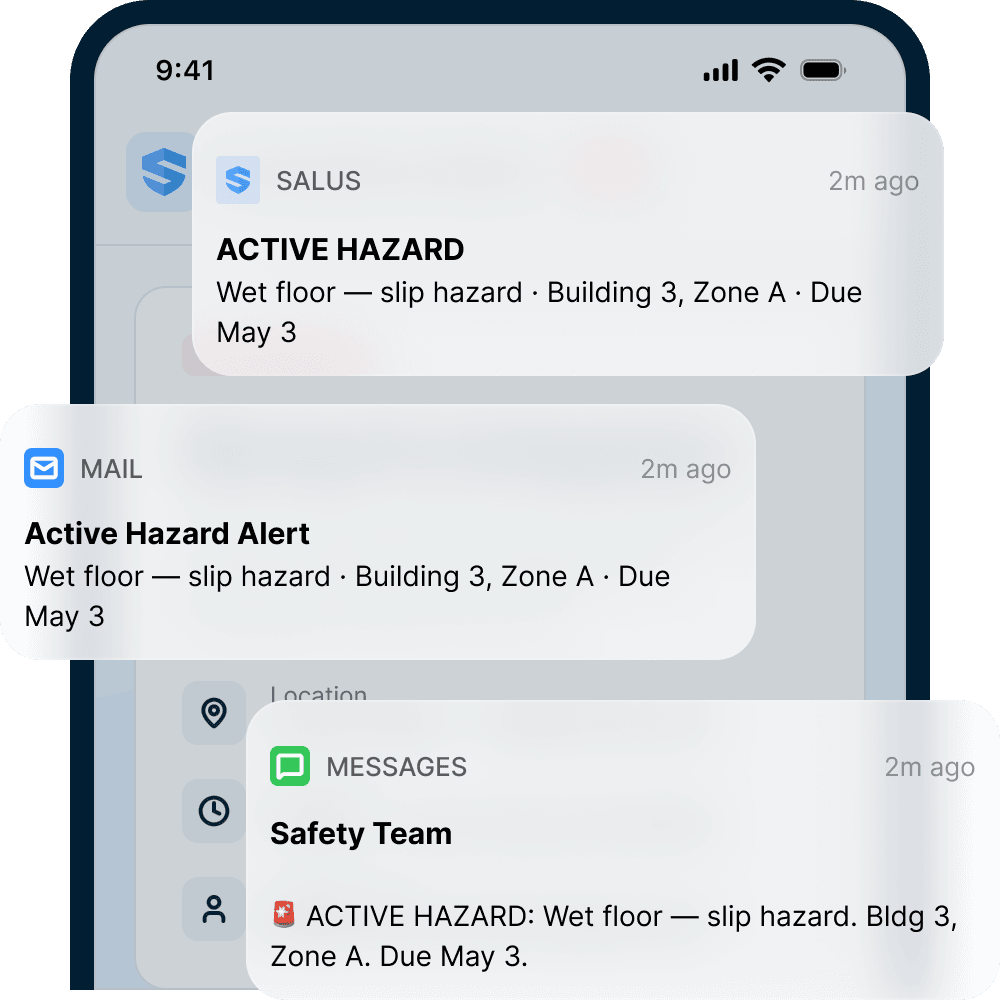
“Sent to the sub” is awareness. SALUS assigns the action to a named person — internal or in a sub’s crew — tied to the project and the exact location. The owner gets full context: what’s wrong, where, when it’s due, the photo. App push, email, text — whichever reaches them first. And the system logs the moment it was viewed.
The most dangerous corrective action is the one everybody thinks someone else owns.
Corrective action tracking, from created to closed with evidence.
From created to closed, every step is logged.
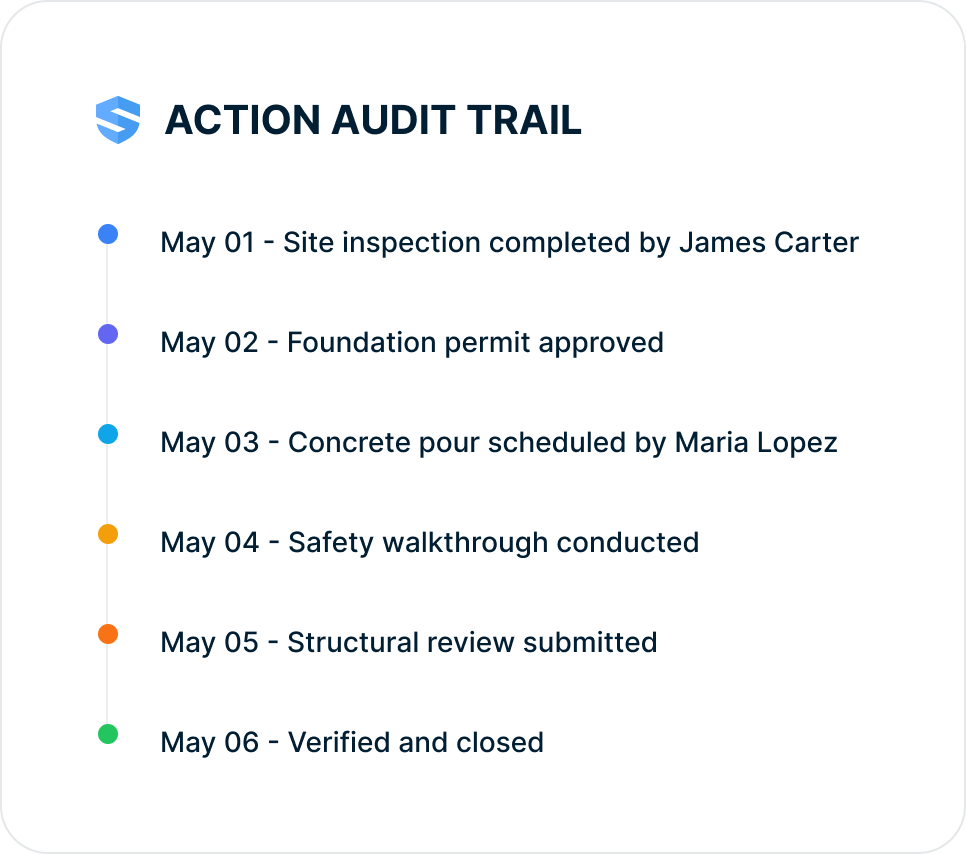
A corrective action in SALUS isn’t a to-do. It’s a record with a heartbeat: created, assigned, viewed, confirmed, responded, closed — each step logged with a timestamp, so the age of every open loop is a fact, not a guess. And if the owner goes quiet, the record doesn’t wait politely. Escalation triggers on its own.
That’s the difference between a to-do list and a risk management system.
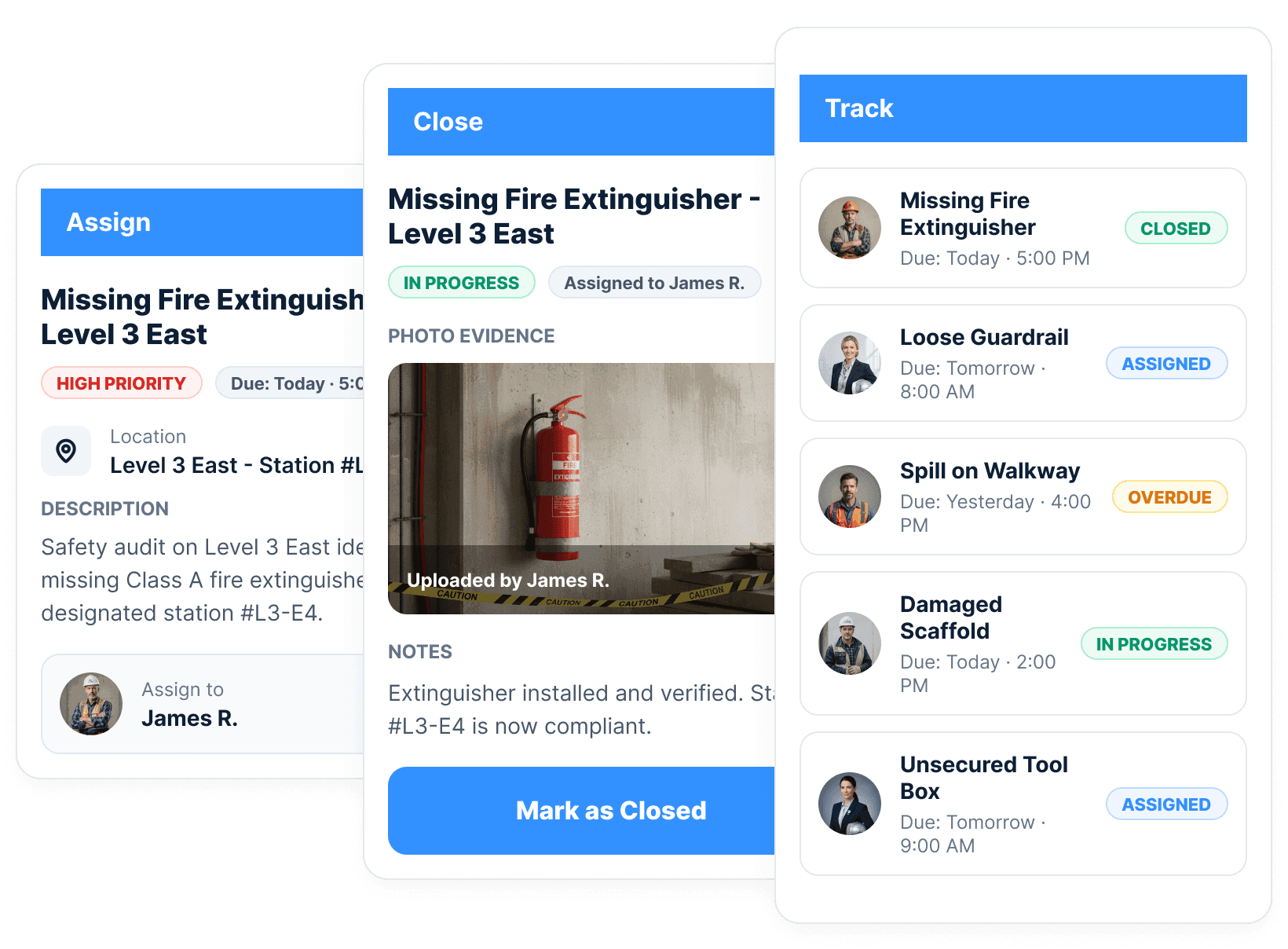
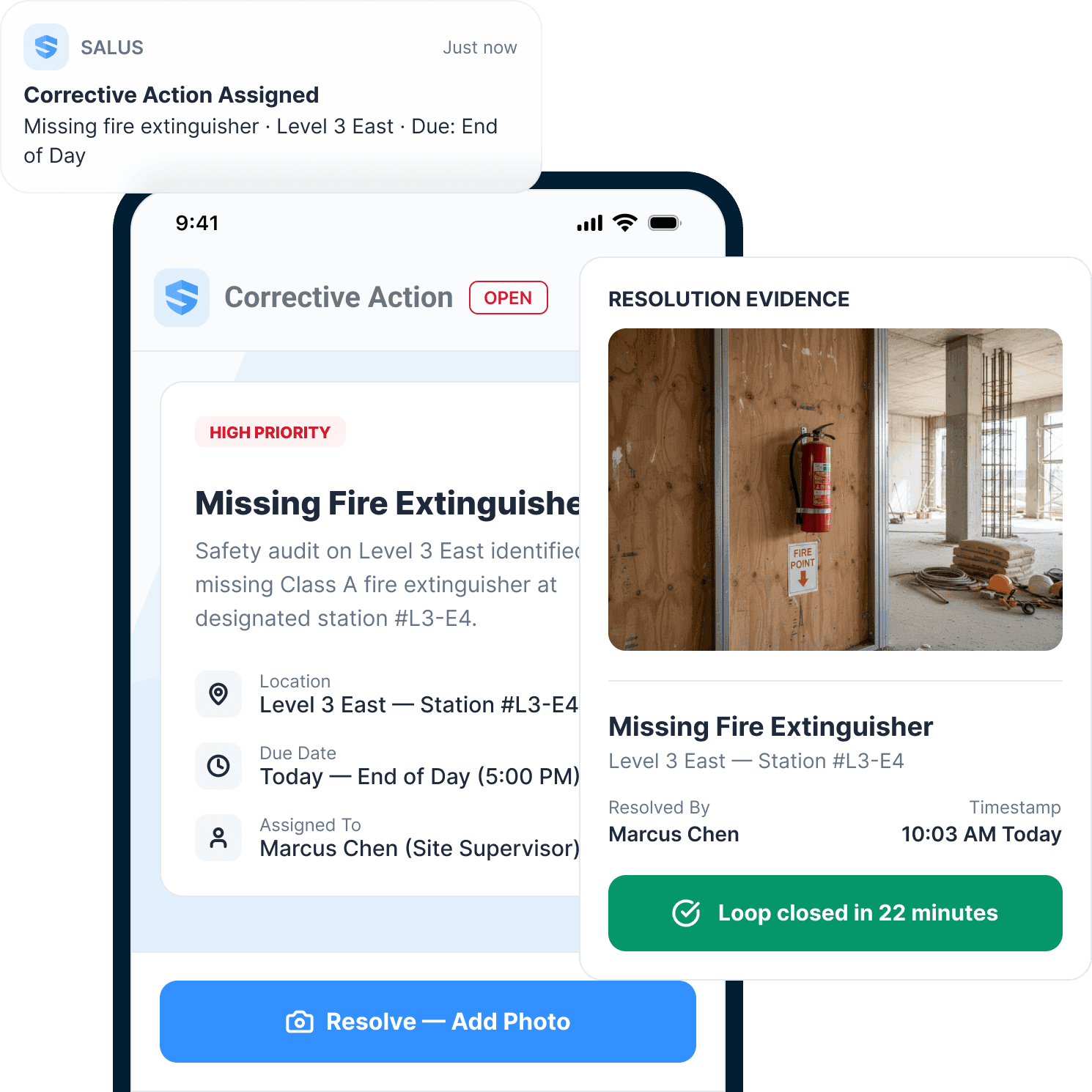
“Done” is not a status. It is a proof package.
SALUS can require photo evidence, notes, and a confirmed status before an action closes. The closure record shows who fixed it, when, what the fix looked like, and which source record created it. When someone asks later — an auditor, a GC, OSHA after a citation — the proof is attached to the action, not lost in somebody’s camera roll.
Acknowledged isn’t fixed. Photographed is.
The system chases the open loop.
Overdue corrective actions, chased automatically.
Due date approaching? The owner gets reminded. Due date missed, high-priority item ignored, critical hazard unacknowledged? Escalation triggers on its own — foreman, superintendent, safety manager, sub lead — routed by priority.
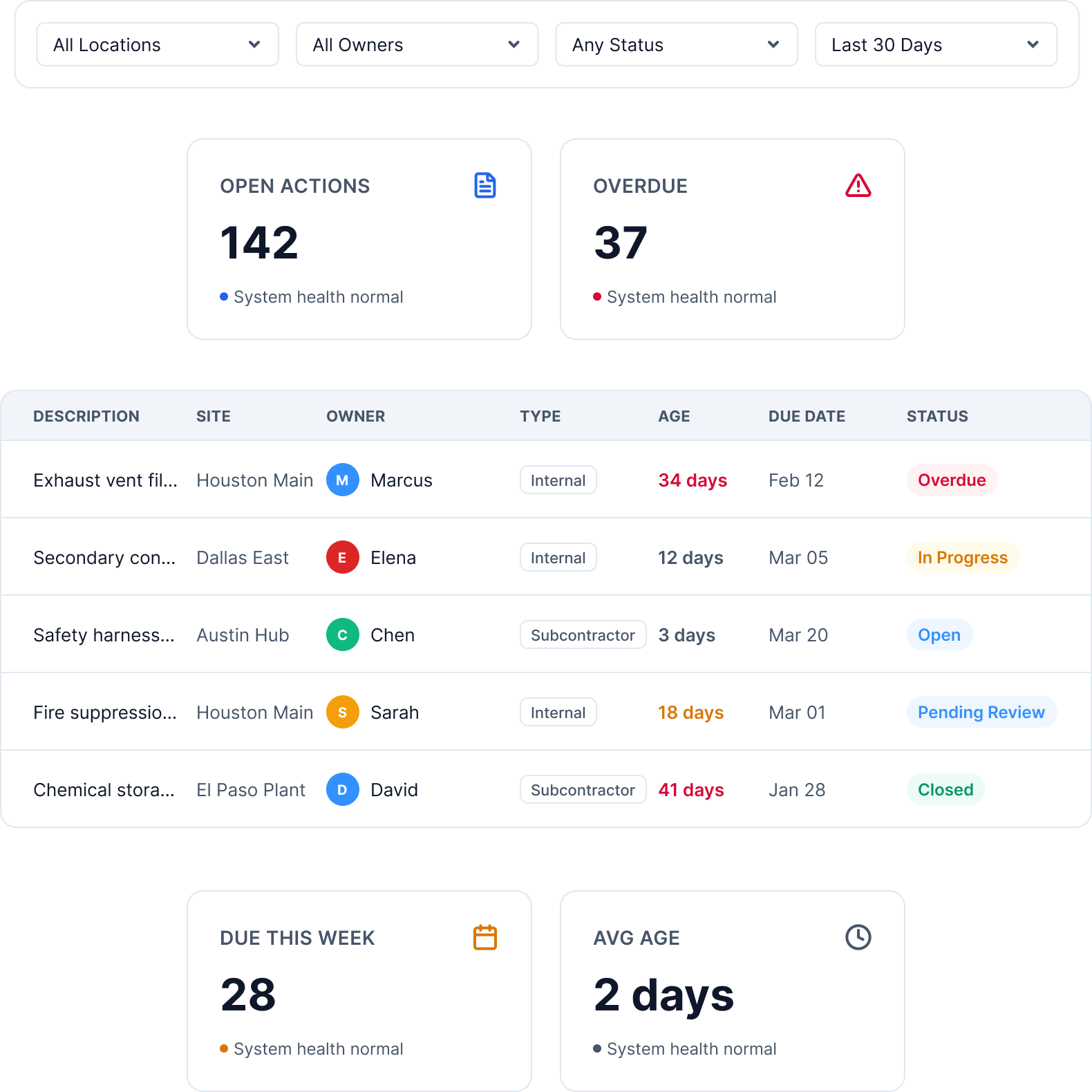
Due-date reminders
Assignees nudged before the action goes overdue.
Automatic escalation
Leadership notified when high-risk actions sit ignored.
Priority-aware routing
High-severity hazards treated differently from housekeeping.
Overdue dashboards
Aging risk visible to the office, immediately.
Follow-up isn’t a personality trait. It’s a system setting.
Thousands of actions.
Rosie sees the pattern.
Rosie watches the whole book of actions — severity, site, type, assignee, sub, trade, closure time, repeat hazards. When 60% of overdue actions on three projects trace to one framing sub and involve guardrails, she flags it before the next inspection finds the same condition.
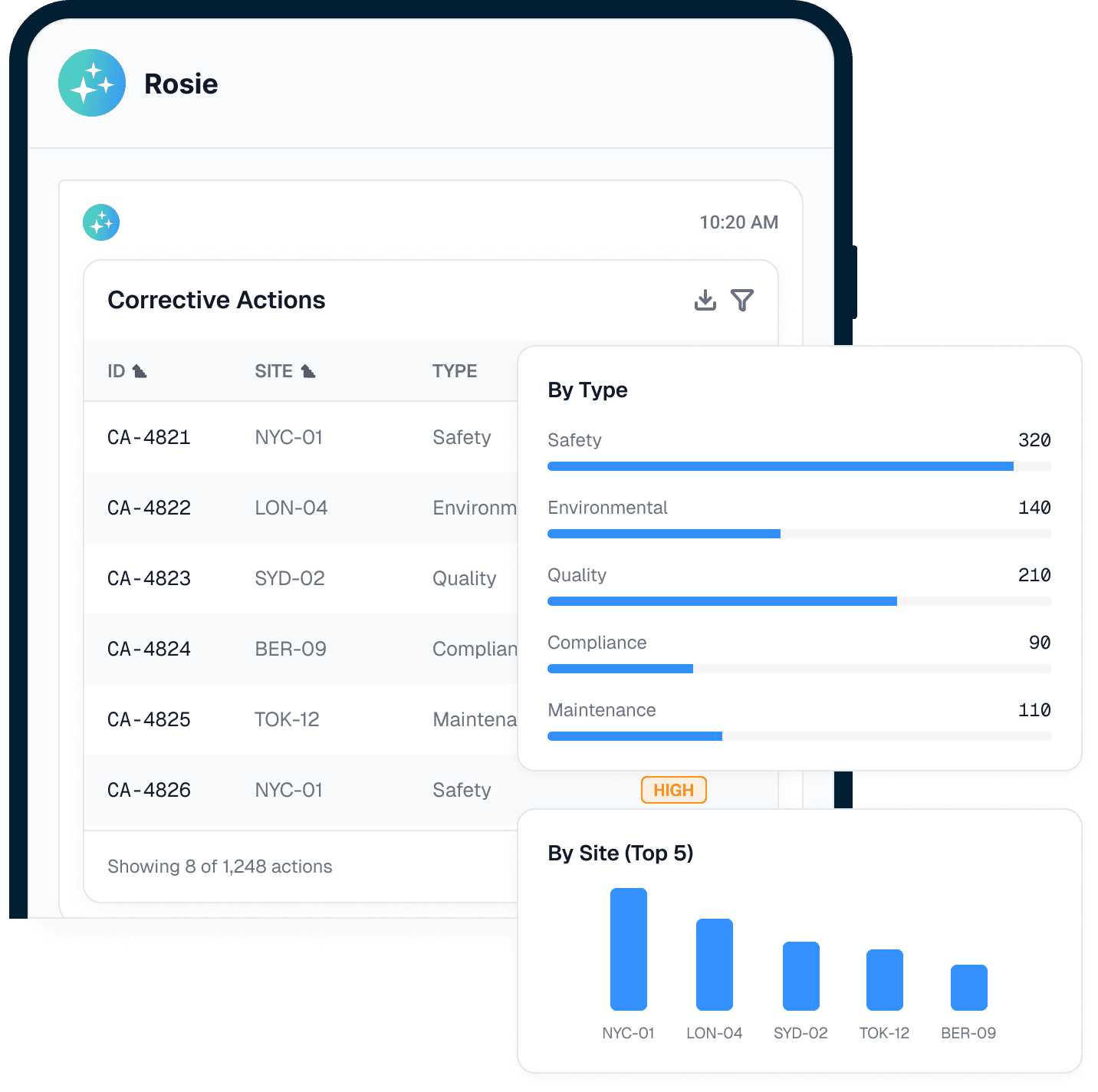
Severity
Critical items surface first — nothing waits its turn in a list.
Repeat hazards
The same condition, found twice, gets flagged — not re-filed.
Trends
Rising patterns flagged before any one site could see them.
Time-to-close
Where loops close fast, where they stall — and who needs the nudge.
One closure is a fix. A thousand closures are a pattern.
Keep the correction record ready for OSHA follow-up
OSHA construction safety provisions require employers to maintain accident-prevention programs and arrange frequent, regular inspections by designated competent persons. Finding a hazard is the beginning of that process. A useful corrective-action record also shows the response, the person responsible, and the evidence used to check the result.
In SALUS, connect the action to the original finding while the condition is still clear. Describe the location, attach the photo, identify the immediate control, and assign the permanent fix to a named owner. A due date helps coordinate the work; it should never be treated as permission to leave workers exposed to a serious hazard.
When the work is complete, keep the correction photo and the supervisor’s verification with the same record. That gives the safety manager a practical starting point when a general contractor or inspector asks what happened next. If OSHA issues a citation, follow the specific abatement and certification instructions that apply to it. A closed software task alone does not establish that an OSHA obligation has been satisfied.
Use the OSHA inspection guide to prepare the first 60 minutes, preserve records, and respond from verified evidence.
Speed
Open actions surface before they drift.
Accountability
Named owners replace vague awareness.
Proof
Closure evidence supports OSHA, insurers, and owners.
Corrective action tracking, closure, and overdue corrective actions.
Voice-created actions
Rosie structures field notes into work.
Individual assignment
Owner, due date, site, and location are attached.
Multi-channel notification
Owners get the action where they work.
Automatic escalation
Overdue items surface before they disappear.
Evidence-based closure
Photo evidence proves what changed.
Velocity analytics
See closure speed by project, trade, and owner.
Where corrective actions begin.
Go deeper after the action closes.
Closure proof becomes useful when stakeholders ask what changed; the deeper proof packet lives in Proof on Demand.
Corrective Actions: questions from US construction teams
What should a superintendent keep after correcting an inspection finding?
Does closing a SALUS action complete OSHA abatement certification?
What should a corrective action plan include?
What is the difference between corrective action and preventive action?
How does SALUS handle overdue corrective actions?
Can corrective actions be assigned to subcontractors?
Can corrective actions be closed with photo evidence?
Can corrective actions trace back to inspections or incidents?
How does Rosie help with corrective actions?
Can corrective action records support OSHA abatement documentation?
Do corrective actions work offline?
What should we bring to a corrective action demo?
Bring your open action log.
We will show what should close first.
Walk through assignment, escalation, evidence, and closure velocity from one real action list.
Bring the current workflow. We will map the live version from field action to proof.