

Safety inspection software that turns findings into fixes.
US construction inspections need to support the frequent, regular site reviews in an OSHA safety program and the follow-up that makes those reviews useful. SALUS connects the mobile checklist, the condition found, the responsible person, and the evidence of the correction. A competent person can record photos and observations during the walk, then assign the fix with the location and project context attached. The safety manager sees what remains unresolved across sites. Rosie helps structure spoken findings for review, so field capture becomes a usable record while the inspector stays focused on the work.
- 1 flow · Find, assign, notify — no separate moduleCorrective actions live inside the inspection itself. No re-entry, no follow-up calls, no module-hopping — the walk is the work.
Within a month or so of us starting to use SALUS, some of the comments were that if we were to take it away and go back to paper, that they would quit.


Walk the floor. Capture what matters.
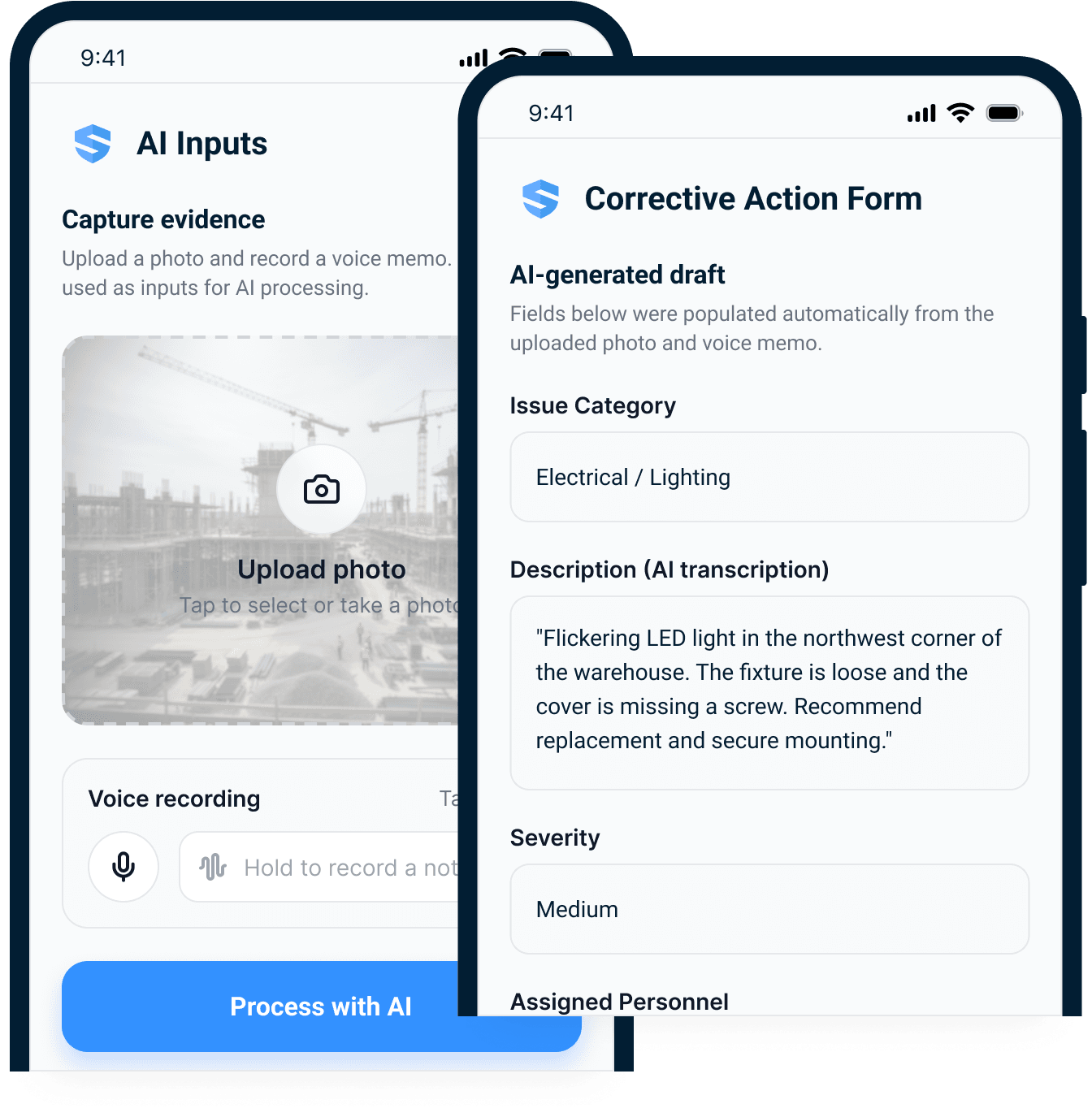
Speak the finding. Rosie files the inspection.
Photo, annotation, voice — captured at the hazard, not rebuilt from memory at the trailer. The super photographs the condition, marks it up, and talks. Rosie turns the spoken finding into a completed inspection form and a drafted corrective action: issue category, severity, description, all filled for review before the walk moves on.
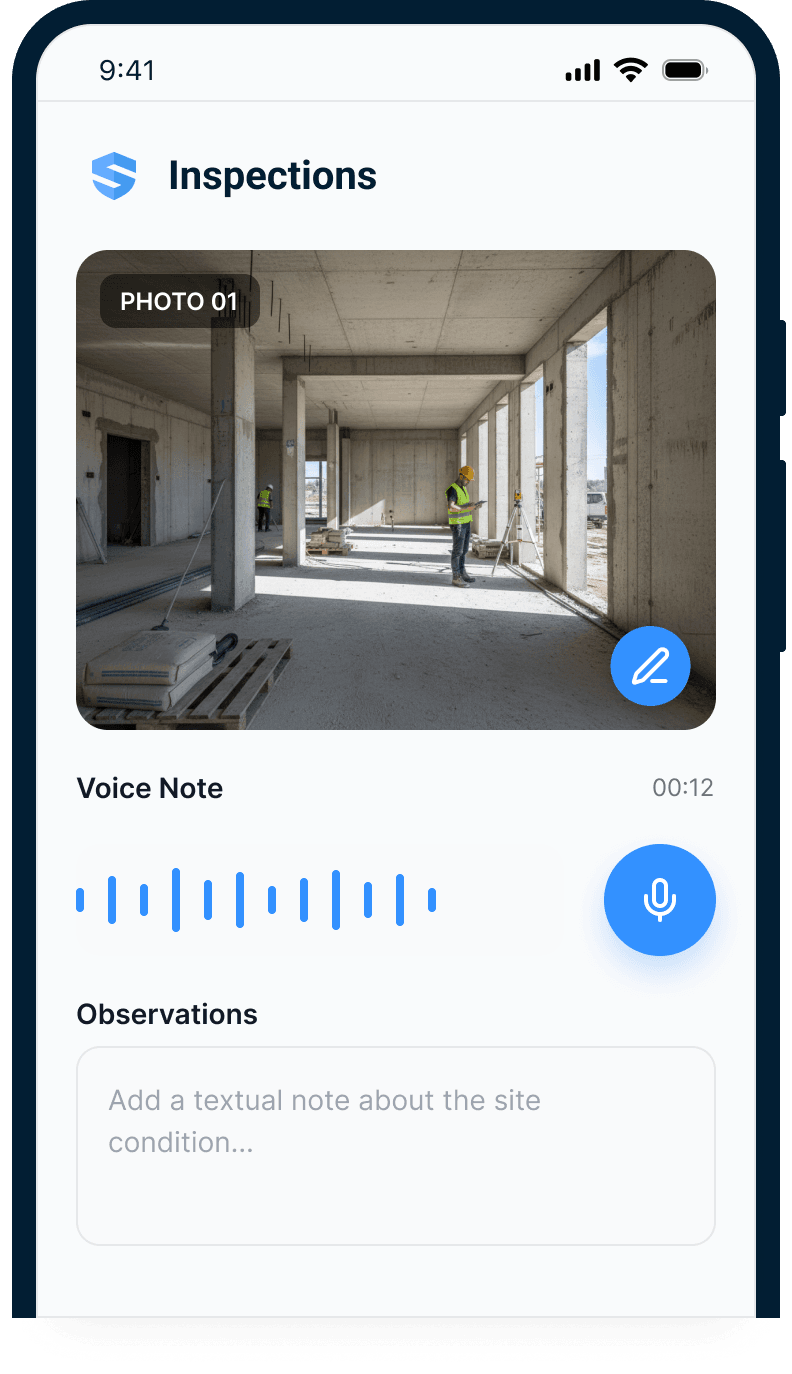
Snap & annotate
Photograph the condition and mark it up at the slab edge — GPS attached.
Speak
A voice note instead of 40 taps. Rosie transcribes and structures it.
Filed
Form fields, category, severity, draft corrective action — filled automatically.
A subcontractor came to me … they needed an inspection for a piece of equipment … I fed it its user manual. Rosie spit me out an inspection. And within a half an hour, we had a checklist—daily checklist—for that.
Captured during the walk.
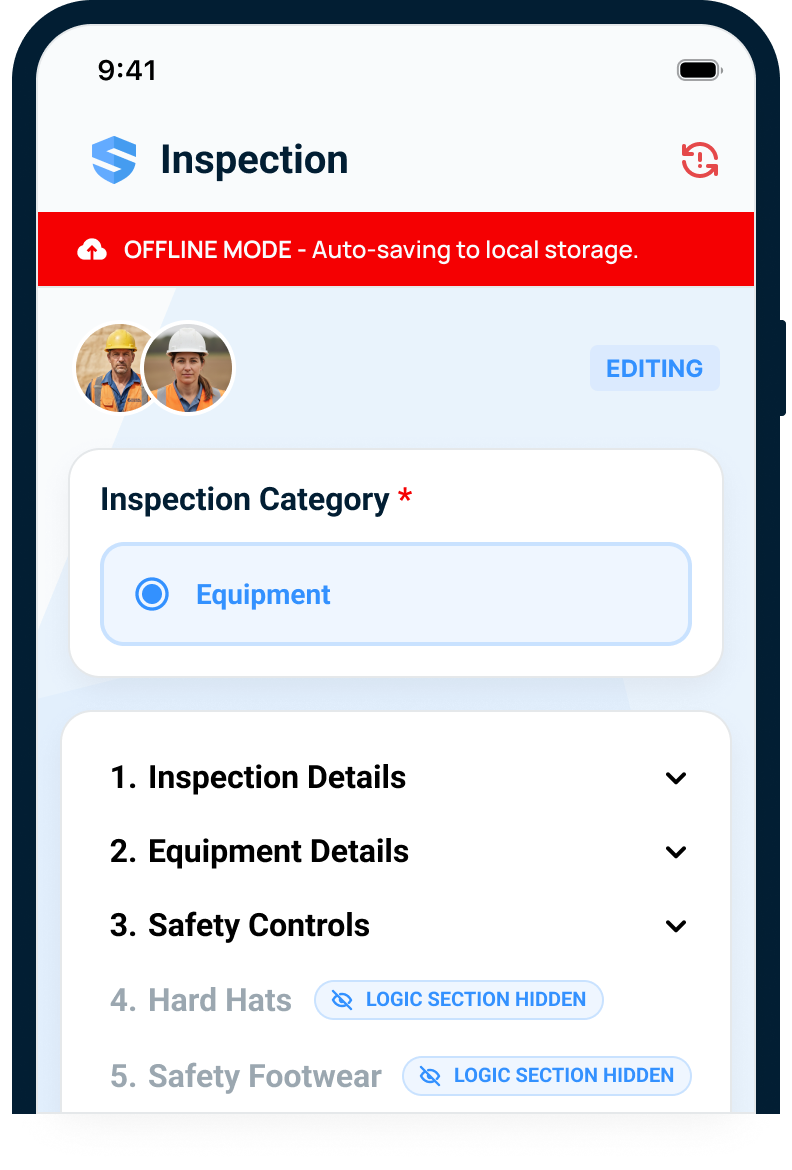
Inspect anything. Anywhere. With or without bars.
Parking levels, elevator cores, the 8th floor before the antennas go in. Inspections auto-save to local storage and sync the moment signal returns — and two inspectors can work the same form at once without stepping on each other.
No bars, no problem — the inspection doesn't notice.
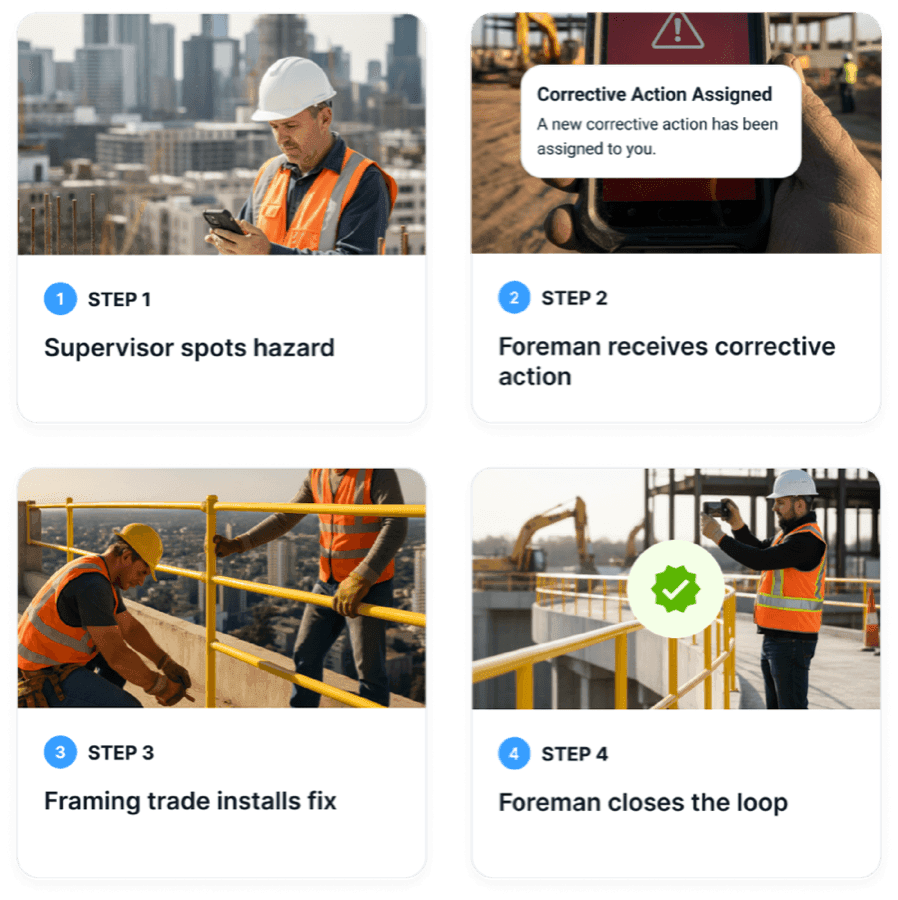
A finding should leave with an owner.
The corrective action starts before the report is written.
Identify the deficiency, pick the person who owns the fix — a name, not a company — set the due date, hit send. All inside the same inspection, with the site and project context attached.
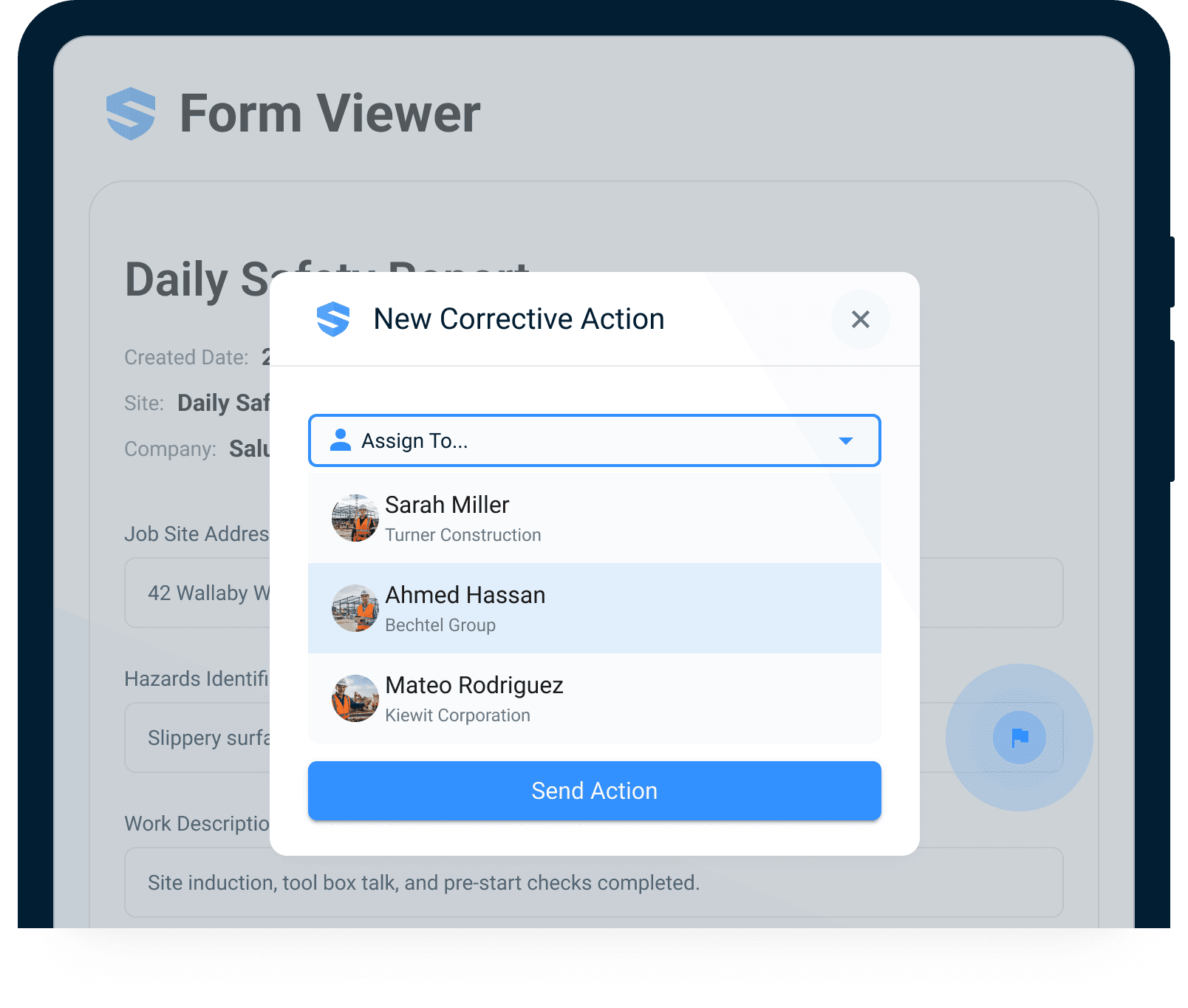
A name, not a company
The action belongs to the person who can actually fix it.
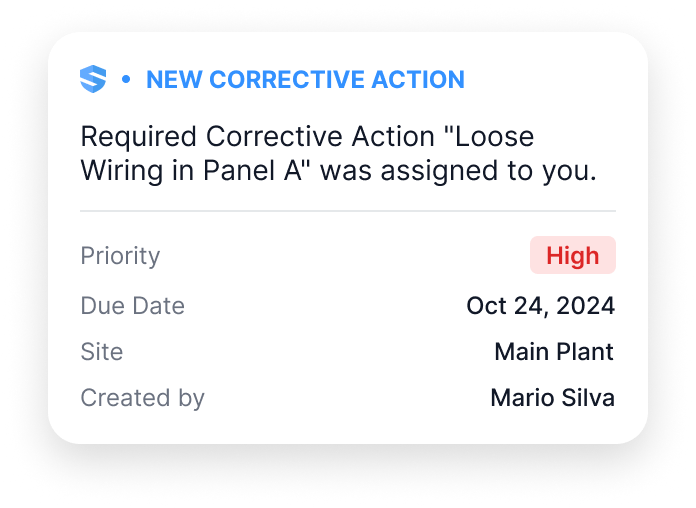
Notified — instantly
Full context on their phone before you reach the stairs.
Viewed — tracked
You know the moment it's seen. 'Never got it' stops being a defense.
Status — in the open
Pending, in progress, completed — visible until a human closes it.
Accountability has a first and last name.
Closure means proof, not a checkbox.
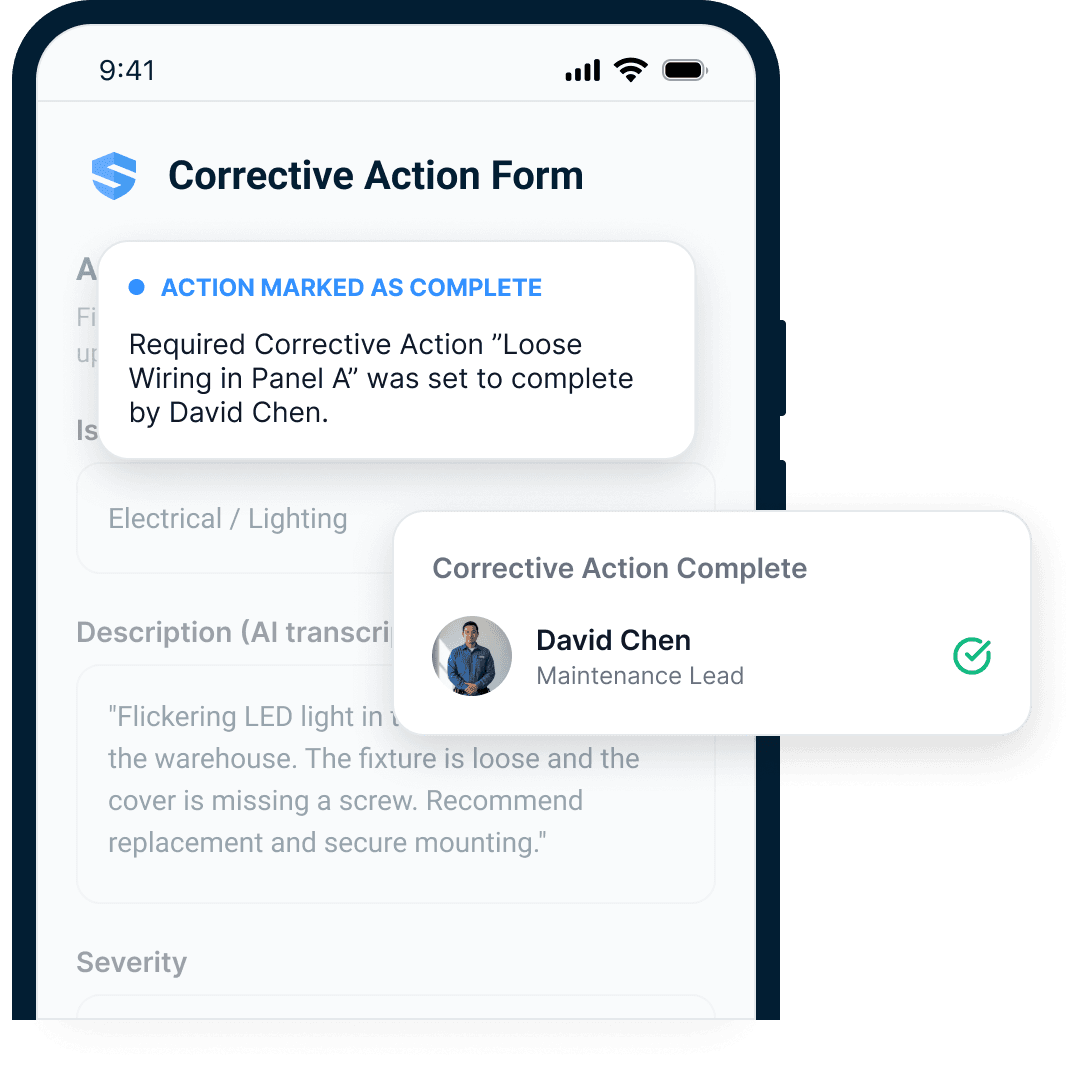
When the fix goes in, the assignee closes the action with evidence: photos of the corrected condition, notes, timestamps, sign-offs where you require them. A 'paper fix' can't survive a photo requirement. The record keeps who closed it, when they closed it, and what it looked like after — permanently.
The loop closes with a photo, not a promise.
- Found. Fixed. Photographed. Closed.
Aging, repeat issues, closure velocity — every open loop in view.
The field walks the floors. The office sees every loop.
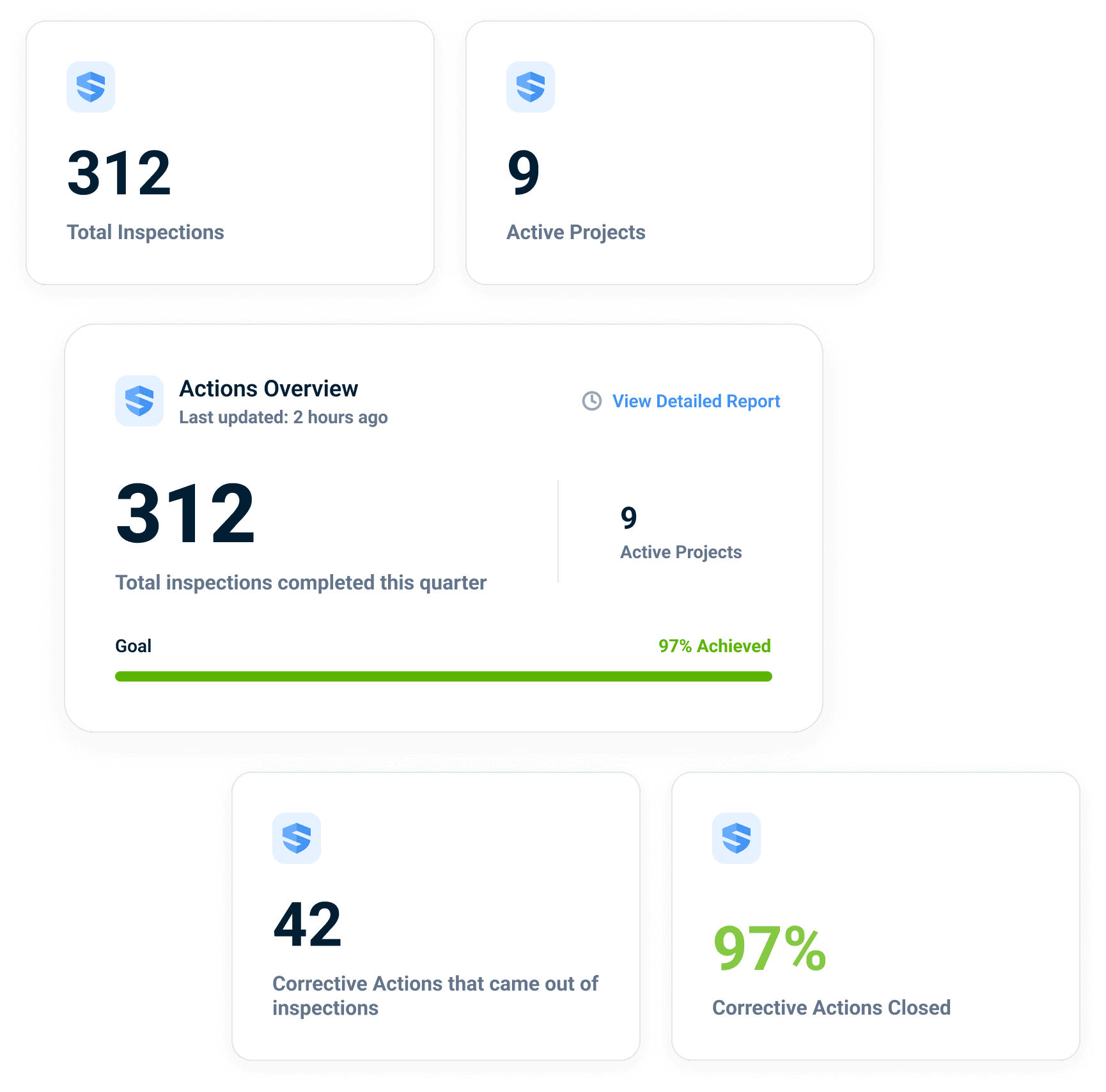
Every unresolved finding sits on the dashboard — by site, by sub, by days outstanding — and closure velocity trends walk by walk. This quarter's view: 312 inspections across 9 projects, 42 corrective actions raised from those walks, 97% of them closed, each closure carrying its own evidence. Not a claim about the safety program — a record of it.
An open loop ages in public.
Illustrative dashboard view — the figures shown demonstrate the layout, not a specific customer outcome.
Every number opens to the photo behind it.
Click the closure rate and it opens: the finding, the owner, the timestamps, the photo of the fix. And when the same finding keeps surfacing — slab edge on one tower, housekeeping on another — Rosie flags the repeat before it becomes the incident report. The full portfolio trend workflow lives in Risk Control.
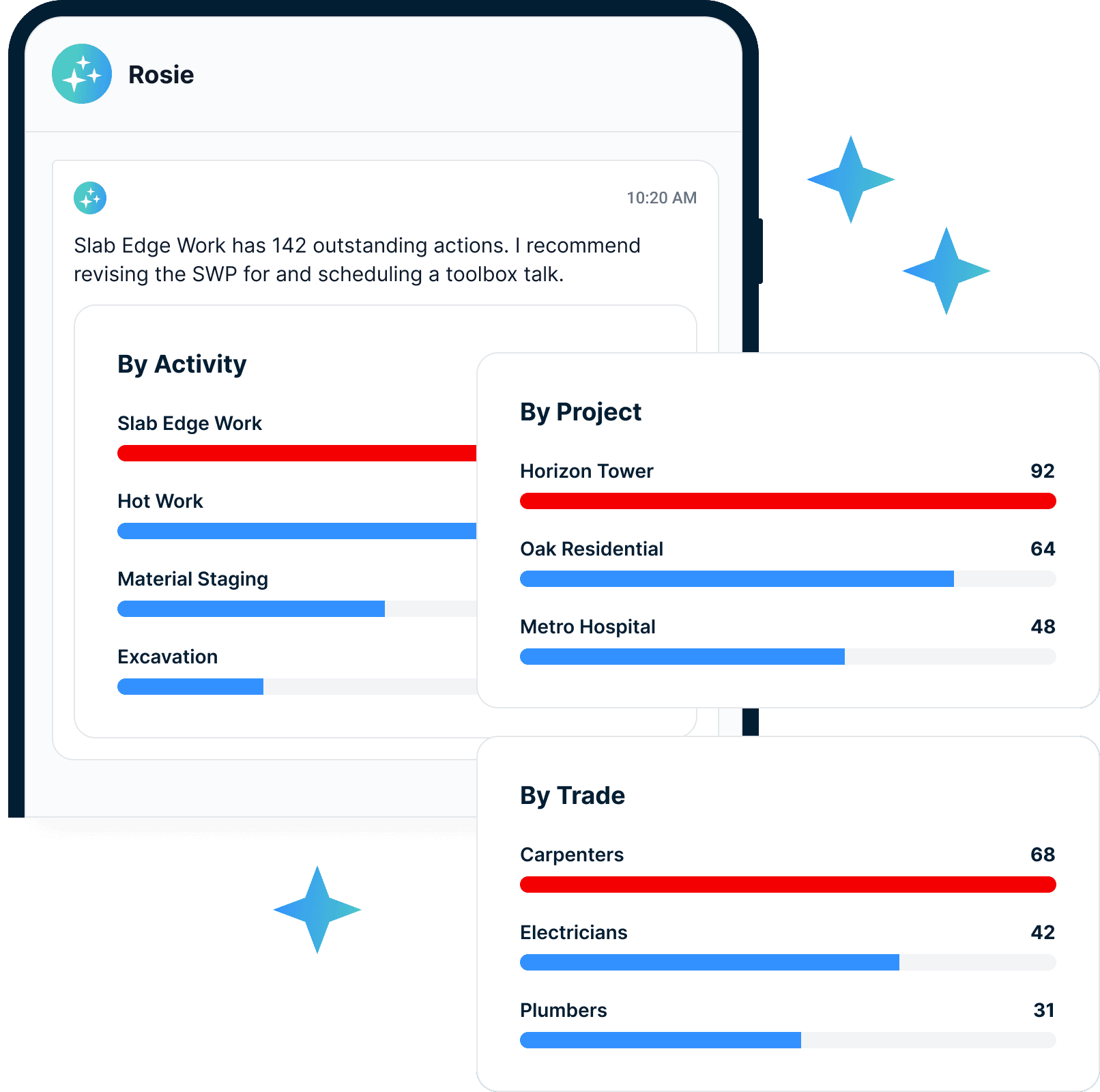
"How long has that finding been open?"
"Who closed it — and where's the photo?"
"Which findings keep coming back?"
Done isn't a status. Done is a photograph.
Build the record around the competent person’s inspection
OSHA 1926.20(b)(2) calls for frequent and regular inspections by competent persons designated by the employer. That is a responsibility within the construction safety program, not a universal checklist or one inspection interval that fits every activity. The employer needs to consider the applicable requirements and the conditions of the work.
Set up the inspection around the actual location, equipment, and hazards the designated person is reviewing. Capture observations and photographs during the walk, distinguish the finding from the proposed correction, and identify the person responsible for follow-up. Where work needs immediate protection or interruption, handle that in the field instead of waiting for a digital assignment to be read.
The value of a connected record appears after the inspection. A supervisor can open an unresolved finding, see the original context, and check the evidence submitted for closure. A safety director can review repeated conditions across projects and decide where the program needs attention. SALUS supports that documentation and coordination; it does not designate a competent person or substitute for the knowledge and authority the role requires.
Use the OSHA inspection guide to prepare the first 60 minutes, preserve records, and respond from verified evidence.
Close hazards, not just forms
The connected flow compresses closure from days to hours — the hazard stops existing sooner.
Support claim resolution
Inspection, notification, and closure records connected to every question a carrier asks.
Personal accountability
Individual assignment beats sub-entity routing — a name owns every open loop.
Construction safety inspection checklist, safety inspections, and closure tools.
Conditional inspections
Show the right checklist for the site, asset, and risk.
Rosie finding capture
Voice notes become structured inspection findings.
Photo and video evidence
Attach proof at the source.
In-flow corrective actions
Assign fixes during the inspection.
Offline inspection app
Keep the walk moving without signal.
Closure dashboards
Track aging, repeat findings, and proof.
Inspection workflows worth linking early.
Go deeper from finding to fix.
Inspections should create movement, not just documentation.
Inspections: questions from US construction teams
Does OSHA 1926.20 set one inspection schedule for every project?
Can software designate someone as the site’s competent person?
What should a construction site safety inspection checklist include?
How often should construction sites be inspected?
What is a competent person in OSHA inspections?
Can SALUS handle fire extinguisher inspections and equipment inspections?
Can inspectors complete inspections offline?
Can two inspectors work on the same inspection?
How does Rosie help with safety inspections?
Can inspection findings create corrective actions?
Can we require photo proof of closure?
What should we bring to an inspections demo?
Bring your current inspection checklist.
We will show the closed-loop version.
Walk through capture, assignment, notification, proof, and dashboard closure from one inspection.
Bring the current workflow. We will map the live version from field action to proof.