

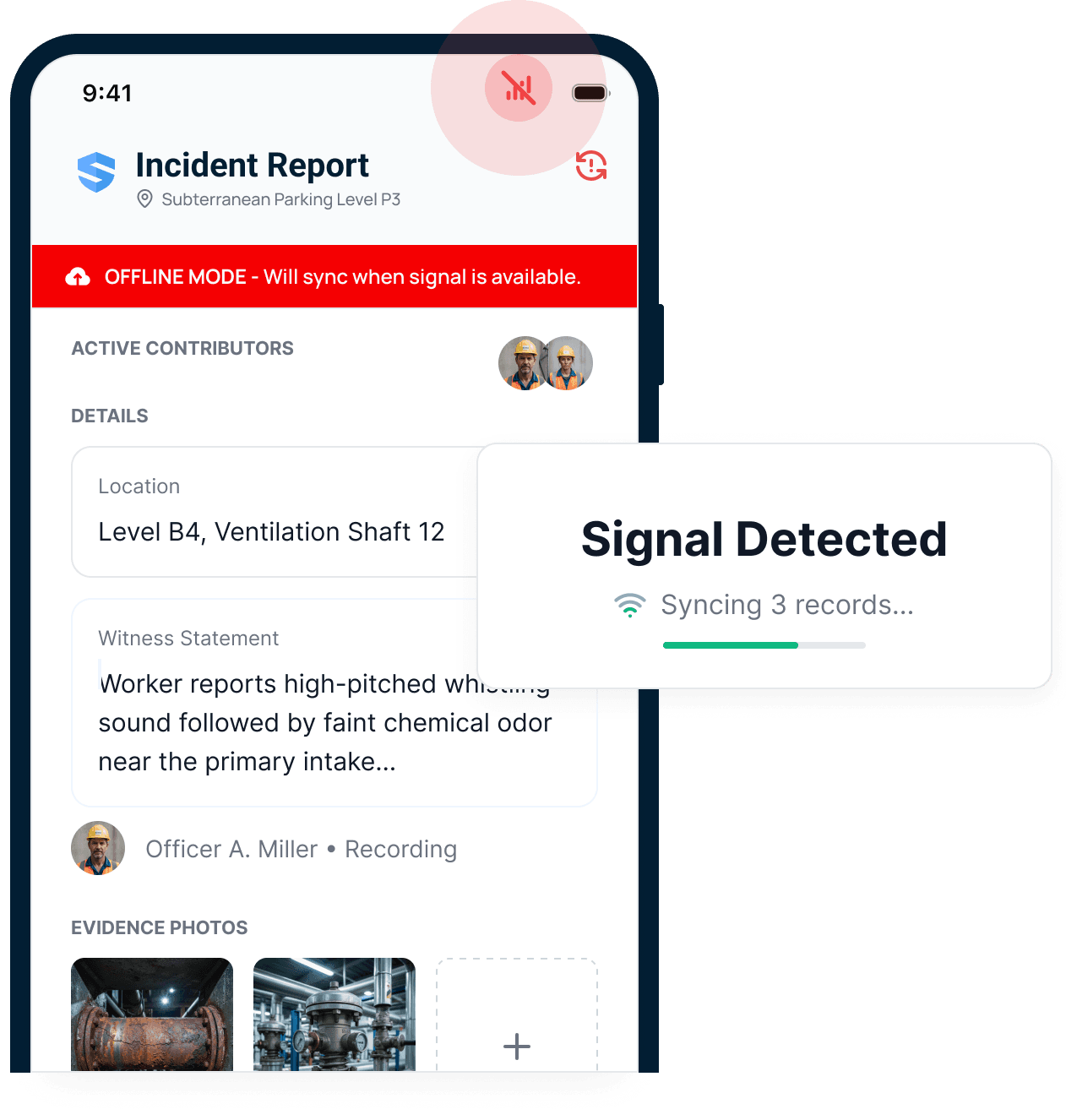
Offline mode
Only SALUSWhen the signal dies
Most platforms stop working without a signal. With SALUS, work keeps moving. Workers fill FLHAs, photos, and inspections offline, and everything syncs when the signal returns.
Canadian contractors need health and safety software that fits provincial OHS duties and, where applicable, their COR program. SALUS connects FLHAs, qualifications, inspections, and follow-up across the people doing the work. A foreman can document a changed site condition, assign responsibility, and keep the response with its original record. The safety team can prepare evidence for a certifying partner, a joint health and safety committee, or a project owner without assembling the story from separate folders. Configure each project around its jurisdiction and your approved procedures, while keeping a consistent view across the company.
Trusted by construction teams that expect safety to move with the work



8+
Years of crew-first product design
1B
Field data points
≈700K
New data points each month
400K
Users
Start with the work your crews perform and the evidence your program requires. SALUS connects those daily responsibilities so supervisors, safety coordinators, and leadership can see the same current record.
Still defining the category? Read what EHS software does for Canadian construction. For the wider system architecture, explore the complete SALUS platform.
Can the foreman complete an FLHA before the task changes?
Give the crew its approved assessment, orientation, or inspection on the phone already in hand. Test a remote project with limited connectivity and workers using different languages. The practical measure is whether a supervisor can capture the hazard, controls, participants, and supporting photos while the details are still clear.
Scroll for more
Most platforms stop working without a signal. With SALUS, work keeps moving. Workers fill FLHAs, photos, and inspections offline, and everything syncs when the signal returns.
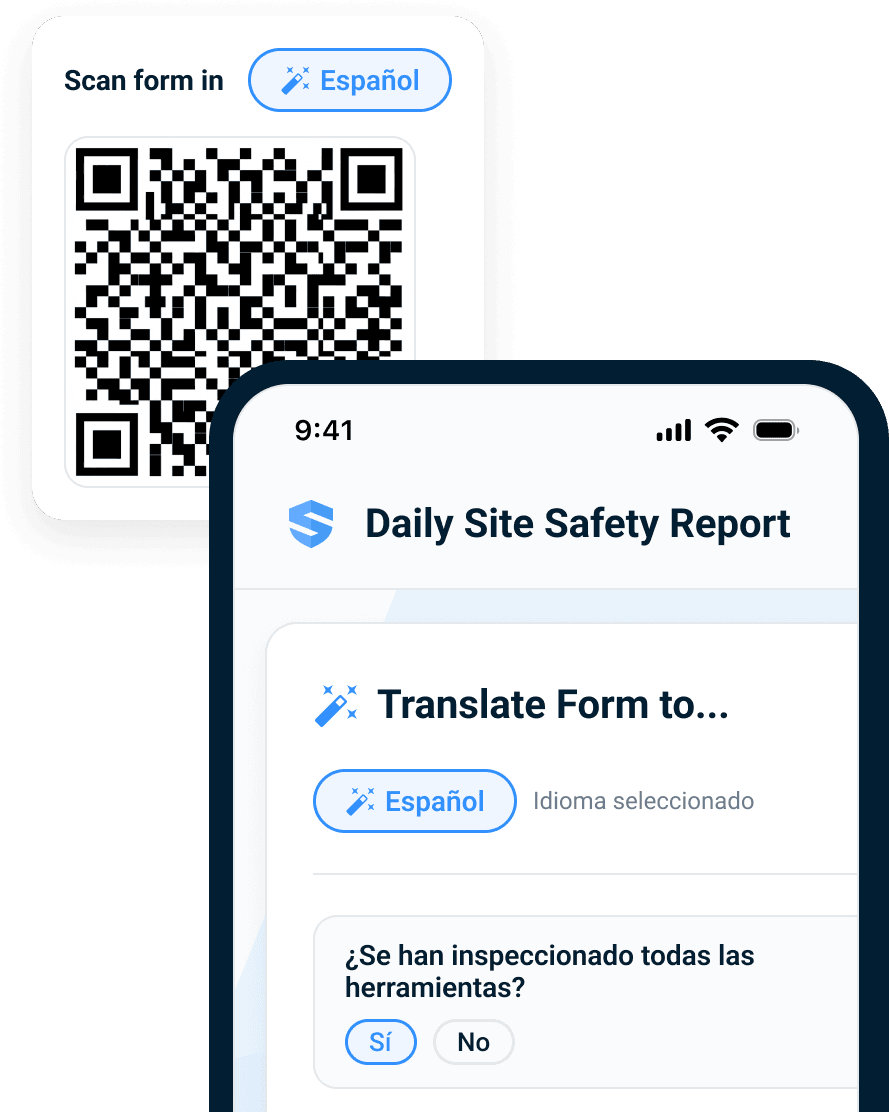
Workers complete the workflow in one of 21 supported languages. The office receives a clean record in English.
How do qualifications follow a worker to the next project?
Use portable worker profiles to retain training and qualification history as people move between sites. Connect new site requirements to that record, then review what is current and what still needs attention. Your projects can use their own procedures without losing the link between the worker, employer, task, equipment, and assessment.
Scroll for more
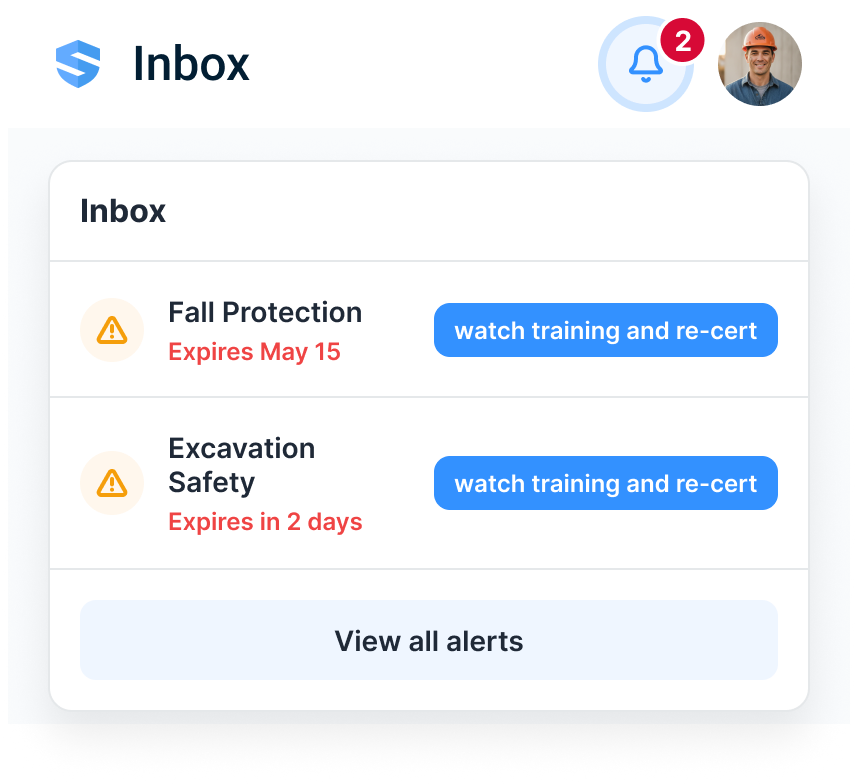
Instead of a dead end, the worker gets the required micro-training on their phone. Completion updates the record immediately—without a separate LMS.
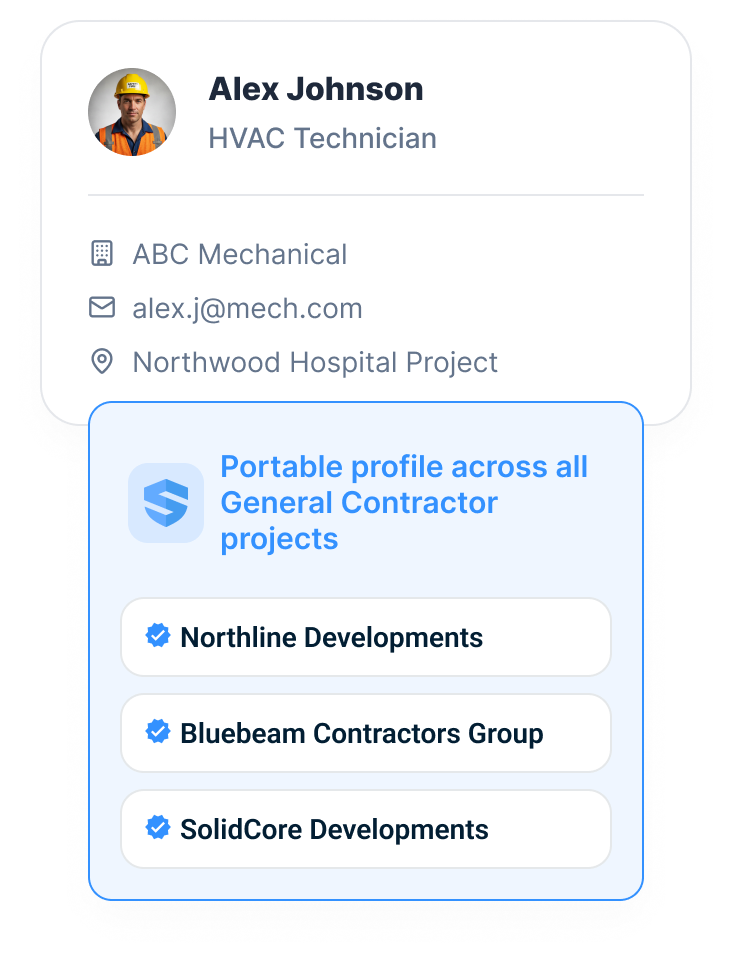
Their orientations, certifications, training, and work history travel with them. No duplicate profile. No re-entry. No fresh onboarding at every gate.
Can a committee recommendation be traced through to closure?
Connect an inspection finding or investigation recommendation to a named owner and a due date. Keep the original submission, photographs, and reviewer decisions together. When the joint committee or safety representative reviews progress, the record shows which items remain open and what evidence supports a completed action.
Scroll for more
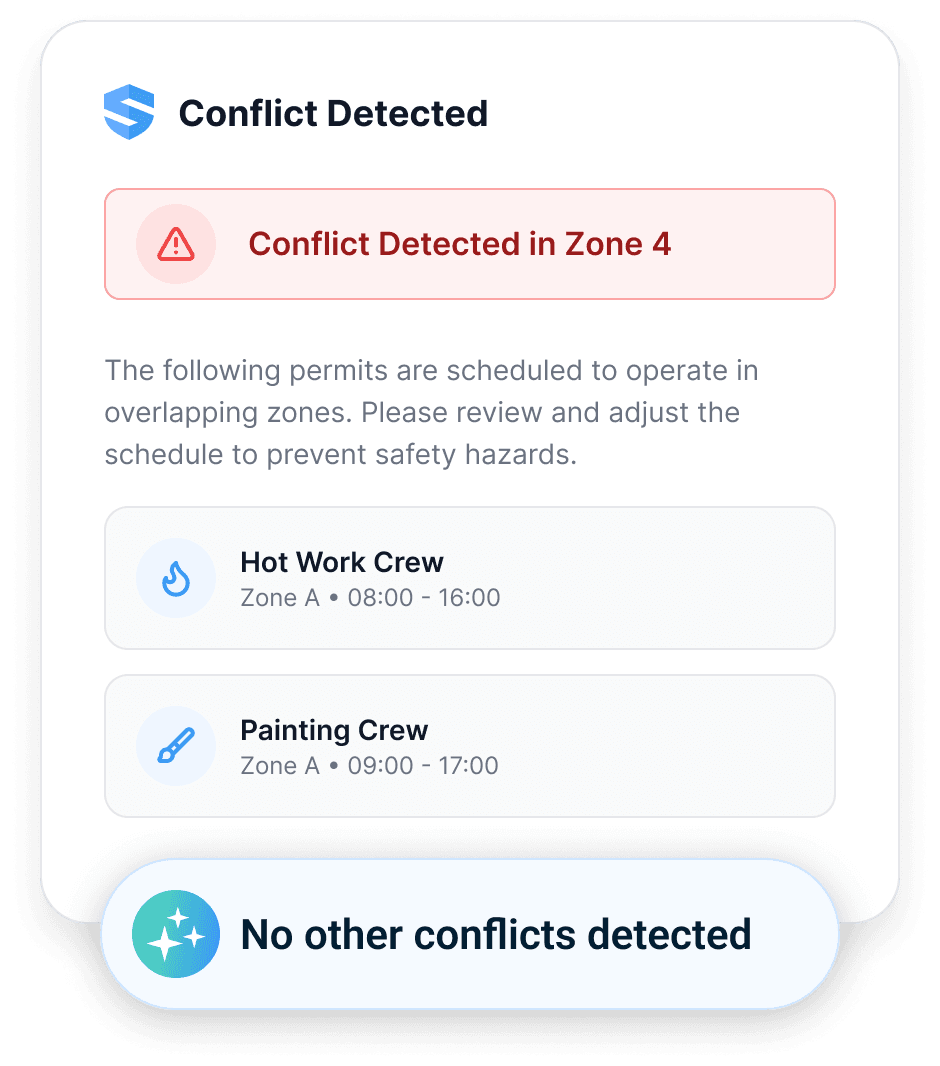
SALUS checks the work, area, time, equipment, and credentials, then flags conflicts before approval.
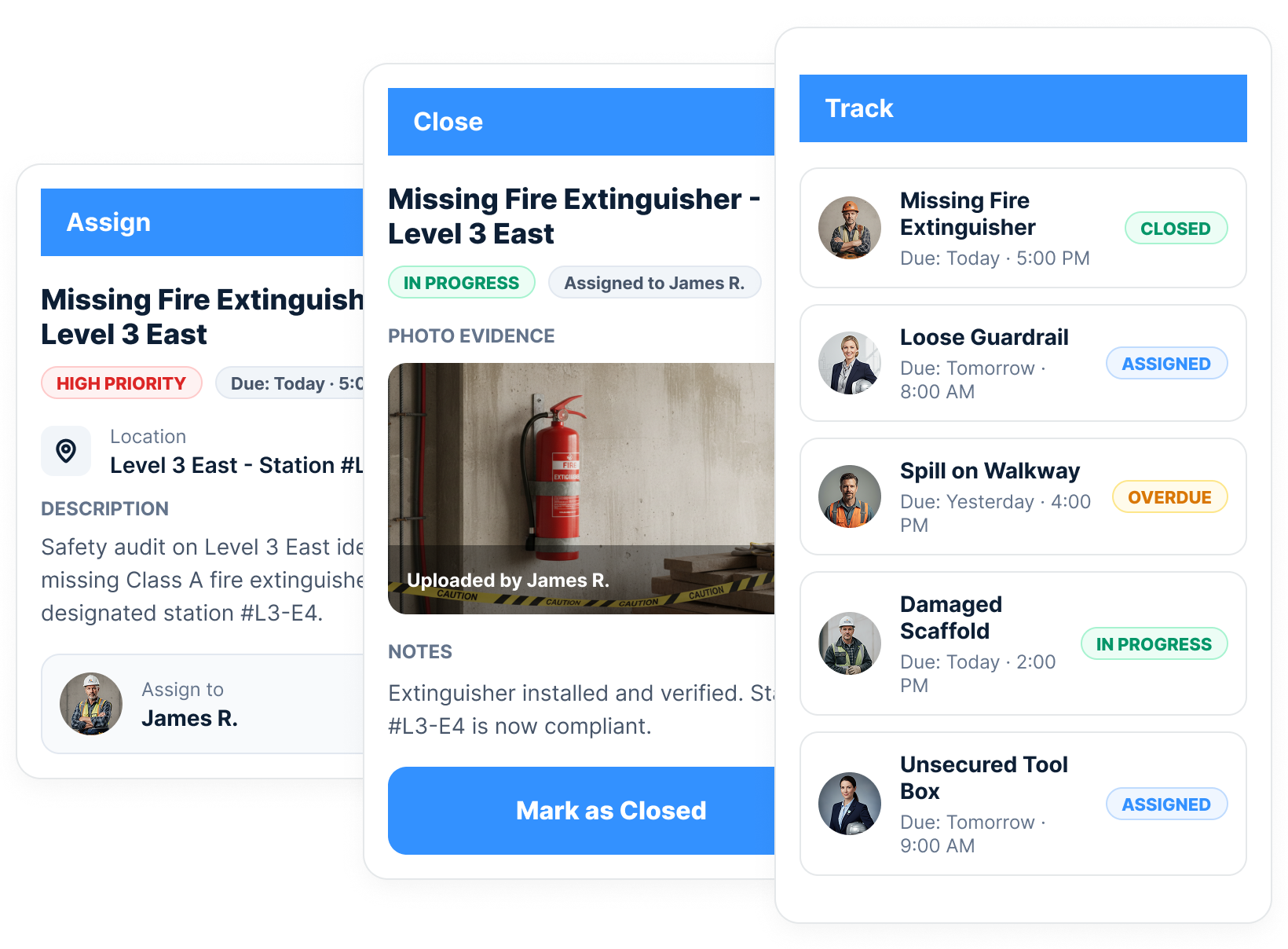
Assign each action to a named worker, track its due date and status, require photo evidence, and preserve closure with the original finding.
Can the audit sample open directly to the original record?
Prepare supporting records from the work already captured: hazard assessments, inspections, orientations, investigations, and completed actions. Rosie can help assemble a draft package with its sources attached. Your safety lead checks the sample against the certifying partner’s audit instrument and the project’s provincial obligations before sharing it.
Scroll for more
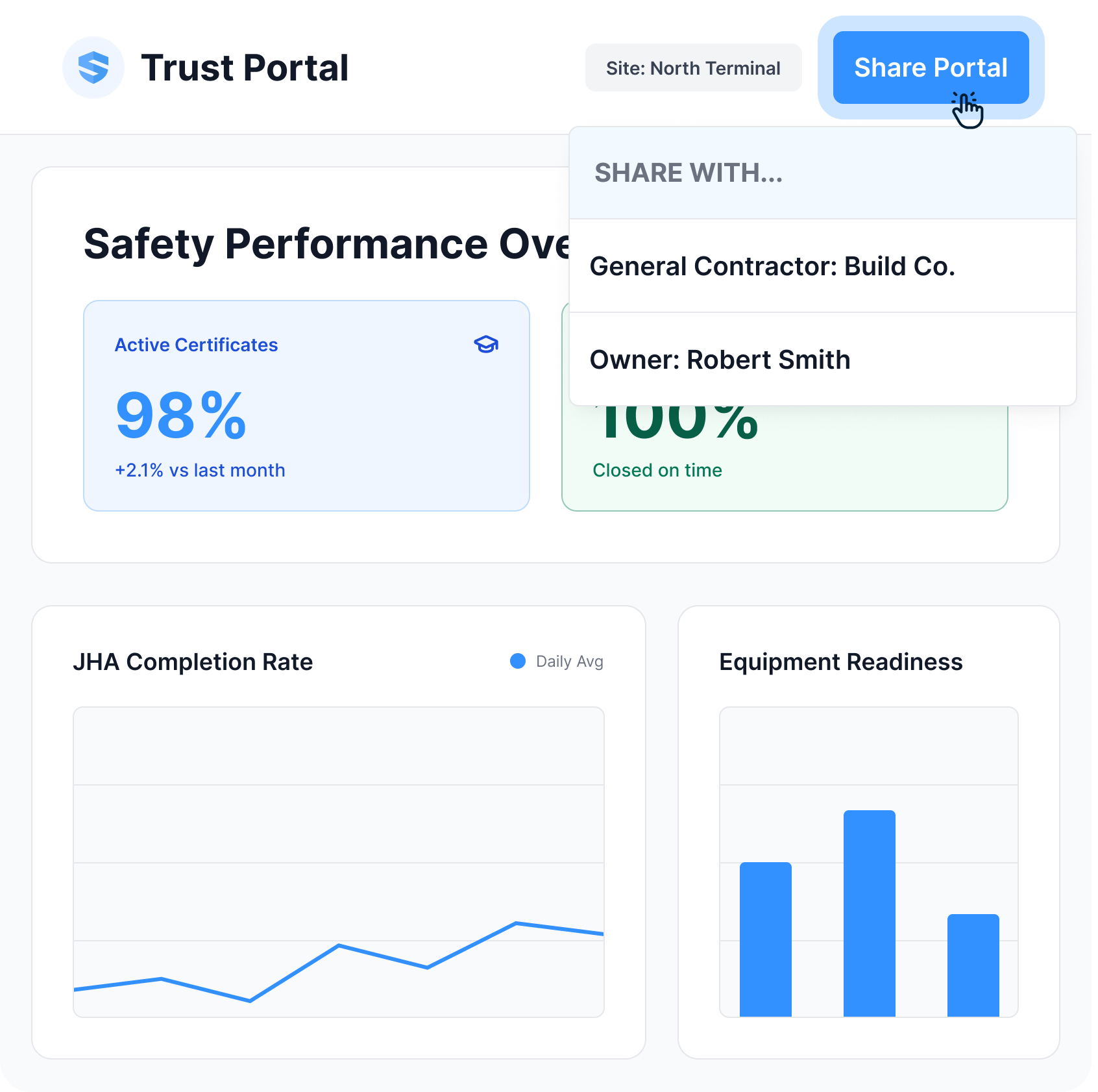
Share a live, permissioned view of current training, certifications, incidents, corrective actions, and performance. No stale PDF. No last-minute evidence hunt.
FindingEvidence-backed3 of 4 alleged delays trace to Titan's own crew shortfalls—not site access. Every point below is timestamped and source-linked.
SALUS preserves the contemporaneous field record. Rosie cross-references the evidence and assembles the delay story while it can still protect the business.
SALUS organizes OHS around the work Canadian contractors actually perform—not separate modules or a flat feature list. Each workflow uses the same worker, crew, site, task, and source record, so field execution, risk monitoring, reporting, and Rosie stay connected.
· 01 · Workforce readiness
Verify orientation, training, certifications, required documents, WHMIS access, and site access before the shift begins.
· 02 · Field OHS operations
Give forepersons and crews the job-specific forms, procedures, training, equipment checks, or answers they need at the right moment.
· 03 · Risk intelligence
Let Rosie mine thousands of connected OHS data points, identify gaps and patterns, and keep every signal open to its source.
· 04 · Compliance, reporting & proof
Produce COR-ready evidence, provincial OHS and WCB-supporting records, owner and GC packages, insurer evidence, executive reporting, and source-linked dispute reports without rebuilding the work by hand.
Canadian health and safety programs need a clear connection between written procedures and the work performed on site. In Alberta, COR involves an audited health and safety management system, with the audit administered through a Certifying Partner. The audit considers documentation alongside interviews and workplace observations. Buying software does not replace those activities or award certification.
Use SALUS to organise the records that demonstrate how your program operates. Keep FLHAs with their crews and tasks, inspection findings with their assigned actions, and qualifications with the workers who hold them. Before an audit, select a sample and follow it from the initial observation to the supervisor’s review and the evidence of closure. Your team can then identify missing records while there is still time to address the underlying process.
Provincial duties remain specific to the jurisdiction. British Columbia’s OHS Regulation section 3.3 includes inspection and investigation records and access for the joint committee or worker representative. Configure the record and review process for your applicable requirements, whether a WorkSafeBC program, an Ontario project, or another provincial framework. Have your safety lead approve the evidence package against the current audit instrument and local obligations.
Regulatory references: Alberta COR process; WorkSafeBC OHS Regulation, Part 3.
Rosie is not a separate chatbot or another OHS module. She works across the connected SALUS record to create controls, structure field capture, surface risk, and assemble source-linked outputs—without removing human judgment.
Draft controls, plans, talks, and forms from your approved programs and project context.
Structure voice, photos, scans, signatures, and multilingual field input at the source.
Surface readiness gaps, overdue actions, and risk signals while there is still time to act.
Assemble source-linked answers and reports for a qualified person to review and approve.
Permission-aware · source-linked · human-approved
Showing Rosie example 1 of 4: Map COR requirements against the connected safety record
LMS and WestUrban illustrate the practical purpose of a connected program: field participation and accessible records that the office can use.

LMS Reinforcing Steel Group
for audit documentation review
LMS reduced the time spent reviewing audit documentation with its connected SALUS records.
It was everything I felt we needed to take our safety to the next level. We developed a really good relationship with the SALUS team and we got to work.
SALUS connects crew-level activity to the project and enterprise systems that need it. Keep the source record intact, eliminate double entry, and route the right proof to the right people automatically.
Safety activity can become part of the project record without double entry.
Connect safety data to enterprise workflows, BI tools, and reporting systems.
Send certificate alerts, overdue-action escalations, report digests, and stakeholder updates automatically.
Deliver weekly, monthly, owner, insurance, or executive reports without manual assembly.
Procore · API · Automations · Scheduled reports
Join 400K users across 150K sites already on SALUS.
No commitment · 30-minute personalized walkthrough

