Skip to content
Rosie for Executives

Scale the standards. See the business. Support dispute resolution.

Rosie helps crews capture what happens every day that matters to the business in the flow of the work. Then she turns it into a unique 360 record that helps leaders support dispute resolution and understand not just what's happening, but why.

Now showing · Scale the standards

Watch Rosie compare a new job’s requirements with your approved standards, flag what is missing, and draft the changes your team needs to review.

I have used other AI tools but they were not connected to my company’s SMS documentation. By having all of my historical SMS data reviewable, it uses my real-world data to give me insight into what actions will have the greatest positive impact.

Scott CoristineHealth & Safety Manager, B&B Group of Companies
Public Rosie access — date to be announced

See what is really happening in the field—and why.

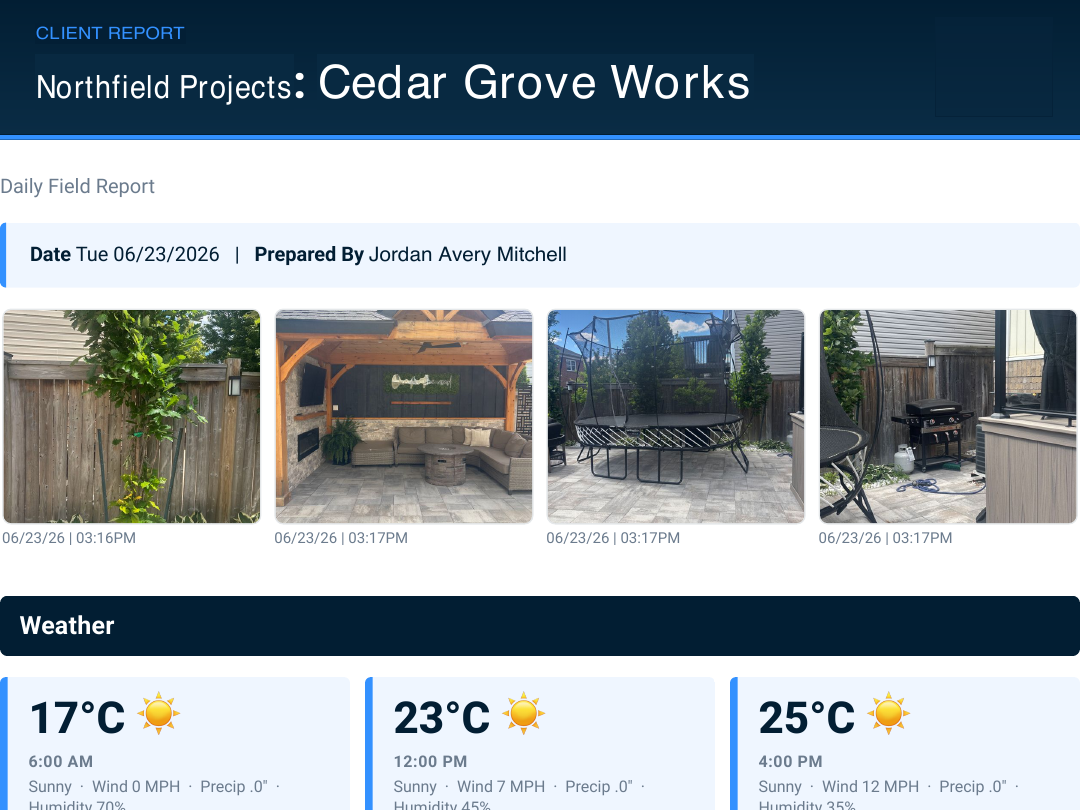
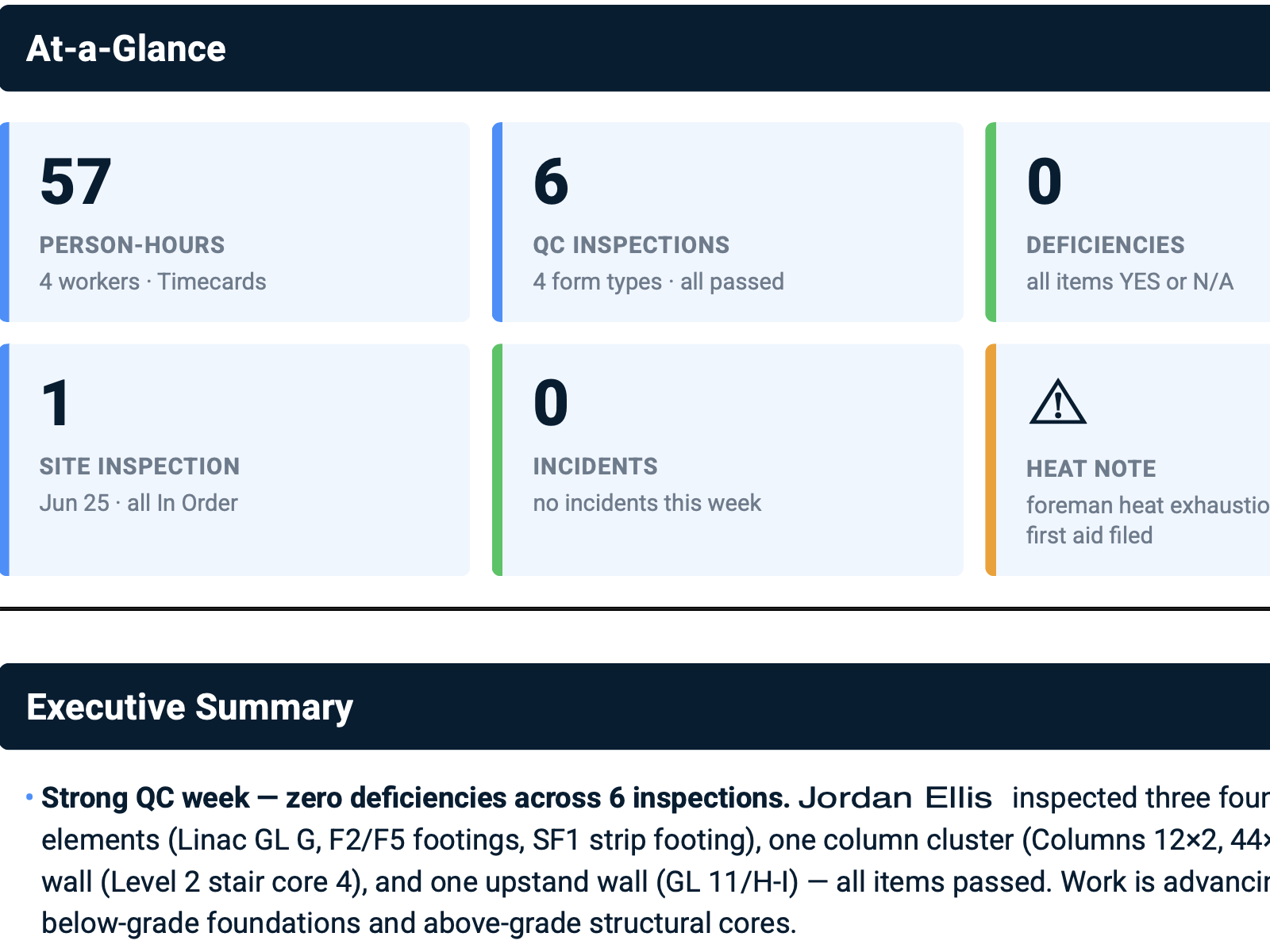
Rosie gives crews one easy way to record the work as it happens: voice, photos, conditions, safety, quality, delays, damage, extra work, and daily progress. That is detail your project system cannot see on its own.

Rosie combines those field details with project data so leaders see what is happening across the company—and why. The same record supports reports, claims, compliance, and the evidence needed to resolve disputes.

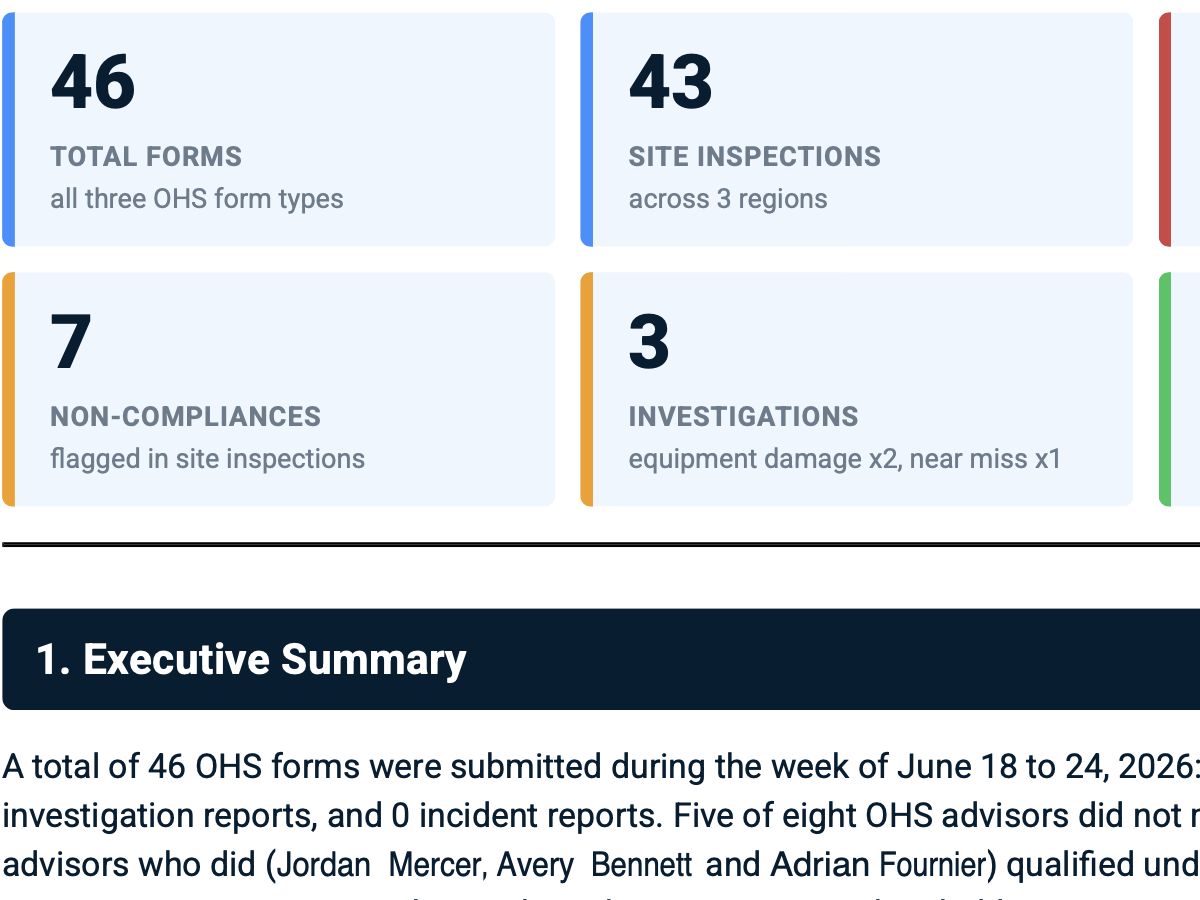
Weekly Executive OHS Safety Report - LIVE ROSIE REPORT

01 / 02
Weekly Executive OHS Safety Report excerpt showing 46 forms, 43 inspections, five of eight advisors below target, seven non-compliances, three investigations, and no incident reports

What it answers

What happened across the safety program this week, who met expectations, and what needs attention?

Pull inspections, targets, non-compliances, and investigations into one weekly report, with links back to every source.

Showing report 1 of 2: Weekly Executive OHS Safety Report

Want to see Rosie in action now? Request a demo
  1. 8+

    Years of crew-first product design

  2. 1B

    Field data points

  3. ≈700K

    New data points each month

  4. Human review

    Your team reviews every draft and recommendation

How Rosie changes the game

Four ways Rosie changes the game.

Scale the standards. See every job. Spot risk early. Resolve disputes.

Growth should not mean growing the office at the same pace. Rosie turns what crews already record into regular reports, earlier warnings, and proof leaders can act on.

  1. 01
    Prepare and scale

    Growth with confidence

    Multiple jobsites. One reputation. One EMR. Growth adds risk and cost. Rosie helps your team keep up. She uses approved programs, project requirements, and job details to draft site-specific plans, translate them into 21 languages, check every site against your standards, flag drift early, and recommend what to fix. Your team reviews and approves every change.

    Your standards reach every job without your team starting over each time.

  2. 02
    Protect productivity

    Increase labor productivity

    Labor costs and GC paperwork keep rising, but trade contractors cannot pass every added cost to the customer. Rosie answers field questions faster and captures the record while the work happens, so crews spend less time filling out forms and waiting for answers.

    The crew gets an answer tied to the source without stopping the work.

  3. 03
    Support every crew

    Manage a diverse workforce

    Skilled labor is scarce, and crews bring more languages and different levels of experience to the job. Rosie translates approved programs and instructions, answers questions about the work, and lets workers record what happened by voice, photo, or a few words. Everyone can understand and contribute without turning supervisors into translators or form-fillers.

    Every worker can understand the work and add to the same job record.

  4. 04
    Prove and resolve

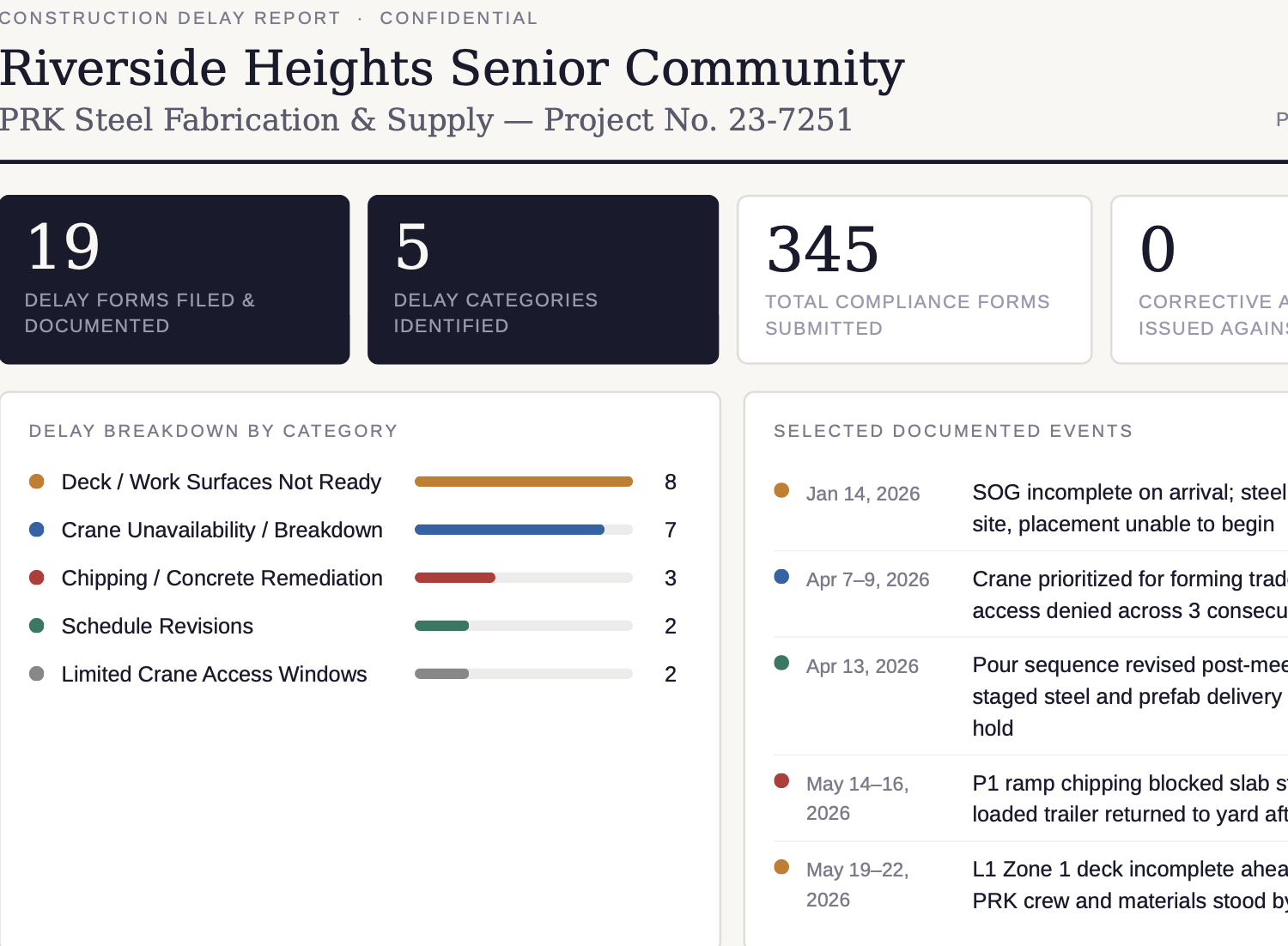
    The $84K backcharge meets 41 timestamped records.

    Rosie searches photos, voice notes, daily logs, crew records, and project data, then pulls the disputed work, missing notices, and supporting proof into a claim report—in seconds.

    Every point opens back to the original record, so the right people can verify it.

Ask naturally. Get the report in seconds.

The reports you need, without chasing the records.

Ask Rosie a question in plain language. She searches the project, field, safety, and commercial records, explains the answer, shows the sources, and drafts the report in seconds.

Request a demo

Portfolio Margin Exposure - LIVE ROSIE REPORT

01 / 04
Portfolio Margin Exposure report excerpt organizing 488 thousand dollars of documented monthly exposure across extra work, delays, trade damage, rework, and source-linked field events

What it answers

Which jobs are putting margin at risk, why, and what proves it?

Show which jobs carry the most documented delay, extra work, damage, and rework—and open the records behind each amount.

Showing report 1 of 4: Portfolio Margin Exposure

Why Rosie can answer better

Rosie knows the work behind the question.

The field does not have to rebuild the story later. SALUS already has the scans, forms, timestamps, photos, signatures, certificates, training, equipment checks, permits, incidents, corrective actions, and daily reports.

Generic AI starts with an empty prompt. Rosie starts with your field record and project details.

From the field

Capture the work

Crews speak, snap, scan, translate, complete forms, submit photos, sign records, and log events while the work happens.

With the context

Know the job

Rosie reads the job, crew, standards, SDSs, procedures, training, equipment, permits, and source documents in SALUS and Procore.

To the answer

Build what the team needs

Rosie drafts forms, safe-work procedures, toolbox talks, corrective actions, proof packages, owner reports, insurance summaries, and risk rankings for your team to review.

Built for the way crews actually work

Leaders see more when crews actually use the app.

Crews can speak, snap a photo, scan a QR code, or type a few words. That makes capture easier and gives leaders a clearer view of every job: its health, its risks, its margin pressure, and the records behind each issue.

  1. 01One easy crew app
  2. 02Crews use it across every job
  3. 03More of the work gets captured
  4. 04Leaders see risk sooner
  5. 05Faster, better decisions
Integrations & enterprise readiness

Keep Procore as the project system. Add the crew-level truth.

Procore organizes the project record. SALUS adds the contemporaneous crew-level evidence that explains why the work unfolded as it did—safety, quality, delays, access, damage, T&M, and extra work—and connects the relevant record through supported integrations and API access. The crew captures once; the business gets structured context without double entry.

The Procore integration created more tangible value in the form of time back to the field. We eliminated double entries.

Justin Itulle · Field Integration Manager, Willmeng Construction

Procore deep sync

Route submitted SALUS forms to configured Documents folders, forms requiring review to Tasks, attachments to Photos, and mapped manpower to pending Daily Log entries—without asking the crew to enter the same event twice.

Project-system connections

Use API access to connect crew-level SALUS records to other project, enterprise, BI, and reporting workflows.

Automations

Send certificate alerts, overdue-action escalations, report digests, and stakeholder updates automatically.

Scheduled reporting

Deliver weekly, monthly, owner, insurance, or executive reports without manual assembly.

Procore · Project systems · API · Automations · Scheduled reports

Proven in the field

The difference shows up in the work.

Customers say crews use SALUS because it is simple, leaders get answers from their own data, and teams win back time once lost to paperwork.

LMS Reinforcing Steel Group logoRosie proof

Me and my team have the bandwidth to actually focus on safety now that we're not constantly being bogged down in paperwork.

Ben SleemanDirector of Safety · LMS Reinforcing Steel Group · 170+ sites, 600 employees
Smith Bros & Wilson logoRosie proof

The biggest differentiator is being able to ask a plain-language question and get a useful answer directly from our own data.

Krista ChisholmHealth & Safety Manager · Smith Bros & Wilson
O'Connor Electric logoRosie proof

SALUS is the perfect marriage of both usability and capability. It has really great features for us as admin, but it’s simple for my crews to use out in the field, too.

Health & Safety ManagerO'Connor Electric
FAQ

Questions executives ask before putting Rosie to work.

How does Rosie help a contractor scale?
Rosie takes on repeat work across standards, document drafting, monitoring, and reporting. SALUS keeps each answer tied to the job and field records, so the company can add projects without adding office work at the same pace.
Does Rosie make decisions or approve safety and commercial work?
No. Rosie finds the records and drafts the answer. The responsible safety, project, commercial, or legal professional checks the facts, applies judgment, and approves anything sent to a crew or outside party.
What makes Rosie different from a general AI assistant?
Rosie works with your company’s records in SALUS. Each field update is tied to the worker, crew, job, task, equipment, credential, and time, so Rosie can show where an answer came from and send the approved next step to the right team.
Can SALUS connect with Procore?
Yes. SALUS offers a deep Procore integration so project details and safety work stay connected without making crews enter the same information twice.
How does Rosie handle differences between US states and Canadian provinces?
Rosie uses the contract, project, and location information available in SALUS. Rules for notices, liens, workers’ compensation, insurance, and safety vary by state and by job, so the appropriate project, legal, insurance, commercial, and safety experts must review the result.
Put Rosie to work

Scale the standards. See every job. Resolve disputes.

Bring the question, claim, or project risk. Rosie finds the records, shows the proof, and helps your team decide what to do next.

Return to the motion