

Permit to work software that manages risk without slowing the job down.
Permit to work software for hot work, confined space, energized work, zone conflict checks, and live boards.
An electrical crew needs an energized work permit. The foreman requests it from SALUS on their phone. The system reads each worker’s connected profile — certifications, training — scans the zone for conflicting permits, and pings the super, who approves from wherever they stand. Both crews are notified. No walk to the trailer.
Certifications, zone conflicts, and approver sign-off are verified before the permit is issued.
We were looking for a platform that was going to do multiple things — not only house our documents but allow us to live-edit them when codes and laws change, so those changes can go out to the whole company. Then, if we get an inspection, any of our workers or subs can open the app and show that they’re compliant.
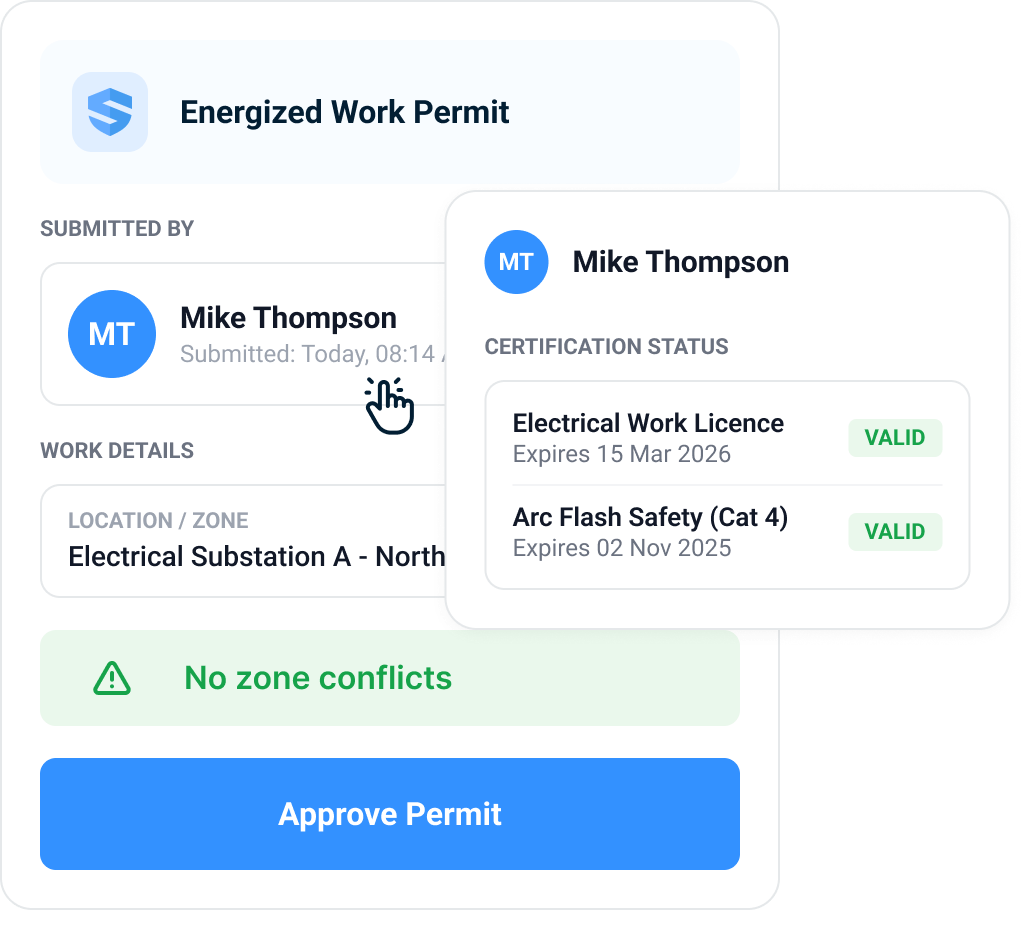



Hot work, energized, confined space, excavation — requested from the workface.
Request it where the work is.
No walk to the site office. No paper pad. Scan the QR code at the panel or ask Rosie, the AI Admin & Risk Assistant, and the permit request drafts itself on the spot — the people, the location, the task, and the time window already attached. Hot work, energized work, confined space entry, excavation: the request starts where the risk is.
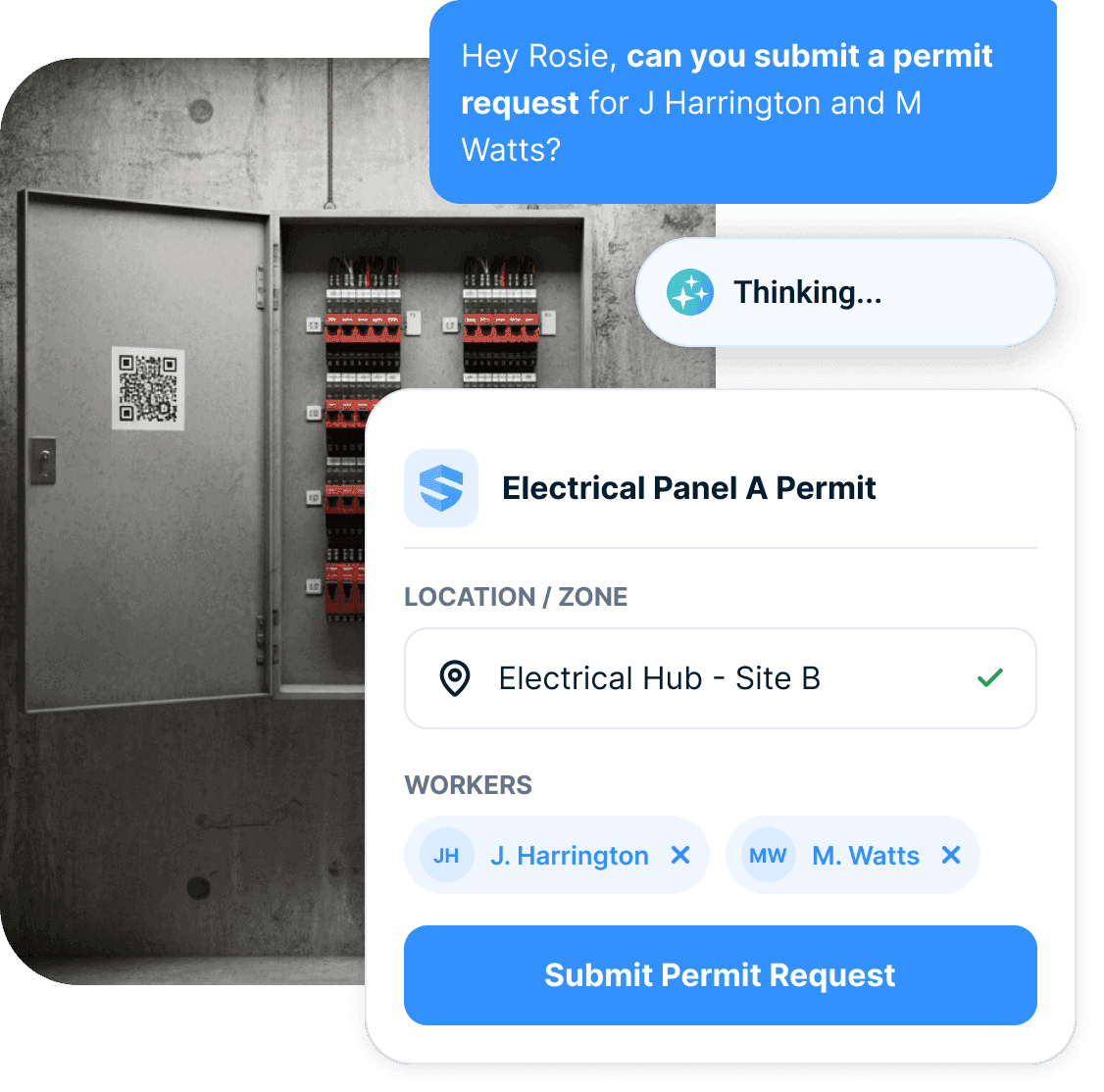
Ask
Speak to Rosie or scan the QR code — the request starts at the panel, not the trailer.
Check
Worker certifications are verified against their profiles before the request goes out.
Submit
People, location, task, and timing attached — one tap sends it to the super.
Permit requested. Nobody walked anywhere.
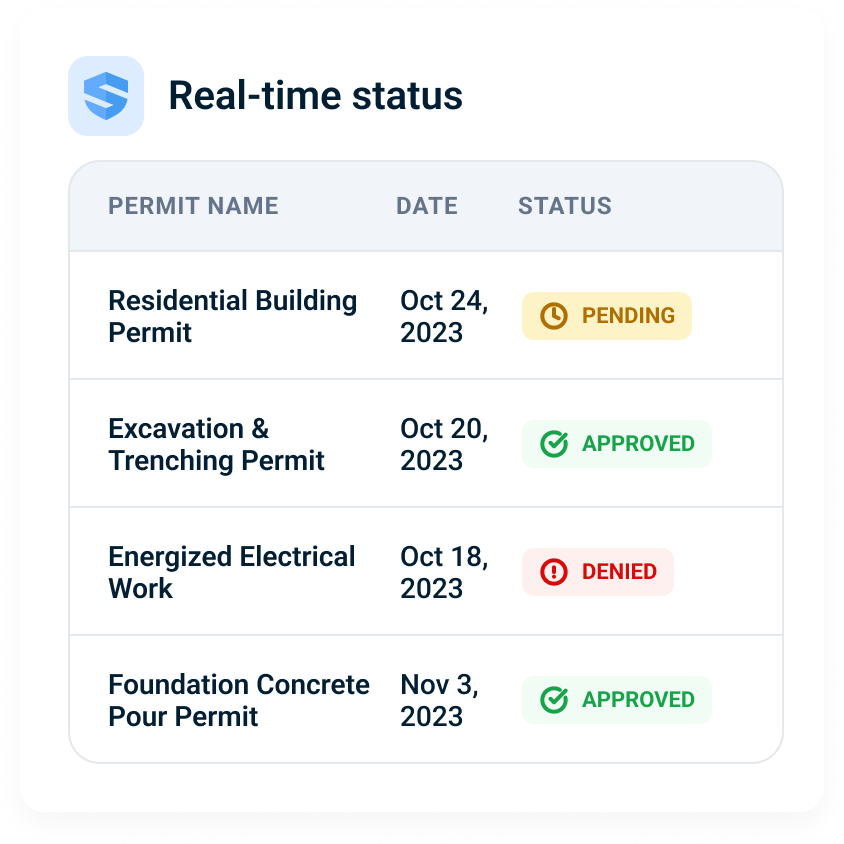
Approved, pending, or denied — you know instantly.
The super reviews and approves with one tap, from wherever they stand — no walk required on their end either. The moment the status changes, the notification finds the crew: approval, denial, or conflict, every affected crew sees it at once. No guessing whether the paperwork made it to the right desk.
Other processes leave crews waiting at the window. SALUS tells them before they ask.
Approval should know the context.
No hot work permit without the right people attached.
A permit shouldn’t rely on someone remembering who’s qualified. Every worker on the request carries a connected profile — certifications, training, orientation history — that travels with them from site to site.
The system reads the profile. The human makes the call.
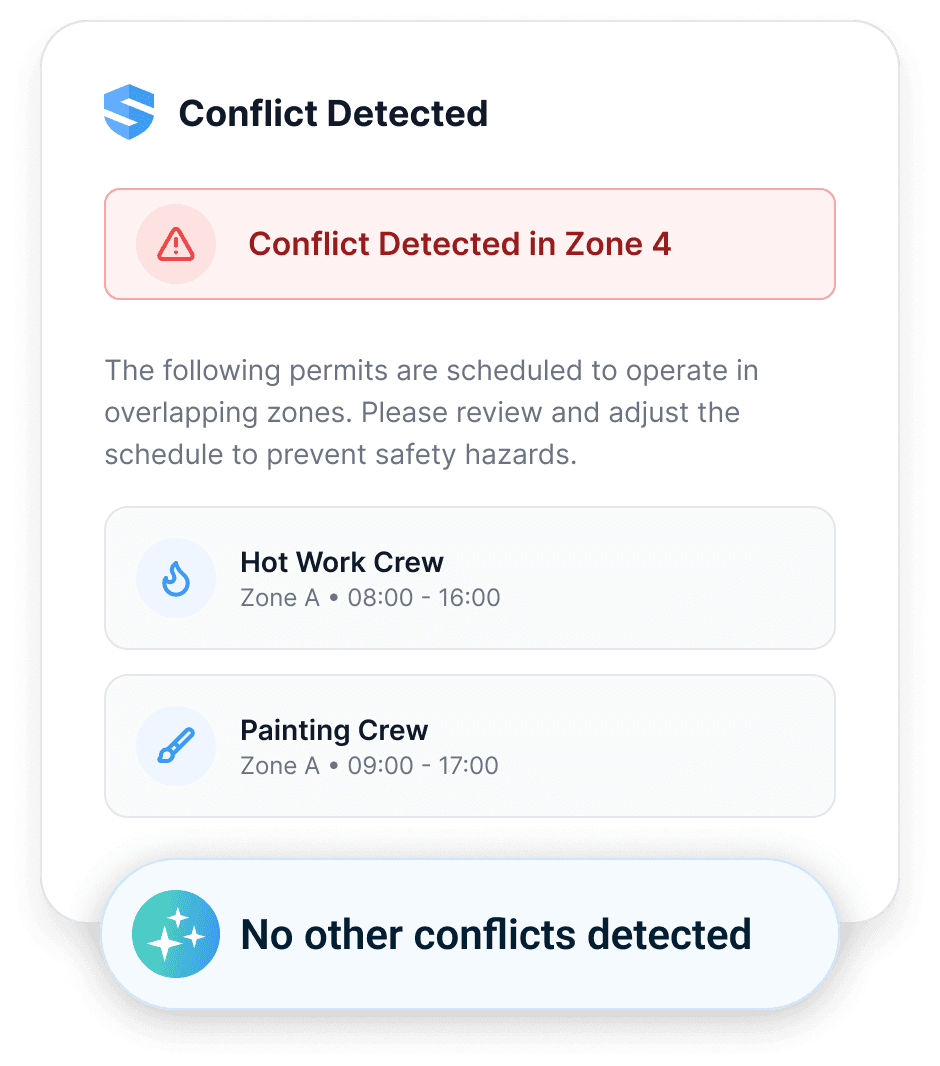
Two permits. One zone. Caught by Rosie.
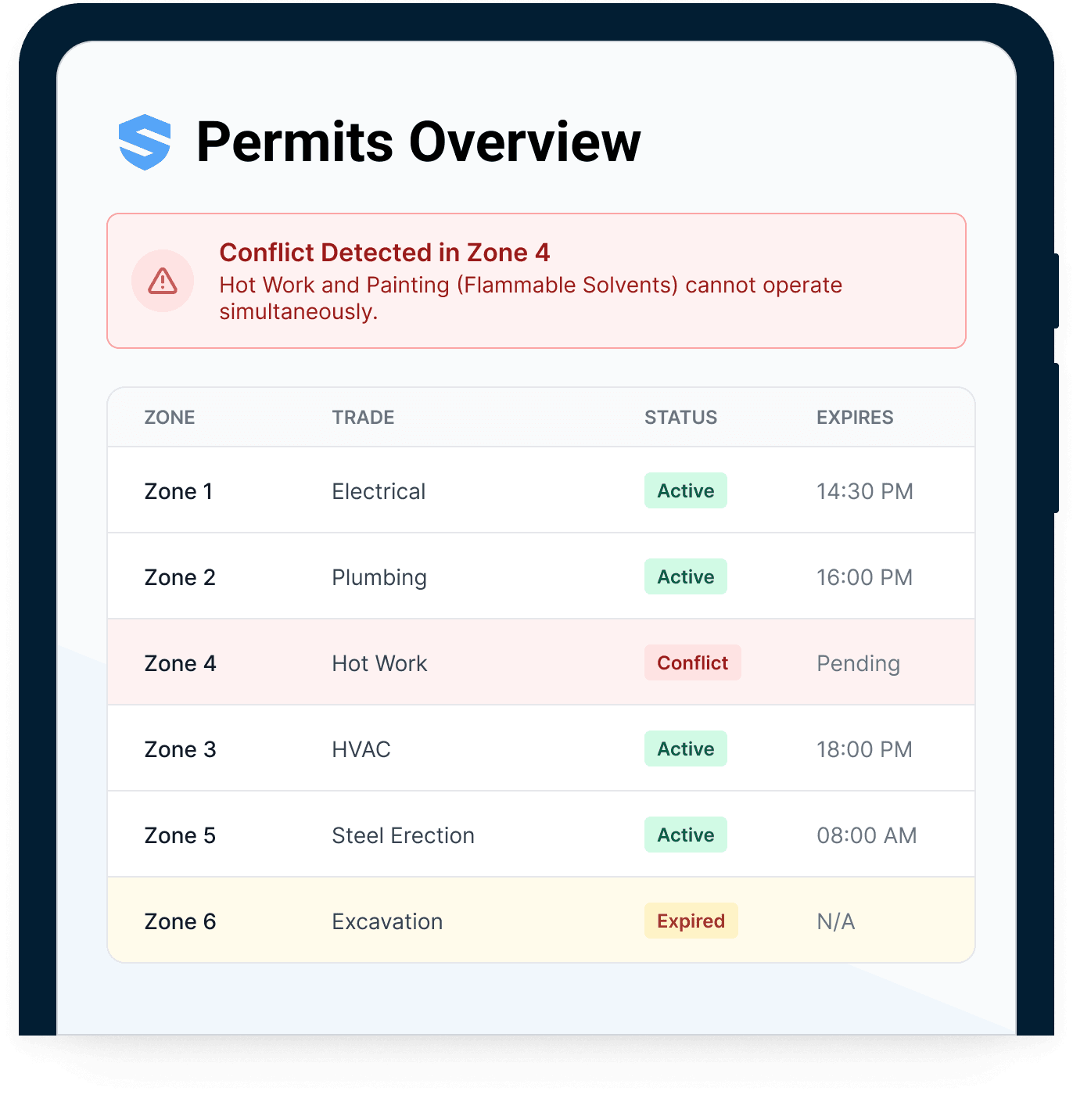
SALUS scans every request against the permits already active around it — same zone, same time window — automatically. A hot work crew and a painting crew with flammable solvents never operate in overlapping zones, because the overlap is flagged before the approver ever taps.
Paper permits can’t see each other. Rosie can.
Open permits stay visible until they close.
Every active permit. One live board.
The live permit board shows every active permit by zone, trade, status, and time remaining. Which zone has hot work running? Who’s pending, who’s expired, which work permits are still open at 4 PM? One look answers it — for the super on site and the safety director three projects away.
No radio poll. No zone walk. One board.
It’s 4 PM. Rosie knows what’s still open.
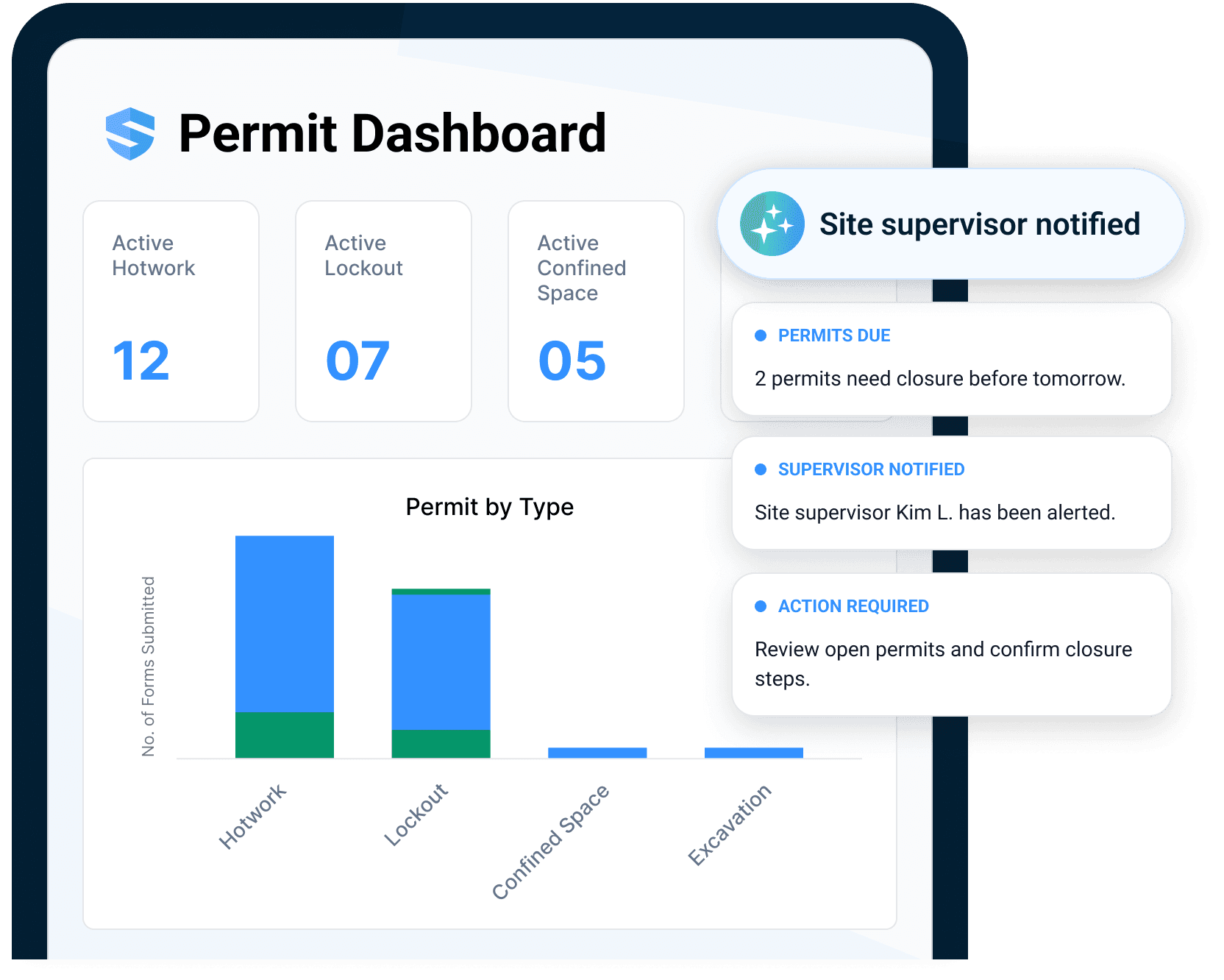
Rosie knows which permits are still open when everyone has left site — and which were never approved at all. She acts: notifications go out, closure steps are prepared, and the dashboard tells you where to look first. An open permit at the end of shift stops being a memory test.
Open past closing
Permits still active when the site empties — flagged, supervisor notified.
Never approved
Requests stalled in pending — surfaced before a crew assumes coverage.
Acts on it
Notifications sent, closure steps prepared, dashboard prioritized — automatically.
The site goes home. Rosie keeps watch.
Less permit friction. Fewer high-risk blind spots.
Operations gets faster approvals, safety gets better control, and executives get confidence that high-risk work is gated by live data, not memory.
Speed
Request to approval in minutes, from the point of work. The schedule stops waiting on paperwork.
Control
Prerequisites and zone conflicts surface before approval.
Visibility
The live board shows open and closing permits.
Everything your permit process should have been doing all along.
Mobile permit requests
Scan the QR at the point of work or ask Rosie — drafted where you stand.
Automatic cert verification
Worker profiles are checked before the request is even submitted.
Zone conflict detection
Overlapping permits in the same zone flagged before approval.
Instant notifications
Approval, denial, or conflict — every affected crew knows in real time.
Live permit board
Every active permit by zone, trade, status, and time remaining.
Rosie open-permit watch
Permits still open after the crews go home get flagged — and chased to closure.
High-risk workflows connected to permits.
Go deeper from permit to prerequisite.
Permits work when the people, equipment, and records behind them are live.
Need the rule behind the workflow?
Use the dated OSHA for Construction field guide for current penalties, inspection steps, recordkeeping, and heat-rule status.
Permit to work software, electronic permit to work system, hot work, confined space, energized work, and live permit board FAQ
What is permit to work software for construction?
What is an electronic permit to work system?
Can SALUS support hot work permits?
Can SALUS support confined space permit workflows?
Can SALUS support energized work or electrical permits?
How do worker profile gates work for permits?
How does zone conflict detection work?
What is a live permit board?
How does Rosie help with permit closeout?
What should we bring to a permit software demo?
Bring one high-risk permit.
We will show the connected workflow.
Walk through request, worker profile checks, certifications, zone conflict, approval, live board, and closeout.
Bring the current workflow. We will map the live version from field action to proof.