

Construction orientation software without the trailer bottleneck.
One flow, two jobs: clear the worker fast, and create the portable safety profile that certificates, training, permits, equipment, and subcontractor records read from that day forward.
From first scan to active profile in minutes.
With SALUS, Site-specific orientations dropped from approximately 2.5 hours to 15–20 minutes.
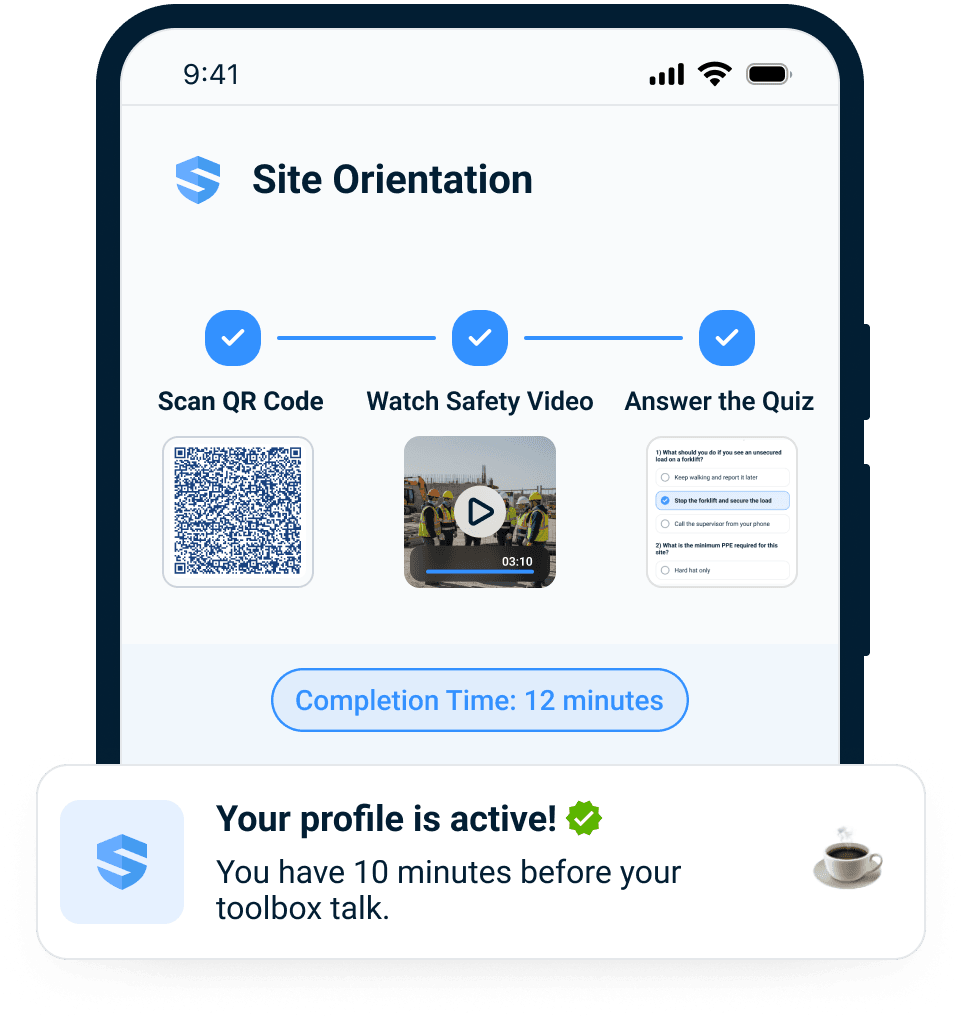



One scan. Site orientation starts.
Scan the orientation link. No app download required.
Crews can complete orientation on their own phone, a tablet, or a borrowed device without waiting for a trailer session or app-download training.
Orientation is the moment the worker enters the safety system. The scan, language choice, comprehension check, credential context, and completion record all become the first worker profile.
The gate becomes the start line.
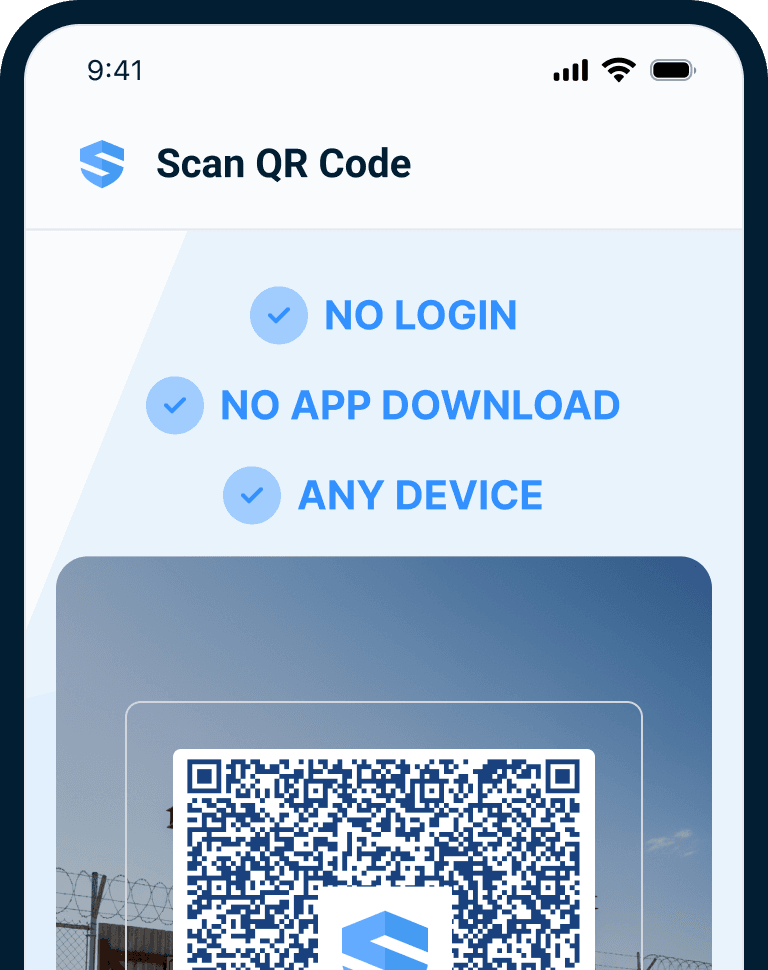
By the time the crew assembles, the profile is already active.
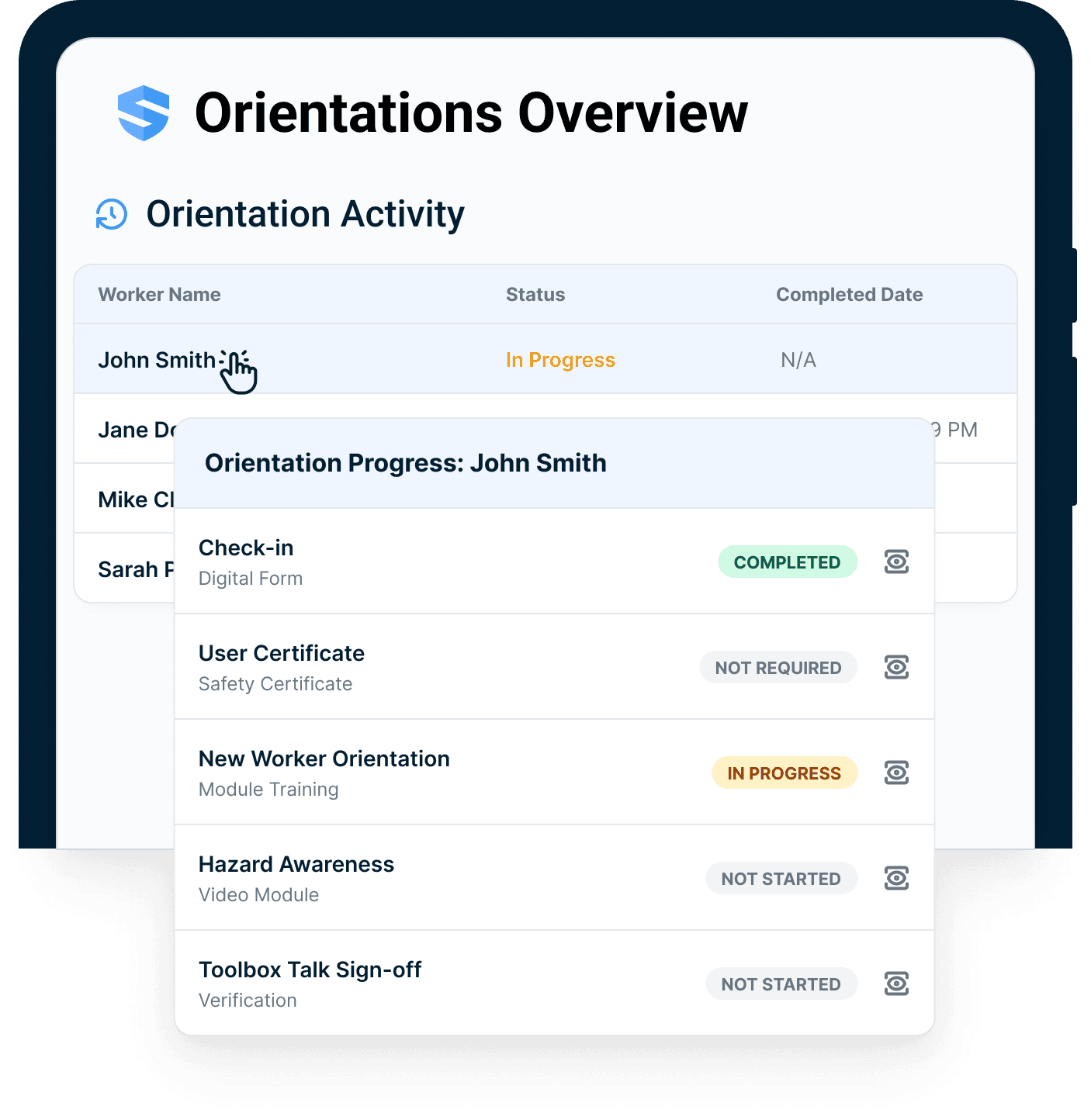
A worker activates their profile while the crew is still gathering. The superintendent watches it happen live — who is cleared, who is in progress, who has not started — instead of chasing signatures at the end of the shift.
No clipboard reconciliation. No end-of-day data entry.
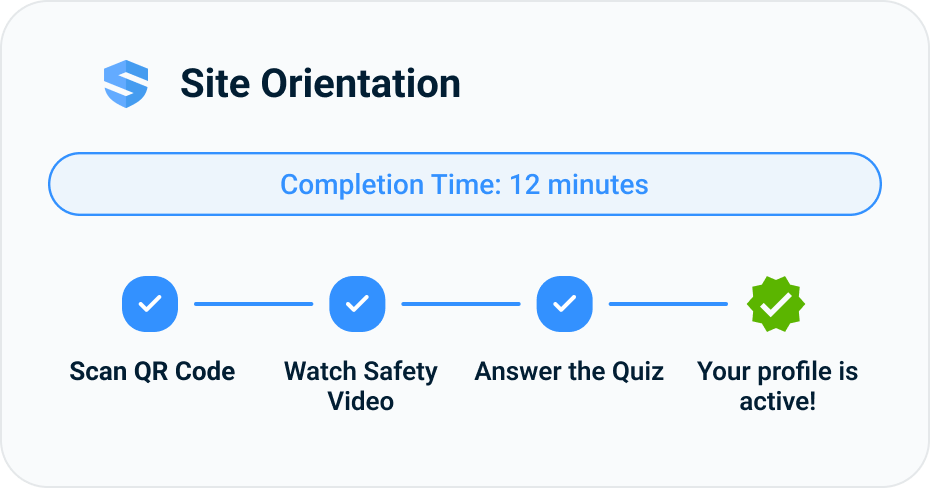
From signed packet to living worker profile.
Attendance is not understanding. Verify it.
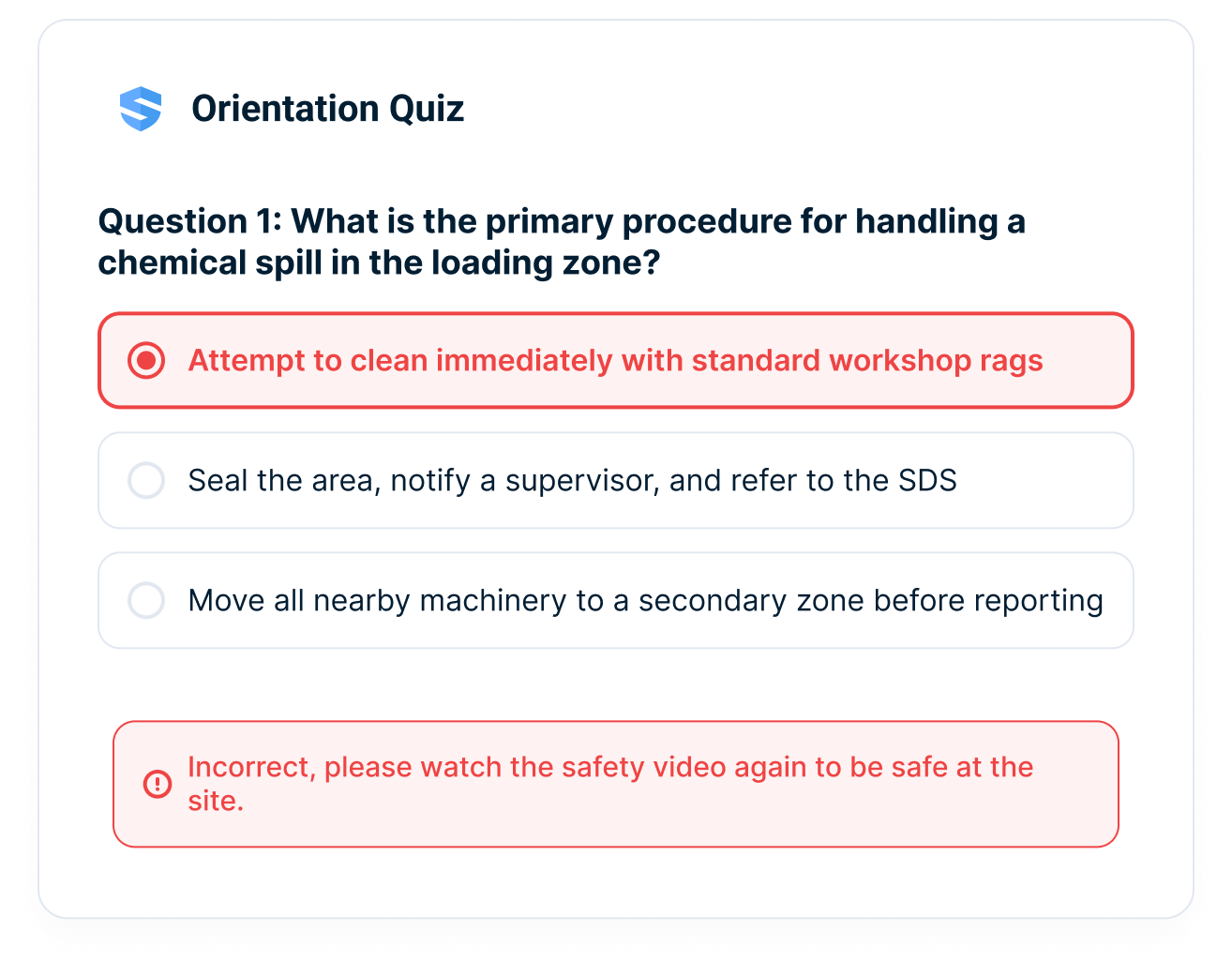
A worker can sit through orientation and still miss the point. SALUS renders the orientation — content, quiz, and signature — in the worker's preferred language, 21+ of them, and adds a comprehension check after the content: miss a question, and the worker is routed back to the relevant section of the safety video before moving on. The record that lands in the file proves more than presence.
- Pass rates per site and per sub
- Failed topics flagged for follow-up
- Re-watch loop until understanding is confirmed
- A verifiable training record for the file
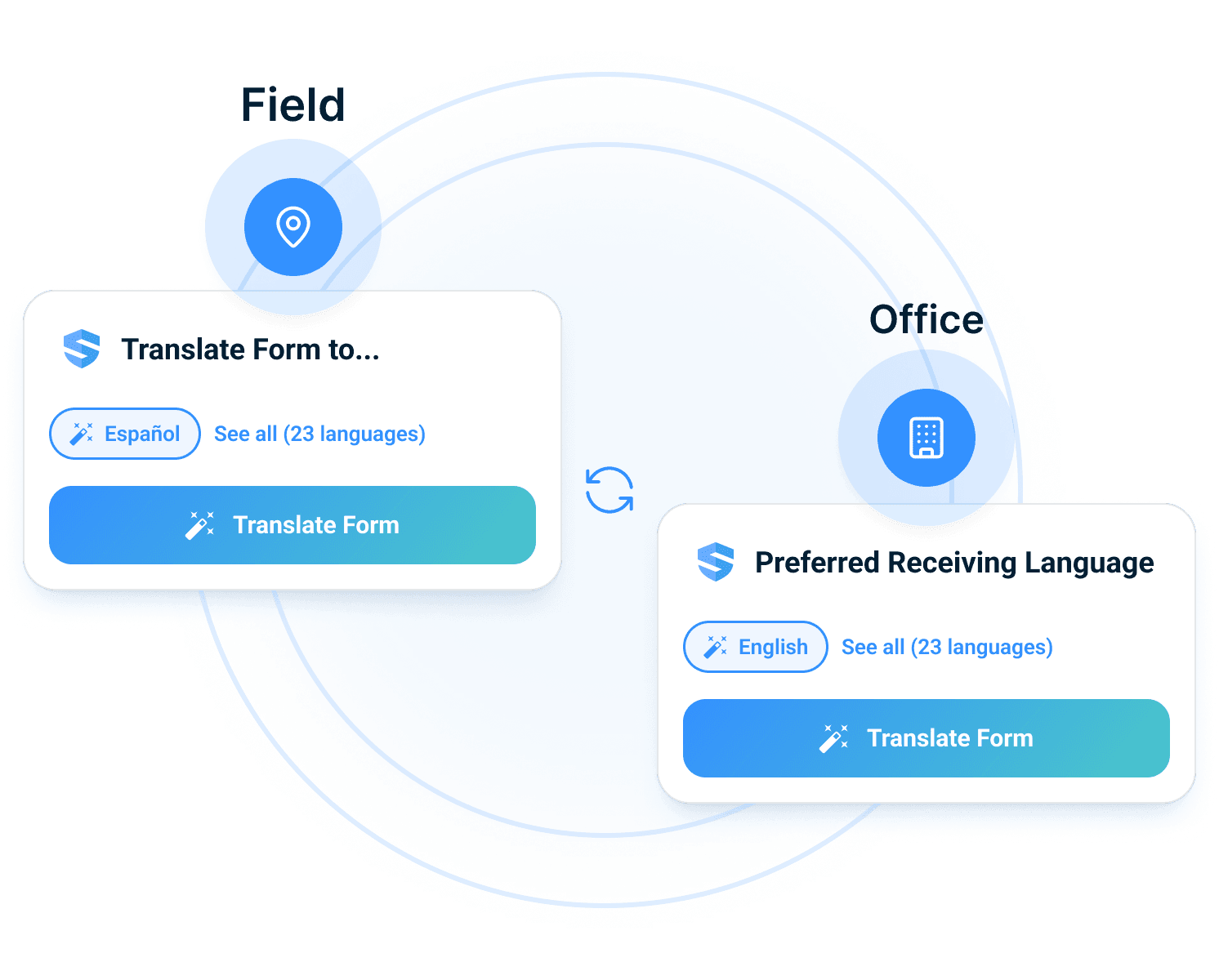
Bilingual training and communication with our staff … makes it accessible to every person on site.
 Ben F., Vice President
The signature proves they sat there. The quiz proves they got it.
The last step of orientation activates the worker profile.
Clearing orientation creates something the trailer never did: an active worker profile — identity, employer, orientation record, comprehension score, signature. Everything downstream reads it: certificates attach to it, training builds on it, permits and equipment checks reference it, subcontractor readiness rolls up from it.
Orientation isn't the end of a checklist. It's the birth of the record.
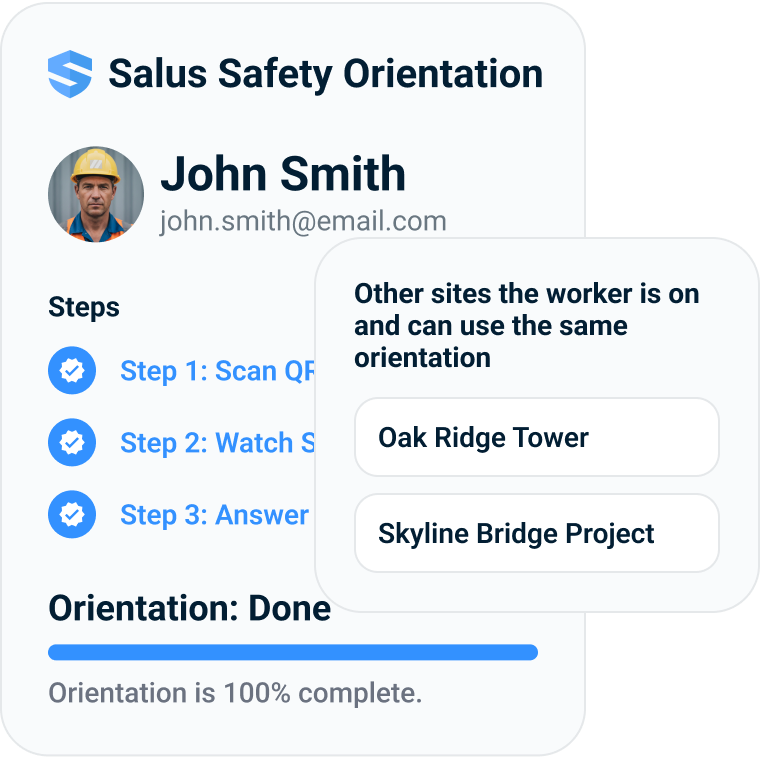
Orientation Made Easy
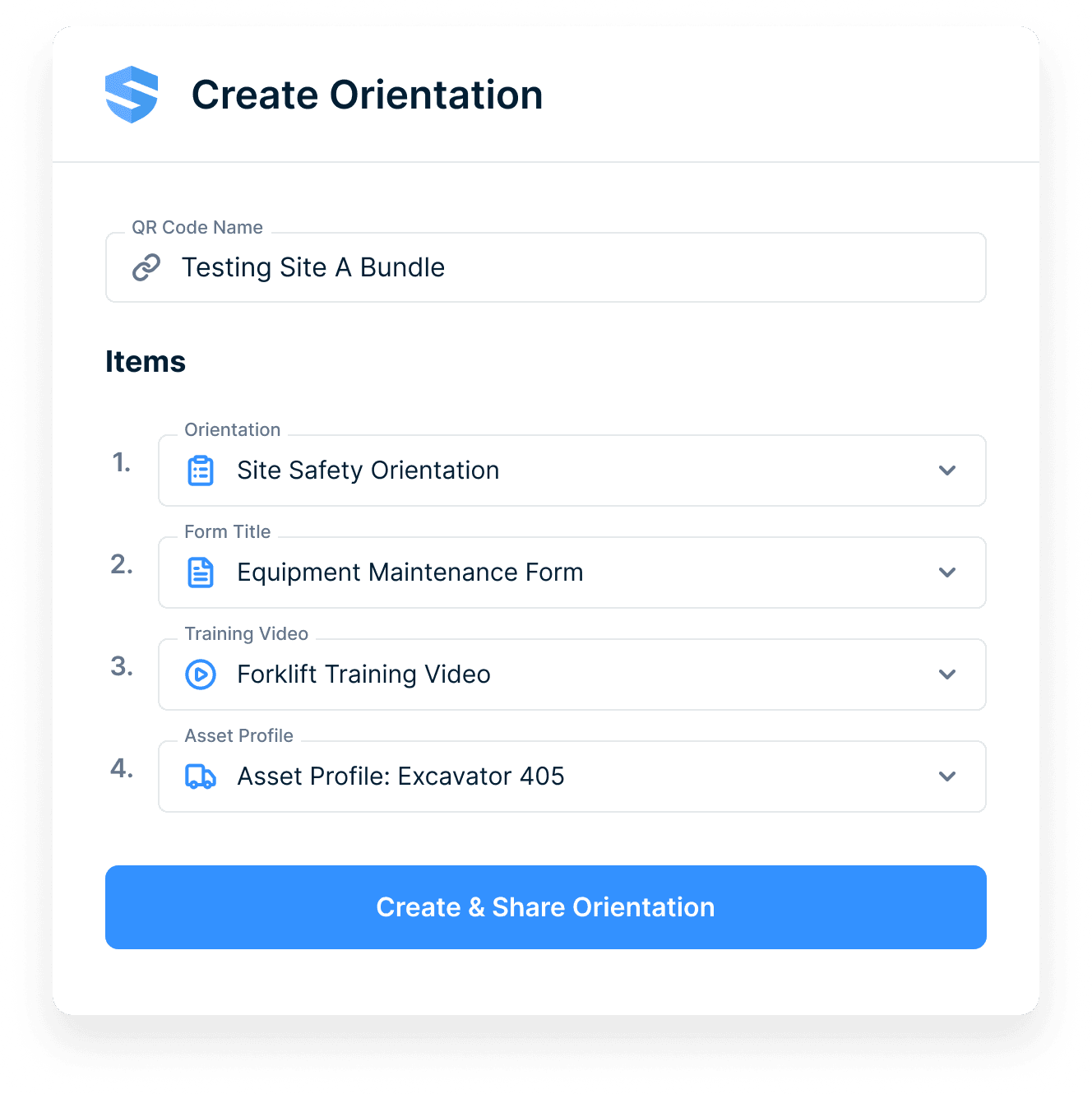
New site, new hazard, same-day orientation link.
A site admin builds the orientation — site-specific videos, rules, hazards, required forms, attached training — and shares it by QR code or link. Update a live orientation without re-rolling it out. Run a different bundle per site, per sub, per zone.
The site changed this morning. So did the orientation.
Rosie turns orientation data into site readiness.
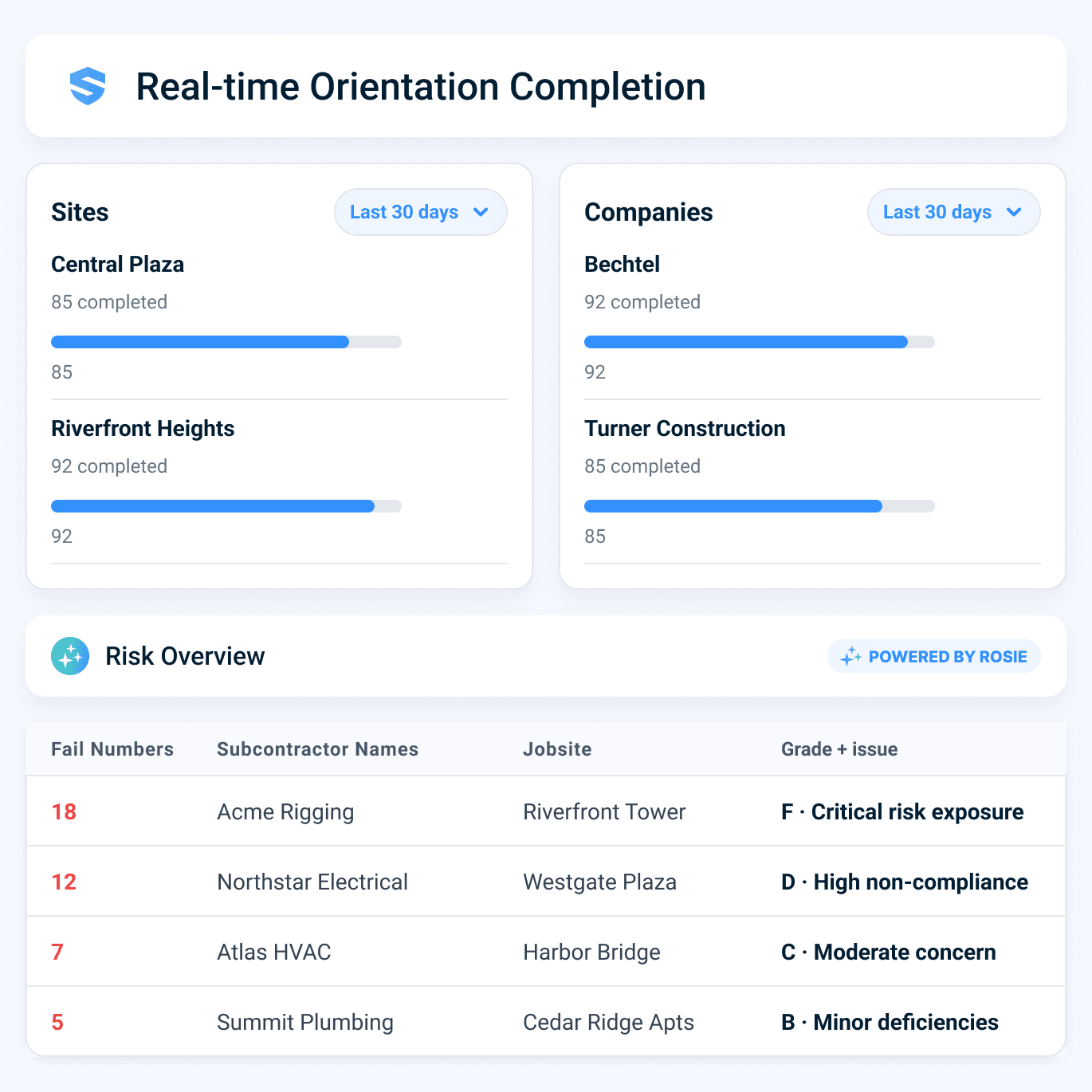
Rosie, the AI Admin & Risk assistant, watches what the orientation data actually says. She flags the subcontractor with a low pass rate on fall protection and recommends a toolbox talk before elevated work begins — a comprehension gap caught at the gate instead of on the scaffold.
A failed quiz question at the gate is a toolbox talk before Monday.
Orientation records support OSHA and induction expectations.
The office shouldn't learn who completed orientation at the end of the day. SALUS shows it live, across every site — by worker, company, crew, and trade. Subcontractor readiness stops being a phone call.
"Are they cleared?" is a glance, not a phone call.
Faster mobilization. Cleaner readiness data.
The most expensive hour on a jobsite is the one a worker spends waiting to be oriented. Site-specific orientations run 2–8 hours per new worker on US commercial projects, almost always blocked on one safety officer in a trailer — multiplied by construction turnover and every rotating sub crew.
Safety gets a verified record, operations gets crews moving faster, and leadership gets better visibility into who is cleared before work starts.
Speed
Workers start from a QR code and clear orientation before the trailer becomes the bottleneck.
Understanding
Comprehension checks prove more than attendance and route workers back when they miss a point.
Portability
Worker profiles carry the orientation record into certificates, training, permits, equipment, and sub readiness.
Site orientation software, construction site orientation, orientation link, and cleared workers.
QR-code access
Start with a scan at the gate.
No app download
Reduce friction for visitors and subs.
Site-specific content
Show the orientation for the jobsite.
Comprehension checks
Verify understanding.
Multilingual orientation
Support 21+ languages.
Portable profiles
Connect orientation to the worker profile.
Orientation records connect to readiness.
Go deeper from gate to profile.
Orientation is the moment the worker profile is born.
Need the rule behind the workflow?
Use the dated OSHA for Construction field guide for current penalties, inspection steps, recordkeeping, and heat-rule status.
Site orientation software, construction site orientation, orientation link, and cleared worker FAQ
What is construction site orientation software?
What should a construction site orientation include?
Does OSHA require a safety orientation for new construction workers?
Can workers complete orientation without downloading an app?
Can workers complete orientation in Spanish or other languages?
How do comprehension checks work?
Does orientation create a worker profile?
Does the orientation record travel with the worker between jobsites?
What is the difference between a site orientation and a site induction?
Can the office see orientation status in real time?
How is SALUS different from an orientation video link?
What should we bring to an orientation demo?
Show us your current orientation process.
We will show the faster version.
Map gate access, language, comprehension, worker profile activation, and readiness from one current process.
Bring the current workflow. We will map the live version from field action to proof.