

AI for construction field teams: fewer apps, better field intelligence.
How AI-powered crew-level data reduces app overload in the field — while improving safety, quality, delays, damage, extra work, daily logs, and claims. One place to ask, capture, and act.
"Found damage on the south column. Looks like the lift hit it. Four guys waiting on what to do."
One capture. Rosie classifies it as damage + blocker and routes it — no app-switching:
Construction field teams don't lack software. They have too much of it. Safety in one app. Time in another. Photos somewhere else. Daily logs in another system. RFIs and drawings in Procore. Quality in a spreadsheet. Damage in a text thread. Extra work in a foreman's notebook.
The promise of AI in the field isn't another app. It's less software — one easier way to ask, capture, route, record, and keep work moving.
It's not a lack of software. It's app overload.
Every new field app asks the crew for one more habit. Crews do not have infinite habit capacity. Use this contractor-specific audit to document what your foremen actually juggle in a working week.
Audit prompts — not industry benchmarks.
What "less software" should actually mean.
"Less software" doesn't mean contractors stop using systems of record. It means crews shouldn't have to open a different app for every field event. AI should create one front door for field work, then route the right data to the right system behind the scenes.
Reduce how many systems the crew has to touch — not how many the company keeps.
The One-Front-Door Model.
Crews ask, capture, and act from one simple interface — while AI classifies the event, prompts for missing context, routes the workflow, and creates the right record.
 Rosie
RosieThe goal is not one database for the company. The goal is one field experience for the crew.
What counts as a field event.
A field event is anything that happens during the work that may affect safety, quality, schedule, cost, scope, production, payment, claims, or closeout. The One-Front-Door Model exists so the crew captures these once — not in twelve different places.
A real AI Admin & Risk Assistant is organized around field events — not software modules.
What AI should consolidate for the crew.
Not every system disappears. But the field experience can be dramatically consolidated. Four places where AI should collapse many apps into one front door.
One place to ask questions
Instead of searching drawings, specs, RFIs, SDSs, procedures, manuals, emails, and binders, the crew asks one question — and gets a source-backed answer tied to what they're doing right now.
- "Can we install this before inspection?"
- "What is the tolerance here?"
- "Did the RFI change this detail?"
- "What form do I need for this lift?"
One place to capture field events
Photo, voice, video, quick form, QR scan, observation, issue, or time note — captured once. AI decides what it is: safety, quality, delay, damage, extra work, changed condition, blocker, daily-log input, or claims-sensitive record.
- Voice note → delay event
- Photo → quality observation
- QR scan → equipment downtime
- Form → safety + corrective action
One place to route the issue
The crew shouldn't need to know the back-office workflow. AI routes hazards to safety, defects to quality, delays to PM and the daily log, damage to insurance, extra work to change-event tracking, and field questions to source-backed answers or RFI escalation.
- Hazard → corrective action
- Defect → punch / NCR
- Damage → insurer + responsible party
- Extra work → T&M + PM approval
One place to see what is still open
Crews hate black holes. If they capture something and nothing happens, adoption dies. AI keeps follow-up visible — open hazards, unanswered questions, unresolved blockers, unclosed damage, missing closeout photos, overdue corrective actions.
- Open hazards
- Unresolved field questions
- Pending PM review
- Overdue corrective actions
Why crew-level data makes fewer apps possible.
AI can only collapse app-switching if it understands the event — who's involved, what crew and trade, what task, location, and time, what drawing, spec, or procedure applies, what risk and action are open, and which system needs the record.
"Blocked by others."
No crew. No time. No impact. No proof. Nothing AI — or a claim — can actually use, and nothing the office can route.
Crew 3 was scheduled for wall framing in Area B at 9:00 a.m. Work was blocked because electrical rough-in was incomplete. Four workers and one lift sat idle for 2.5 hours. Photos captured. Superintendent notified the PM at 9:20 a.m. Work resumed at 11:40 a.m.
One connected event can fuel a daily log, a safety record, a quality observation, a delay note, a damage report, and a claim package — without re-entry.
How AI reduces app overload, event by event.
The crew captures once. AI does the app-switching, the routing, and the record-making behind the scenes.
Less software in the field doesn't mean less control in the office. It means better routing, cleaner records, and fewer duplicate steps.
What should not be collapsed into one app.
Some tools still need specialized interfaces. The point isn't to flatten everything — it's to spare the crew from touching all of it just to report what happened.
What AI should not do.
The construction AI buyer is rightly skeptical. Credibility comes from being clear about the line AI doesn't cross.
AI should reduce field friction and preserve better facts. It should not replace accountable human decisions.
Review how Rosie was evaluated.
The canonical report documents the SALUS-SafetyQA benchmark, comparative model results, statistical tests, failure analysis, and the limits of the multiple-choice evaluation.
Six AI field-event pilots to run first.
Bounded. Useful. Credible. Each one tightens an event the field already lives — and removes at least one app, login, or duplicate step from the crew's day.
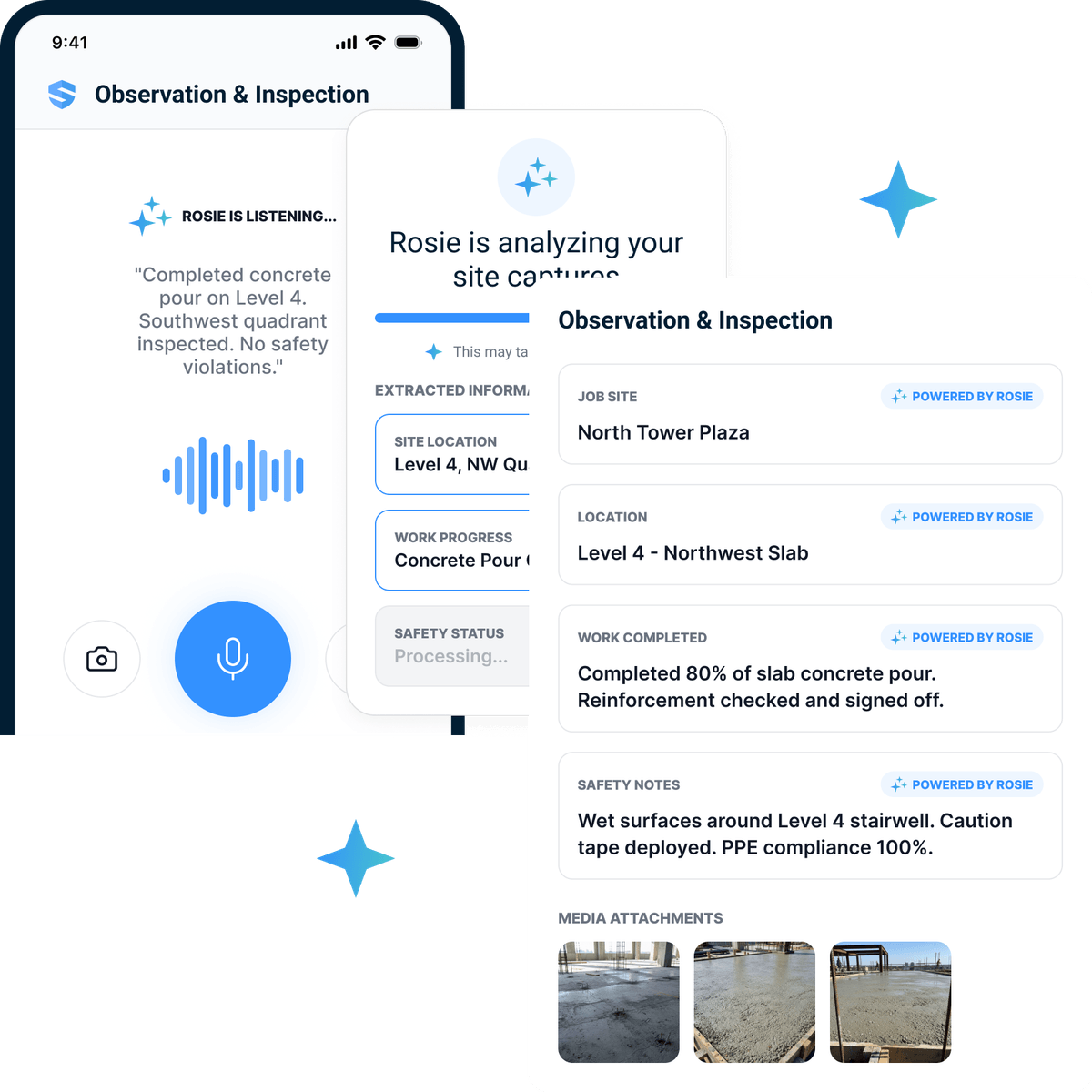
Voice-captured delay events
Crew dictates a blocker. Rosie identifies it as a delay, prompts for impacted task, idle labor and equipment, cause, notice, and resolution time.

Five gaps need attention: ground-level exclusion-zone enforcement, struck-by PPE, an all-clear protocol, a current review date, and pre-task verification.
- Field controls
- Exclusion zone + struck-by PPE
- Communication
- All-clear protocol
- Governance
- Current review + pre-task verification
The safety lead validates every recommended change before the approved procedure is replaced.
Defect-to-punch in 30 seconds
A field photo becomes a quality observation tied to spec, trade, and location — with a closeout owner and proof requirement.
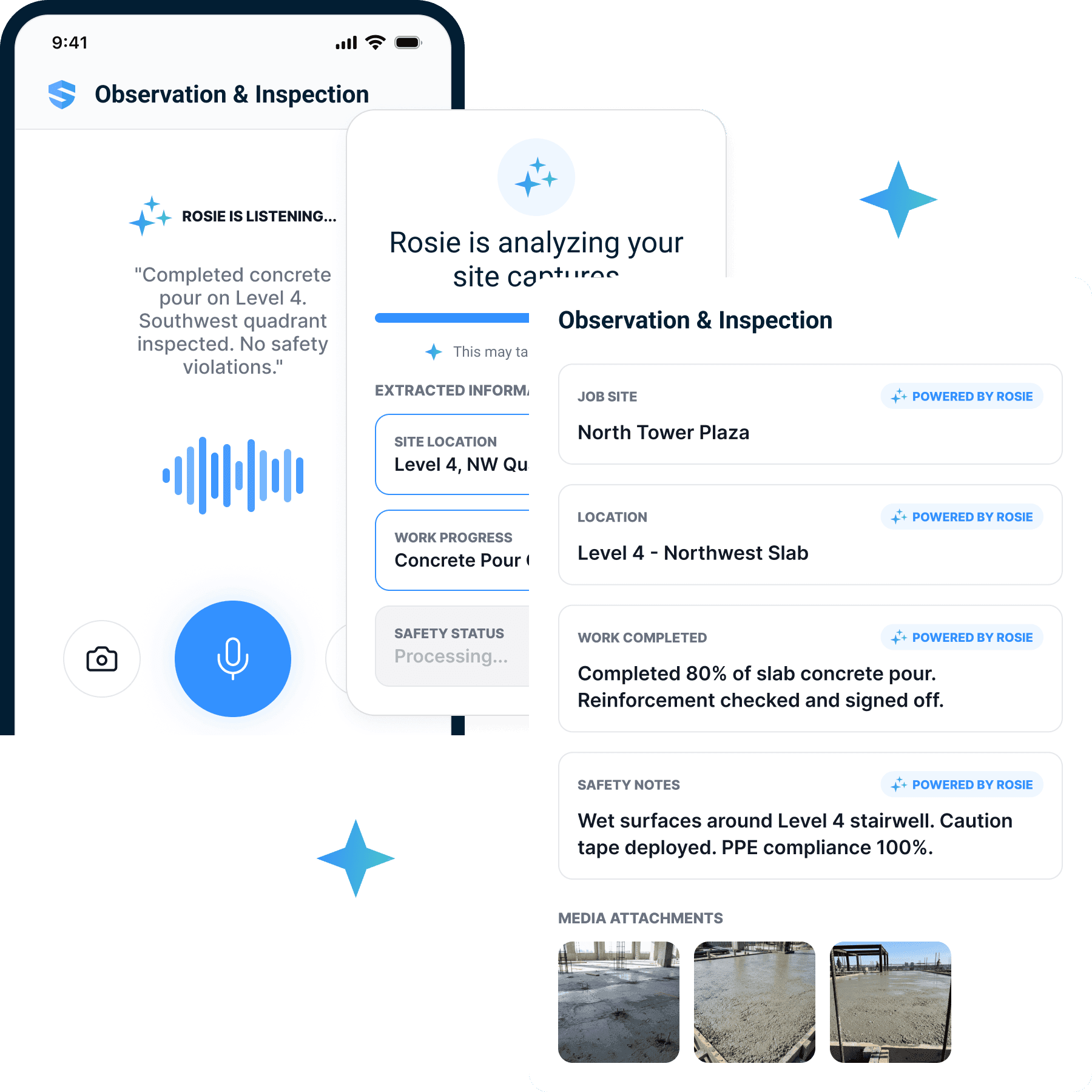
Damage with chain of custody
Capture the asset, location, condition, possible cause, and notice — before the site changes and responsibility blurs.
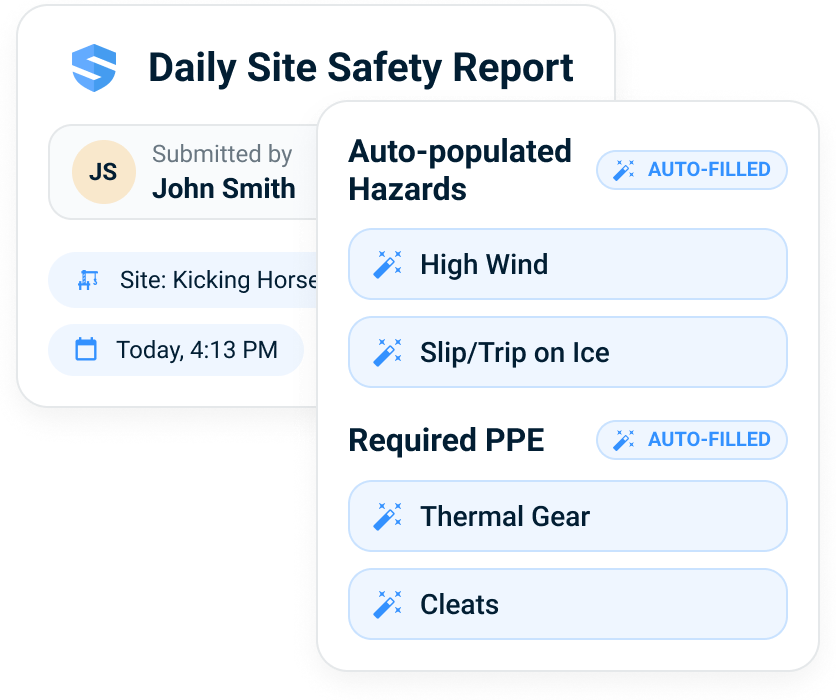
Extra-work fact pack
Direction received, scope described, labor and equipment logged, photos attached, PM notified — preserved.
Clear the area, get trained spill-response support, and use the PPE specified in the SDS. Contain the spill with compatible absorbent material; do not add water unless the approved procedure explicitly directs it.
- Immediate action
- Isolate area · notify supervisor · assess exposure
- Controls
- Chemical-resistant PPE · compatible absorbent
- Disposal
- Collect as regulated waste under the site procedure
Follow the product SDS and site emergency plan. Untrained workers should not attempt spill cleanup.
Source-backed field Q&A
Crews ask a specific question. Rosie answers from approved procedures, SDS, drawings, RFIs, and specs — with source visibility.
The daily record is assembled. Two crews are missing hazard assessments, one near miss is documented, and one corrective action remains open from last week.
- Site activity
- 23 workers · 12 form submissions
- Safety record
- 0 incidents · 1 near miss
- Follow-through
- 3 new actions · 1 carried open
The foreman reviews the assembled report before it becomes the final daily record.
Daily-log assembly from events
Every captured event of the day becomes a structured daily-log input — work, weather, manpower, safety, quality, delays, damage, equipment.
The Crew App Load Audit.
A practical worksheet for evaluating whether AI will reduce field software burden — or become one more app crews have to manage. Inventory the load, score the front door, and plan what to subtract.
Email me the audit
We’ll email you the printable version and give you immediate access here.
It’s on its way—check your inbox.
Download now- Page 1 — inventory every field-facing app and its duplicate entry
- Page 2 — score any tool against the one-front-door model
- Page 3 — a subtraction plan: what to remove, what stays in the back office
- A clear read: another app, point solution, consolidating, or one front door
Helps in one area, but the crew still app-switches.
0 = no · 1 = partly · 2 = yes.
Email me the audit
We’ll email you the printable version and give you immediate access here.
It’s on its way—check your inbox.
Download now- 01Which apps or workflows can we remove from the crew's day?
- 02Which systems stay in the back office?
- 03Which field events should go through one front door first?
- 04Which records should be generated automatically?
- 05Which workflows still require human review?
If AI can't remove a login, a duplicate entry, a manual search, or an end-of-day reconstruction step, it's probably just another tool.
Common questions.
What does 'fewer apps' actually mean?
What is the One-Front-Door Model?
Does this replace Procore or our safety system?
How does AI reduce duplicate entry?
Will AI decide change orders or claims?
How do we know if an AI tool actually reduces software?
Sources and context
Each source is listed for the specific context it supports; none independently validates SALUS product claims.
- Artificial Intelligence Risk Management Framework (AI RMF 1.0)
U.S. National Institute of Standards and Technology
Primary framework context for transparent, accountable, valid, reliable, safe, and human-governed AI use.
- Artificial Intelligence Risk Management Framework: Generative Artificial Intelligence Profile
U.S. National Institute of Standards and Technology
Primary guidance on content provenance, source history, transparency, testing, and documented limitations for generative AI systems.
One front door for field intelligence.
See how SALUS and Rosie turn operational safety into one front door for the field: capture events once, get source-backed answers, route issues to the right people, and turn crew-level data into daily logs, safety records, quality follow-up, delay and damage reports, extra-work support, and business intelligence.
Ask once · Capture once · Route everywhere · One front door for field work