

Subcontractor compliance software that stays visible after orientation.
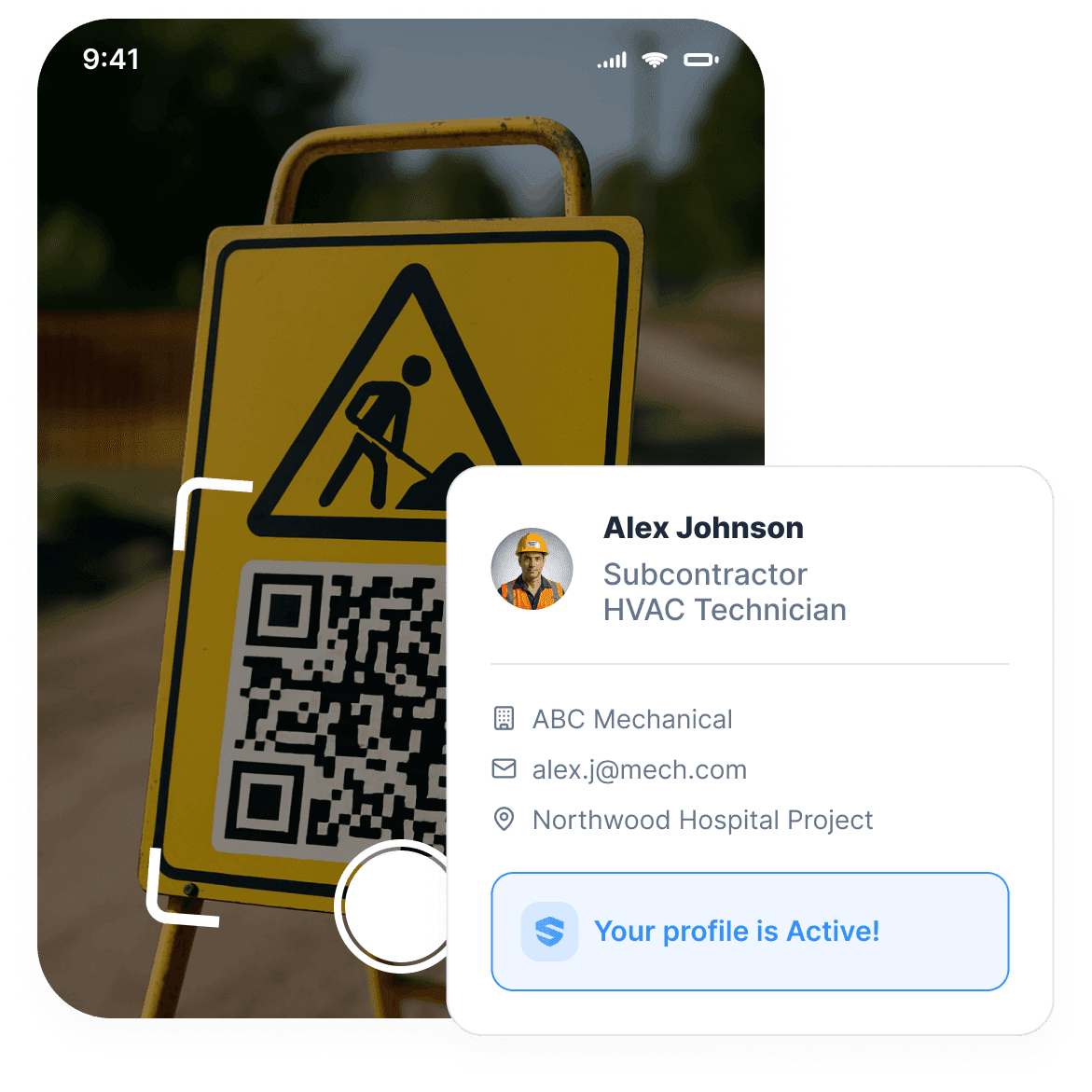
A sub arrives at a new site, scans the gate QR code, and completes orientation on their phone. The profile that activates is theirs — certs, training, and every form they will sign, carried from jobsite to jobsite. No IT department. No app download training session. The sub keeps their record. You keep the visibility.
- Minutes · Sub onboarding in minutes, not monthsDefine requirements, post a QR at the gate, and every trade connects instantly — no rollout plan, no IT project, no training sessions.
- Every day · Visibility beyond orientationDaily form completion, training compliance, and cert status across every project — closing the gap where most sub-related incidents occur.
With a few clicks of a button, I know which subcontractors are on-site, which ones aren't, and all the forms that have been submitted or not.

Give every sub one simple way in.
Scan, tap, go. The sub is in the system.
The adoption problem is real. Most contractor management systems stall right there — at the login screen. With SALUS, a sub scans the gate QR code and they're in — signed up the way they sign up for anything else. No rollout project.
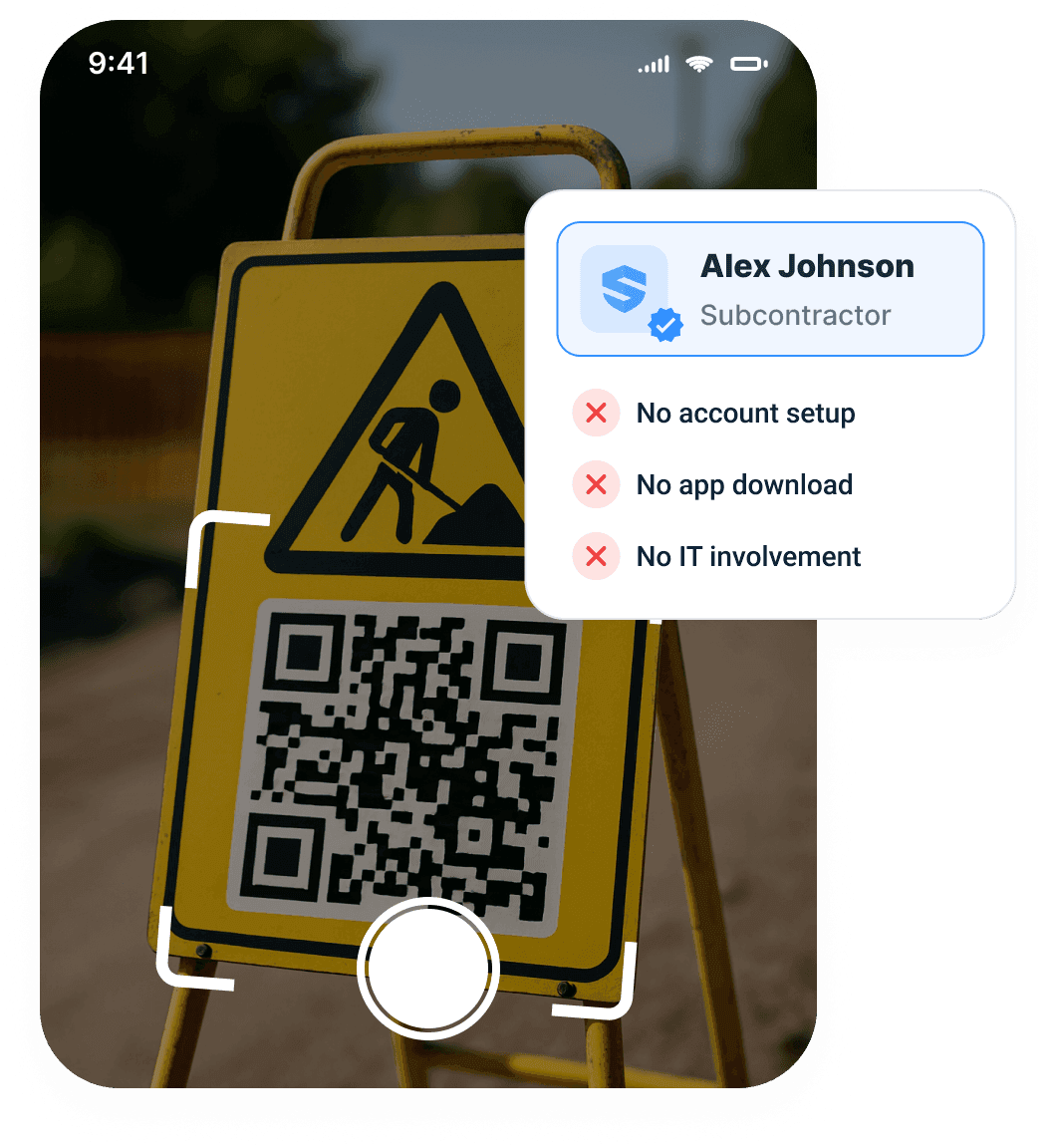
Scan
The gate QR opens this site's orientation — no app store, no download.
Tap
Sign up like social media — no mobile password required.
Go
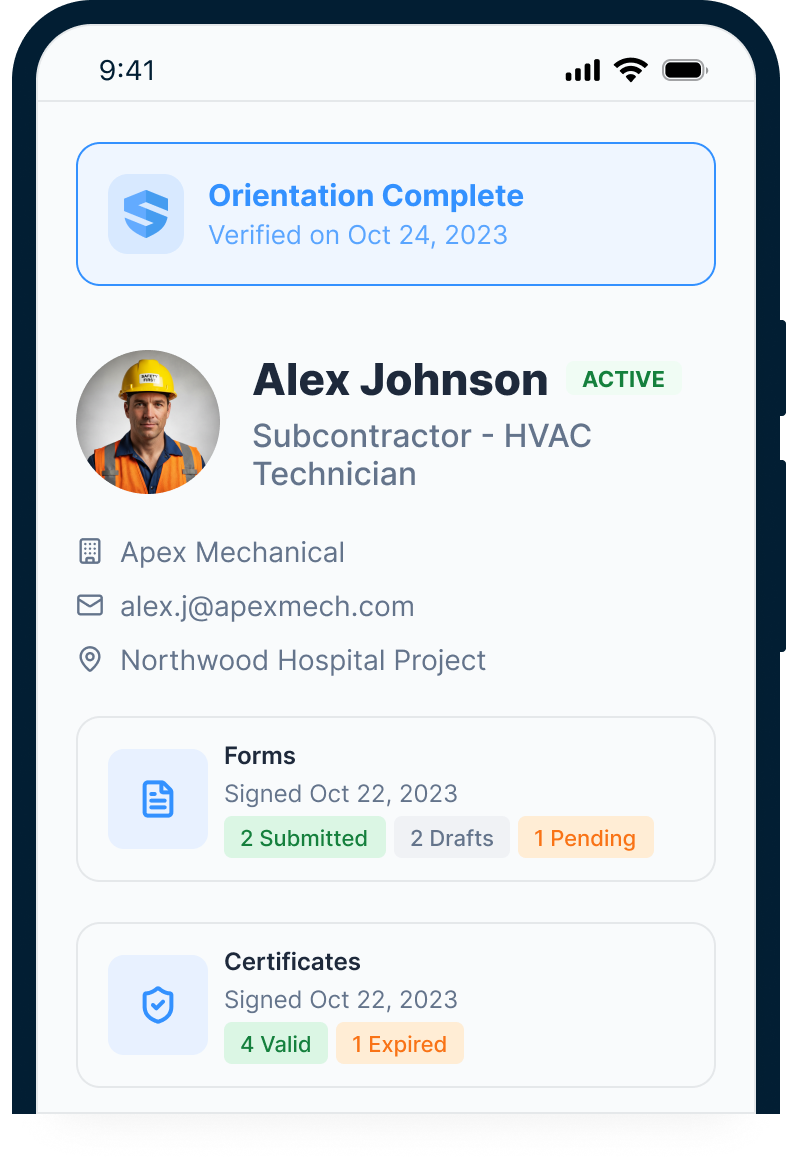
The profile goes active — linked to certs, training, and every form they'll sign.
One scan gets them in.
Their record. Their hands.
GC supervisors shouldn't spend the morning punching holes in sub paperwork or chasing PDFs. Meanwhile, subs own their own record: certs, orientations, training, forms, certificates of insurance, and project history across jobsites. That's the half other platforms skip: the record belongs to the worker.
The portal allows subs to submit their daily, weekly, monthly forms at any time while on site.
 Rebecca Z.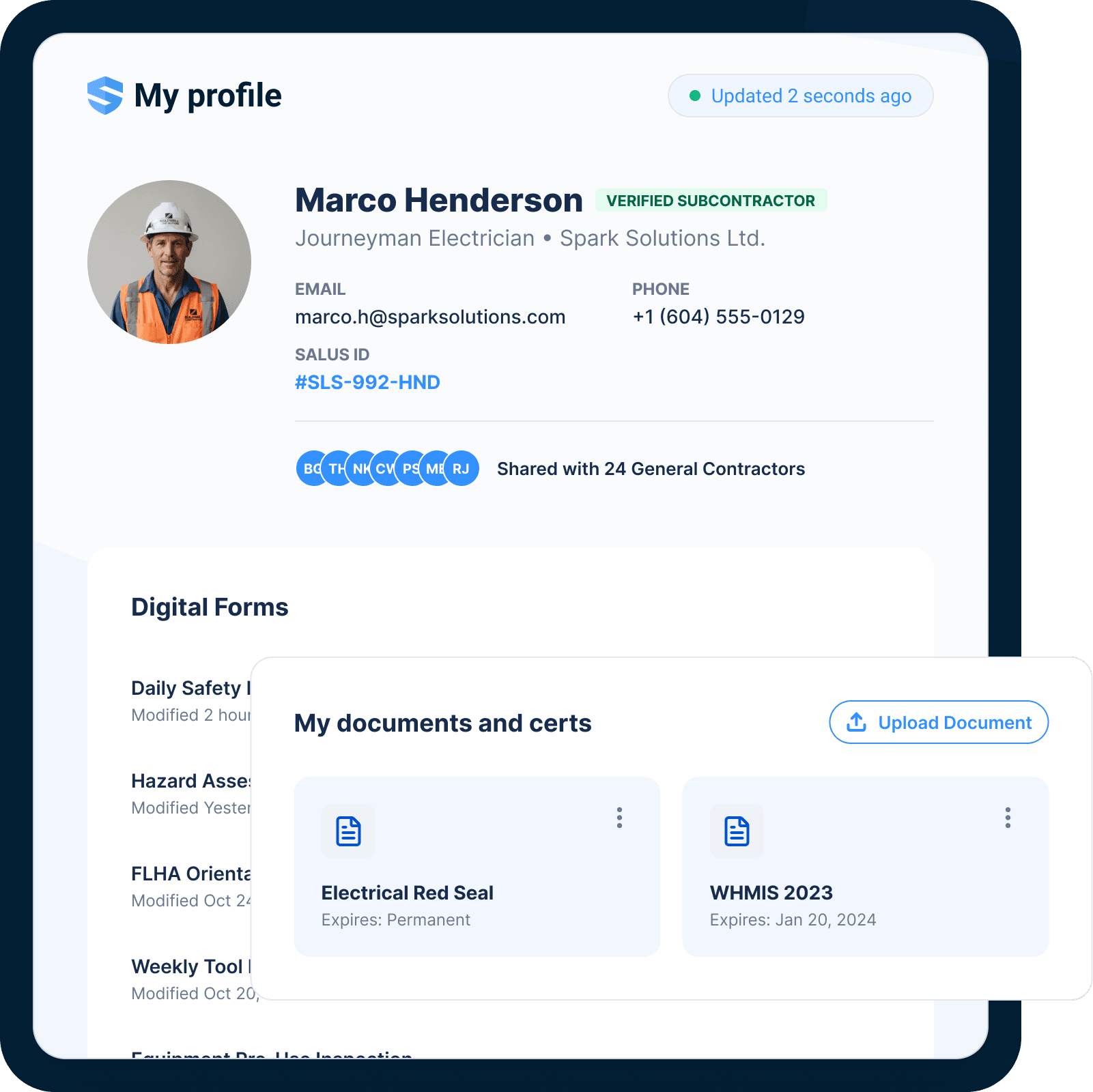
The profile travels. The paperwork does not.
Orient once. Recognized everywhere.
One orientation per general contractor — not one per project. When a sub finishes orientation for a GC, their profile is recognized on every one of that GC's SALUS projects, and on any other GC that operates SALUS: certs, training, and signed records arrive before the boots do.
One profile. Every project. The worker carries the proof.
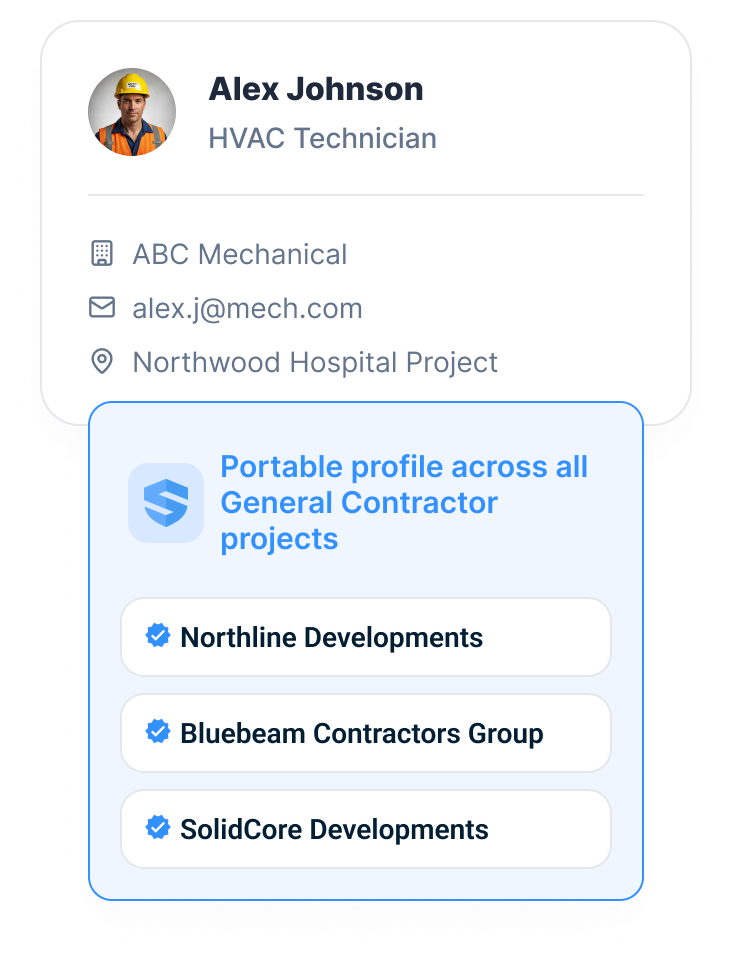
Every trade worker is connected to the work they sign for.
Other platforms log an orientation date. SALUS connects the worker to their certs, their training, and every daily form they sign — then connects the worker to the contractor company, the company to the project, and the project to the portfolio. That is the difference between onboarding and knowing.
If you are evaluating a SiteDocs alternative for trade-partner management, review how SALUS connects each worker to their records and site requirements.
Orientation is a date. The connected profile is a track record.
Flag drift before it becomes exposure.
Beyond orientation.
Into performance.
One electrical sub shows 100% orientation rate, but 40% daily hazard assessment completion. The meeting with that foreman happens before the incident does. Track corrective actions, certs, or permits at the trade worker level.
A 100% orientation rate can hide a 40% jobsite.
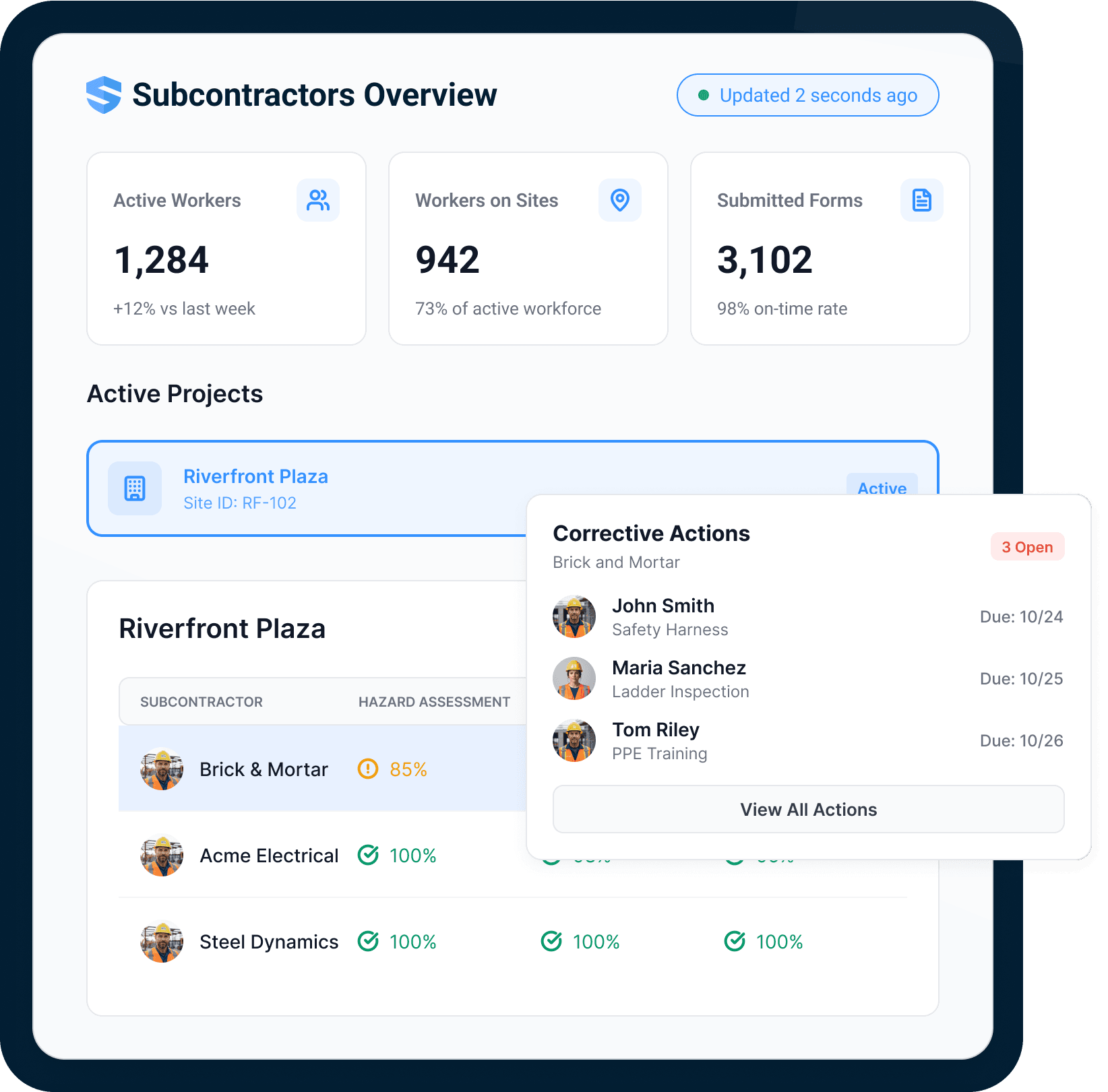
Rosie flags the drift before it becomes exposure.
A portfolio of sub data can bury a safety team. Rosie, the AI Admin & Risk Assistant, watches it continuously: which subs are missing daily forms, which trades have overdue corrective actions, which companies go non-compliant in 30 days when a certificate lapses.
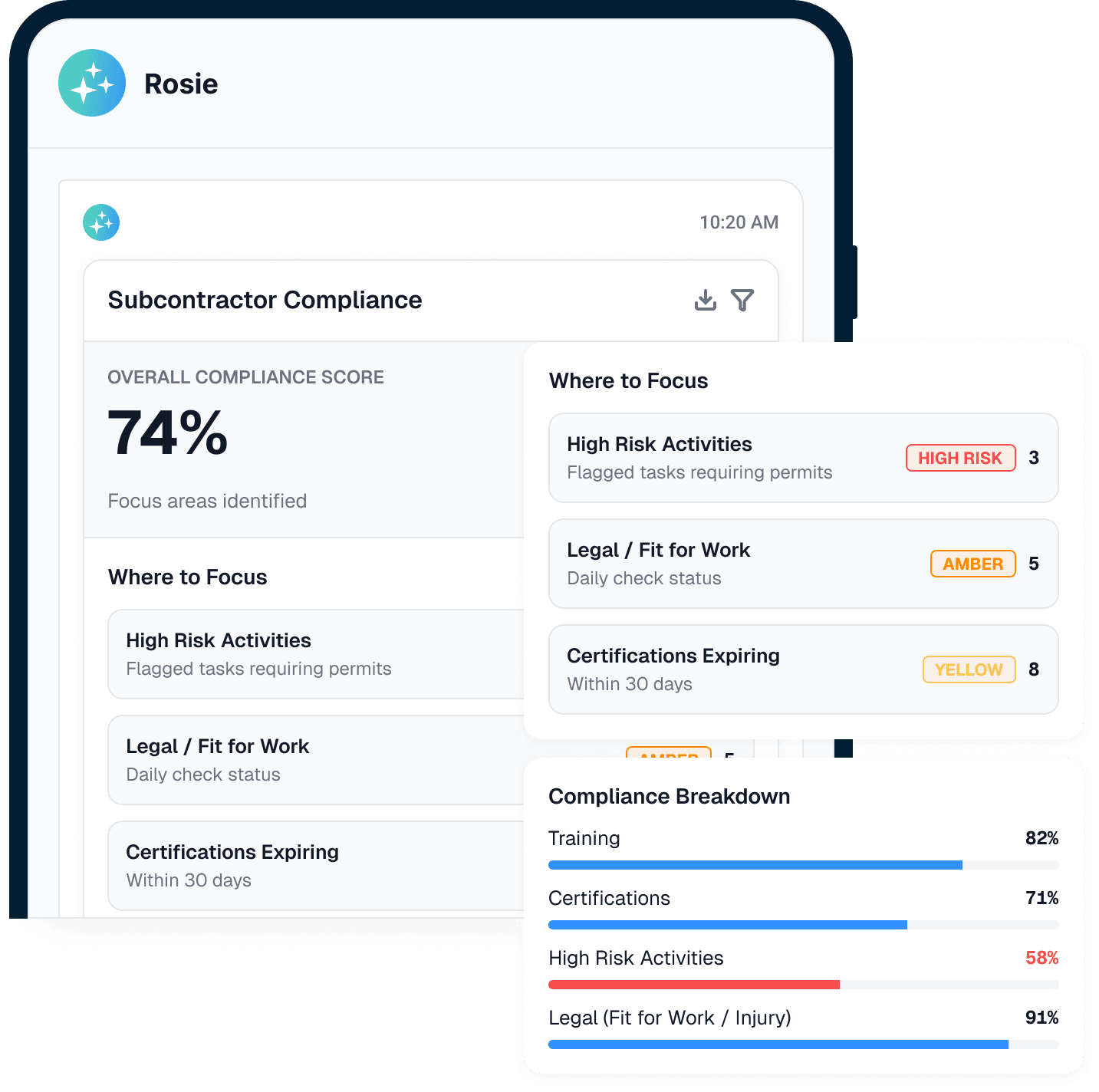
High-risk activities
Flagged tasks requiring permits — surfaced first.
Legal · fit for work
Declaration and injury-confirmation status, checked daily.
Certifications expiring
Who goes non-compliant in 30 days — before they do.
Trends, not noise
A compliance score that says where to look, not just what happened.
You manage exceptions. Not paperwork.
Less sub admin. More operational control.
GCs and safety teams get a clearer view of subcontractor readiness, participation, and follow-through without building another manual tracker.
Close the visibility gap
Continuous monitoring beyond orientation — where most sub-related incidents occur.
Lower supervisor overhead
Digital sub submissions cut paper collection, binder filing, and document chasing from the supervisor's day.
Readiness
Profiles show who is ready before work starts.
Subcontractor compliance software should do more than collect documents.
QR-code onboarding
One gate scan puts a sub in the system: no account setup, no app download.
Portable worker profiles
Certs, training, and signed records travel with the worker to every jobsite.
Contractor profiles
The company-level rollup: every worker, every expiry date, one compliance score.
Cert & training tracking
Expiry status per worker, compliance score per company — flagged before it lapses.
Daily form monitoring
Hazard assessments, fit-for-work declarations, and form adherence — beyond orientation.
Rosie compliance watch
Rosie flags missing forms, overdue actions, and expiring certs — where to focus, daily.
Contractor compliance software connects to the live record.
Go deeper from sub visibility to proof.
Subcontractor readiness becomes stronger when the daily record feeds proof.
Need the rule behind the workflow?
Use the dated OSHA for Construction field guide for current penalties, inspection steps, recordkeeping, and heat-rule status.
Contractor & subcontractor management FAQ: contractor profiles, prequalification, and whether subs are compliant, drifting, or creating risk.
What is subcontractor compliance software?
What does contractor compliance software track?
How do GCs collect COIs and certificates of insurance from subcontractors?
Do subcontractor workers need to download an app?
What happens when a subcontractor moves to a new project or GC?
What can a GC see after subcontractor onboarding?
How long does subcontractor rollout take?
What is subcontractor prequalification?
How is SALUS different from a subcontractor spreadsheet?
What should we bring to a subcontractor management demo?
Does SALUS replace contractor prequalification networks?
Bring a sub onboarding packet.
We will show the live version.
Map onboarding, worker profiles, contractor profiles, readiness, daily participation, and proof from one current packet.
Bring the current workflow. We will map the live version from field action to proof.