


Appia Development
300 digital forms submitted daily
The developer that went from chasing paper to managing 150 subs from a single screen.
Company profile
- Industry
- Developer — Property Development
- Workforce
- ~20 employees, 150+ subcontractors managed
- Geography
- Vancouver / Lower Mainland, BC
- Challenge
- 150 subs, zero visibility
300
Digital forms submitted daily
150+
Subcontractors managed from one dashboard
Thousands saved
Annually on COR audit preparation
SALUS enables me to see who is certified and who’s not, and when their certification expires. This way, I can be mindful of who can work a forklift, and who needs recertification soon. Before the app, we did all this manually.
Appia Group of Companies is one of North America’s premier property development firms, established in 1991. With approximately 20 employees and over 150 subcontractors working across residential and commercial projects in Vancouver and the Lower Mainland, Appia’s challenge wasn’t managing their own team.
It was managing everyone else’s.
Operational safety turns field work into usable proof.
150 subs, zero visibility
When you're a developer coordinating 150-plus subcontractors, safety visibility is everything — and paper gives you none of it.
Blind spots everywhere
Hours spent manually tracking who was on site, who was certified, and who had submitted documentation. Forklift certifications expired without anyone noticing until an audit or incident forced the question.
COR audits buried in paper
Audit season meant weeks of cataloging forms that were lost, illegible, or incomplete. Proving compliance was an exercise in organized chaos.
One dashboard replaced a thousand binders
Real-time visibility across 150 subs
SALUS gave Appia what paper never could: real-time visibility across 150 subcontractors from a single dashboard. With a few clicks, Ron Strik knows which subs are on site, which forms have been submitted, whose certifications are current, and whose are about to expire.
Different trades get different fields, because a steelworker's hazard assessment isn't the same as an electrician's.
Real-time visibility, savings
Safety program effectiveness
- ✓Real-time visibility across 150+ subcontractors from a single dashboard
- ✓Certification expiry tracking prevents unqualified workers on site
- ✓Customizable forms per trade — relevant hazard assessments for each scope
- ✓COR certification ready — audit documentation always organized and accessible
Productivity gains
- ✓COR audit prep reduced from weeks of cataloging paper to instant data pulls
- ✓Thousands saved annually on COR audit preparation
- ✓Eliminated hours of manual tracking for sub compliance and cert status
- ✓300 forms per day managed without additional administrative staff
The workflows behind the result
Each result traces back to a specific way field work was captured, routed, and made visible.
- 01reporting
Certificate Management with Expiry Tracking
Appia tracks every trade worker’s certifications across every active project. When a cert expires, the system flags it instantly — no manual spreadsheet review, no quarterly audits of paper files. The compliance gap that used to take weeks to discover now takes zero seconds.
Explore the feature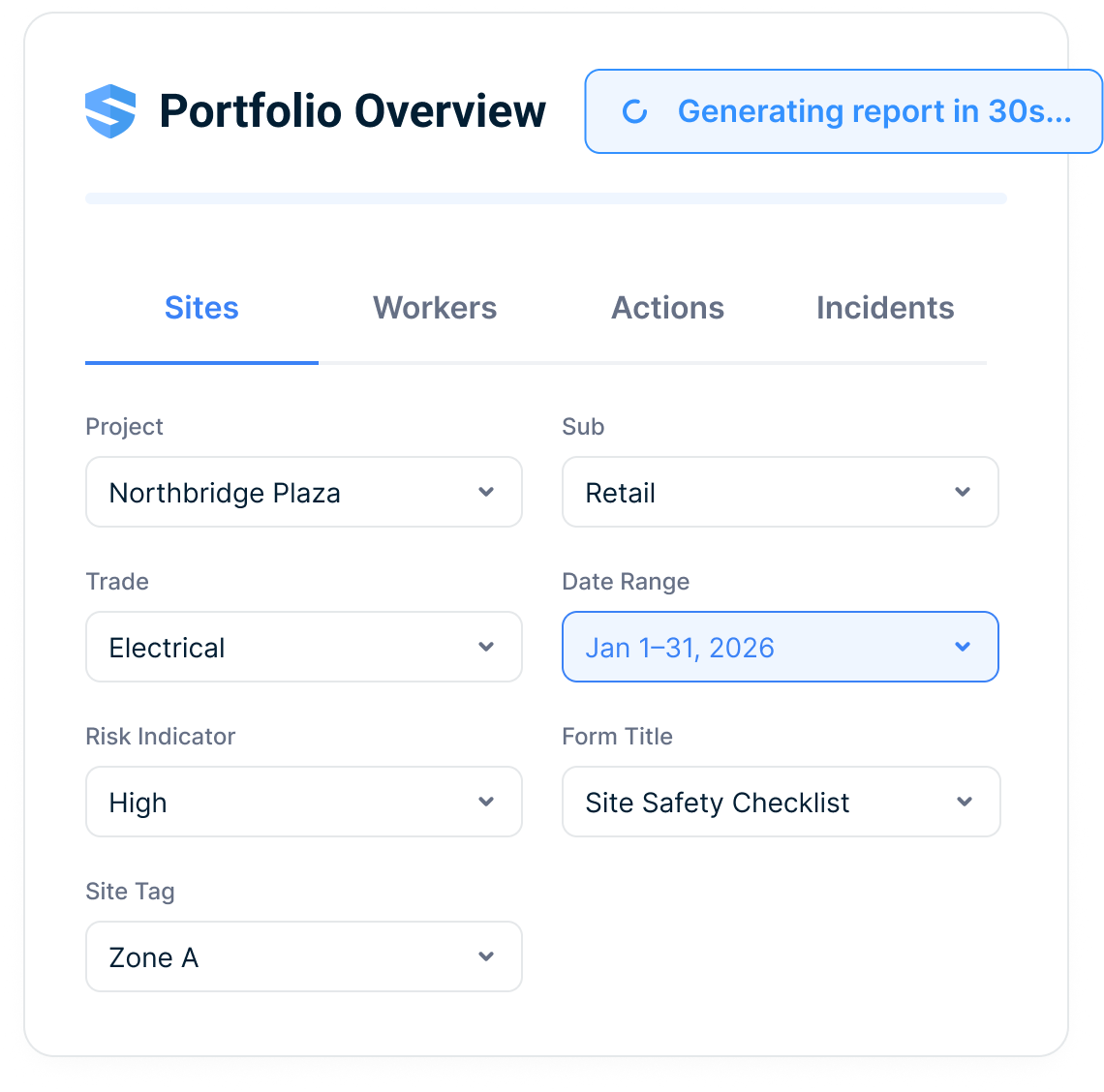
- 02reporting
Compliance Dashboard
One screen shows every project, every worker, every certification status. Appia’s safety team can verify documentation thresholds across their entire portfolio without opening a single filing cabinet. The dashboard that replaced the binder is the dashboard that passed the audit.
Explore the feature - 03qr workflows
Digital Orientation & Onboarding
New workers complete orientation digitally before they arrive on site. SALUS captures acknowledgments, training completions, and certification uploads in one flow — creating a verified record that follows the worker from project to project.
Explore the feature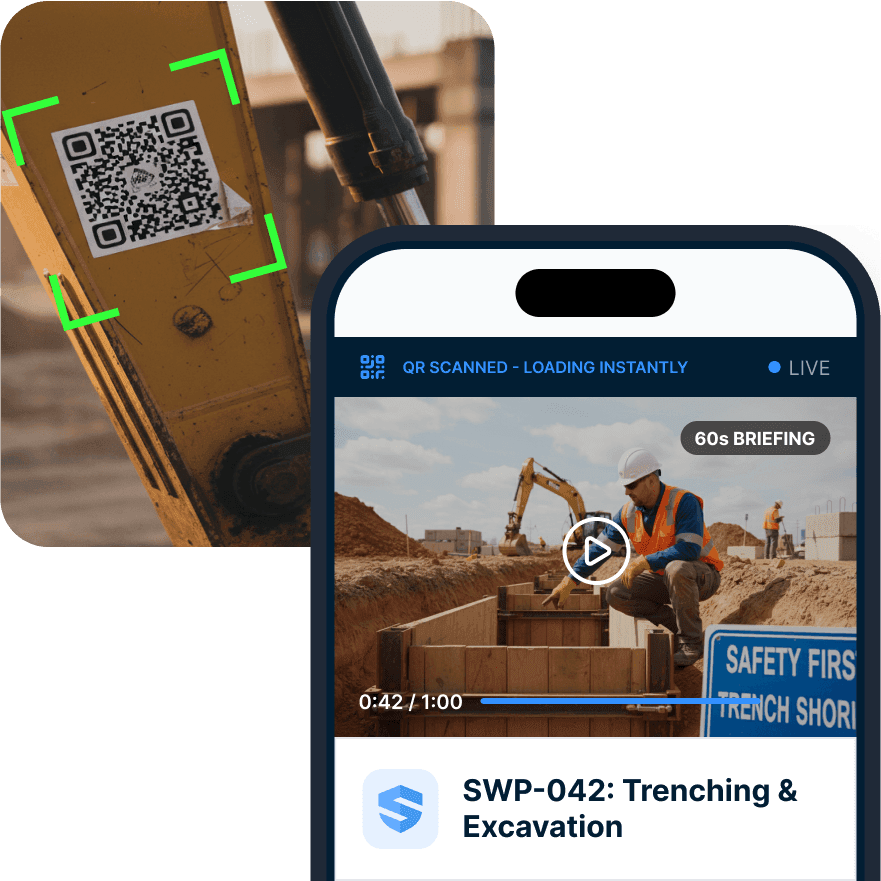
- 04corrective actions
Corrective Actions with Individual Accountability
Assign to a person, not an entity. Track receipt, viewing, and closure. When Appia identifies a deficiency, the corrective action has a name attached to it — and the loop stays open until that specific person closes it.
Explore the feature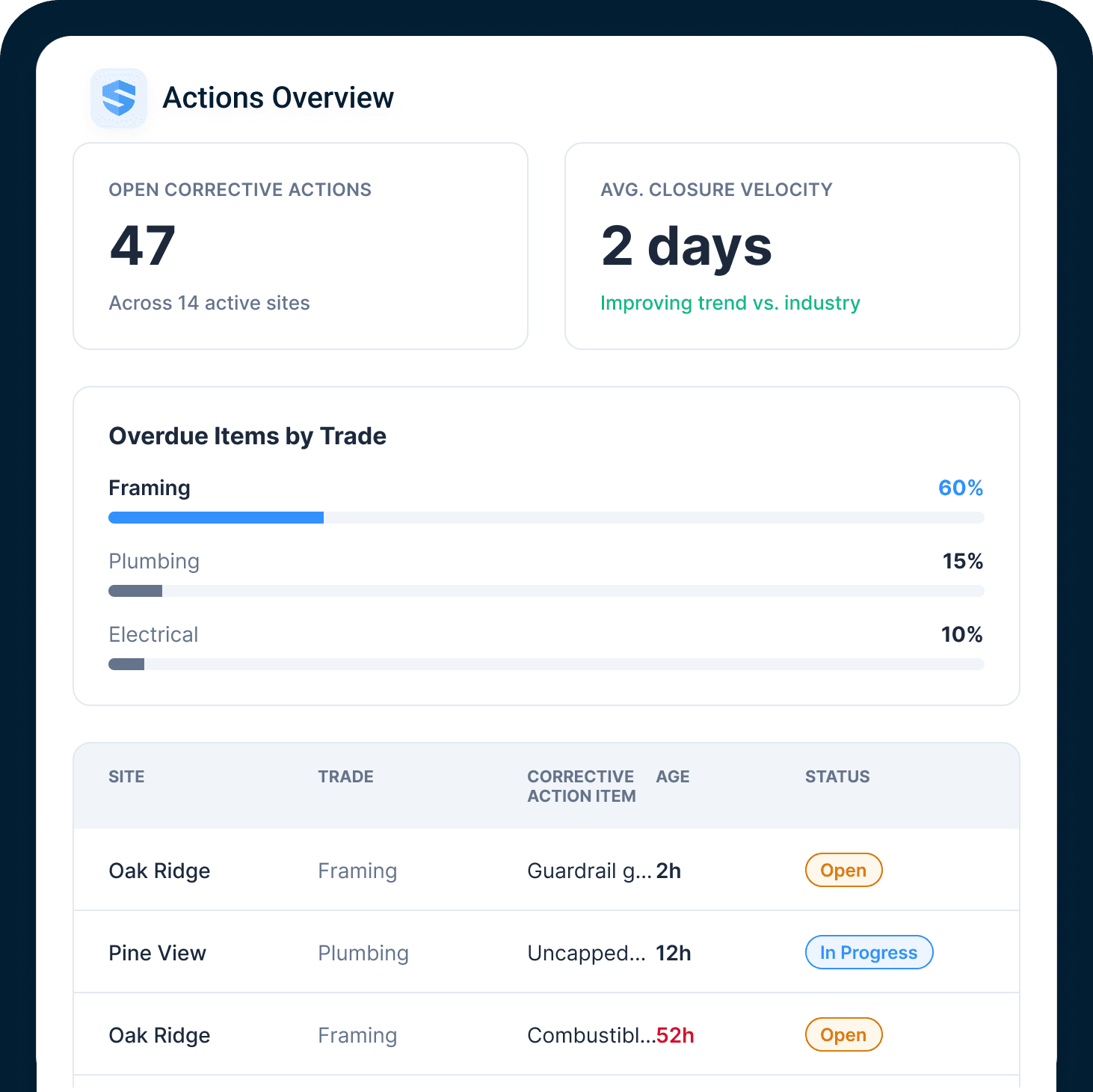
Use the worker-certification verification guide
Apply the evidence, issuer, expiration, and site-readiness workflow to a large subcontractor portfolio.
More from Ron Strik, P. Eng
The efficiency of SALUS is the biggest benefit to us as a developer. There’s no waiting, there’s no lag time. It’s not an email that never gets looked at, it’s something that can be addressed. Without SALUS, we would be so behind the ball.
Since making the shift to a paperless program, we’re easily saving thousands of dollars a year. To hire someone to go through, or do a COR certification with paper forms takes hours and hours to catalog everything. With the SALUS app, the information is already organized.
With a few clicks of a button, I know which subcontractors are on-site, which ones aren’t, and all the forms that have been submitted or not. I can even go back in time and say, ‘you were or weren’t on-site on this day and time, why?’ — which is powerful information to have at my fingertips. It enables me to see who is certified and who’s not, and when their certification expires. This way, I can be mindful of who can work a forklift, and who needs recertification soon. Before the app, we did all this manually.